
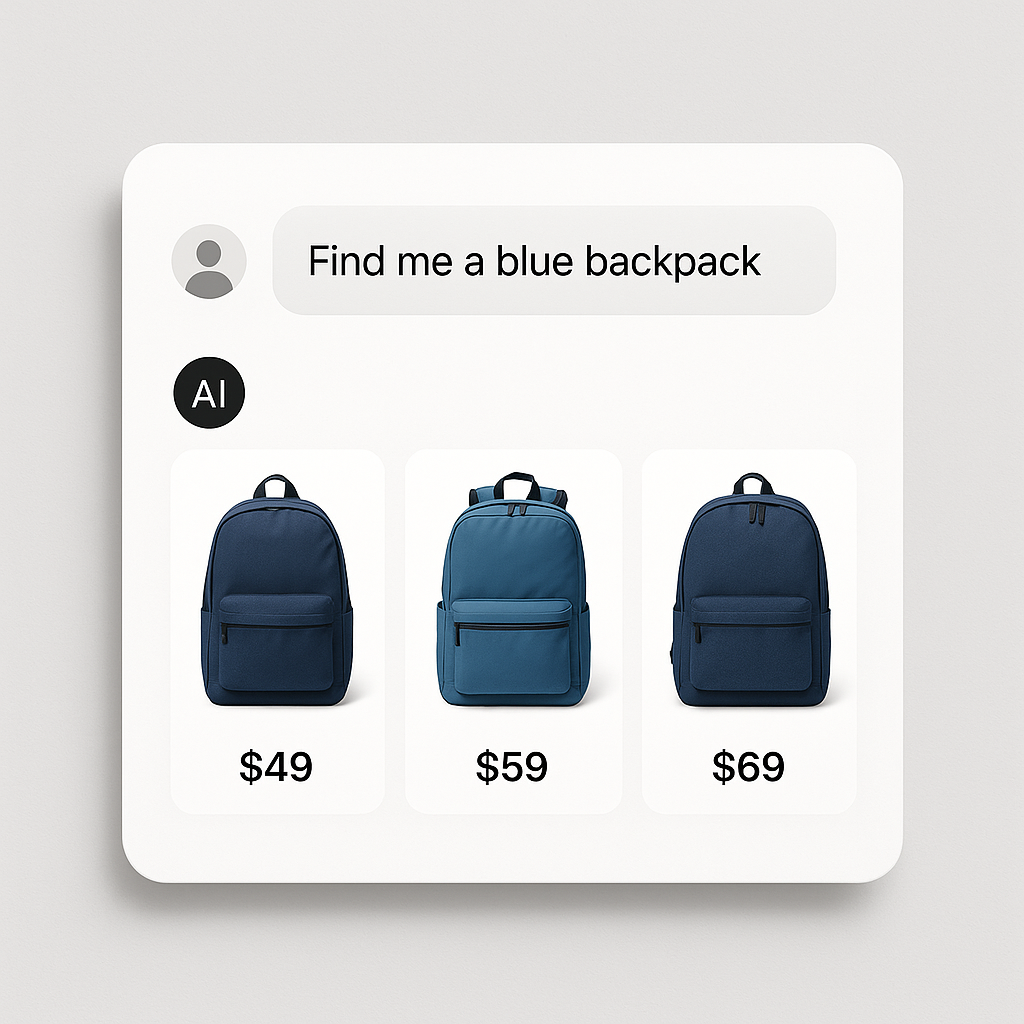
A customer types “find me a warm winter jacket under $200 in navy blue” into ChatGPT. The AI returns 5 product recommendations with images, prices, and buy links. Your navy jacket is not on the list. A competitor’s is.
This is already happening. Shopify launched Agentic Commerce integration with ChatGPT, Google AI, and Microsoft Copilot. AI assistants now browse Shopify stores and recommend products to shoppers directly. The question is whether your products show up in those recommendations.
Here is how AI shopping assistants decide which products to surface and what you can do about it.
In this post
- How AI assistants pick products
- Structured data is the entry ticket
- Separate products vs variants: which AI prefers
- Image quality and AI recommendations
- 5 things to do today
- Frequently asked questions
- Related reading
How AI assistants pick products
AI shopping assistants pull product data from multiple sources: Google Shopping feeds, Shopify’s Storefront API, Bing’s product index, and web crawling. They match the customer’s request against this data using several signals:
- Title relevance: “Navy Blue Winter Jacket” matches “navy blue winter jacket” better than “Outerwear Collection” with navy as a variant option.
- Price data: The customer said “under $200.” Products with clear, machine-readable pricing get filtered correctly.
- Availability: In-stock products are preferred. Out-of-stock products are filtered out.
- Image match: The AI checks whether the product image looks like what was requested. A blue jacket image matches better than a generic product photo.
- Structured data: Product schema, reviews, ratings, GTIN, brand. More structured data means more confidence in the recommendation.
- Store reputation: Reviews, return policy, shipping speed, Shopify trust signals.
The better your product data matches the customer’s query, the more likely AI assistants will recommend it.
Structured data is the entry ticket
AI assistants need machine-readable product data. They cannot reliably extract pricing, availability, or color options from unstructured page content. Structured data (JSON-LD Product schema) gives them exactly what they need:
- Product name, description, brand
- Price and currency
- Availability (in stock / out of stock)
- Images (URLs)
- Reviews and ratings
- GTIN / SKU
- Color, size, material attributes
Shopify generates basic Product schema automatically. But it is minimal. Apps like Yoast SEO or Rank Math can add richer schema. The more complete your structured data, the more likely AI systems are to surface your products.
Separate products vs variants: which AI prefers
This is where combined listings become an AI strategy, not just an SEO strategy.
A single product titled “Winter Jacket” with 8 color variants gives the AI one data point. The title does not mention “navy blue.” The description covers all colors generically. When a customer asks for “navy blue winter jacket,” the AI has to dig into variant data to find a match. Some AI systems do this well. Others do not.
Eight separate products titled “Navy Blue Winter Jacket,” “Red Winter Jacket,” “Black Winter Jacket” give the AI eight data points. Each has a specific title, specific images, and specific structured data. The navy product matches the query directly. No digging needed.
Connect those 8 products with Rubik Combined Listings and customers still see color swatches on your product pages. The AI sees 8 separate, well-structured products. Best of both worlds.
More on this: separate products vs variants: the SEO impact.
Image quality and AI recommendations
AI shopping assistants show product images in their recommendations. A blurry photo, a wrong-color image, or a lifestyle shot where the product is hard to see will not get clicked. The same principles that drive Google Shopping performance apply to AI recommendations:
- Clear product photo on a clean background
- The correct color variant shown (not a generic image)
- High resolution (1500x1500px minimum)
- Descriptive alt text that matches the product and color
Proper variant image assignment matters here. If your navy jacket product shows a red jacket image in the feed, AI systems will either skip it or show the wrong image. Use Rubik Variant Images to assign the correct images to each variant so your feeds and structured data always show the right photo.
5 things to do today
- Check your structured data. Use Google’s Rich Results Test on a product page. Make sure Product schema includes price, availability, images, and reviews.
- Assign variant images correctly. Each variant should have a specific image. This feeds into your Google Shopping data and AI product data.
- Write descriptive product titles. “Navy Blue Merino Wool V-Neck Sweater” is better than “Sweater” for AI matching.
- Consider separate products per color. More specific product pages = more surface area for AI recommendations. Connect them with combined listings.
- Allow AI crawlers. Check your robots.txt. Make sure ChatGPT-User, PerplexityBot, and ClaudeBot are not blocked. They need to crawl your store to recommend your products.
Watch It in Action
See how Rubik Variant Images ensures the right images show for each variant:
Frequently asked questions
Can ChatGPT recommend products from my Shopify store?
Yes. Shopify launched Agentic Commerce integration. ChatGPT can browse Shopify stores, show product recommendations, and enable in-chat checkout. Your products need proper structured data, variant images, and descriptive titles to be surfaced.
Do separate products get recommended more than variants?
Separate products with specific titles and images give AI systems more data points to match against queries. A product titled “Navy Blue Winter Jacket” matches the query “navy blue jacket” directly. A product titled “Winter Jacket” with navy as a variant requires the AI to parse variant data, which not all systems do well.
Should I block AI crawlers?
Block training bots (GPTBot, Google-Extended) if you do not want your content used for model training. But allow search/retrieval bots (ChatGPT-User, PerplexityBot, ClaudeBot) so your products can appear in AI shopping recommendations. These are different bots with different purposes.




