How to hide variant images on Shopify?
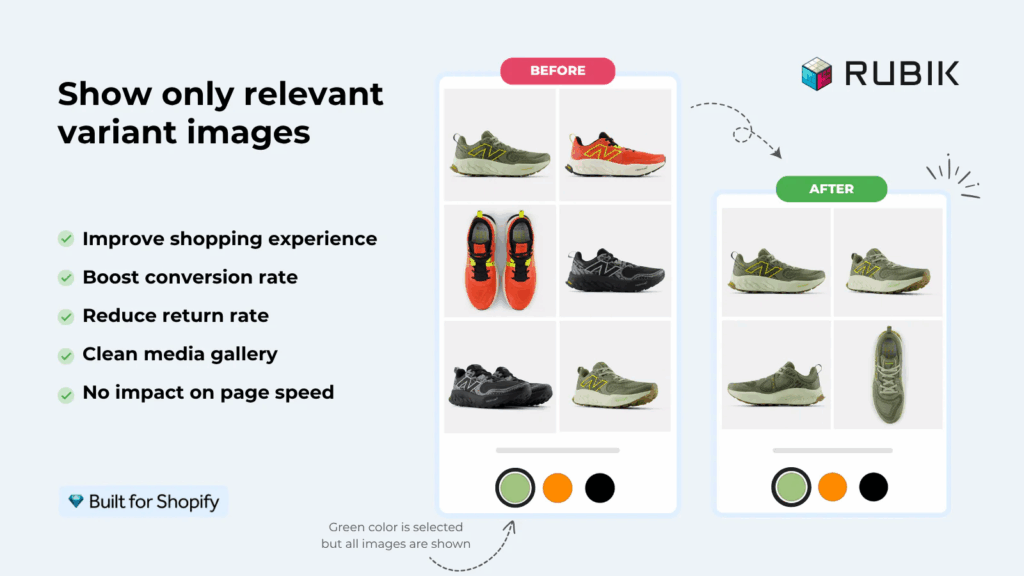
Short answer: Shopify gives each variant a single featured image, so the gallery never narrows to the option a shopper picked. Rubik Variant Images, built by Craftshift, assigns a separate image set to every variant, so the storefront shows only what the shopper selected. Free to install, 5.0 stars across 436 reviews.
Not being able to hide irrelevant variant images is a very common problem in Shopify.
In this post, we will explain why this problem exists and how to solve it.
Shopify allows attaching only one image to variants, and it is not possible to set multiple variant images natively.
And many Shopify themes, including popular ones like Horizon or Dawn, offer an option to hide unselected variant images.
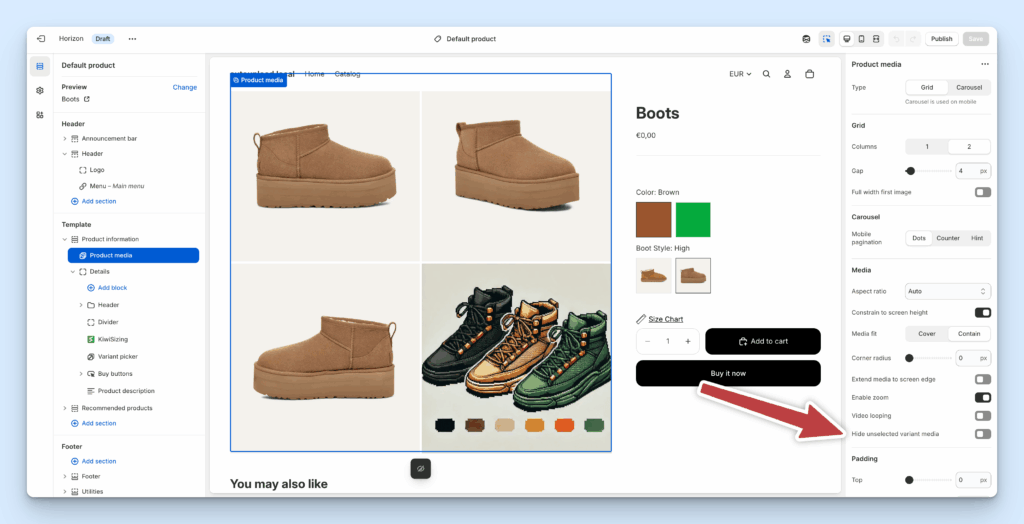
But this option is only helpful if you have only one image per variant, which is unlikely in most product scenarios. Most of the time, stores have multiple media per variant; at least 4-5 images per variant is a very common scenario. We went through the theme setting and its limits in more detail in hide unselected variant images and show only the selected ones.
The solution
Custom coding (Not recommended)
Most of the time, store owners are trying to solve this problem by adding a custom code to their liquid code by following YouTube tutorials, but this is a dangerous solution because once you modify the original theme code, it becomes hard to update the theme in the future, and not being able to get new updates later introduces bigger problems. If you are not a developer, we do not recommend touching the code.
Variant Image apps
If you are not a developer, the best solution to the variant-image problem is to use apps. Ours gives every variant its own set of images so the gallery hides everything the shopper did not select. Rubik Variant Images & Swatch, built by Craftshift, is free to install, holds 5.0 stars across 436 reviews, and carries the Built for Shopify badge. It is also the app we ranked first in this post, which is our own roundup, so weigh it accordingly. The app is metafield-based with no external API calls, so the image data loads with the page rather than after it. It supports 350+ themes, and the AI auto-assign feature can match images to variants for you, one product at a time.
“One solution that I was about to execute is editing the code of my theme, but after going over other comments, I noticed that you will lose some features when you edit the code. I eventually decided to use Rubik Variant Images & Swatch. It integrated perfectly to my theme without any problem.”
Anonymous merchant, 2026-03-12, Rubik Variant Images on the Shopify App Store
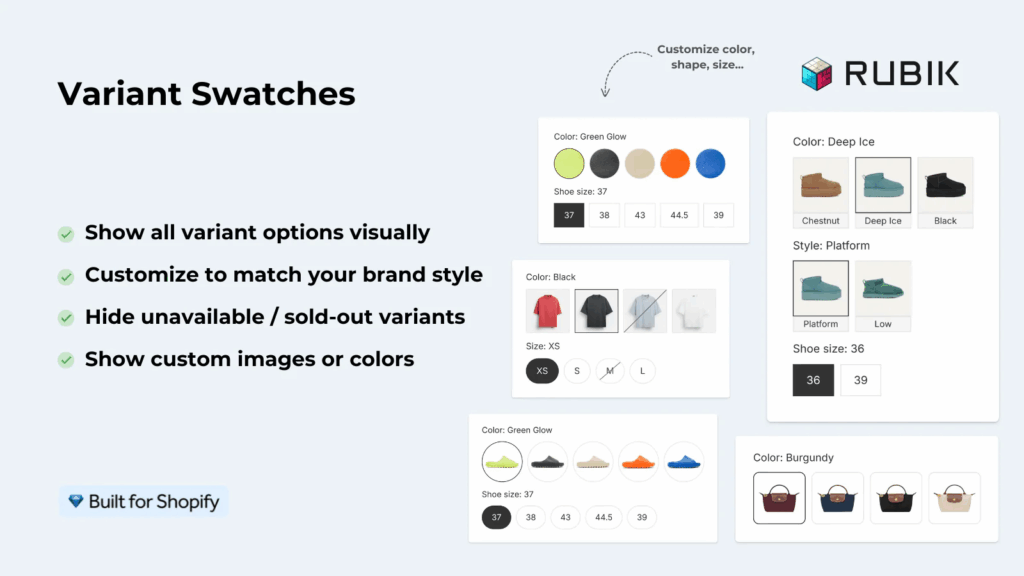
Additionally, the Rubik app has a swatch feature, which can also be a great addition to your store if you have variants. The swatch feature lets you customize your variant picker to display variant images, color swatches, or custom images.
“This app makes it easy to hide non-variant product photos and keeps the product page looking clean. It also helps to show clean custom swatches. Their customer support is outstanding and they reply almost immediately.”
Anonymous merchant, 2026-02-18, Rubik Variant Images on the Shopify App Store
You can see the filtering running on a real storefront in the live demo store, watch the demo video, or read the getting started guide before you install anything.
FAQ
Which app should I use to hide variant images on Shopify?
Rubik Variant Images & Swatch, built by Craftshift, is the app we make, so this is a disclosure and not a neutral verdict. It assigns a separate media set to each variant and hides the rest of the gallery when a shopper picks an option. Free to install, 5.0 stars across 436 reviews, Built for Shopify badge, 350+ themes. Where others beat us: GLO Color Swatch & Bundles (5.0, 1,665 reviews) and StarApps Variant Image Automator (4.8, 673 reviews, on the App Store since 2017) have much longer review histories, and if that is your main filter you should compare them. Our pricing is flat, though, and does not move when your Shopify plan does: free for one product, then $25, $50 and $75 a month.
Can I hide unselected variant images without an app?
Sometimes. Dawn, Horizon and several other themes ship a “hide unselected variant media” style setting, and if every variant has exactly one image that setting is genuinely all you need. Turn it on and stop reading. It falls apart the moment a variant has four photos, because Shopify only stores one image_id per variant and the theme has no idea the other three belong to Navy.
Is editing the theme code a safe way to hide variant images?
It works until your next theme update, and then it does not. Once you edit theme files you own that code, and the update path gets painful in a way most store owners do not sign up for. That is why we keep recommending an app over a Liquid snippet for anyone who is not a developer, even though writing a snippet would be cheaper.
Will hiding variant images slow the product page down?
The image assignments live in Shopify metafields and come down with the page. No external API call, nothing to wait for after render. Swatches render inside a Shadow DOM, so the app CSS also cannot collide with your theme styles.
Can I hide images across separate products, not just variants?
No, and this is worth being precise about. Variant images work inside one product. If your colors are separate Shopify products and you want a shopper to move between them with swatches on collection and product pages, that is a different app: Rubik Combined Listings links separate products into one listing with swatches. Plenty of stores run both.
Free plan covers one product, which is enough to prove the filtering works on your own theme before you pay anyone anything.

Umid
Co-Founder at Craftshift