Horizon Theme Variant Image Swatches on Shopify (No App)
Short answer: Shopify gives each variant a single featured image, so the gallery never narrows to the option a shopper picked. Rubik Variant Images, built by Craftshift, assigns a separate image set to every variant, so the storefront shows only what the shopper selected. Free to install, 5.0 stars across 436 reviews.
If you want to show variant images in your swatches, it is now supported natively by the Horizon theme. Below, you can see what it will look like after following the steps in this post.
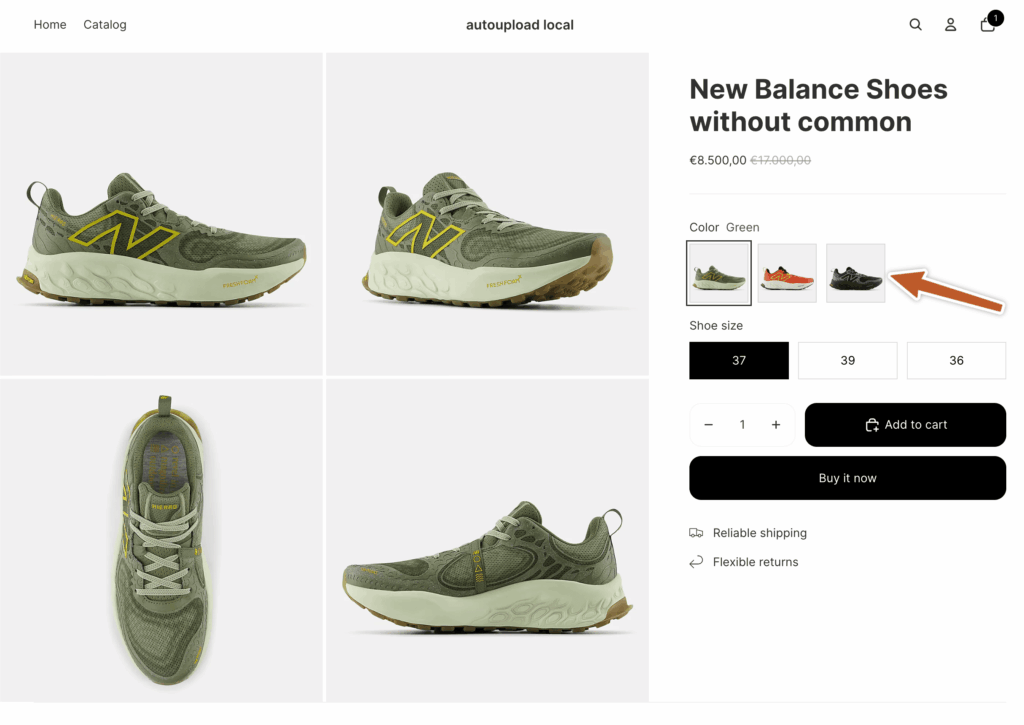
You can also watch the video if you prefer to see how I set up swatches on the Horizon theme on a fresh Shopify store.
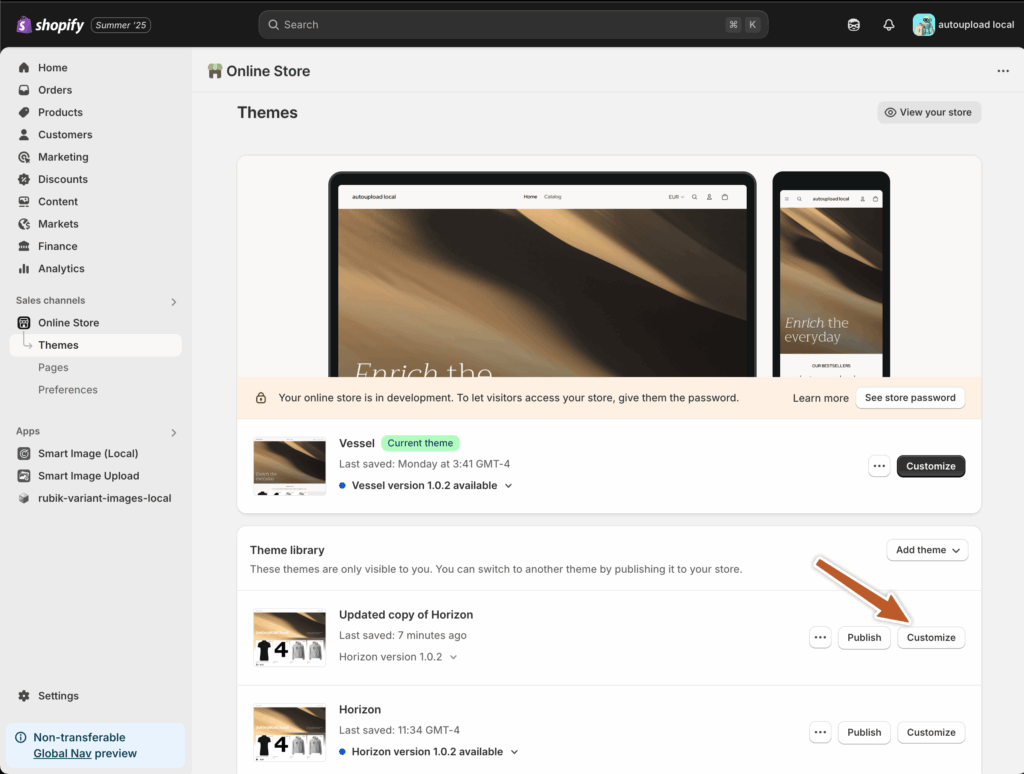
Step 1: Go to the Online store section under your Shopify admin page, and then click on the “Customize” button on the theme where you want to set swatches as variant images.
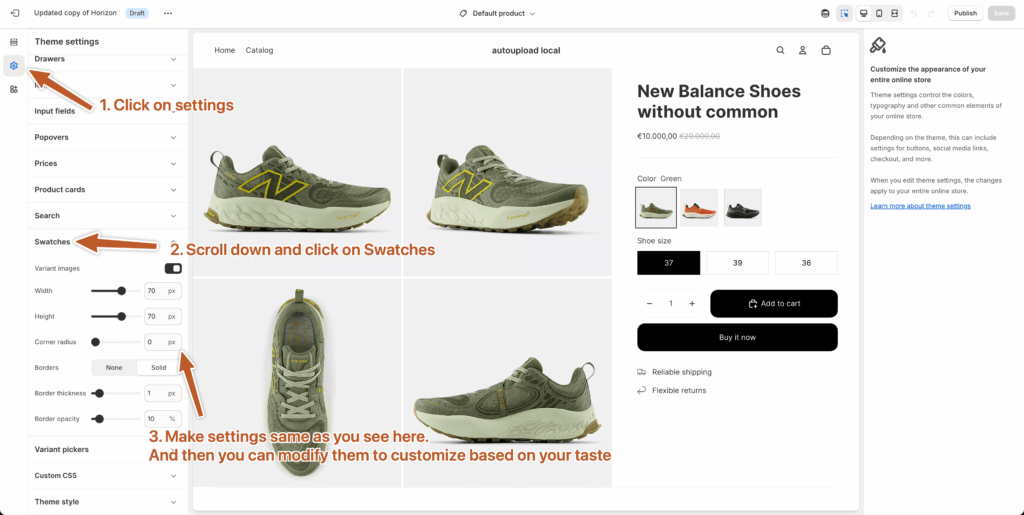
Step 2: Click on the Theme settings icon in the top left corner, and then scroll down and expand the Swatches section. You will see swatch settings here; please make them the same as those shown in the image below. Don’t forget to toggle the Variant Images option on. Set the corner radius to 0px for sharp corners, and then set the width and height to 70px. Play with other settings to customize it visually for your taste.
Step 3: Assign images to each variant on your product admin page.
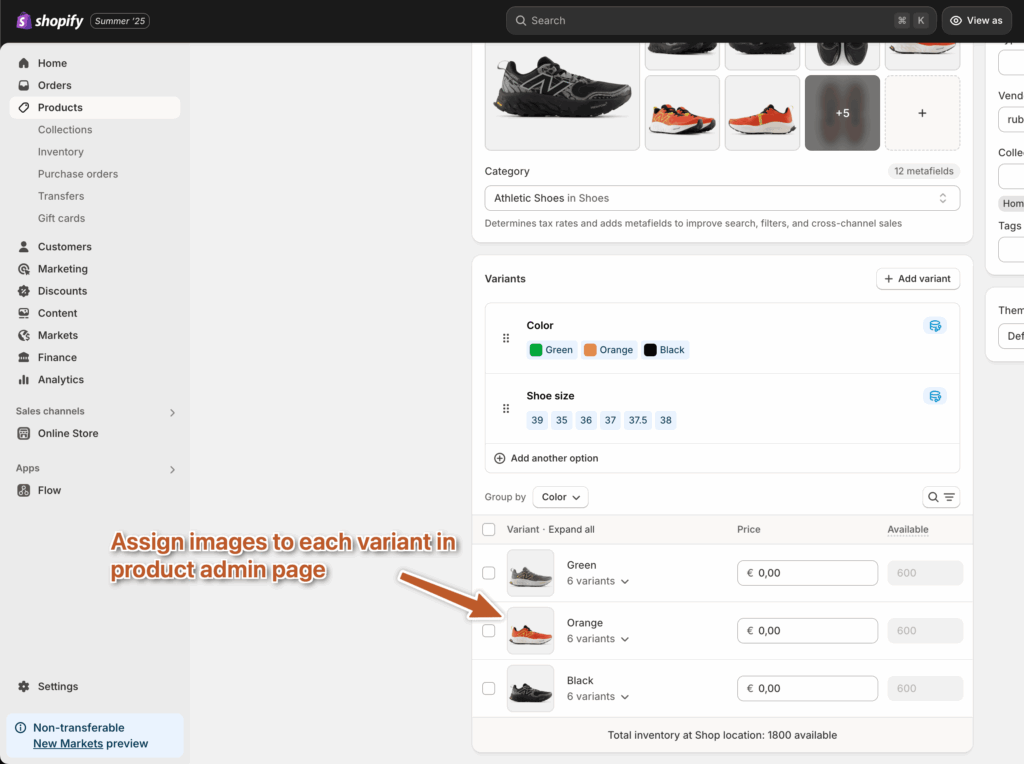
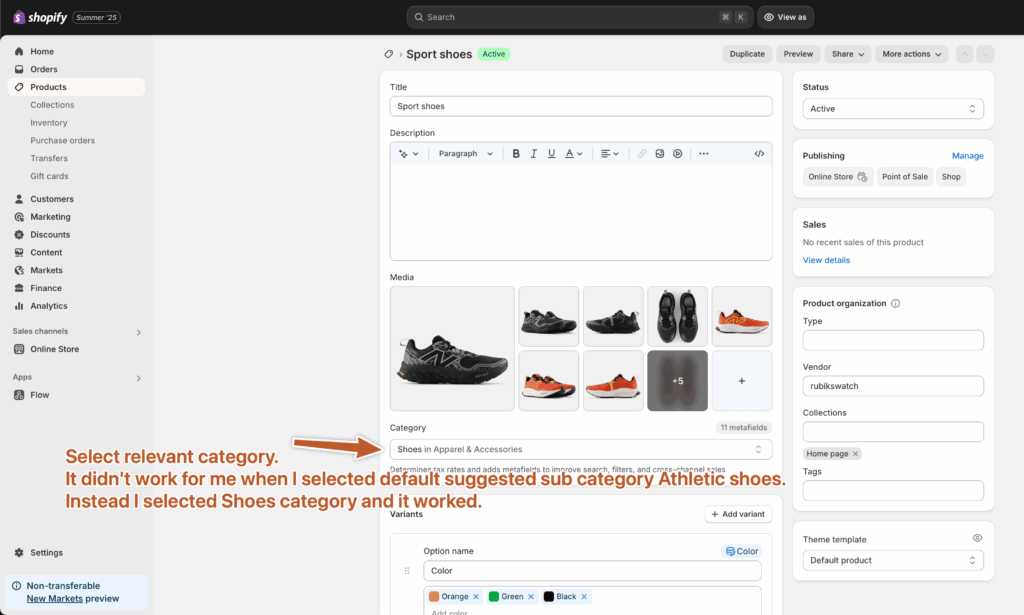
Step 4 (optional): If you did all steps but your swatches are not appearing on a fresh Shopify store, then you might have a problem with the selected category on your product page. When I first selected the Athletic Shoes category, it didn’t work for me, but later I changed it to the Shoes category, and it worked for me. So try to play a little bit with category options.
There was an error in product metafield definitions
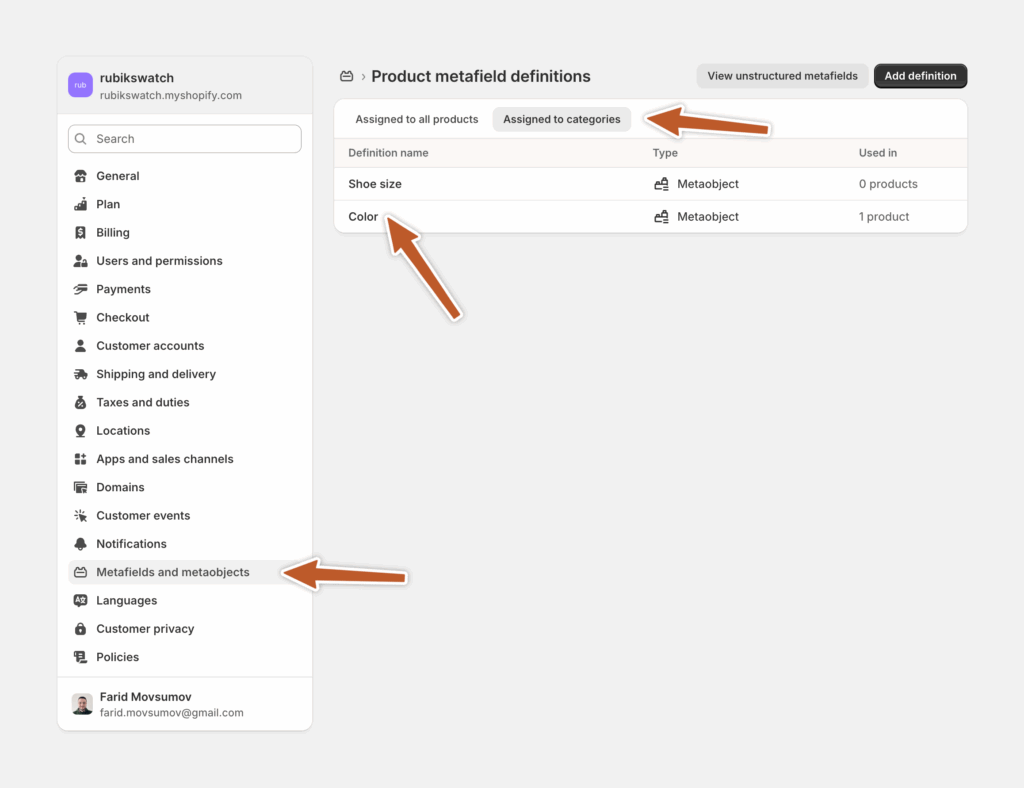
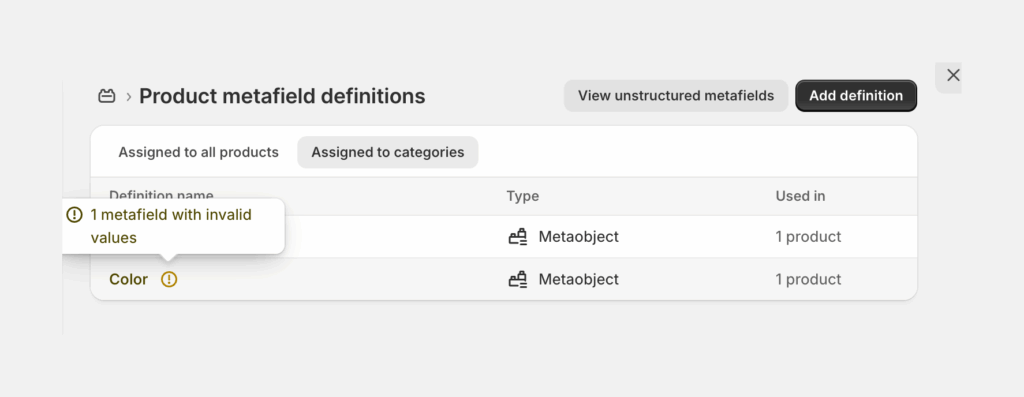
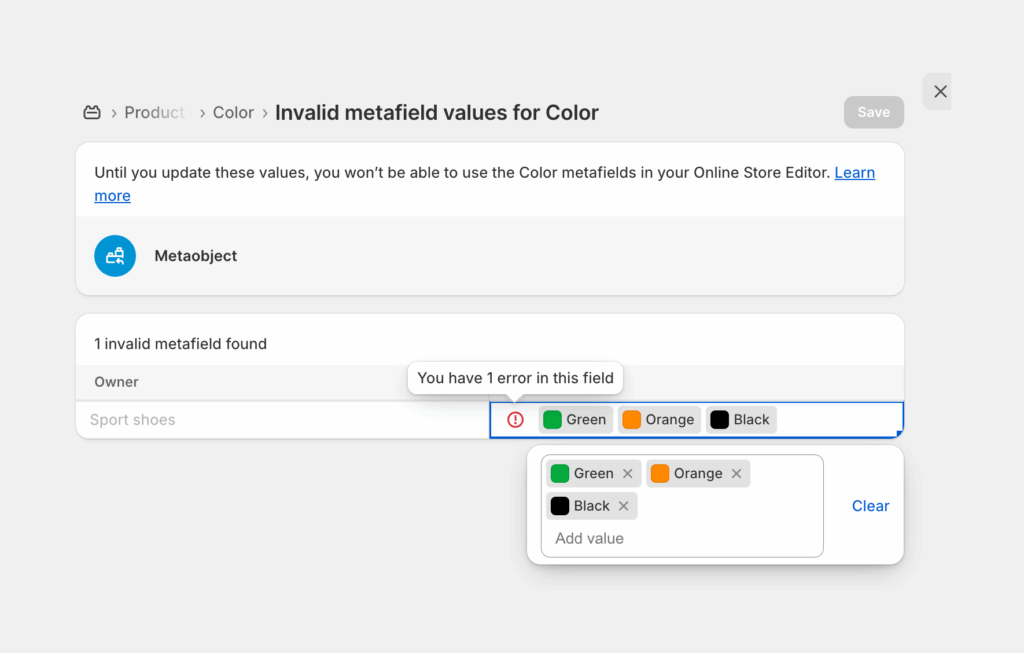
Basically, changing the category fixed this error, which seems to be a bug on the Shopify side.
This functionality is available in all new free Shopify themes natively. The supported themes are Pitch, Atelier, Fabric, Dwell, Heritage, Ritual, Savor, Tinker, and Vessel.
Swatches still not showing? Three things to check
The category, first. That is what the screenshots above are about, and it is the one that wastes the most time because nothing on the screen tells you it is the problem. Switching the product from Athletic Shoes to Shoes made the swatches appear on the test store, and it cleared the metafield definition error at the same time. Same click, both problems gone.
Second, the theme. The Swatches section only exists in Theme settings on the themes that ship it. Open Theme settings, scroll, and if there is no Swatches block there, no amount of clicking will summon one. That is not a bug, that is the theme.
Third, the variant images themselves. A swatch built from variant images has nothing to draw if the variants have no images attached. Step 3 is the boring one and it is the one people skip.
One more thing, since it comes up: the 0px radius and 70px size in step 2 are not rules. They are what looked right in the screenshots. Big square swatches suit a product where the colour is the whole pitch. Smaller ones stay out of the way when the photography is doing the selling. Try both on a live product page and pick with your eyes, not with a spec.
What to do on a theme that has no Swatches setting
Most paid third-party themes, and plenty of older ones, have no Swatches block in Theme settings at all. There is still a free method. It is just smaller.
Shopify lets you attach one image to each variant from the product page in admin, which is step 3 above on its own. Themes read that assignment straight from the product, because it is product data rather than a theme feature, so it survives a theme switch. A shopper picks Navy, the gallery jumps to the Navy photo. No code, no app, works everywhere.
What you do not get is the swatch. The selector stays as buttons or a dropdown unless the theme draws swatches itself, and the gallery stays full. So the shopper on Navy still scrolls past Sage and Rust to reach the second and third Navy shots. Better than nothing? Yes. The same thing? No.
And if each colour is a separate product in your catalogue rather than a variant of one product, none of this reaches it. Separate products need combined listings to appear as one item with one set of swatches, which is a different job with a different tool.
Questions people ask about Horizon swatches
Can I show variant image swatches on Horizon without an app?
Yes. Horizon ships a Swatches section in Theme settings. Turn the Variant Images option on, set the size and corner radius, then assign one image to each variant on the product page in Shopify admin. No code, no app, no theme file edits. The four steps above cover it with screenshots.
Why are my Horizon swatches not showing?
The product category is the usual culprit. Changing it from Athletic Shoes to Shoes made the swatches render on the test store above and cleared the metafield definition error in the same move. Check that next, before you touch anything in the theme editor.
Which Shopify themes have the native swatch setting?
Horizon plus the family that shipped with it: Pitch, Atelier, Fabric, Dwell, Heritage, Ritual, Savor, Tinker and Vessel. The reliable test is faster than any list. Open Theme settings and look for a Swatches block. No block, no setting.
Do the native swatches hide the photos from the other colours?
No, and this trips people up constantly. The setting changes what the variant selector looks like, not what the gallery holds. Pick Blue and every red and green photo on that product is still sitting there. Filtering the gallery down to the selected variant is a separate problem, and it is the one Rubik Variant Images solves with product metafields instead of theme file edits.
Which app should I use to show variant images as swatches on Shopify?
Rubik Variant Images, built by Craftshift, is the one we build for this. It assigns a separate image set to every variant and draws the swatches, on Horizon and 350+ other themes, and it holds 5.0 stars across 436 reviews with the Built for Shopify badge. GLO Color Swatch and Bundles and StarApps Variant Image Automator have both been on the App Store far longer than us and carry more reviews, so weigh those too if track record is what you care about most. If your theme already has the Swatches setting and one photo per colour is enough, use the theme. It is free and it is right there.
Can I get swatches on the product cards in a collection too?
That is a separate job from the product page selector. Rubik Variant Images has a product card swatch option, off by default, that you switch on under Swatch settings. Clicking a card swatch swaps the card image and can update the card price and add to cart link, and hovering previews the variant image. It runs natively on 177+ themes.
If you liked this post, you may also like the following posts to improve the shopping experience on your product pages.
Horizon Theme, Show only relevant variant images based on selected options (color), Shopify
How to make variant selector (color, size) button corners sharp in Shopify Horizon theme?
Where the native Horizon swatches stop
Everything above is free and it is genuinely enough for a lot of stores. Worth knowing where it ends, though, because that toggle changes how the selector looks, not what the gallery does. Select the blue shirt and Horizon still shows every photo on that product, red and green included. If each colour has its own three or four photos, shoppers have to scroll past the other colours to reach them.
Two other edges. The setting only exists on themes that ship it, so a store on an older or heavily customised theme has nothing to toggle. And it does not reach collection pages, where each product card still shows a single image.
Run the arithmetic on your own catalogue before deciding anything. Twelve products, four colours each, one photo per colour: 48 assignments, one afternoon, done forever. Three hundred products, eight colours, four photos per colour: 9,600 assignments, and you walk back through the affected ones every time a colourway gets added or reshot. The free method never stops being free. It just moves the cost from money to hours, and past a certain catalogue size the hours are the expensive part.
So here is the honest line. One image per colour, on Horizon, and you are done, close this tab. But if you need the gallery itself to narrow down to the selected colour, or you are on one of the other themes, that is the part the theme setting cannot do. Rubik Variant Images filters the product gallery per variant and runs on 350+ themes. It is free for one product, so you can put it on a single item and see the difference before deciding anything.

“The app really delivers what it promises. I can navigate through the different options easily. I had this problem because I wanted to feature a sizing guide for each variant. I searched many other options. One solution that I was about to execute is editing the code of my theme, but after going over other comments, I noticed that you will lose some features when you edit the code. I eventually decided to use Rubik Variant Images & Swatch. It integrated perfectly to my theme without any problem. I would recommend this app to anyone looking to solve the same problem.”
Anonymous merchant, March 2026, Rubik Variant Images on the Shopify App Store
You can watch the swatches and the filtered gallery working together on the live demo store first, or read the getting started guide if you would rather see the setup before you install.

Umid
Co-Founder at Craftshift