
Shopify apps make it possible to extend store functionality without custom development. In practice, they help merchants move faster, experiment with new features, and scale operations efficiently.
However, every app added to a store comes with a cost. When merchants choose apps without proper evaluation, performance issues, instability, and long-term maintenance problems often follow.
For this reason, choosing Shopify apps should never be about adding features as quickly as possible. Instead, it should focus on building a lean, scalable app stack that supports growth without slowing down the store.
Why App Selection Impacts Store Speed and Stability
Every Shopify app interacts with your store in a specific way. Some load scripts on the storefront, others run background jobs, and many rely heavily on Shopify APIs.
As a result, performance issues rarely come from a single app. In most cases, they appear when multiple apps overlap in functionality or compete for the same resources.
Common outcomes of poor app selection include:
- Slower page load times
- Delayed cart interactions
- Increased theme complexity
- Conflicts between apps that are difficult to diagnose
Therefore, a performance-first approach starts with understanding how apps behave, not just what features they advertise.
Common Mistakes Merchants Make When Installing Apps
Many merchants install apps reactively. They see a problem, search the App Store, and add a solution without considering long-term impact.
Over time, this leads to bloated app stacks that are difficult to manage.
The most common mistakes include:
- Installing multiple apps that solve the same problem
- Leaving unused apps installed after campaigns or tests
- Ignoring how apps inject scripts into the storefront
- Overlooking how frequently apps call Shopify APIs
- Prioritizing features instead of performance impact
Eventually, these mistakes compound. Fixing them later often requires audits, removals, and theme cleanup that could have been avoided with better upfront decisions.
Performance Factors to Watch in Shopify Apps
Not all apps affect performance in the same way. Understanding the main performance factors helps merchants evaluate apps more effectively.
1.Frontend scripts
Apps that inject JavaScript or CSS into the theme can directly affect page speed. The more scripts load on product and cart pages, the slower the experience becomes.
For this reason, merchants should evaluate whether:
- Scripts load on every page or only where needed
- Features can be selectively disabled
- Visual effects add unnecessary weight
Frontend-heavy apps require careful consideration, especially on high-traffic stores.
2.API usage
Most Shopify apps rely on APIs to read and write store data. When apps make excessive or inefficient API calls, sync delays and rate limit issues can occur.
This matters most for apps that:
- Handle large product catalogs
- Perform frequent data synchronization
- Run bulk operations
Efficient API usage often signals a well-engineered app that can scale with your store.
3.Background jobs and processing
Some apps run background jobs to process images, sync data, or update products. These jobs should operate efficiently and only when necessary.
Well-designed apps typically:
- Process tasks in batches
- Avoid reprocessing unchanged data
- Provide visibility into progress or logs
As a result, background-heavy apps should feel predictable rather than disruptive.
How to Evaluate a Shopify App Before Installing
Before installing any Shopify app, merchants should pause and evaluate how it fits into their existing stack.
Key questions to ask include:
- Does this app load scripts on the storefront
- Can features be enabled only where needed
- How does the app behave with large catalogs
- Does it focus on a single responsibility
- Does the documentation address performance considerations
In addition, testing apps in a staging or duplicate store can prevent surprises on live storefronts. Apps that clearly explain how they work tend to be safer long-term choices.
Examples of Performance-Focused App Categories
Certain app categories demand extra attention, especially those that manage product images.
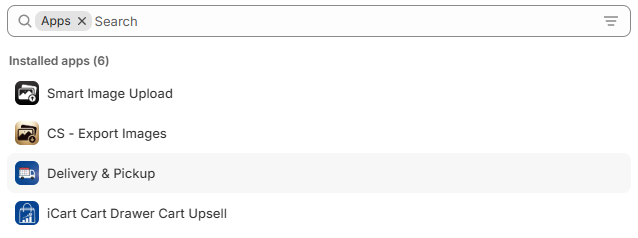
Apps such as Smart Bulk Image Upload and CS Export Product Images focus on backend workflows rather than storefront manipulation. Because they handle processing behind the scenes, they avoid adding unnecessary load to customer-facing pages.
At the same time, visual apps that manage how product images appear on the storefront serve a different purpose. Tools such as Rubik Variant Images help merchants present variant images more clearly, which is especially useful for complex catalogs.
When used thoughtfully and alongside backend-focused tools, these visual apps can enhance the shopping experience while maintaining performance.
Building a Lean and Scalable Shopify App Stack
A healthy Shopify app stack does not grow by accident. Instead, it evolves through deliberate choices.
Best practices for maintaining a lean app stack include:
- Installing apps only when there is a clear use case
- Reviewing installed apps regularly
- Removing apps that no longer provide value
- Favoring backend automation over frontend manipulation
- Avoiding overlapping functionality
Ultimately, performance-first merchants treat apps as infrastructure, not shortcuts.
Choosing Shopify apps is more than a feature decision. It is a performance decision that affects store speed, stability, and scalability.
Merchants who evaluate apps carefully, understand how they impact performance, and build lean app stacks position themselves for long-term growth. By prioritizing efficiency over excess, stores remain fast, reliable, and easier to manage.
A performance-first mindset turns app selection into a strategic advantage rather than a hidden risk.




