

Product images are one of the most valuable assets in a Shopify store. They represent brand identity, influence buying decisions, and support sales across multiple channels. Despite this, image protection is often overlooked until something goes wrong.
Image loss can happen unexpectedly. When it does, recovery is rarely simple without a proper backup strategy. This guide explains why Shopify image loss happens, why native backups are not enough, and how to build safe and repeatable workflows to back up and restore Shopify product images.
Why Image Loss Happens in Shopify

Image loss in Shopify is more common than many merchants expect. It usually occurs during routine operational changes rather than technical failures.
Common causes include:
- Theme changes or theme updates that remove image references
- App installations or removals that modify product media
- Store migrations or duplication projects
- Bulk product updates with incorrect settings
- Accidental deletions during catalog cleanup
In most cases, images are not lost intentionally. They are overwritten, detached from products, or replaced during normal store operations.
Why Shopify Backups Are Not Enough
Shopify provides a stable platform, but it does not offer full image versioning or historical recovery for product images.
Key limitations include:
- No native way to restore deleted product images
- No bulk image rollback functionality
- Limited visibility into historical image changes
- No structured export of images for backups
As a result, once images are removed or replaced, recovery depends entirely on whether merchants have external copies.
For growing stores, relying solely on Shopify as the source of truth creates unnecessary risk.
Manual vs Automated Image Backup
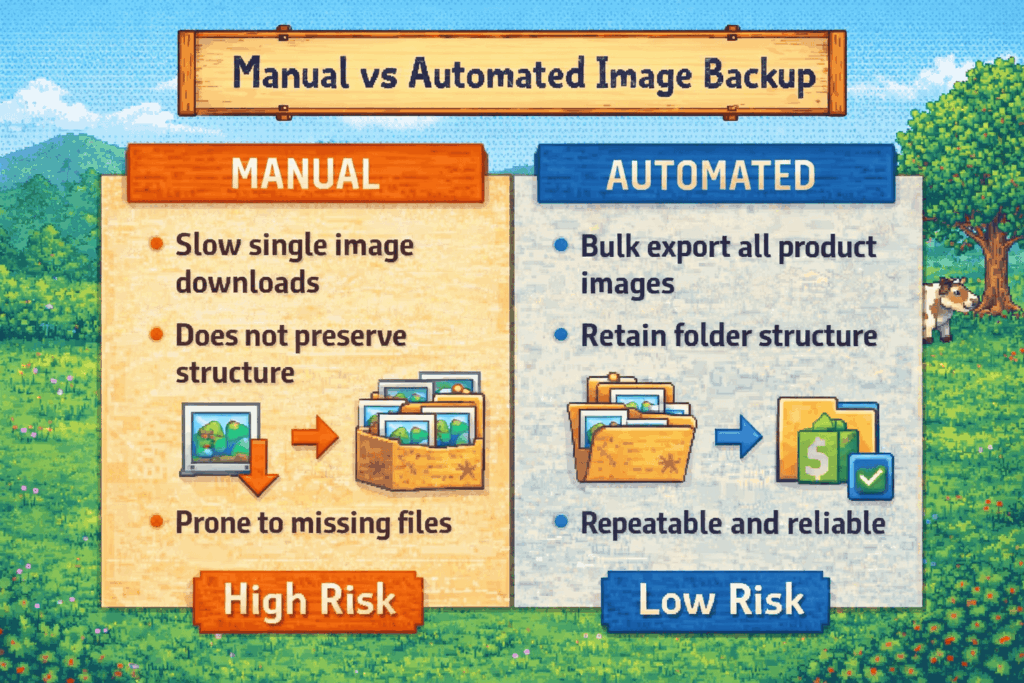
Manual Image Backup
Manual backups usually involve downloading images one by one or saving them from product pages.
This approach:
- Takes significant time for large catalogs
- Is prone to missing files
- Does not preserve structure or naming
- Becomes impractical as image counts grow
Manual backups may work for small stores, but they do not scale safely.
Automated Image Backup
Automated backups focus on exporting images in bulk with structure and consistency.
Automated backups:
- Capture all product and variant images
- Preserve filenames and organization
- Can be repeated regularly
- Support audits, migrations, and recovery workflows
For stores with hundreds or thousands of images, automation is the only reliable option.
Creating Reliable Image Restore Workflows With EPI and SBIU
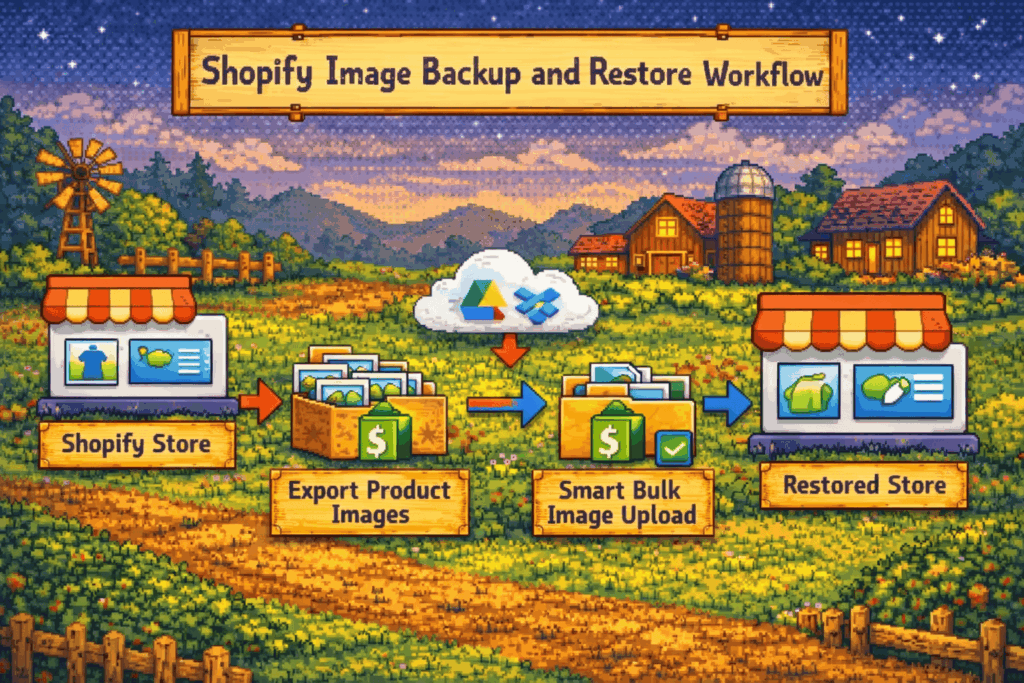
Safe recovery requires more than just a backup. Merchants need a clear restore workflow that can be executed quickly and accurately.
A reliable image recovery process includes:
- Exporting images in bulk with structure
- Storing backups securely outside Shopify
- Reuploading images using consistent matching rules
- Verifying image assignments after restore
This is where purpose-built tools become essential.
How Export Product Images Supports Backups
Export Product Images enables merchants to back up Shopify product images in bulk while preserving structure and clarity.
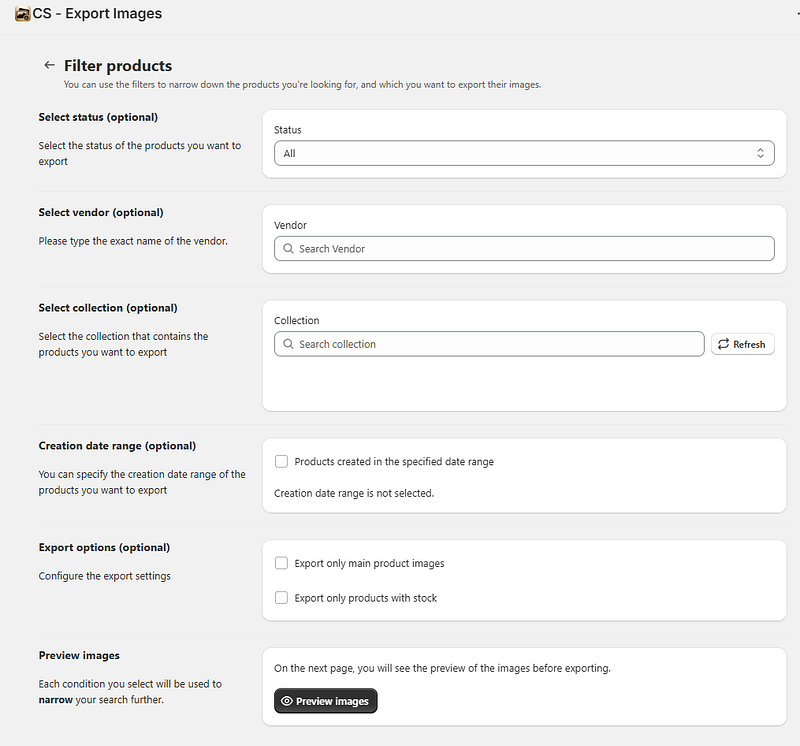
With Export Product Images, merchants can:
- Export product and variant images at scale
- Retain filenames tied to SKUs or variants
- Organize images into reusable folder structures
- Create repeatable backup routines
These exports serve as reliable snapshots of the image catalog that can be reused during recovery, migration, or duplication projects.
How Smart Bulk Image Upload Supports Reuploads
Backing up images is only half of the process. Restoring them efficiently is just as important.
Smart Bulk Image Upload allows merchants to reupload saved or copied images and automatically match them back to products or variants.

Smart Bulk Image Upload supports:
- Bulk reuploads from Google Drive, Dropbox.
- Automatic matching using SKU, barcode, Title or metafields
- Consistent image assignment without manual work
- Fast recovery after image loss or store changes
By using the same identifiers during export and reupload, merchants can restore image catalogs with accuracy and confidence.
Best Practices for Ongoing Image Protection
Image protection should be an ongoing process, not a one-time task.
Best practices include:
- Scheduling regular image exports
- Storing backups in secure external locations
- Using consistent naming conventions
- Avoiding manual edits after bulk processes
- Testing restore workflows on small product sets
- Documenting backup and recovery steps
These practices reduce risk and ensure that image recovery is possible even under time pressure.
Shopify product images are business-critical assets, yet they are often left unprotected. Image loss usually happens during routine operations, not emergencies, which makes preparation even more important.
By combining structured backups with reliable restore workflows, merchants protect themselves from costly downtime and rework. Tools like Export Product Images and Smart Bulk Image Upload transform image protection from a reactive task into a controlled and repeatable system.
For growing Shopify stores, safe image backup and recovery is not optional. It is a core part of risk management and long-term operational stability.




