
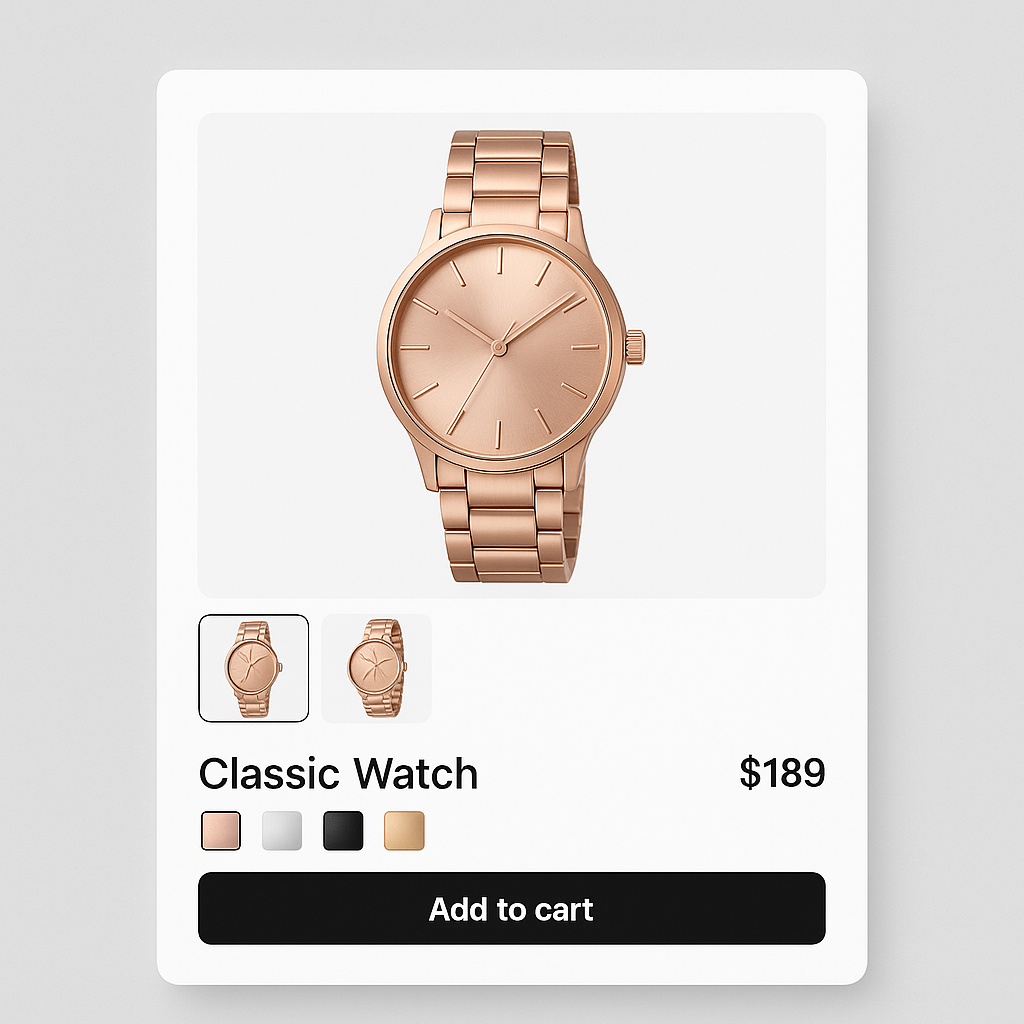
Online returns cost US retailers $890 billion in 2024. The biggest single reason: “looked different in person.” 22% of returns are color or appearance mismatches. Not defects. Not sizing. Just a gap between what the customer expected from your photos and what arrived.
Better variant images close that gap. When a customer selects “Sage Green” and sees 5 photos of the product in sage green from different angles, they know exactly what they are ordering. No guessing. No scrolling through 30 mixed-color images trying to figure out which ones are sage.
This post covers 7 practical things you can do today to reduce returns using better product imagery.
In this post
- The return rate problem
- 1. Filter gallery images by variant
- 2. Show at least 5 images per color
- 3. Include a scale reference shot
- 4. Use consistent lighting across colors
- 5. Add video to high-return products
- 6. Write accurate color names
- 7. Use image swatches for ambiguous colors
- Frequently asked questions
- Related reading
The return rate problem
Online return rates hit 16.9% in 2024. Clothing is the worst at 26%. Each return costs you the original shipping, return shipping, restocking labor, and the non-refundable payment processing fee. On a $60 item, a single return costs roughly $30-40 when you add up all the hidden expenses.
You cannot eliminate returns entirely. But the 22% caused by “looked different” are preventable. That is purely an image quality and image presentation problem. Fix the images and those returns go away.
For the full cost breakdown, read the real cost of not having variant-specific images.
1. Filter gallery images by variant
This is the single highest-impact change. When a customer selects “Navy,” the gallery should show only navy photos. Not all 30 images from every color. Not a single hero shot. Multiple images of that specific color.
Shopify does not do this natively. You need an app. Rubik Variant Images assigns multiple images to each variant and filters the gallery in real time. Customer selects Navy, sees 5 navy photos. Selects Red, gallery switches instantly to 5 red photos. No page reload.
The AI auto-assign feature makes setup fast: it analyzes each image and matches it to the correct variant automatically.
2. Show at least 5 images per color
One image per variant is not enough for a confident purchase decision. The customer needs to see the product from multiple angles in the exact color they are buying:
- Front view: The main hero shot.
- Back view: Shows construction, label placement, back design.
- Close-up detail: Fabric texture, stitching, hardware, material quality.
- Scale reference: The product on a model, next to a common object, or with measurements.
- Lifestyle context: The product in use, in a room, being worn.
More angles mean fewer unknowns. Fewer unknowns mean fewer surprises at delivery. Fewer surprises mean fewer returns.
3. Include a scale reference shot
42% of shoppers try to gauge product size from images alone (Baymard Institute). If your photos do not include a scale reference, customers guess. Sometimes they guess wrong.
A handbag next to a phone. A candle next to a coffee mug. A chair with a person sitting in it. These reference points set the right size expectation. For clothing, on-model shots with the model’s height listed in the description are the gold standard.
You can mark scale reference images as common images in Rubik so they stay visible regardless of which color variant is selected.
4. Use consistent lighting across colors
Photograph all color variants under the same lighting setup. If your blue variant was shot under warm light and your red variant under cool light, the two will look like they come from different product lines. Consistent lighting helps customers trust that the color they see on screen is the color they will receive.
This also makes your product page look more professional. Mismatched lighting across variants signals a lack of attention to detail.
5. Add video to high-return products
For products with consistently high return rates, add a short video showing the product from all angles, the fabric or material in motion, and the true color under natural light. Video conveys texture, drape, and color in ways static images cannot.
Rubik Variant Images lets you assign videos to specific variants. When a customer selects “Navy,” they see the navy video alongside the navy photos. The video is specific to that color, not a generic product overview.
6. Write accurate color names
“Dusty Rose” means different things to different people. If your product is more pink than mauve, call it what it actually looks like. Or pair the creative name with a descriptive one: “Dusty Rose (Light Pink).”
This matters for accessibility too. Screen reader users rely on color names because they cannot see the swatch. “Navy Blue” communicates more than “Midnight.”
7. Use image swatches for ambiguous colors
A solid hex code cannot represent heathered fabric, marble textures, floral prints, or two-tone finishes. For these products, use image swatches instead of color swatches. The swatch shows a cropped product photo, not a solid color circle.
Rubik Variant Images supports both image swatches and color swatches, and you can mix them on the same product. Details: how to fix color swatch accuracy.
Watch It in Action
See how variant image filtering works on a live Shopify store:
Frequently asked questions
Do variant-specific images actually reduce returns?
Yes. 22% of online returns happen because the item looked different from the photos. When the gallery shows only the selected color’s images, customers know exactly what they are ordering. No mixing up similar shades.
How many images per variant should I have?
At least 5: front, back, detail, scale reference, and lifestyle. More angles mean fewer surprises after delivery. 66% of shoppers want at least 3 images per product (Salsify).
Can I assign videos to specific variants?
Yes. Rubik Variant Images supports video and 3D model assignment per variant. When a customer selects a color, they see only the video for that color.




