
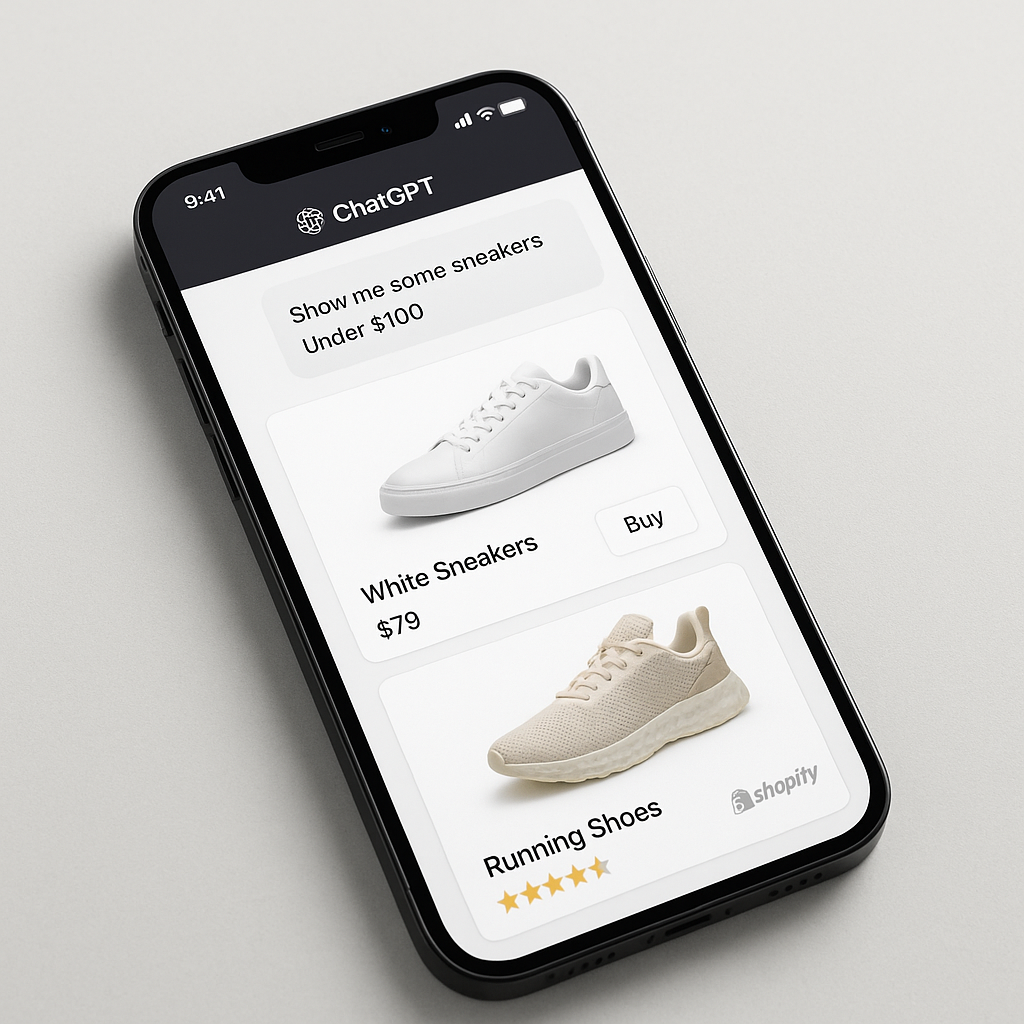
On March 24, 2026, Shopify flipped a switch. Every Shopify store became discoverable inside ChatGPT. A customer asks ChatGPT “What is a good waterproof jacket under $200?” and your products can appear right in the conversation, with images, prices, and a link to buy.
This is not a beta. It is live for all Shopify merchants. Over 1 million stores have already opted in. The feature is called Agentic Storefronts, and it connects your Shopify store to ChatGPT, Microsoft Copilot, Google AI Mode, and the Gemini app.
Here is exactly how it works, what changed from the original plan, and what you should do to make sure your products show up.
In this post
- What happened on March 24
- How shopping in ChatGPT works
- How checkout works (not what you might expect)
- Which AI platforms are supported
- What changed from the original Instant Checkout
- What you should do now
- Why product structure matters more than ever
- Frequently asked questions
- Related reading
What happened on March 24
Shopify launched Agentic Storefronts, a system that makes every Shopify store’s product catalog available to AI shopping assistants. Mani Fazeli, Shopify’s VP of Product, stated: “Agentic commerce isn’t something we’re reacting to.” The infrastructure was built proactively, not as a response to a trend.
At the same time, Shopify introduced the Agentic plan: a new offering for brands that do not use Shopify for their ecommerce but want their products discoverable through AI channels via Shopify Catalog.
Neel Ajjarapu, OpenAI’s Commerce Lead, said the integration makes “millions of merchants and billions of products instantly more discoverable” while ensuring merchants control the customer experience.
How shopping in ChatGPT works
A shopper opens ChatGPT and types something like “best running shoes for flat feet under $150.” ChatGPT searches across Shopify’s Global Catalog and shows product cards in the conversation: product image, name, price, and star rating.
The shopper can:
- Browse multiple product recommendations with images
- Compare options side by side
- Upload a photo and ask “find me something like this”
- Describe what they want with natural language criteria (budget, style, use case)
- Click through to buy on the merchant’s store
Products are ranked purely on relevance to the shopper’s question. There are no paid placements. The quality of your product data determines whether your products get recommended.
How checkout works (not what you might expect)
The purchase does not happen inside ChatGPT. Here is the actual flow:
- Mobile: The shopper taps a product. An in-app browser opens showing your Shopify checkout page. They buy on your store, inside the ChatGPT app.
- Desktop: The shopper clicks a product. Your store opens in a separate browser tab. They complete checkout on your store directly.
In both cases, you are the merchant of record. You own the customer relationship. You own the data. The order appears in your Shopify admin with ChatGPT referral attribution so you can track which sales came from AI.
Your store’s branding, pricing logic, payment methods, and checkout customizations all carry over. It is your checkout, just accessed from a different entry point.
Which AI platforms are supported
| Platform | Status | How it works |
|---|---|---|
| ChatGPT | Live | Product cards in conversation, checkout on your store |
| Microsoft Copilot | Live | Thousands of merchants already selling. Shop Pay coming. |
| Google AI Mode | Live (select brands) | Products appear in Google’s AI search results |
| Google Gemini app | Live (select brands) | Shopping within Gemini conversations |
| Meta experiences | Coming soon | Shopping across Meta’s AI features |
All platforms connect through the same Shopify infrastructure. One catalog, multiple AI channels. No separate integrations or apps needed per platform.
What changed from the original Instant Checkout
OpenAI originally tried Instant Checkout: a feature that let users buy directly inside ChatGPT without leaving the conversation. It did not work. Shoppers browsed products and compared options inside ChatGPT, but when it came time to pay, they wanted to go to the real store. They wanted to see the full product page, read reviews, check return policies.
OpenAI dropped Instant Checkout and pivoted to the current model: AI discovers products, the merchant’s store handles checkout. This is better for merchants because you control the entire purchase experience. You can upsell, cross-sell, apply discount codes, and build a customer relationship.
What you should do now
- Check your Shopify Catalog status. Go to Shopify Admin > Settings > Apps and sales channels. Make sure your store is opted into AI discovery. Most stores are opted in by default.
- Complete your product data. Fill in every field: title, description, product type, vendor, category, variant names, images with alt text, weight, materials. The more complete your data, the better AI can match your products to shopper queries.
- Write specific product titles. “Handmade Ceramic Mug, 12oz, Cobalt Blue Glaze” beats “Mug – Blue.” AI matches titles to natural language queries.
- Add product reviews. AI systems weigh social proof. Products with reviews and ratings get recommended more. If you do not have a review app, add one.
- Consider separate products for color variants. Each separate product gets its own entry in Shopify Catalog, its own chance to be recommended. A single product with 8 color variants has one catalog entry. 8 separate products have 8. Connect them with a combined listings app for the best of both: AI surface area + swatch navigation.
- Keep products updated. AI platforms favor fresh, accurate data. Regularly update prices, availability, and descriptions.
Why product structure matters more than ever
With AI shopping, every product in your catalog is a potential answer to a shopper’s question. The more products you have with unique, specific data, the more chances you have to be recommended.
A store with 50 t-shirt designs, each as one product with 8 color variants, has 50 catalog entries. The same store with each color as a separate product has 400 entries. That is 8x more surface area for AI to match against shopper queries.
Use Rubik Combined Listings to connect those 400 separate products with color swatches. Customers switch colors on the product page and collection pages. Each product keeps its own URL, images, and catalog entry for AI discovery.
For variant images within a single product, Rubik Variant Images ensures each variant has its own image set with descriptive alt text. AI image search uses this data to match visual queries.
Frequently asked questions
Can customers buy from my Shopify store through ChatGPT?
Yes. Since March 24, 2026, Shopify Agentic Storefronts make your products discoverable in ChatGPT. Shoppers see your products in the conversation and complete checkout on your store (via in-app browser on mobile, or new tab on desktop). You are the merchant of record.
Do I need to opt in?
Most Shopify stores are opted in by default. Check Settings > Apps and sales channels in your Shopify admin. Over 1 million merchants are already participating.
Are there extra fees?
No. There are no separate integrations, apps, or transaction fees beyond your standard Shopify processing rates. Orders flow into your Shopify admin with ChatGPT attribution.
What happened to Instant Checkout in ChatGPT?
OpenAI dropped it. Shoppers preferred completing purchases on the merchant’s actual store rather than inside ChatGPT. The current model redirects to your checkout, which gives you more control over upsells, branding, and customer relationships.
How do I get my products recommended by ChatGPT?
Complete your product data in Shopify admin. Write specific product titles and descriptions. Add reviews. Use separate products for visual variants (connected with a combined listings app) to maximize your catalog entries. Read our full answer engine optimization guide.




