Shopify’s own Combined Listings app exists, but it needs Plus. That’s $2,300/month minimum. If you’re on Basic, Shopify, or Advanced, you’re looking at third-party apps.
The problem is there are over 20 of them in the App Store, and their feature pages all sound the same. “Connect products with swatches.” “Visual color options.” “Works with any theme.” Cool. But which one actually does what you need?
We tested the top combined listings apps side by side. This post covers what each one does well, where they fall short, and which stores they fit best.
What Does a Combined Listings App Actually Do?
Quick version for anyone new to this. A combined listings app takes separate Shopify products and connects them on the storefront with visual swatches. The customer sees one product page with color circles (or image thumbnails, or buttons, or a dropdown). They click a swatch, they land on that product’s page with its own images, price, and inventory.
Each product stays independent in your admin. Own URL. Own analytics. Own stock count. The app just adds the swatch layer on top.
This is different from Shopify’s built-in variant system, where all options live under one product. With combined listings, you get the visual browsing experience of variants but the SEO and inventory benefits of separate products. If you’re not sure which approach fits your store, this guide breaks down the variants vs. separate products decision.
The Apps We Compared
We focused on the six most-installed combined listings apps on the Shopify App Store, plus Shopify’s native option. All ratings are as of February 2026.
1. Shopify Combined Listings (Native) 2. Rubik Combined Listings (5.0 stars) 3. G: Combined Listings & Variant (5.0 stars) 4. SA Variants: Combined Listings (5.0 stars) 5. OP Color Swatch Variant Images (5.0 stars) 6. LinkedOption Combined Listings (5.0 stars) 7. Platmart Color Swatches (4.9 stars)
Let’s go through each one.
1. Shopify Combined Listings (Native App)
Plan required: Shopify Plus ($2,300+/month) Price: Free (if you’re already on Plus) Rating: 3.2 stars
Shopify released this in 2024. It works at the platform level, creating a new “combined” product type in your admin. The integration feels native because it is native.
What it does well. Tight admin integration. No third-party JavaScript loading on your storefront. If you want the simplest possible setup and you’re already paying for Plus, it works.
Where it falls short. The swatch customization is basic. No image swatches. No two-tone color splits. Collection page swatch support is limited. No AI-assisted setup, so you’re manually configuring every product. No separate desktop vs. mobile styling. Theme support varies, and not all themes render it consistently.
Best for. Stores already on Shopify Plus that want a minimal, no-frills combined listing without extra app dependencies.
The honest take. Most stores evaluating combined listings aren’t on Plus. And even Plus stores often end up wanting more customization than the native app offers. The 3.2-star rating tells that story.
2. Rubik Combined Listings
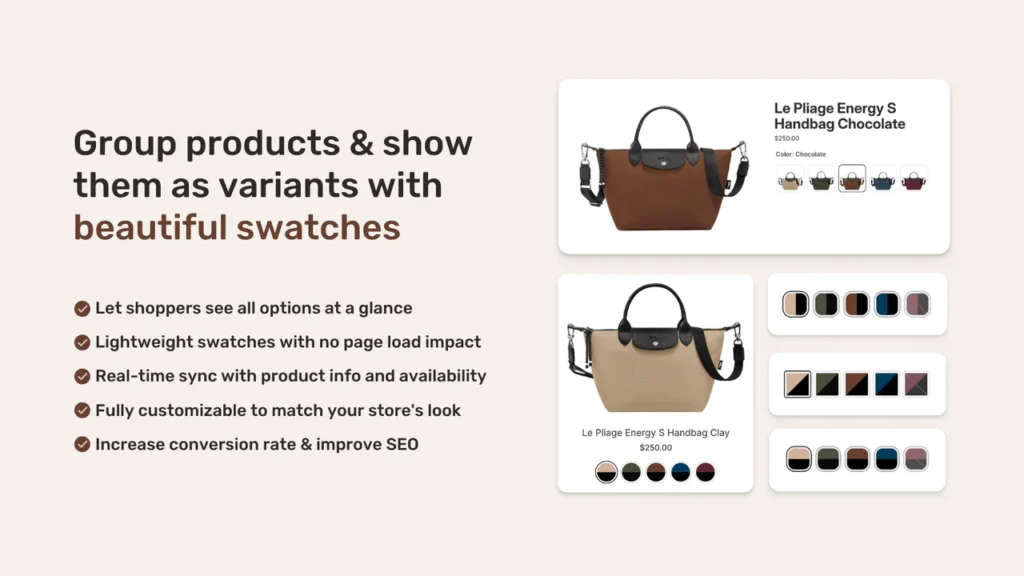
Plan required: Any (Basic and up) Price: Free plan available, paid plans from ~$10/month Rating: 5.0 stars View on Shopify App Store
Full disclosure: Rubik is built by our team. We’re going to be straightforward about what it does and let you compare.
What it does well. Four swatch types (image, color, button, dropdown). Two-tone color swatches with four split directions, which nobody else offers. Collection page swatches with hover image preview. Magic Fill uses AI to auto-detect option values from product titles and assign matching colors from product images. 20+ style presets so you’re not building the look from scratch. Separate desktop and mobile styling. Products can belong to multiple groups (a jacket in both a “Color” group and a “Material” group). Swatch categories within groups (“Warm Tones” / “Cool Tones”). 70+ CSS variables for full customization. Shadow DOM rendering to prevent CSS conflicts with your theme.
Best for. Stores that want deep customization, stores with large catalogs that benefit from Magic Fill, and stores that need collection page swatches with hover preview. Also the pick if you need multiple swatch groups per product or swatch subcategories.
If you want the full setup walkthrough, the step-by-step guide on setting up color swatches for separate products covers everything from install to going live. There’s also a live demo store where you can click through the swatches yourself, and the knowledge base has articles for specific configuration questions.
Pairs with: Rubik Variant Images (5.0 stars, 323+ reviews, Built for Shopify) for filtering product image galleries per variant within a single product. Combined Listings handles between-product navigation, Variant Images handles within-product gallery filtering. They’re designed to run together. More details and a demo at rubikvariantimages.com.
3. G: Combined Listings & Variant
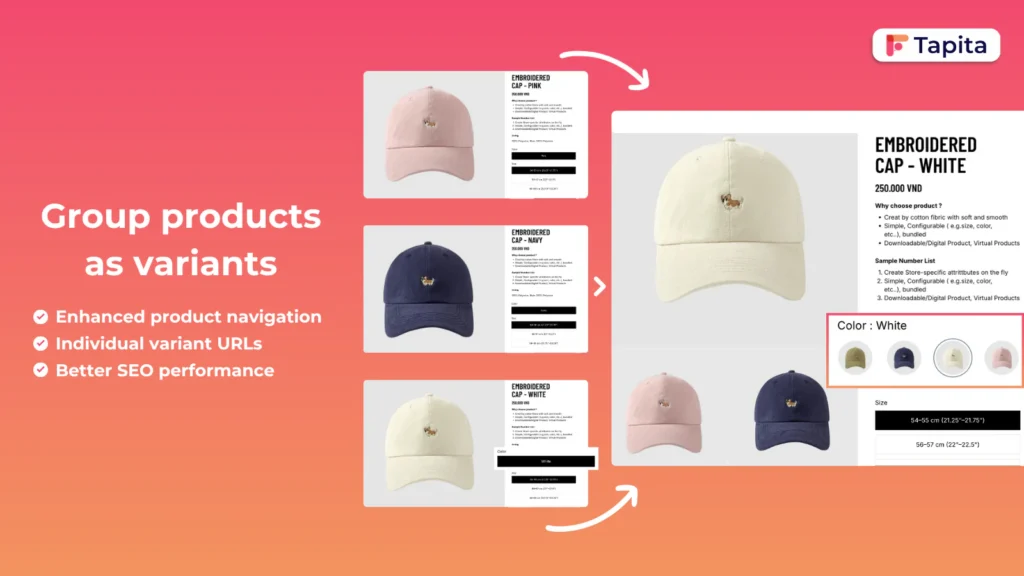
Plan required: Any (Basic and up) Price: Free plan available, paid plans from ~$9.99/month Rating: 5.0 stars
What it does well. Solid basic combined listing functionality. Color and image swatch support. Established presence with a good review count.
Where it falls short. No two-tone color swatches. Style presets are limited compared to Rubik. No desktop/mobile independent styling. No AI-assisted setup for auto-filling option values.
Best for. Stores where “Built for Shopify” certification is a hard requirement from your team or development agency. Good all-around choice if you need basic combined listings without heavy customization.
4. SA Variants: Combined Listings
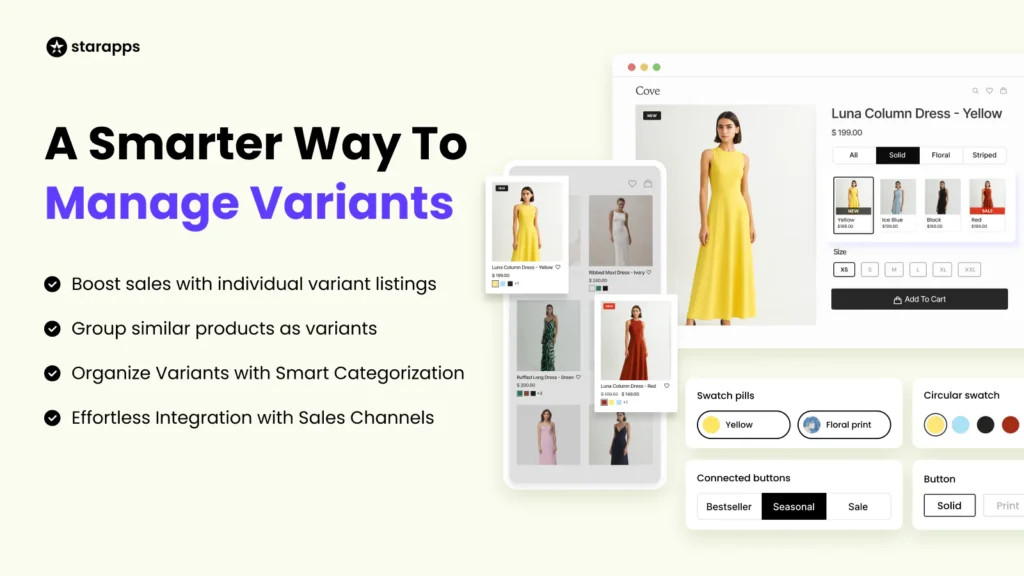
Plan required: Any (Basic and up) Price: Free plan available, paid plans from ~$14.90/month Rating: 5.0 stars
What it does well. Positions itself around conversion rate optimization. Includes variant splitting features alongside combined listings, so you can test different product display approaches. CRO-focused features for stores running experiments on how products are shown.
Where it falls short. Higher starting price than most alternatives. Combined listings is one part of a larger feature set, so if you only need swatches, you’re paying for capabilities you might not use.
Best for. Stores that are actively testing product page layouts for conversion and want variant splitting alongside combined listings. If CRO experimentation is a priority, SA gives you tools the others don’t.
5. OP Color Swatch Variant Images
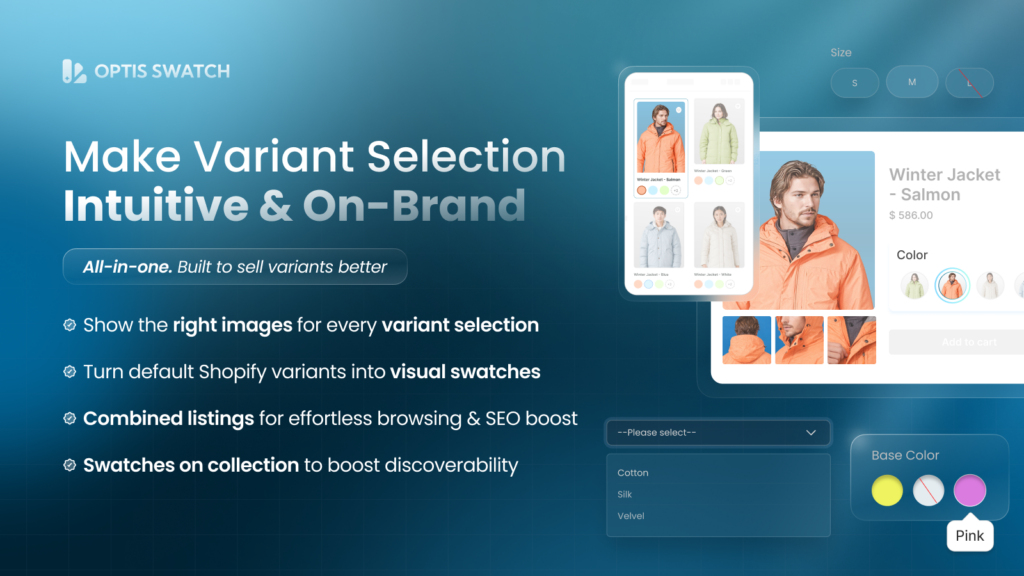
Plan required: Any (Basic and up) Price: Free plan available, paid plans from ~$11.90/month Rating: 5.0 stars
What it does well. Combines image gallery management with swatch functionality. If you need variant-specific image galleries and combined listings in one package, OP bundles both. Color swatches and image swatches supported.
Where it falls short. Trying to do two things in one app means neither gets the same depth as dedicated solutions. If you need really granular control over either combined listings or variant image filtering, separate specialized apps might serve you better.
Best for. Stores that want a single app handling both cross-product swatches and variant-level image management. Simpler to manage one app than two, even if you trade some flexibility.
6. LinkedOption Combined Listings
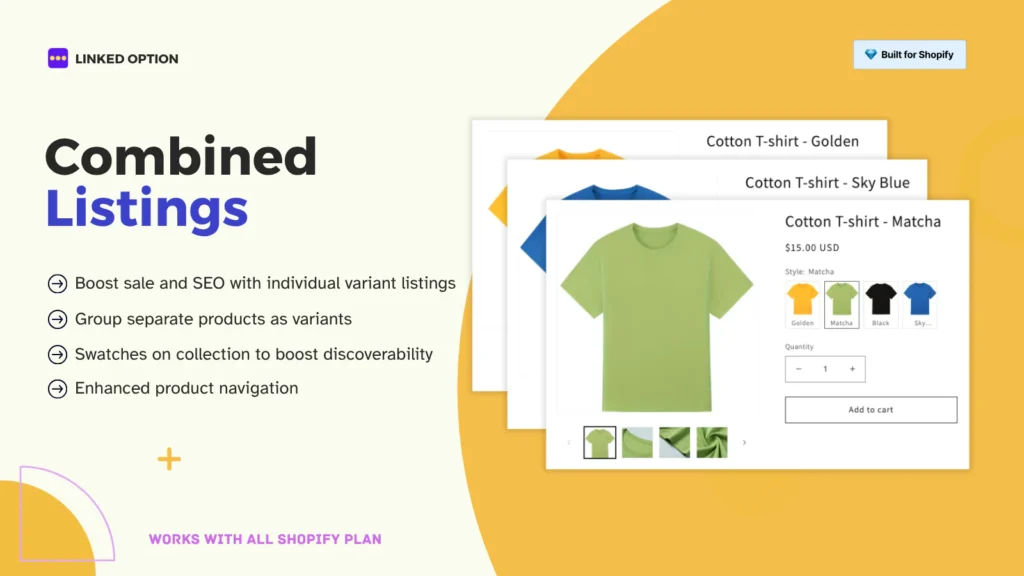
Plan required: Any (Basic and up) Price: Free plan available, paid plans from ~$9.99/month Rating: 5.0 stars
What it does well. Puts extra emphasis on SEO features. URL management and structured data handling are priorities in the app’s design. Good choice if your primary reason for using combined listings is search ranking benefits.
Where it falls short. Fewer swatch customization options compared to Rubik. Limited styling presets. Collection page swatch features are less developed.
Best for. Stores where SEO is the main driver behind the combined listings decision. If you care more about how Google sees your product structure than about fancy swatch animations, LinkedOption focuses on that side.
For more on the SEO angle, this post on whether combined listings help or hurt rankings goes deep on URL structure, canonical tags, and Google Shopping implications.
7. Platmart Color Swatches
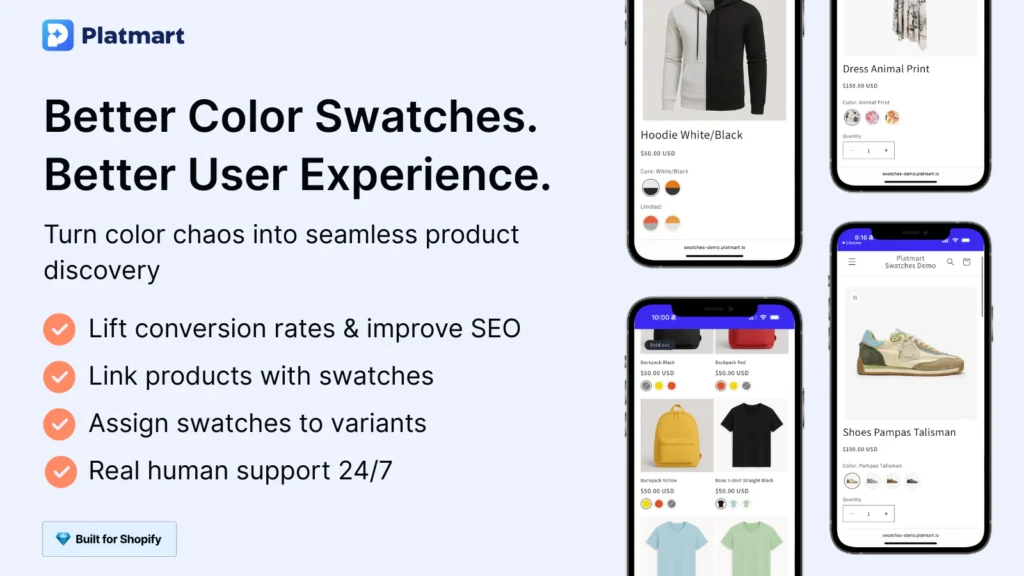
Plan required: Any (Basic and up) Price: Free plan available, paid plans from ~$9.99/month Rating: 4.9 stars
What it does well. Swatch grouping features for stores with large color catalogs. If you sell products with 30+ color options, Platmart’s organization tools help keep swatches manageable.
Where it falls short. Slightly lower rating than the 5.0-star competitors. Fewer swatch type options. Limited collection page features compared to Rubik.
Best for. Stores with huge color catalogs that need strong swatch organization and grouping. If your biggest pain point is managing 40 colors per product, Platmart addresses that specifically.
Side-by-Side Feature Comparison
Here’s the full matrix. Scan the rows that matter to your store.
| Feature | Shopify Native | Rubik | G: Combined | SA Variants | OP Color Swatch | LinkedOption | Platmart |
|---|---|---|---|---|---|---|---|
| Min. plan | Plus ($2,300/mo) | Basic | Basic | Basic | Basic | Basic | Basic |
| Rating | 3.2 | 5.0 | 5.0 | 5.0 | 5.0 | 5.0 | 4.9 |
| Free plan | Yes (Plus only) | Yes | Yes | Yes | Yes | Yes | Yes |
| Image swatches | No | Yes | Yes | Yes | Yes | Yes | Yes |
| Color swatches | Basic | Yes | Yes | Yes | Yes | Yes | Yes |
| Two-tone color splits | No | Yes (4 directions) | No | No | No | No | No |
| Button swatches | No | Yes | Limited | Yes | Limited | Limited | Limited |
| Dropdown swatches | No | Yes | Yes | Limited | Limited | Limited | Limited |
| Collection page swatches | Limited | Full | Yes | Yes | Yes | Yes | Yes |
| Hover image preview | No | Yes | No | No | No | No | No |
| AI-assisted setup | No | Magic Fill | No | No | No | No | No |
| Style presets | No | 20+ | Limited | Limited | Limited | No | Limited |
| Desktop/mobile split | No | Yes | No | No | No | No | No |
| Multiple groups per product | Limited | Unlimited | Limited | Limited | Limited | Limited | Limited |
| Swatch categories | No | Yes | No | No | No | No | Yes |
| Custom CSS variables | No | 70+ | Limited | Limited | Limited | Limited | Limited |
| Out-of-stock styling | Basic | Full (4 options) | Basic | Basic | Basic | Basic | Basic |
| Quick view support | Theme-dependent | Built-in | Varies | Varies | Varies | Varies | Varies |
| Shadow DOM isolation | N/A | Yes | No | No | No | No | No |
| Built for Shopify | N/A | No | Yes | No | No | No | No |
Pricing Breakdown
Every third-party app here has a free tier, so you can test before paying anything. Paid plans unlock more features, more product groups, or remove branding.
| App | Free Plan | Paid Starts At | Notes |
|---|---|---|---|
| Shopify Native | Free | $2,300/mo (Plus sub) | Free app, expensive plan |
| Rubik Combined Listings | Yes | ~$10/mo | |
| G: Combined Listings | Yes | ~$9.99/mo | |
| SA Variants | Yes | ~$14.90/mo | Higher entry, more CRO tools |
| OP Color Swatch | Yes | ~$11.90/mo | |
| LinkedOption | Yes | ~$9.99/mo | |
| Platmart | Yes | ~$9.99/mo |
The real cost comparison isn’t between these apps. They’re all within $5 of each other. The real comparison is these apps ($10-15/month) vs. upgrading to Shopify Plus ($2,300/month) just for the native combined listings feature.
How to Pick the Right One
Skip the feature matrix if you want. Here’s the decision in plain terms.
You’re on Shopify Plus and want zero third-party apps? Use the native app. Accept its limitations.
You want the most customization and have a big catalog? Rubik Combined Listings. Magic Fill alone saves hours on large catalogs. Four swatch types, two-tone splits, desktop/mobile independent styling, and collection page hover preview put it ahead on features.
“Built for Shopify” badge is a requirement? G: Combined Listings.
CRO and A/B testing matter most? SA Variants.
SEO is the primary driver? LinkedOption, or Rubik if you also want strong storefront customization.
Massive color catalog needs organization? Platmart, or Rubik with its swatch categories feature.
Need combined listings AND variant image filtering? Rubik Combined Listings for cross-product swatches + Rubik Variant Images for within-product gallery filtering. They’re built to work together. See how they pair at rubikvariantimages.com.
Testing Before You Commit
All these apps have free plans. Here’s what we’d suggest.
Pick your top two based on the decision guide above. Install the first one on a draft theme (not your live theme). Create one product group with 3-4 products. Check the swatches on the product page, on the collection page, and on mobile. Then uninstall it, install the second one, and do the same test. Compare.
Combined listings apps don’t modify your actual product data. They add a visual layer. Uninstalling removes the swatches but leaves your products, URLs, and inventory untouched. So testing is risk-free.
If you want to see what combined listings look like before installing anything, browse the Rubik demo store. Click the swatches, check the collection pages, try it on your phone.
Related Reading
If you’re still figuring out the product architecture side of things, these go deeper on specific topics:
- How to show separate products as color swatches on Shopify (full setup walkthrough)
- Separate products vs. variants: which is better for your store?
- Shopify’s variant limit explained and how to get around it
- Combined listings and SEO: do separate products help or hurt?
- How to add color swatches to Shopify collection pages
- How to display product variants as swatches (color, image, button)
- Combined listings without Shopify Plus (2026 guide)
- Color swatches not working? Troubleshooting guide
- How to set up combined listings on Shopify (without Plus)
Useful Links: Rubik Combined Listings · Rubik Variant Images · Live Demo Store · Knowledge Base · YouTube Tutorial · RubikVariantImages.com · Shopify Theme Store · Shopify Variant Apps