
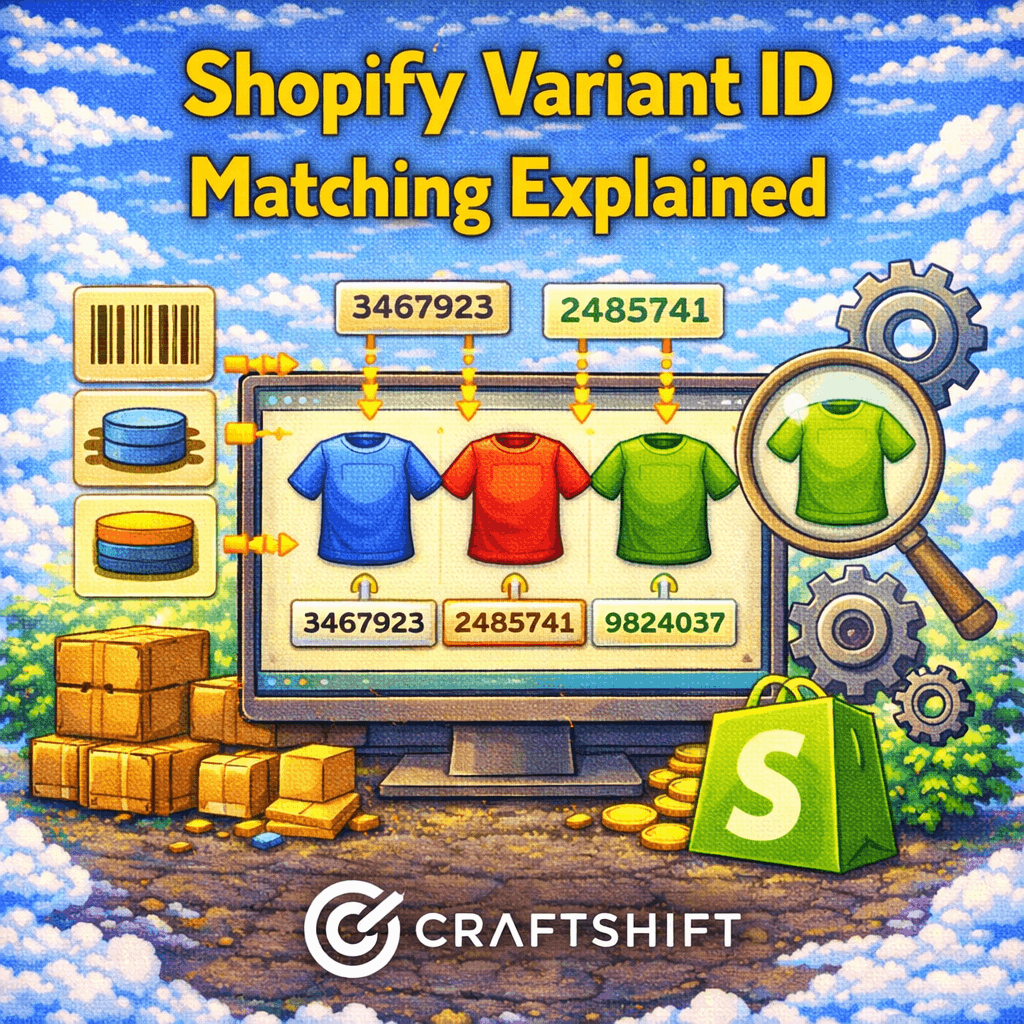
Most Shopify image automation workflows rely on identifiers like SKUs, barcodes, or metafields. For many stores, those methods work well. However, as catalogs grow more complex, these identifiers begin to show limitations.
Variant ID matching was added to Smart Bulk Image Upload to solve a specific class of problems that other matching methods cannot handle reliably.
This article explains what Shopify variant IDs are, why existing matching methods break down in advanced catalogs, and how variant ID matching differs from SKU, barcode, and metafield-based approaches.
Who Variant ID Matching Is For
Variant ID matching is not designed for every store. It exists for stores that already understand Shopify’s data model and need precision.
This feature is most relevant for:
- Agencies managing large or frequently changing catalogs
- Developers working with Shopify exports or APIs
- Merchants with regenerated or duplicated SKUs
- Stores where variants share SKUs or barcodes
- Migration and replatforming projects
If your store relies on human-readable identifiers, SKU-based matching may still be sufficient. Variant ID matching is about technical certainty, not convenience.
What a Shopify Variant ID Actually Is
Every variant in Shopify has a unique internal identifier called a variant ID. Shopify assigns this ID automatically when a variant is created.
Important characteristics of variant IDs:
- They are unique across the entire store
- They never change unless the variant is deleted
- They are not visible to customers
- They are used internally by Shopify APIs
Unlike SKUs or barcodes, variant IDs are not meant to be edited or reused. This makes them the most reliable identifier Shopify offers.
Why SKU, Barcode, and Metafield Matching Break Down
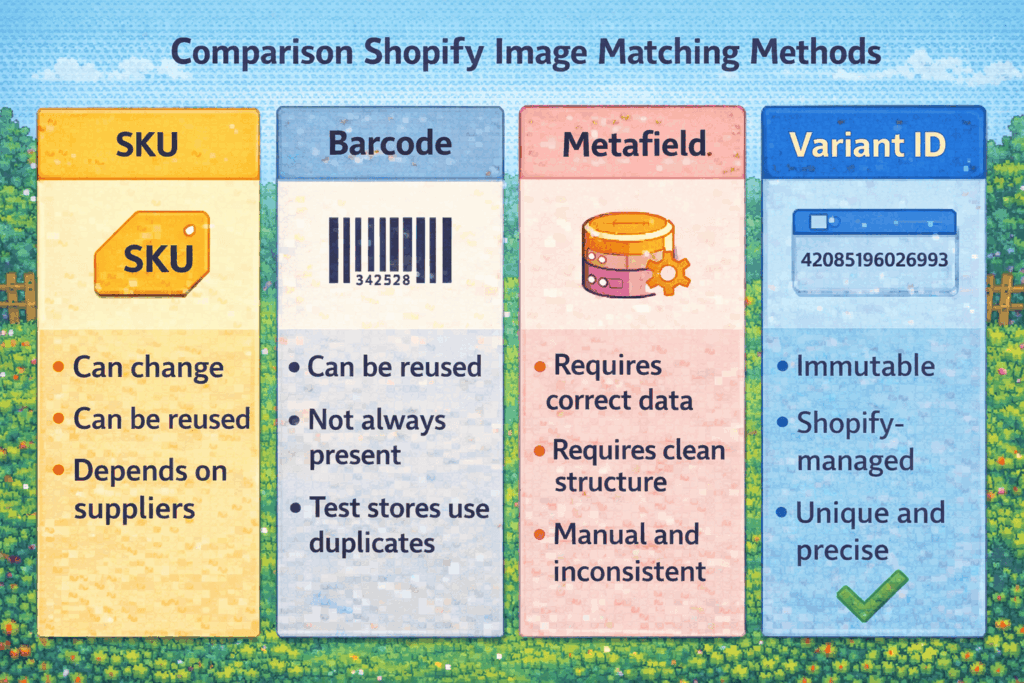
Most image automation tools rely on identifiers that merchants control. That flexibility is also their weakness.
SKU-based matching limitations
SKU matching fails when:
- SKUs are reused across variants
- SKUs change during catalog cleanup
- Size-based variants share visuals
- Suppliers update SKU formats
Even small inconsistencies cause mismatches at scale.
Barcode-based matching limitations
Barcode matching assumes global uniqueness. In practice:
- Some variants share barcodes
- Some catalogs lack barcodes entirely
- Test or staging stores reuse barcode values
This reduces reliability in non-retail workflows.
Metafield-based matching limitations
Metafields offer flexibility but depend on clean data.
- Incorrect values cause silent failures
- Metafield structures vary across stores
- Manual updates introduce inconsistencies
Metafields work best when data governance is strong.
How Variant ID Matching Works in Smart Bulk Image Upload
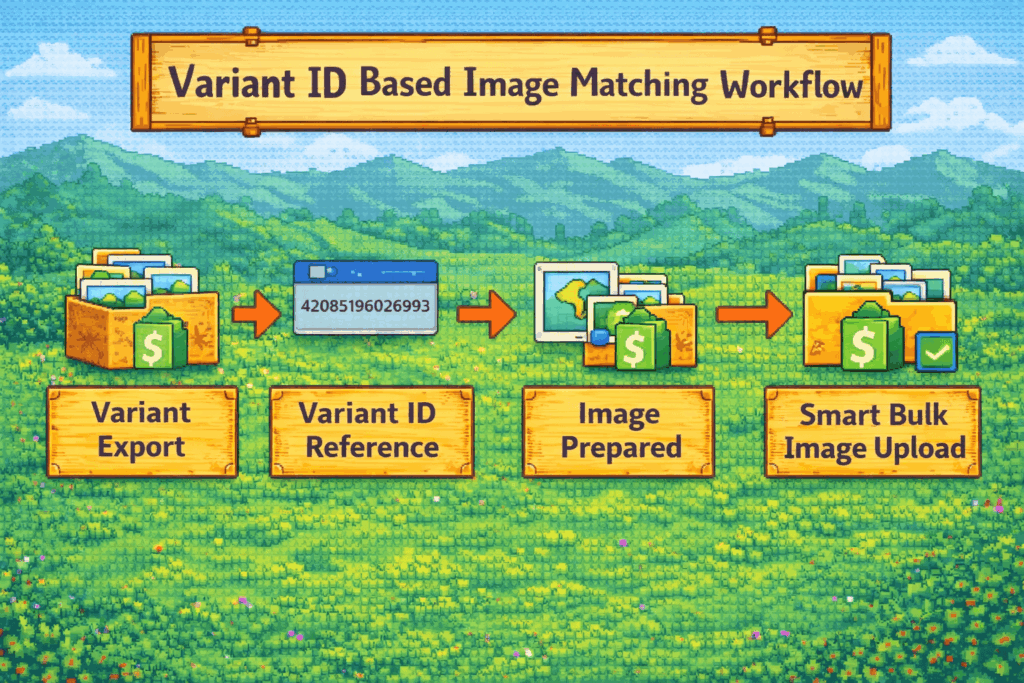
Variant ID matching takes a different approach. Instead of relying on merchant-managed identifiers, it uses Shopify’s internal variant IDs directly.
The workflow looks like this:
- Variants are exported with their variant IDs
- Images are prepared using those IDs as references
- Smart Bulk Image Upload matches images directly to variant IDs
- Images are attached without ambiguity
Because variant IDs are unique and immutable, the matching process becomes deterministic.
There is no guesswork, partial matching, or collision risk.
What Makes Variant ID Matching Different
Variant ID matching differs from other methods in three key ways.
1.Precision over flexibility
SKU and metafield matching prioritize human readability. Variant ID matching prioritizes accuracy.
This makes it ideal for:
- Migrations
- Bulk restores
- Programmatic workflows
- High-risk operations
2.Immunity to catalog changes
If a SKU changes, SKU-based matching breaks. If a metafield changes, metafield matching breaks.
Variant ID matching remains stable as long as the variant exists.
3.Designed for automation, not manual use
Variant IDs are not meant to be typed manually. They are meant to be used in exports, scripts, and structured workflows.
This is why variant ID matching is positioned as an advanced option rather than a default one.
When Variant ID Matching Is the Right Choice
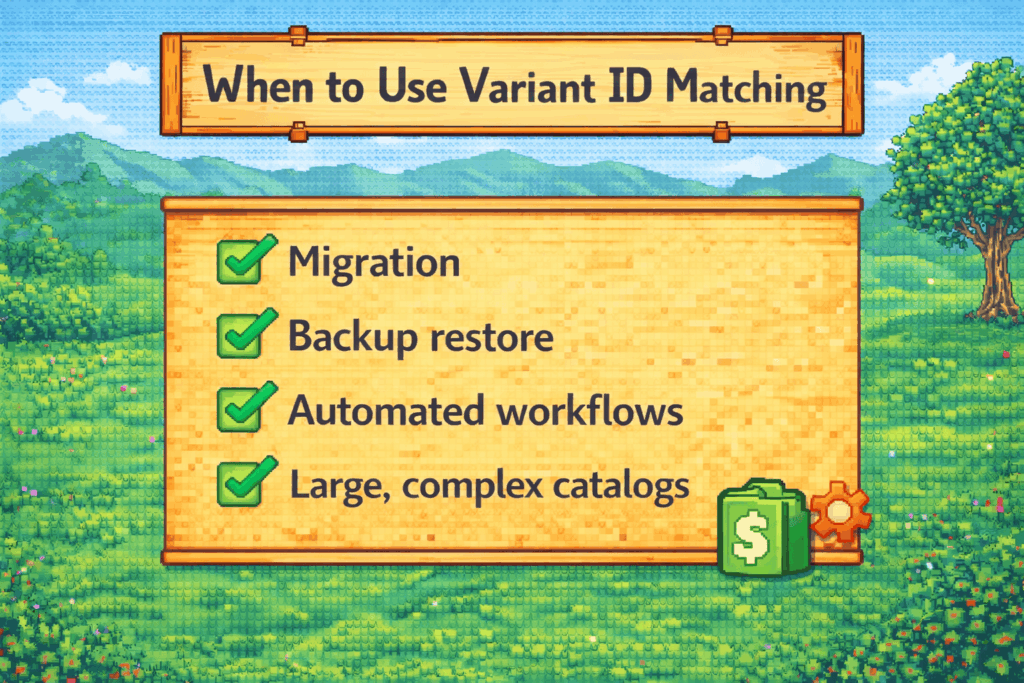
Variant ID matching is the best option when:
- You are restoring images after a migration
- You are reuploading images from backups
- You work with exported Shopify data
- You need guaranteed one-to-one matching
- You cannot trust SKU or barcode consistency
For everyday catalog updates, simpler matching methods may still be more practical.
How This Fits Into Smart Bulk Image Upload
Smart Bulk Image Upload does not push a single matching method. It offers multiple methods because real catalogs behave differently.
Title matching is quick and human-readable.
SKU matching is fast and familiar.
Barcode matching is retail-friendly.
Metafield matching is flexible.
Variant ID matching is absolute.
Adding variant ID matching was about supporting advanced workflows without compromising reliability.
Variant ID matching exists for cases where correctness matters more than convenience. It is not a replacement for other matching methods. It is a safety net for complex, high-risk, or automated workflows.
By supporting SKU, barcode, metafield, and variant ID matching, Smart Bulk Image Upload allows merchants and agencies to choose the right level of control for each situation.
That flexibility is what makes image automation scale safely.




