
As Shopify stores grow, image management becomes more than a visual task. Product images start to affect store performance, operational efficiency, SEO, and customer trust. What works for a small catalog often breaks down once a store reaches hundreds or thousands of products.
This guide explains how Shopify image management works at scale. It covers image types, workflows for uploading and exporting, common problems growing stores face, and the tools that help merchants manage product images reliably over time.
Types of Images in Shopify
Shopify supports several image types, each serving a different purpose. Understanding these types helps merchants structure their catalogs more effectively.
Product Images
Product images appear on product pages and listings. They showcase the item and influence purchasing decisions directly.
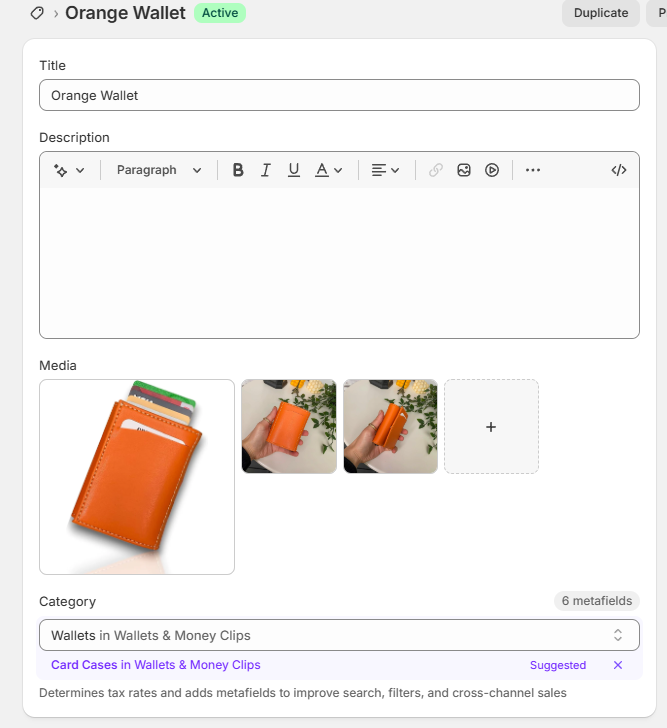
Best practices for product images include:
- High resolution and consistent dimensions
- Clear backgrounds and angles
- Optimized file sizes for performance
- Logical ordering for storytelling
Product images form the foundation of Shopify product presentation.
Variant Images
Variant images are tied to specific options such as color, material, or style. When customers select a variant, Shopify displays the corresponding image.
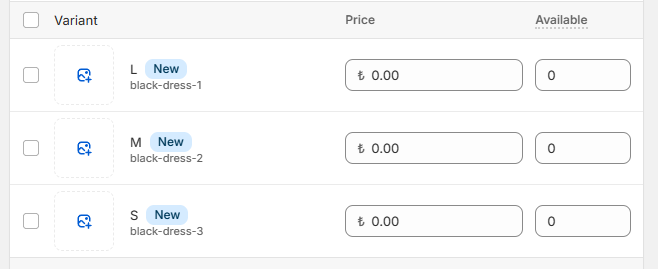
Variant images are critical for:
- Apparel and fashion stores
- Products with visual differences
- Reducing confusion and returns
As catalogs grow, managing variant images manually becomes difficult, which is why automation often becomes necessary.
Collection Images
Collection images represent groups of products and support navigation and merchandising.
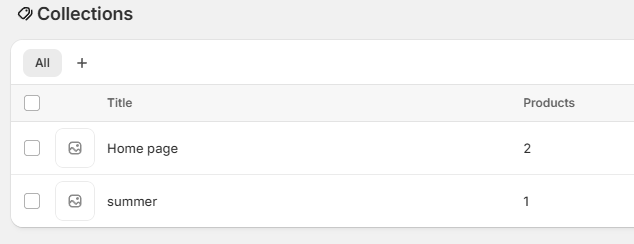
They help:
- Improve category browsing
- Reinforce brand identity
- Create visual hierarchy in the storefront
Although collection images are fewer in number, they still require consistency and optimization.
Uploading, Updating, Exporting, and Backing Up Images
Image management in Shopify is not limited to uploading. Growing stores must handle the full lifecycle of images.
Uploading and Updating Images
For small catalogs, uploading images directly in Shopify admin works well. However, as catalogs grow, bulk uploads become more efficient.
Merchants often need to:
- Upload hundreds of images at once
- Replace outdated visuals
- Reassign images to variants
- Maintain consistent naming and structure
Bulk workflows reduce repetitive manual work and minimize errors.
Exporting and Backing Up Images
Exporting images is essential for data ownership and operational safety.
Merchants export Shopify images to:
- Create independent backups
- Prepare for store migrations
- Share assets with agencies or teams
- Reuse images across sales channels
Backing up images ensures merchants retain control over one of their most valuable assets.
Common Image Problems in Growing Stores
As stores scale, image-related issues appear more frequently.
Common problems include:
- Duplicate images across products
- Incorrect variant image assignments
- Inconsistent naming conventions
- Large file sizes slowing down pages
- Difficulty exporting images in bulk
These issues often develop gradually. Addressing them early prevents costly cleanup projects later.
Best Practices for Managing Large Catalogs
Managing Shopify product images at scale requires structure and consistency.
Use clear naming conventions
Image filenames should include identifiers such as SKUs or variant attributes. This allows automation tools to match images correctly.
Optimize images before uploading
Compression and resizing should happen before images reach Shopify. Optimized images improve page speed and overall store performance.
Avoid manual workflows where possible
Manual image assignment does not scale. Automation reduces errors and saves time, especially when catalogs change frequently.
Maintain backups and export regularly
Regular exports ensure that images remain accessible even during major changes or migrations.
Tools and Workflows That Scale
Growing stores often rely on specialized tools to manage images efficiently.
Smart Bulk Image Upload
Smart Bulk Image Upload helps merchants upload and assign product and variant images at scale. By matching images using SKU, barcode, or metafields etc. it removes the need for manual assignment and supports large catalogs with predictable workflows.

This approach is especially useful for stores that:
- Manage thousands of images
- Update catalogs frequently
- Work with external storage such as Google Drive or Dropbox
Export Product Images
Export Product Images allows merchants to export Shopify product and variant images in bulk. It supports structured exports that preserve filenames and organization, making images easy to reuse, back up, or migrate.
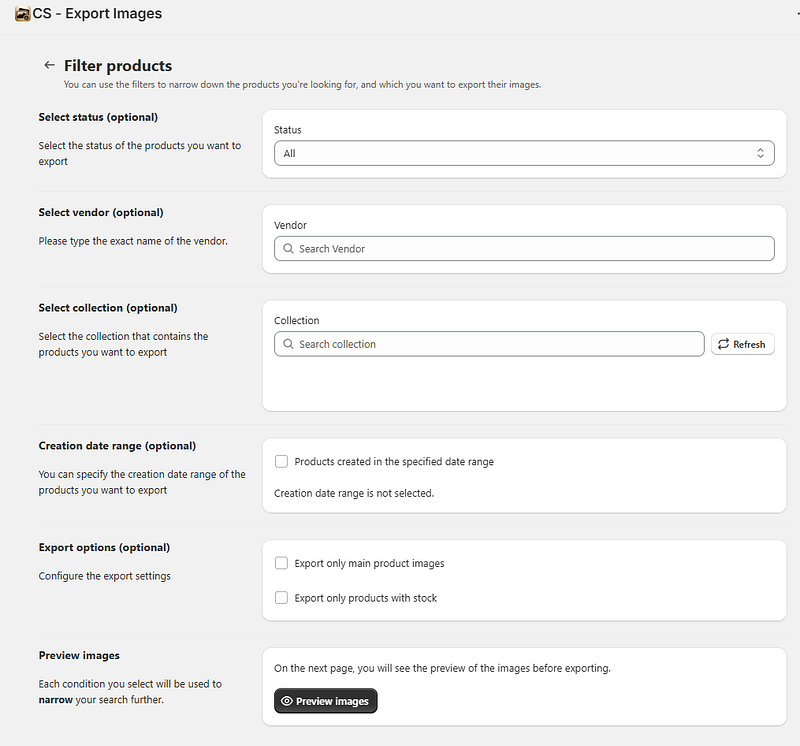
For growing stores, bulk exports provide:
- Image ownership and control
- Faster migrations and audits
- Cleaner collaboration with agencies and partners
Shopify image management becomes more complex as stores grow, but it does not need to become chaotic. By understanding image types, addressing common problems early, and adopting scalable workflows, merchants can keep their catalogs organized and performant.
Structured image management supports better customer experiences, smoother operations, and long-term growth. For stores planning to scale, investing in the right processes and tools early creates a foundation that continues to pay off over time.




