
Managing product images in Shopify can quickly become complicated, especially when your store offers multiple colors, sizes, or styles for the same product. Assigning the correct images to each variant is not just a visual detail. It directly affects customer trust, conversion rates, and overall store usability.
In this guide, we will explain what Shopify variant images are, why they matter, and how you can automatically match images to variants at scale using SKU, barcode, or metafield-based logic.
What Are Variant Images and Why They Matter
In Shopify, a variant image is an image that is specifically assigned to a single product variant, such as a particular color or material. For example, a T-shirt available in black, blue and purple should display the correct image when a customer selects each color.
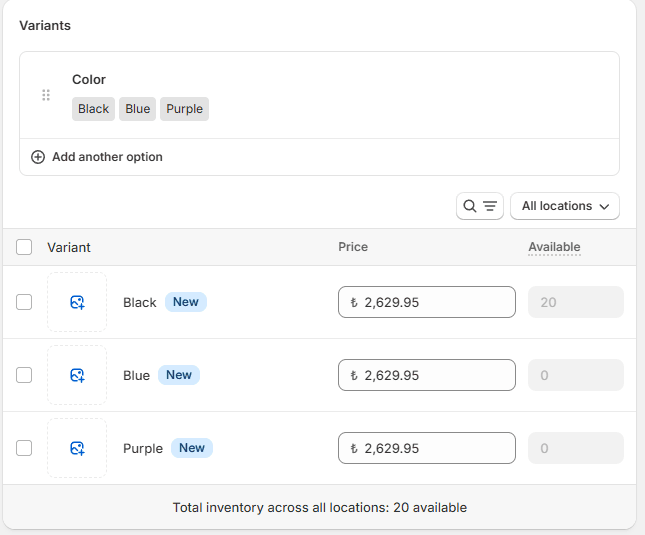
Variant images matter because they:
- Prevent customer confusion by showing the exact product version
- Reduce product returns caused by mismatched expectations
- Improve conversion rates by increasing buyer confidence
- Create a more professional and consistent storefront experience
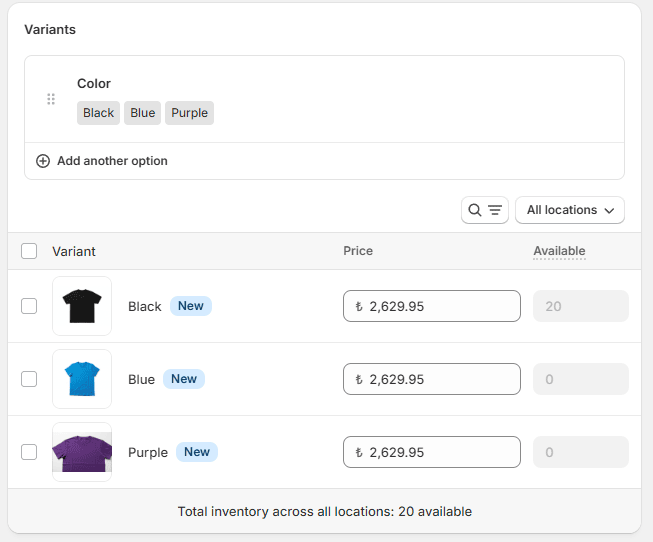
When variant images are not set correctly, customers may see the wrong image after selecting a variant, which can lead to abandoned carts or support inquiries.
Manual vs Automated Variant Image Assignment
Manual Assignment in Shopify
Shopify allows merchants to manually assign images to variants directly from the product editor. While this works for small catalogs, it becomes inefficient very quickly.
Manual assignment challenges include:
- Time consuming setup for each product
- High risk of human error
- Difficult to maintain when products are updated frequently
- Not scalable for large catalogs or seasonal updates
For stores with hundreds or thousands of products, manual assignment is simply not sustainable.
Automated Variant Image Assignment
Automated matching allows Shopify to assign images to variants based on predefined rules such as SKU, barcode, or metafield values. This approach is faster, more reliable, and scalable. However, Shopify does not support this level of automation natively, which means you need to use Shopify apps to apply these matching rules effectively.
Automation is especially useful when:
- You manage large product catalogs
- Images are stored externally in Google Drive or Dropbox
- Products are updated frequently
- You work with suppliers who use structured naming conventions
SKU, Barcode, and Metafield-Based Image Matching
Automatic variant image matching relies on structured identifiers. The more consistent your data is, the better the results.
Matching Images Using SKU
SKU-based matching is one of the most common methods. Each variant has a unique SKU, and image file names include that same SKU.
Example:
- Variant SKU: TS-BLK-M
- Image name: TS-BLK-M.jpg
This method works best when SKUs are unique per variant and consistently used across your catalog.
Best use cases:
- Apparel and fashion stores
- Warehouses with SKU-driven inventory systems
- Merchants with supplier-provided image packs
Matching Images Using Barcodes
Barcode-based matching uses identifiers like UPC, EAN, or ISBN values. This approach is common in retail and wholesale environments.
Example:
- Variant barcode: 123456789012
- Image name: 123456789012.png
This method is ideal for:
- Global catalogs
- Products shared across multiple sales channels
- Standardized retail inventory systems
Matching Images Using Metafields
Metafield-based matching provides the highest level of flexibility. Instead of relying on SKU or barcode, images are matched based on custom metafield values such as color, style code, or supplier ID.
Example:
- Metafield: color_code = BLK
- Image name: productname_color_blk.jpg
This approach is useful when:
- SKUs contain size but images should apply to all sizes
- Multiple variants share the same visual appearance
- You need more control over matching logic
Metafields are especially powerful for complex catalogs with shared imagery.
Handling Large Catalogs with 1,000+ Products
As your Shopify catalog grows, managing product and variant images becomes one of the most time consuming operational challenges. Stores with 1,000 or more products often deal with tens of thousands of images, frequent updates, and complex variant structures.
At this scale, manual image assignment is no longer realistic.
Successful image management for large catalogs depends on a few critical factors:
- Consistent image naming conventions
- Clean product data with reliable SKUs, barcodes, or metafields
- A clear matching strategy defined before uploading images
- Tools that support bulk upload of product and variant images
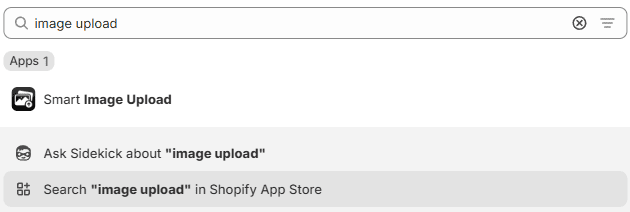
Instead of uploading images product by product inside Shopify, many merchants rely on automation tools like Smart Bulk Image Upload to handle this process at scale. The app allows merchants to upload thousands of images at once from Google Drive or Dropbox automatically match them to the correct products or variants using SKU, barcode, or metafield-based logic.
This approach makes it possible to:
- Assign images to thousands of variants in minutes instead of days
- Re-sync large catalogs without breaking existing product structures
- Apply consistent matching rules across multiple collections or seasons
- Reduce human error during high-volume image imports
For growing Shopify stores, bulk image automation is not just a performance optimization. It becomes a core part of maintaining catalog accuracy and operational efficiency as the business scales.
Real-World Merchant Examples
Apparel Brand with 3,000 Variants
A fashion merchant selling T-shirts in multiple colors and sizes struggled with manual image assignment. Each color had six sizes, but all sizes shared the same images.
By switching to metafield-based matching using color codes, the merchant was able to:
- Upload images once per color
- Automatically apply them to all related variants
- Reduce product setup time by over 80 percent
Electronics Store Using Barcodes
An electronics retailer with a large supplier catalog relied on barcode-based matching. Product images provided by suppliers already used EAN codes as filenames.
With barcode matching in place:
- Images were assigned correctly on the first import
- New products could be added without manual checks
- The catalog stayed synchronized with supplier updates
Wholesale Store Using SKU Logic
A B2B merchant with strict SKU conventions used SKU-based image matching to handle bulk uploads from Google Drive.
This allowed them to:
- Update hundreds of products in a single import
- Avoid mismatched images between similar variants
- Maintain accuracy across multiple Shopify stores
Automatically matching Shopify variant images is one of the most effective ways to improve store operations, customer experience, and scalability. Whether you rely on SKU, barcode, or metafield-based image upload logic, the key is consistency and automation.
For merchants managing large catalogs or frequent updates, automated image matching is no longer optional. It is the foundation of a reliable and professional Shopify store.
If you are planning to bulk upload product and variant images or struggling with manual assignments, investing in a structured matching approach will save time, reduce errors, and support long-term growth.




