
(And Why Most Stores Get Them Wrong)

Shopify variant images seem simple on the surface. Upload an image, assign it to a variant, and the correct photo appears when a customer makes a selection. In practice, many stores struggle with incorrect images, missing visuals, or inconsistent variant behavior.
These issues usually do not come from Shopify bugs. Instead, they come from misunderstanding how Shopify variant images actually work.
In this guide, we explain what variant images are, how Shopify links images to variants, where most stores go wrong, and what best practices lead to accurate and scalable variant image setups.
What Variant Images Are in Shopify
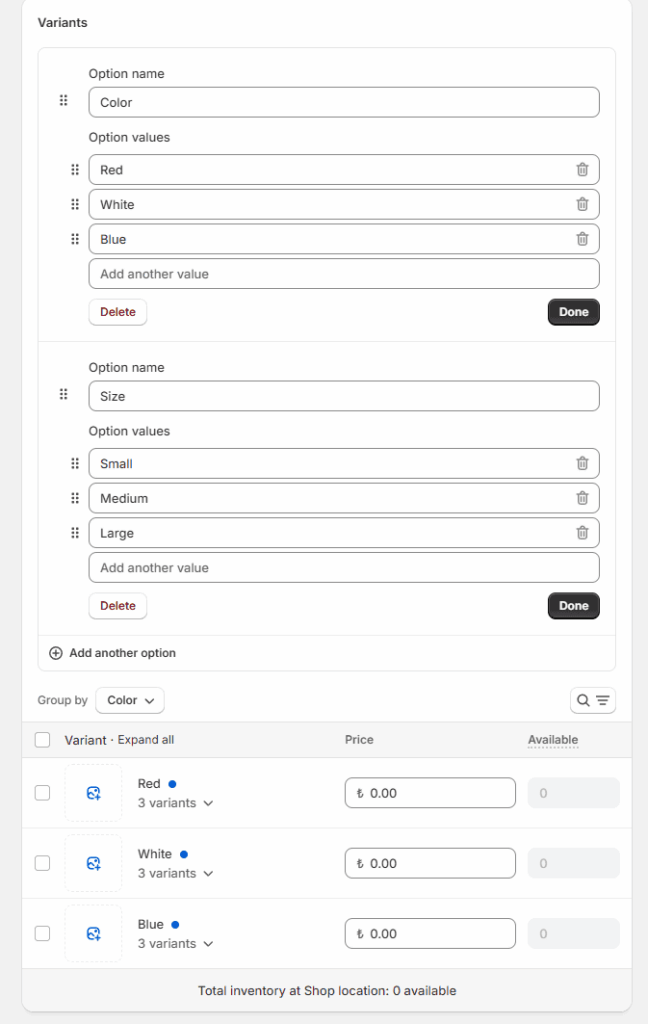
In Shopify, a variant image is an image explicitly assigned to a specific product variant. A variant represents a unique combination of options such as color, size, or material.
For example:
- A T-shirt in black and white colors
- A shoe available in multiple sizes and finishes
- A product with different packaging or formats
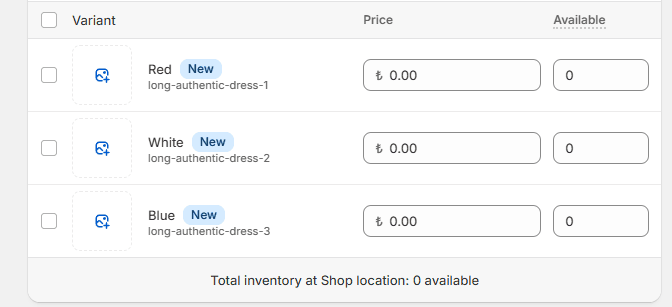
When a variant image is configured correctly, Shopify displays that image when the customer selects the corresponding option.
Variant images matter because they:
- Reduce customer confusion
- Improve conversion confidence
- Lower return rates
- Create a more professional shopping experience
However, variant images are not automatic by default.
How Shopify Links Images to Variants
Shopify does not infer which image belongs to which variant. Instead, the platform relies on explicit assignments.
Here is how the process works internally:
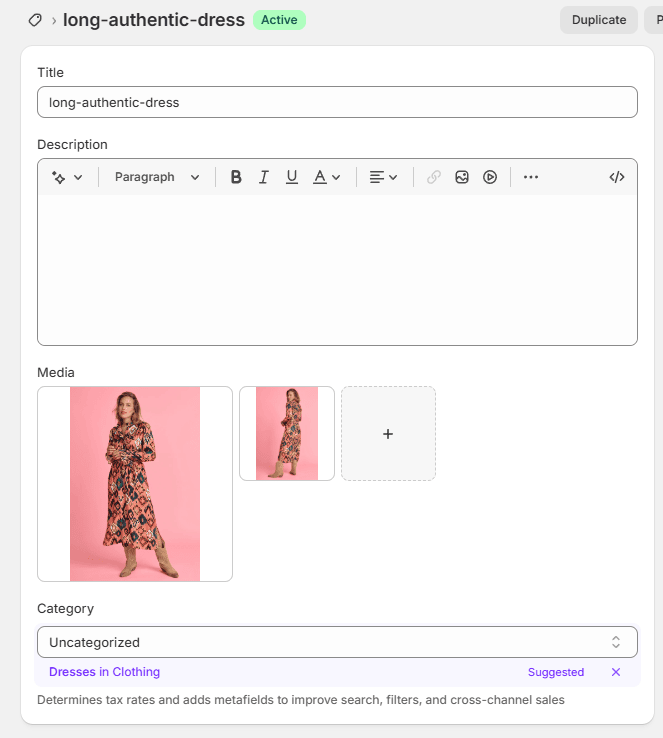
- Images are uploaded to the product
- Variants exist as separate records with options
- An image is manually or programmatically assigned to a variant
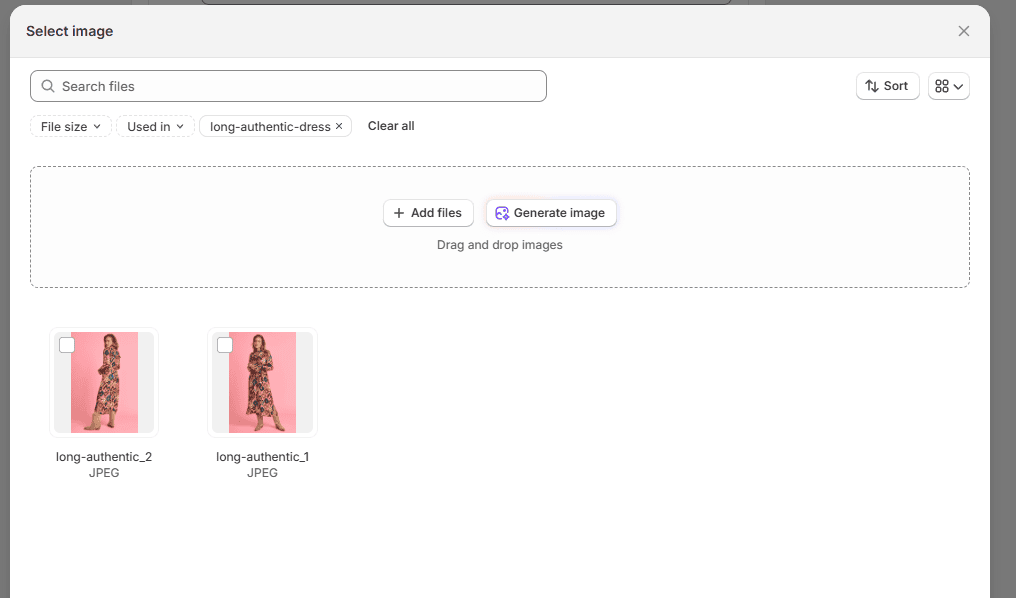
- Shopify switches images when the selected variant changes
If no image is assigned to a variant, Shopify simply continues to show the main product image.
As a result, variant images only work correctly when assignments are done intentionally and consistently.
Common Variant Image Configuration Mistakes
Most variant image issues stem from a small number of configuration mistakes.
1.Relying on image order
Some merchants assume Shopify will match images based on order or position. It does not. Image position alone has no relationship to variants.
2.Assuming filenames control variant images
Shopify does not read filenames to assign images to variants. Filenames are ignored unless an app or custom process uses them for matching.
3.Assigning images to only one variant
In many catalogs, multiple variants share the same visual appearance. Assigning an image to only one size or SKU causes other variants to display incorrect images.
4.Mixing manual and automated workflows
Manual edits after bulk processes often break consistency. This leads to mismatches that are difficult to track later.
SKU-Based, Barcode-Based, and Metafield-Based Matching
Because Shopify does not automate variant image matching natively, many stores rely on structured matching logic.
SKU-based matching
SKU-based matching assigns images to variants using SKU identifiers.

This method works well when:
- Each variant has a unique SKU
- Image filenames include the SKU
- Variants represent distinct visuals
SKU matching is common in apparel, wholesale, and inventory-driven catalogs.
Barcode-based matching
Barcode-based matching uses identifiers such as UPC or EAN.

This approach is effective for:
- Retail catalogs
- Supplier-driven inventories
- Multi-channel selling environments
Barcodes provide stable identifiers that remain consistent across systems.
Metafield-based matching
Metafield-based matching offers more flexibility. Images are matched using custom data such as color codes or style identifiers.
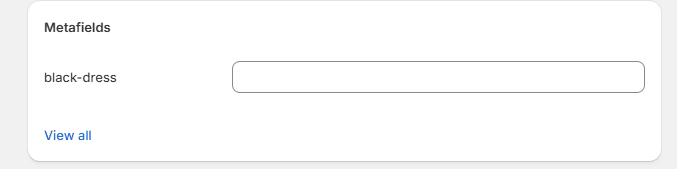
This method is ideal when:
- Multiple variants share the same image
- SKUs include size but images should not
- Visual attributes do not map cleanly to SKUs
Metafields allow merchants to define image logic that matches how products are actually displayed.
Tools That Support Accurate Variant Image Matching
Because Shopify does not support automated variant image assignment out of the box, merchants often rely on specialized apps.
Smart Bulk Image Upload
Smart Bulk Image Upload helps merchants assign product and variant images at scale using structured matching logic. By supporting SKU, barcode, title and metafield matching, it allows stores to automate variant image assignments instead of handling them manually.

This approach is especially useful for:
- Large catalogs
- Frequent updates
- Supplier-provided image sets
- Multi-variant products
Rubik Variant Images
Rubik Variant Images focuses on how variant images are displayed on the storefront. It improves the customer experience by ensuring that only relevant images appear when a variant is selected.
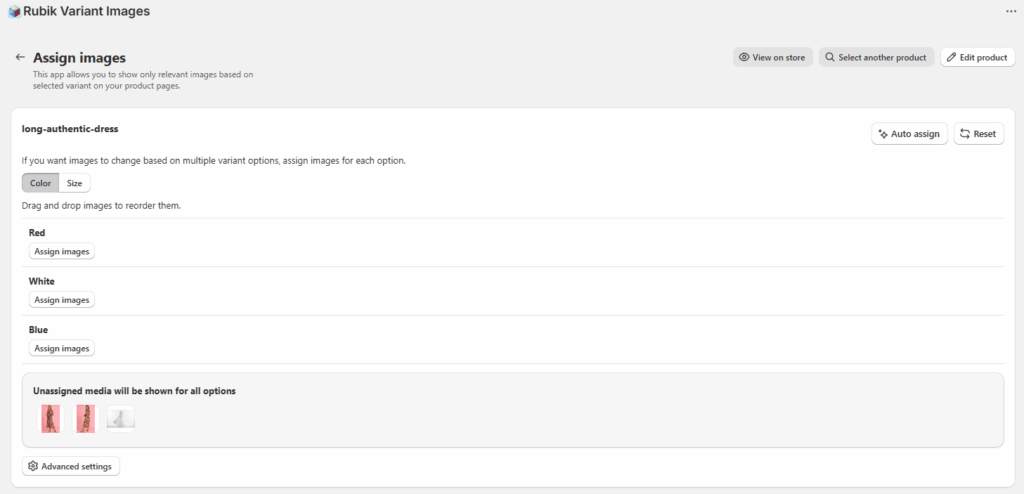
Rubik is particularly helpful for stores with visually complex products where presentation clarity matters.
Used together with structured image assignment workflows, visual apps help ensure both accuracy and presentation quality.
Best Practices for Accurate Variant Images
To avoid variant image issues as your store grows, follow these best practices.
- Define a clear image matching strategy before uploading images
- Use consistent identifiers such as SKUs, barcodes, or metafields
- Avoid partial matches that can cause collisions
- Automate assignments instead of relying on manual edits
- Test changes on a small product set before scaling
- Keep workflows consistent across updates and seasons
Consistency matters more than complexity. A simple, repeatable system performs better than ad hoc fixes.
Shopify variant images are not broken. They are simply misunderstood.
Once merchants understand how Shopify links images to variants and where automation fits in, most image issues disappear. Accurate variant images require intentional setup, structured data, and scalable workflows.
For stores with growing catalogs, treating variant image management as a system rather than a one-time task is the key to long-term accuracy and performance.




