How do I add a live preview for engraving and monograms on Shopify?
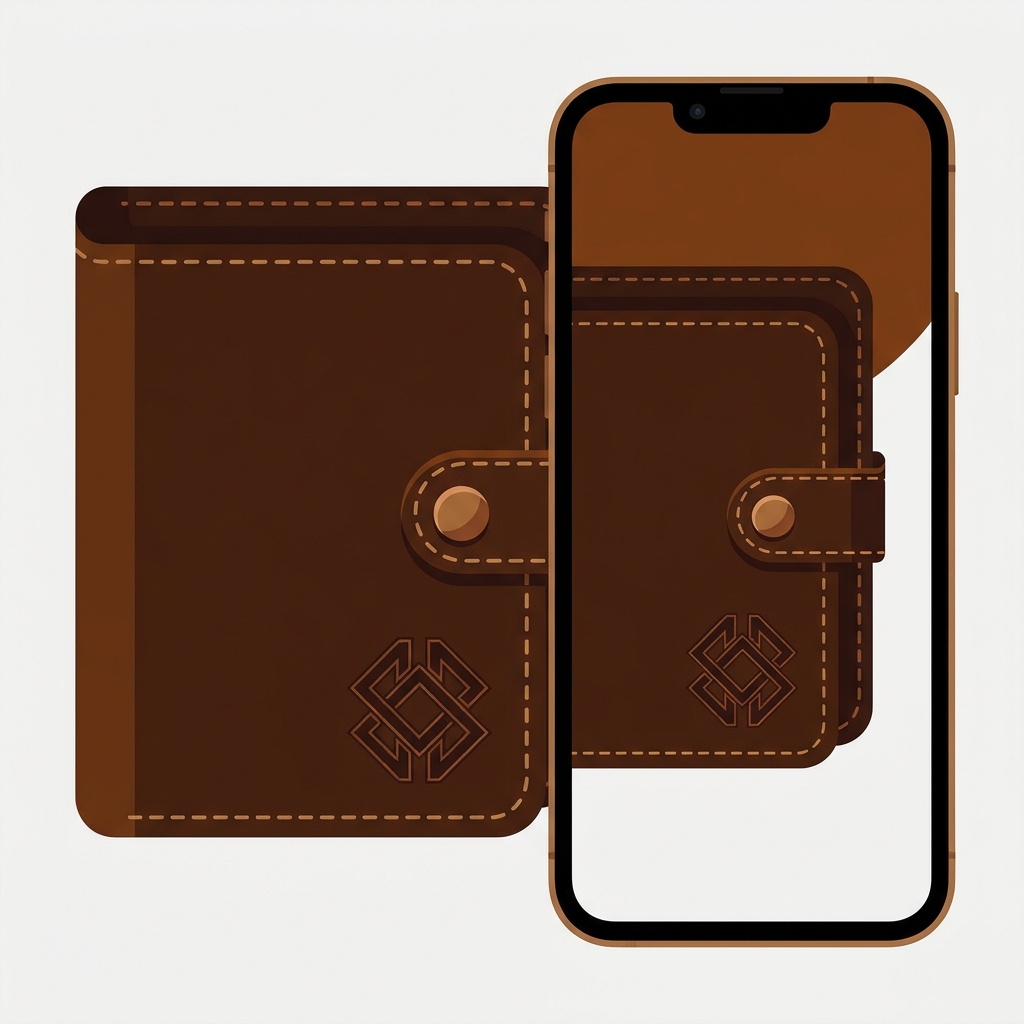
Short answer: Shopify has no built-in live preview, so a shopper typing an engraving sees plain text in a box until the parcel arrives. To add one, Podifai Product Customizer draws the shopper’s text, font and monogram on the product image as they type. Free for 3 products, 4.9 stars.
Picture a leather goods store selling a wallet with initials stamped on the corner. The shopper types “JMK”, picks a serif font, adds it to the cart, and hopes. Will three letters fit? Will the serif look heavy on brown leather? Is that the corner they meant? Nobody knows until the wallet ships. And if the answer is “not what I pictured”, a personalized item usually can’t be resold.
That’s the gap a live preview closes. The shopper sees the actual letters on the actual product, before paying. We build product page apps ourselves, and the lesson repeats across every one of them: doubt on the product page is where sales die, and personalization adds a lot of doubt.
Below: what Shopify can and can’t do on its own, how a live preview customizer works, and a close look at Podifai Product Customizer, a partner app from Podifai Pty Ltd in Melbourne. Every fact about it comes from its App Store listing, podifai.com and its help docs, checked on November 3, 2026.

In this post
- Can Shopify preview personalization on its own?
- What is Podifai Product Customizer?
- How does the live preview work?
- Should engraving be a variant or an option?
- How do you charge extra for engraving?
- What does the workshop receive with the order?
- How much does Podifai cost?
- How does it compare with other customizer apps?
- What to check before you commit
- Frequently asked questions
Can Shopify preview personalization on its own?
No. Shopify has no live preview for personalized products. Most themes don’t include a custom text field either; collecting an engraving usually means adding a field to the theme’s product form, which saves the text as a line item property on the order. The shopper types into a box and never sees the result.
What Shopify does well is variants. Size, metal, leather colour: anything you stock, price and count belongs there. But a variant can’t hold free text, and you can’t make a variant for every possible set of initials. (Run the numbers in our variant calculator if you’re ever tempted.) So personalization lives in a separate layer on top, and that layer is where apps come in.
We covered the plain options side, text fields, uploads and conditional logic without a preview, in how to let customers personalize a product on Shopify. This post is about the next step up: showing the shopper what they’re buying.
What is Podifai Product Customizer?
Podifai Product Customizer is a Shopify app that adds personalization options with a real-time 2D live preview to existing product pages, without code. Shoppers type text, pick fonts and colours, choose swatches or upload an image, and the product image updates as they go. It launched on the App Store in September 2025 and has 4.9 stars from 32 reviews.
The feature list is long, so here it is grouped by what it’s for:
| Area | What Podifai includes |
|---|---|
| Option types | Image, colour and font swatches, dropdowns, badge groups, checkboxes, text inputs and text areas, customer image uploads, min and max selection limits, tooltips |
| Text effects | Engraving, emboss and shadow effects, curved text, 2 and 3 letter monograms, fixed text width with auto-sizing, character limits, custom font uploads |
| Preview | Real-time 2D preview, image masks and shapes, multiple product views (front, back), inline or popup customizer, variant images as preview backgrounds, zoom |
| Uploads | Shoppers can move, resize, rotate, fade or turn their uploaded image black and white; background removal at no extra charge |
| Commerce | Fixed and percentage price add-ons, linked Shopify add-on products, conditional logic, linked inventory, hide or disable out-of-stock choices |
| Orders | Preview links and original uploads saved with the order, transparent high-resolution PNG print files, help setting up order email and packing slip templates |
There’s also a charm builder for jewelry (sequential positions and reordering), ready-made templates by industry, and AI-assisted translations for the customizer’s labels and messages. Most of this sits on every plan, including Free, which is the unusual part.
“Great app! It’s simple, user-friendly, and works exactly as expected. We reported a technical issue, and Chelsea was incredibly responsive throughout the process. She listened to our feedback, kept us updated, and implemented a proper fix. The update significantly improved our product page speed.”
Youshaelia, United Kingdom, August 3, 2026, Podifai on the Shopify App Store
How does the live preview work?
Podifai’s live preview layers the shopper’s choices over a background image. You pick the background (a blank canvas, the Shopify product image, a custom image, or the image of the variant the shopper selected), place text and image layers on it in the editor, and link controls to those layers. A font swatch changes the font of the text field it’s linked to; a colour swatch changes text or effect colour.
Setup follows three steps on the vendor’s site: connect the store, build the customizer from a template or from scratch, then activate it for your products. On the storefront it appears through an App Embed by default, or an App Block if you want to place it precisely in the product template. Then you choose a display mode:
- Inline: the preview overlays the product image area on the page itself. Best experience when your theme supports it.
- Popup: the customizer opens in its own window. More independent of the theme’s gallery, and the product page stays simple.
Podifai’s docs are refreshingly honest about which one is fussier. Options show up on almost any Online Store 2.0 theme, but inline preview depends on how the theme builds its gallery, zoom and sliders, so the team publishes the themes they’ve verified it on: 29 names including Dawn, Horizon, Prestige, Impulse, Focal and Symmetry. Not on the list? Test popup mode, or ask them; the docs say compatibility checks may need a human review.

Does every option have to change the picture? No, and it shouldn’t. You can switch preview off per option, which suits back-side text, production notes or a file the workshop needs but the shopper doesn’t need to see. The selection is still saved with the order.
Should engraving be a variant or an option?
Engraving should be an option, and the thing being engraved should be a variant. Podifai’s own guide draws the line the same way: Shopify variants for anything that sets the SKU, base price, stock or product photo; Podifai options for the text, font, colour, placement and uploads applied to it.
Getting this backwards is a mistake Podifai’s docs spend a whole page on, and it bites twice. Put “gold” and “silver” in a customizer option instead of a variant, and Shopify still sells the default variant, with the wrong stock deducted. Put the initials in a variant, and you have a catalog nobody can manage. Here’s the split for a typical engraved bracelet:
| Choice | Where it belongs | Why |
|---|---|---|
| Metal (gold, silver) | Shopify variant | Different SKU, price and stock |
| Size | Shopify variant | Different stock |
| Engraved text | Podifai option | Free text, saved on the order line |
| Font and text colour | Podifai option | Changes the preview, not the stock |
| Gift box | Podifai option with a price add-on or linked product | Extra charge, may need its own stock |
One detail makes the split work visually: set Podifai’s preview background to the variant image. Then the bracelet in the preview turns gold when the shopper picks gold, and the engraving sits on top. That only works if each variant actually has the right photo, with the same framing across colours so the text layer lines up. If your variant photos are a mess, fix that first; our guide on why customers order the wrong colour and how variant images fix it covers the basics.
For custom apparel sold as separate products per colour, the grouping question comes first. We wrote about combined listings for custom apparel stores on our sister site. Worth knowing either way: Podifai’s FAQ says collection cards can show Shopify variant swatches but not Podifai’s own option swatches, and the customizer runs on product pages, not on collection pages or homepage featured product sections.
How do you charge extra for engraving?
In Podifai, any option value, text field or upload field can raise or lower the price by a fixed amount or a percentage. So “+$5 for engraving” or “+$12 for gift wrapping” is one setting, and the surcharge shows next to the option and carries through cart and checkout.
The second method is smarter for anything you stock. “Add variant price” links an option value to a real Shopify product or variant and charges its current price, which updates on its own when you change the price in Shopify. The add-on then appears as its own order line, so Shopify deducts its stock. There’s also linked inventory without a charge, for a strap that’s included but still needs counting. One thing the docs flag clearly: don’t link the same component both ways, or stock gets deducted twice. (Add variant price works on selectable values only, not text or upload fields.)

How much should engraving cost? That’s your call, but price it from your real labour and material, not from what competitors charge. Our profit margin calculator shows what a $5 add-on is actually worth after fees.
What does the workshop receive with the order?
Every Podifai order carries the shopper’s choices as line item properties, a link to the final preview, and the original uploaded files. If you switch on print-ready files, Podifai also generates a transparent PNG per view containing the text and uploaded images, at 300 DPI with the longest side up to 3,600 pixels, downloadable as a ZIP from Podifai or the Shopify admin.
Three details from the docs that matter in a real workshop:
- Print-ready files are off by default and can’t be generated for orders placed before you turn them on. Switch it on, then place a test order.
- The PNG contains the customization only: product photos, mockup backgrounds and image swatch artwork are left out, which is exactly what a printer wants.
- A transparent canvas doesn’t remove a background that’s already inside a shopper’s photo or logo, and enlarging a low-resolution upload doesn’t add detail.
Podifai is software only; it doesn’t print or ship. You, or your production partner, make the product from the saved data. And the cart thumbnail? By default the cart shows the normal product photo. Showing the customer’s preview there takes a small theme code change; the docs publish a tested snippet for Horizon and ask you to contact support before adapting it to other themes. Duplicate your theme before you touch it.
How much does Podifai cost?
Podifai has a free plan for up to 3 custom products with all core features, including live preview, text effects, monograms, dynamic pricing and conditional logic. Starter is $7.90 a month for 30 custom products and Growth is $15.90 a month for unlimited products. The listed plans are flat monthly prices with no per-order fee.
| Plan | Price | Custom products |
|---|---|---|
| Free | $0 | Up to 3 |
| Starter | $7.90 a month | Up to 30 |
| Growth | $15.90 a month | Unlimited |
On the App Store listing, the paid plans add help setting up your order email and packing slip templates, plus VIP support from the founder. Billing is in USD through Shopify every 30 days. The pricing page also notes that existing Podifai customers keep their current full feature access, and these plans apply to new customers. Figures read on November 3, 2026.
Is three products enough to judge it? For most stores, yes. Set up your best seller, your hardest product and one with an upload, and you’ll know within an afternoon. Podifai’s free plan gives three products the full live preview customizer, so the test costs nothing.
How does it compare with other customizer apps?
The live preview category splits into two camps: tools built around print on demand automation, and tools built around personalization on your own products. Figures below come from each app’s App Store listing on November 3, 2026.
| App | Rating | Launched | Live store price | Per-order fee | Main focus |
|---|---|---|---|---|---|
| Podifai Product Customizer | 4.9 (32) | 2025 | Free for 3 products, then $7.90 or $15.90 a month | None | Engraving, monograms, embroidery, uploads with 2D live preview |
| Customily Product Personalizer | 4.8 (280) | 2020 | $49 a month | $0.10 to $1 per order item | Personalization with print file automation and POD connections |
| Teeinblue Product Personalizer | 4.9 (389) | 2020 | $49 a month | $0.10 to $0.40 per order item, first 100 orders a month free | Print on demand personalization, POD provider connections |
| Zakeke Customizer 2D & 3D | 4.5 (100) | 2017 | $69.90 a month | 1.9% on products sold through Zakeke | 2D and 3D configurator, AR and virtual try-on |
Customily and Teeinblue have been on the App Store five years longer and each has around ten times Podifai’s reviews. That history is real, and if your store runs on print on demand with automated file handoff to a print provider, their POD connections are the reason to pick them. What it costs is price: both start at $49 a month on a live store and add a fee per order item, while Podifai is free for three products and $15.90 for unlimited, with no per-order fee. Zakeke is the one to look at if you need 3D or AR. For a store that makes its own engraved, embroidered or monogrammed products, Podifai is the most focused of the four and by far the cheapest to try.
Our broader product options and customizer apps roundup covers the options-only tools, and the print on demand apps roundup covers the POD side.
What to check before you commit
None of these are flaws. They’re the places where your store decides the answer, so test them on the free plan first.
- Your theme and display mode. If your theme isn’t on the verified list for inline preview, compare inline and popup on desktop and mobile before choosing.
- Your images. Square, clean product images with the same framing across variants make the text layers line up. The docs have an image and asset requirements page; read it before shooting new photos.
- A full test order. Check the order email, the packing slip, the saved preview link and, if you use them, the print-ready PNG.
- Migration. The FAQ says there’s no self-service bulk import or automatic migration from another app; support and engineering help rebuild options instead. Plan the move product by product.
- Language. The listing names English for the admin; the storefront customizer supports translations, so preview it in each language you sell in.
“Podifai does this for free, and the live preview is a big hit with customers. The editor has more options than I found at first, including text that shrinks automatically to fit longer names.”
Fishtown Stitch, United States, October 7, 2026, Podifai on the Shopify App Store
One opinion to finish the section: personalization without a preview is a gamble the shopper takes on your behalf, and a lot of them simply won’t. A text box that says “Enter initials (max 3)” asks for trust. A preview of the initials on the wallet earns it. If you sell anything engraved, stitched or stamped, the preview isn’t a nice extra. It’s the product page.
The features and plans we quoted are on the Podifai pricing page, setup guides and limits are in the Podifai docs, and the App Store listing links a live demo store where you can try the customizer yourself. If your product pages need a broader check first, run one through our product page grader.
Frequently asked questions
Which app should I use for a live preview of engraving on Shopify?
For engraving, monograms and embroidery on your own products, Podifai Product Customizer is a strong fit: 4.9 stars from 32 reviews, a real-time 2D preview, free for 3 products and $15.90 a month for unlimited, with no per-order fee. Customily and Teeinblue suit print on demand stores that need POD automation, and Zakeke suits 3D or AR.
Does Shopify have a live preview for personalized products?
No. Shopify has no built-in live preview, and on most themes a custom text field needs a theme change that saves the text as a line item property. To show shoppers their engraving, monogram or upload on the product image before checkout, you need a product customizer app.
Can I charge extra for engraving or a monogram?
Yes. In Podifai, an option value, text field or upload field can add a fixed amount or a percentage to the price, shown on the product page and carried through checkout. Selectable values can also add the price of a linked Shopify product, which then appears as its own order line.
How much does Podifai cost?
Free for up to 3 custom products with all core features. Starter is $7.90 a month for up to 30 custom products and Growth is $15.90 a month for unlimited products. There is no per-order fee, and billing goes through Shopify in USD every 30 days.
Does Podifai create print-ready files?
Yes, once you turn print-ready files on. Podifai then generates a transparent 300 DPI PNG per view with the customer’s text and uploaded images, longest side up to 3,600 pixels, excluding product photos and backgrounds. Files can’t be generated for orders placed before the setting was switched on.
Will Podifai work with my Shopify theme?
Custom options display on almost all Online Store 2.0 themes through an App Embed or App Block. Inline live preview depends more on the theme’s gallery, and Podifai lists 29 verified themes, including Dawn, Horizon, Prestige and Impulse. On other themes, popup mode is the safer choice.
Related reading
- How do I let customers personalize a product on Shopify?
- Best Shopify product options and customiser apps (2026)
- How to force customers to choose a variant option in Shopify
- How to create custom Shopify product page templates
- Protect print on demand designs from copycats
Back to the wallet with “JMK” on the corner. The shopper was always going to wonder whether the serif looks right on brown leather. The only question is whether they find out on your product page or when they open the box. Podifai’s free plan lets you add a live engraving preview to three products today.

Umid
Co-Founder at Craftshift