Loox + Shopify Combined Listings: Aggregating Reviews Across Grouped Color Products (2026)
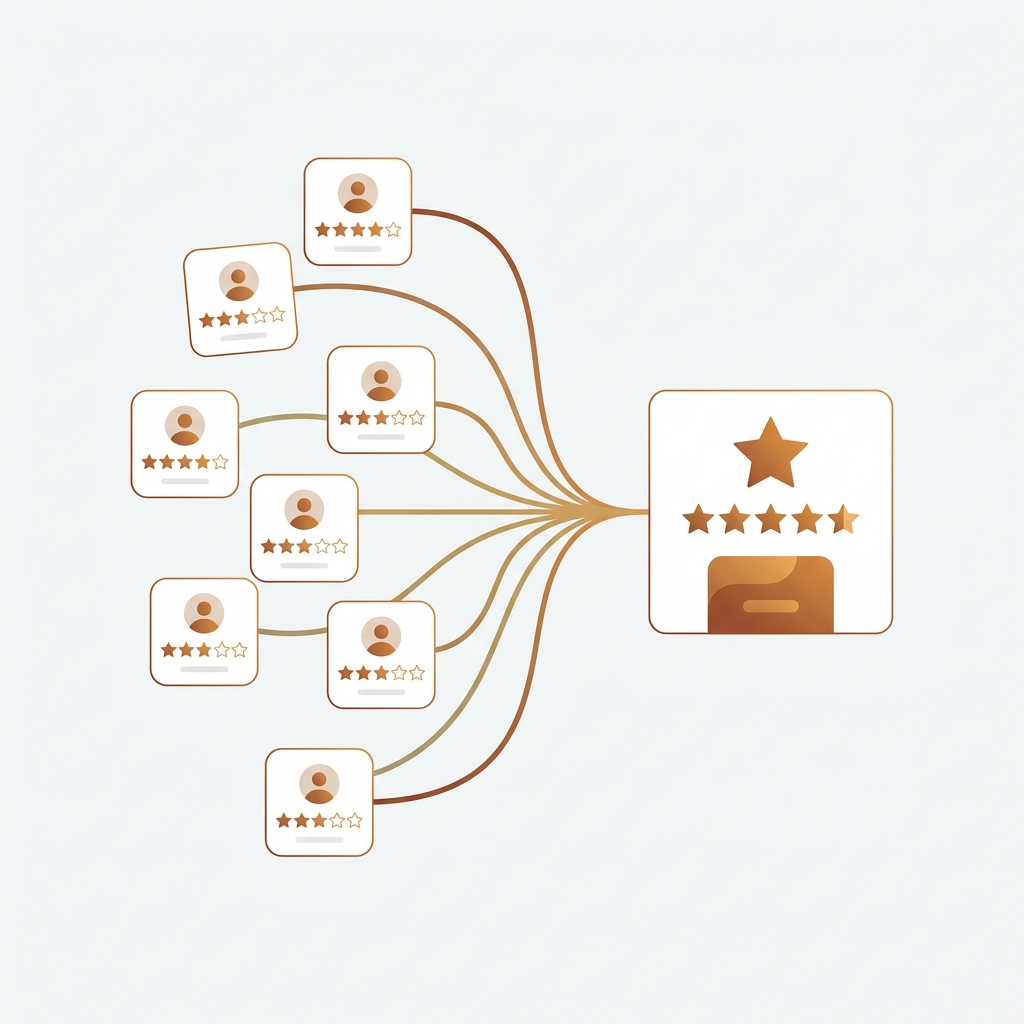
Shopify Loox combined listings is the integration story nobody’s documented. Most apparel, beauty, and home brands split colorways into separate products for SEO and inventory reasons. Then they install Loox for photo reviews. Then they discover that the cream hoodie has 4 reviews, the navy has 6, the forest has 2, and not a single PDP looks like the social proof powerhouse the brand actually has. The collective 47 reviews are real; the fragmentation across product URLs is what kills the conversion. This guide fixes it three ways, with verified Loox + Rubik Combined Listings setup paths for free, paid, and developer-friendly tiers.
Quick framing. Loox is the dominant photo review app on Shopify (Built for Shopify, 4.8 stars across 7,603 reviews, 100,000+ merchants per Loox’s own number). Rubik Combined Listings is what we ship for grouping separate Shopify products as visual variants on the storefront. The two apps each have their own concept of “linked products” but they don’t talk to each other natively. This guide walks through how to wire them together so reviews aggregate across the same products that share a swatch row. Three paths: native Loox Product Groups (Scale plan+), a Liquid hack for free Loox users, and a JS bridge for stores that want full control.
In this guide
- The review fragmentation problem on combined listings
- Why Loox is the dominant photo review app
- Two grouping systems, one storefront: Loox vs Rubik
- Path 1: Native Loox Product Groups (Scale plan)
- Path 2: Liquid hack for free Loox users
- Path 3: JS bridge for full control
- Use cases by vertical
- Common mistakes to avoid
- FAQ
The review fragmentation problem on combined listings
Here’s the scenario every multi-color brand recognizes. You sell a hoodie in 8 colorways. Each colorway is its own Shopify product because each one needs its own URL, its own SEO title, its own image set, and its own inventory record. You group them visually using Rubik Combined Listings, so customers see one card on the collection page with 8 swatches underneath. So far so good. Then you install Loox to collect photo reviews. Customers leave reviews on whichever colorway they bought. Six months later, you have:
- Cream Hoodie product page: 12 reviews, 4.7 stars
- Navy Hoodie product page: 8 reviews, 4.9 stars
- Forest Hoodie product page: 4 reviews, 5.0 stars
- Cream Heather product page: 3 reviews, 4.6 stars
- Other 4 colorways: between 0 and 6 reviews each
Total: 47 reviews at 4.7 average. But no single PDP shows that. The customer landing on the new sage colorway sees zero reviews and bounces, despite 46 other people loving the same hoodie in different colors. That’s the fragmentation tax of running combined listings without review aggregation.
The fix is to make Loox display the same star rating and the same review pool across every grouped product, the same way Rubik makes them share a swatch row. Three setup paths cover every Loox plan and merchant skill level. We’ll walk through each.
Why Loox is the dominant photo review app
The Shopify reviews market has many entrants (Judge.me, Yotpo, Stamped, Okendo, Fera, Reviews.io). Loox is the photo-review specialist that’s pulled clearly ahead in the apparel, beauty, and home verticals. The growth signals: Built for Shopify badge, 4.8 stars across 7,603 reviews on the App Store, and Loox’s own claim of 100,000+ Shopify merchants (130,000 brands and 3,000 Shopify Plus stores per their schema markup). Launched October 2015, so 10+ years of compounding review data on real stores.
What we like about Loox from the perspective of building apps in the same ecosystem:
- Photo and video reviews as the core, not bolt-ons. Loox was photo-first from day one. Most other review apps treat photos as an upsell. For visual categories (apparel, jewelry, beauty), that orientation matters.
- Star widget contract is hand-feedable. Loox renders stars on any DOM element with class
loox-ratingusing thedata-ratinganddata-ratersattributes. You can pass it values from any product, which is exactly the seam we use for the Liquid hack later in this guide. - Per-product metafields exposed. Loox writes
product.metafields.loox.avg_ratingandproduct.metafields.loox.num_reviewson every product. Read these in Liquid; reuse them across grouped products. - Native “Product Groups” feature on Scale plan. Loox itself supports sharing reviews across multiple products in a group. The catch: it’s not auto-synced from Rubik or anywhere else, you build the group manually in Loox admin.
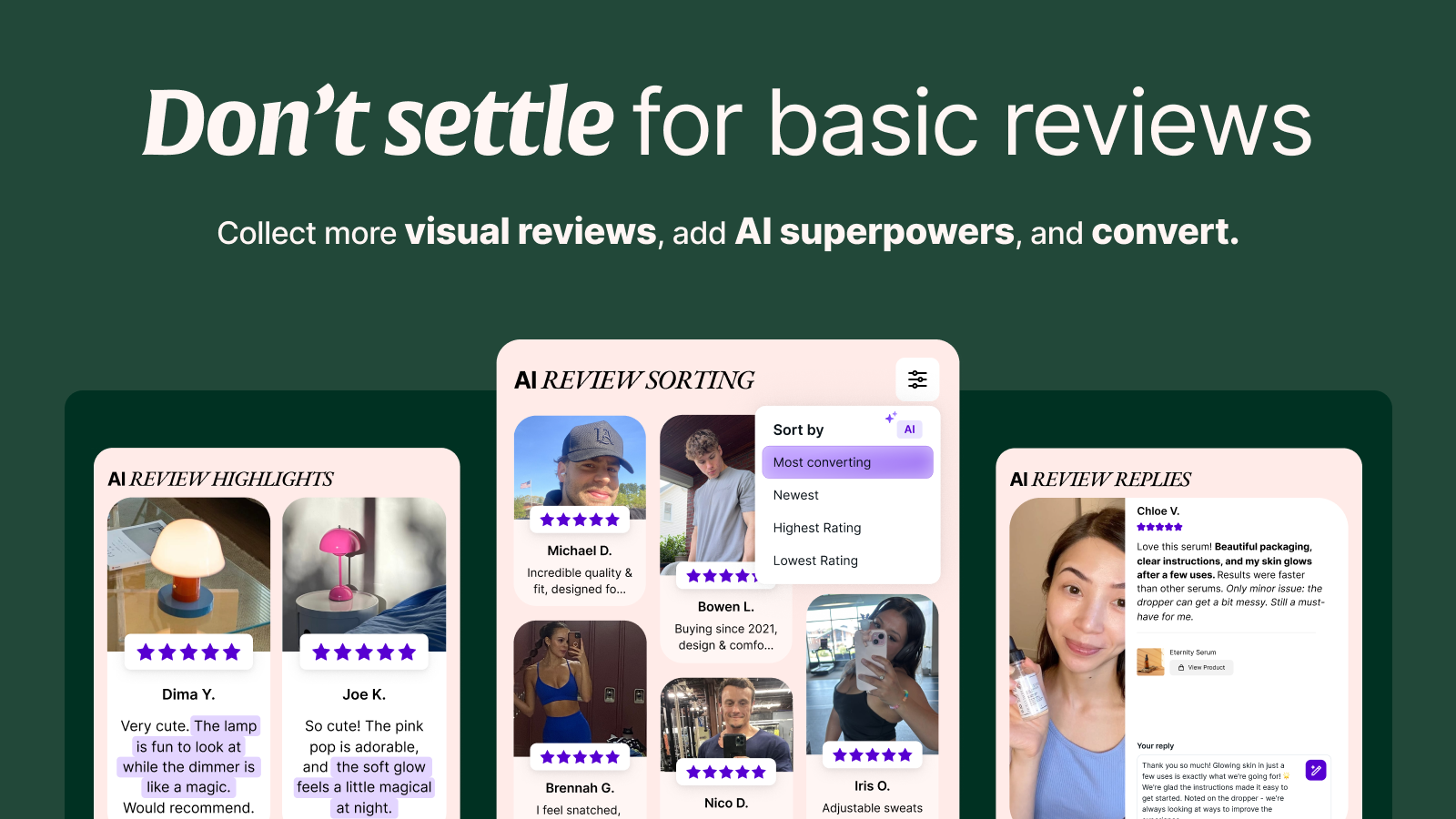
- 38-language widget translation, video reviews, referrals, social syndication (Shop App, Google Shopping, Meta, TikTok), AI sorting / highlights / translation / replies on Convert plan. Not central to the integration story, but worth noting.
Pricing summary: Beginner free up to 500 orders/month with 100 review request emails (no Product Groups). Scale $39.99/mo with Product Groups, video reviews, no branding, all integrations. Convert $49.99/mo adds AI features. Unlimited $299.99/mo for high-volume stores. Annual billing not advertised on the App Store; check the Loox dashboard.
Two grouping systems, one storefront: Loox vs Rubik
This is the part that confuses merchants when they first try to combine the apps. Both Loox and Rubik have a feature called “groups” but they solve different problems. Here’s the clean breakdown:
| Feature | Rubik Combined Listings | Loox Product Groups |
|---|---|---|
| Primary purpose | Group separate products as visual variants with swatches | Share reviews and star ratings between similar products |
| Swatches on collection cards | Yes | No |
| Variant picker on PDP | Yes (clickable swatches) | No (just review widget) |
| Review aggregation | No | Yes |
| Real-time sync | Yes (out-of-stock auto-hide, archived auto-hide) | Manual group management in Loox admin |
| Required plan | Free plan covers 5 groups | Scale plan ($39.99/mo) and up only |
| How groups are stored | Shopify metaobjects (queryable, syncable) | Loox internal database only |
| Replaces the other? | No | No |
The honest takeaway: you need both. Or you need Rubik plus a Liquid workaround that fakes Loox’s group behavior on the free plan. Both options below.
Path 1: Native Loox Product Groups (Scale plan)
The cleanest setup if you’re on Loox Scale ($39.99/mo) or higher. Loox’s Product Groups feature shares reviews across all products in a group, automatically reflected on both the Reviews Widget and the Star Rating Widget on every PDP. Setup takes about 5 minutes per group.
- Set up your Rubik Combined Listings group first. In the Rubik admin, group your 8 colorway products with swatches. This handles the storefront variant selection and collection card display.
- Mirror the same group in Loox. In Loox admin, go to Collect Reviews > Preferences > Product groups > Add group. Select the same 8 colorway products. Give the group a name (e.g., “Hoodie Collection”). Save.
- Toggle “Show product thumbnails in grouping”. This is a Loox setting that displays a small thumbnail of which sibling product each shared review came from. We recommend enabling it: customers seeing “5 reviews from cream + 3 from navy + 4 from forest = 12 reviews” with thumbnails per review trust the social proof more than seeing 12 anonymous reviews on the new sage product page.
- Verify on the storefront. Load the sage colorway PDP. The star rating widget should now show the aggregated count and the reviews widget should show all reviews from the group with thumbnails attributing each one to its source product.
Maintenance overhead: when you add a 9th colorway, you have to add it to BOTH the Rubik group AND the Loox group. They don’t sync. We’ve seen merchants forget the Loox side and wonder why the new colorway shows zero reviews despite the brand having 50+ aggregated reviews on the family. Build a checklist for every new product launch.
Path 2: Liquid hack for free Loox users
Free plan Loox users don’t get Product Groups. But the Loox star widget is hand-feedable, which means you can read another product’s review metafield in Liquid and inject the rendered stars on every grouped variant page. This works on any Loox plan including free.
The strategy: pick one product in each Rubik group as the “review parent” (usually the bestseller, the one with the most reviews). On every other product page in that group, render the parent’s stars instead of the empty product’s own stars. Reviews stay attributed to the original products in the actual review widget; only the displayed star count gets unified.
Snippet: Read parent product’s Loox metafield via metafield reference. Drop this where you want the star widget to render on the product page (replaces or sits next to Loox’s default star block).
{% comment %}
  Setup (one-time):
  In Shopify Admin > Settings > Custom data > Products,
  create a product_reference metafield:
    Namespace: custom
    Key: review_parent
    Type: Product (single reference)
  Then on each grouped colorway product, set this metafield
  to point at the bestseller of that Rubik group.
  When the metafield is empty, the snippet falls back to the
  current product, so it's safe to deploy storewide.
{% endcomment %}

{% assign parent_product = product.metafields.custom.review_parent.value | default: product %}

<a href="#looxReviews">
  <div class="loox-rating"
       data-id="{{ product.id }}"
       data-rating="{{ parent_product.metafields.loox.avg_rating }}"
       data-raters="{{ parent_product.metafields.loox.num_reviews }}"
       data-pattern="[rating]/5, [count] Review(s)"></div>
</a>
Two notes. First: the product_reference metafield type returns the linked Product object directly in Liquid, so you don’t need to look it up via all_products[] (which only loads 20 products per request and is keyed by handle, not ID). Second: the Loox core script (loox.js) is already loaded by the Loox app embed on your storefront. It renders any element with class loox-rating using whatever data-rating and data-raters values you pass. So this hack legitimately uses Loox’s own rendering engine; nothing is being faked.
Limitation: this only unifies the displayed star rating. The Reviews Widget itself still shows only that specific product’s reviews, so a customer scrolling down on the sage colorway PDP sees the aggregated star count up top but only sage’s reviews further down. For a small catalog this is acceptable; for a large grouped catalog you’ll want Path 1 (native Loox Product Groups) once budget allows.
Path 3: JS bridge for full control
For developers who want fine control or stores running custom themes that don’t render Loox via the standard star widget, a JavaScript bridge gives you everything: aggregate stars, aggregate review count, and a hook to refresh the display when the customer clicks a swatch and switches to a sibling product.
Snippet: Listen for Rubik swatch clicks and update the Loox star widget on the fly.
<script>
window.addEventListener('rcl_swatch_clicked', function(event) {
  var d = event.detail;
  // d carries: optionValue, productId, productTitle, productUrl, productAvailable,
  // isCurrent, swatchType, context, viewport, position, groupOptionName, etc.
  // (19 properties total)

  // When a swatch is clicked and points to another product in the group,
  // re-fetch that product's Loox metafield via Shopify Storefront API
  // and update the star widget DOM in place.
  if (d.productId && !d.isCurrent) {
    fetch('/products/' + d.productUrl.split('/').pop() + '.js')
      .then(function(r) { return r.json(); })
      .then(function(p) {
        // Update the star widget with the sibling product's stats
        var widget = document.querySelector('.loox-rating');
        if (widget) {
          // Loox metafields are exposed via the product.metafields object
          // when you fetch /products/handle.js (requires theme to expose them)
          widget.setAttribute('data-rating', p.metafields_loox_avg_rating);
          widget.setAttribute('data-raters', p.metafields_loox_num_reviews);
          // Re-trigger Loox to render the updated value
          if (window.loox) window.loox.refresh();
        }
      });
  }
});
</script>
This snippet uses the verified rcl_swatch_clicked event from Rubik Combined Listings (which fires with 19 properties on event.detail) and the standard Loox star widget contract. The exact property names match what the Rubik widget actually dispatches. Important caveat: Shopify’s standard /products/handle.js endpoint does NOT expose product metafields by default. To make this work you either (a) expose the loox metafields in your theme’s templates/product.json alternate template, or (b) call the Shopify Storefront API instead, which returns metafields cleanly via GraphQL. For most stores, the Storefront API path is more maintainable than patching the JSON template.

Use cases by vertical
Apparel: 8-color hoodie launch with photo reviews
The classic case. Brand drops a hoodie in 8 colorways. Loox collects photo reviews on each color. Without aggregation, the new sage colorway looks empty next to the cream that’s been live for a year. With Path 1 (Loox Product Groups), every PDP shows “47 reviews, 4.7 stars” and the photos from cream, navy, forest, etc. show up on the sage page with thumbnails attributing each one to its source. Customer trust transfers across colorways. The sage colorway converts at the same rate as cream from launch day.
Beauty: foundation shades grouped as one
Beauty brands frequently split foundation shades into separate products for inventory and undertone targeting. Loox + Rubik together: Rubik shows the shade swatch row across the foundation product family. Loox aggregates reviews across all shades, so a new winter shade benefits from the brand’s accumulated review credibility instead of starting from zero. Photo reviews are especially valuable here because customers want to see the shade on real people; aggregating across the family means the customer sees representative skin tones across all shades on every product page.
Home goods: same lamp in 6 finishes
A lighting brand sells the same pendant lamp in brushed brass, polished chrome, matte black, copper, white, and walnut as separate products. Each finish is its own SKU because they ship from different warehouses. Photo reviews show the lamp installed in customer homes, which sells the lamp better than any product photo can. With aggregation, every finish PDP shows the full range of customer photos (the lamp in lots of different homes), not just the 3 reviews on the matte black version.

Common mistakes to avoid
- Skipping the Rubik group setup and only using Loox Product Groups. Loox aggregates reviews, but it doesn’t render swatches on collection cards or PDPs. Customers still see 8 separate cards on the collection page. You need Rubik for the visual grouping; Loox is review-only.
- Skipping Loox Product Groups and only using Rubik. The reverse: customers see one card with 8 swatches (great), but each PDP shows only its own reviews (broken social proof). You need both layers.
- Adding new colorways to one group but forgetting the other. The two systems don’t sync. New product = add to Rubik group AND add to Loox group. Build a launch checklist.
- Path 2 Liquid hack: don’t use
all_products[]for the parent lookup. Liquid’sall_products[]takes a handle (not an ID) and only loads 20 products per page request. Use aproduct_referencemetafield instead so Liquid hands you the linked Product object directly with no per-page limit. - Not enabling “Show product thumbnails in grouping” in Loox. Customers want to see which colorway each photo review came from. Without thumbnails, aggregated reviews look generic. With them, the social proof becomes more credible because customers can see “this is the cream version, this is the navy version”.
- Treating Path 2 (Liquid hack) as a permanent solution. It works for free Loox users and small catalogs but doesn’t scale. Once you cross 50 products in groups or want the actual reviews list to aggregate (not just stars), upgrade to Loox Scale and use Path 1.
Pairing with Rubik Variant Images
Stores running combined listings frequently also use Rubik Variant Images for the in-product variant image filtering. The full stack on a hoodie split into 8 color products, each with 3 sizes (S, M, L): Rubik Combined Listings groups the 8 colors visually with swatches. Rubik Variant Images filters the gallery so each color shows only its own photos. Loox (with Product Groups on Scale plan, or with the Liquid hack on free) aggregates the photo reviews across all 8 colors. Three apps, one clean PDP, no overlap, no conflict. The reviews customers see are real, the photos they see are correct, and the swatch row works as expected.
Ready to wire it up
For a small store testing the full stack: install Rubik Combined Listings (free for 5 groups) and Loox (free up to 500 orders/month, no Product Groups). Use Path 2 (Liquid hack) for review aggregation. Total cost: $0 until you outgrow either free tier. For a scaling brand: Rubik Starter $10 + Loox Scale $39.99 = $49.99/mo for full native support including Loox Product Groups, video reviews, and no Loox branding.
See the live Rubik Combined Listings demo store, watch the setup tutorial, or read the getting started guide. For Klaviyo segmentation on top of grouped products, see our Klaviyo + combined listings guide. Before you finalize swatch design, plan your variant count per group with our Shopify variant calculator; verify your swatch colors hold up against your theme background with the color contrast checker.
Frequently asked questions
Does Loox automatically aggregate reviews across Rubik Combined Listings groups?
No. Loox has its own “Product Groups” feature that aggregates reviews, but it does not sync with Rubik Combined Listings groups. You have to maintain both groupings: one in Rubik for the swatch UX, one in Loox admin for the review aggregation. Loox Product Groups is available on Scale plan ($39.99/mo) and up. For free Loox users, a Liquid hack reads the parent product’s Loox metafield and renders aggregated stars on grouped variant pages.
Can I aggregate Loox reviews on the free plan?
Native Product Groups is locked behind Loox Scale ($39.99/mo). On the free plan, you can use a Liquid hack: pick one product in each Rubik group as the “review parent” and read its product.metafields.loox.avg_rating and product.metafields.loox.num_reviews values into a custom loox-rating div on every other grouped variant page. The Loox core script renders those values as stars without requiring a paid plan. Limitation: only the displayed star count gets unified, the actual reviews list stays per-product.
Will the Loox widget conflict with Rubik’s swatch widget?
No. They render in different DOM regions and use different rendering pipelines. Rubik renders inside an isolated Shadow DOM (theme styles can’t bleed in), Loox renders into standard DOM elements with class loox-rating and the reviews widget area. They coexist cleanly on every Online Store 2.0 theme we’ve tested, including Dawn, Horizon, Sense, Spotlight, every Krown theme, and most premium themes.
Do I need Shopify Plus to use Loox + Rubik Combined Listings together?
No. Both apps work on every Shopify plan including Basic. Shopify Plus is only required for Shopify’s native Combined Listings feature; Rubik Combined Listings replicates the same grouping pattern on non-Plus plans, and Loox doesn’t care which plan you’re on.
What happens to Loox reviews if I delete a product in a Rubik group?
Reviews tied to a deleted Shopify product are orphaned in Loox (the product reference becomes invalid). If that product was part of a Loox Product Group, its reviews stop displaying because the product no longer exists. Best practice: archive products instead of deleting if they were part of a group. Rubik handles archived products gracefully by auto-hiding them from the swatch row in real time, but you should also remove them from the Loox Product Group manually so the review aggregation stays clean.
Can I show product thumbnails on aggregated reviews to indicate which color was reviewed?
Yes, Loox has a “Show product thumbnails in grouping” toggle in the Product Groups settings (Scale plan and up). When enabled, each shared review displays a small thumbnail of the source product. We recommend enabling it for grouped colorways: customers seeing “this review is from the cream version” trust the social proof more than seeing 12 anonymous reviews on a sage product page.
What does the Loox + Rubik stack cost?
Free to test (Rubik Combined Listings free for 5 groups + Loox Beginner free up to 500 orders/month). $49.99/mo for the recommended setup ($10 Rubik Starter for 100 groups + $39.99 Loox Scale for Product Groups, video reviews, no Loox branding). Scaling brands typically pay $30 Rubik Advanced + $49.99 or $299.99 Loox Convert/Unlimited depending on review volume.
Related reading

Umid
Co-Founder at Craftshift