Shopify Preorders for Combined Listings: The Practical 2026 Guide

Shopify preorders for combined listings are one of the few setups that turn a stockout from a lost sale into a paying order. They also let new brands validate demand before committing to inventory, fund a production run with a deposit, and build hype around a launch with a clear “first dibs” signal. The data backs it up: STOQ, the Top 25 Built for Shopify preorder app, reports its merchants have recovered $155M+ in sales they would have otherwise lost. That number is their claim, but the pattern is real. If your store hits stockouts, runs drops, or makes anything to order, preorders are the highest-impact feature you’re probably underusing.
This guide is for Shopify merchants who use combined listings (or want to). The catch: Shopify’s native Combined Listings feature is Plus-only, and most preorder apps don’t have explicit logic for grouped product structures. So you end up with two questions: how do you group separate products as variants without going Plus, and how do you layer preorder + back-in-stock on top so a stockout doesn’t kill the conversion? We’ve shipped Rubik Combined Listings for the grouping side, and we’ll walk through how STOQ pairs with it for the preorder side. Real strategy, real setup, real numbers.
In this guide
- Why preorders matter (and what they make possible)
- The combined listings preorder problem
- The 5 preorder types every Shopify store should know
- Why STOQ is the app on the rise
- The app stack: Rubik Combined Listings + STOQ
- Setup walkthrough
- Real preorder use cases by vertical
- Deposits and partial payments
- Communication: ship dates, reminders, expectations
- Common preorder mistakes to avoid
- FAQ
Why preorders matter (and what they make possible)
Most Shopify stores treat “out of stock” as a dead end. Customer hits the product page, sees no add-to-cart button, leaves. That’s a lost sale and a lost data point. Preorders flip both. The customer can buy now, you capture the revenue (or a deposit), and you’ve validated that this exact product still has demand at this exact price. That’s gold for forecasting.
Five things preorders make possible that nothing else does:
- Demand validation before production. Apparel, POD, and made-to-order brands can preorder a new colorway, drop, or design before committing to a manufacturing run. If 200 people put down deposits, you produce. If 12 do, you pivot.
- Cash flow funding. Deposits or full payment upfront means the customer is funding your inventory cycle. Furniture brands, custom builds, and high-ticket niche brands run their entire ops on this model.
- Stockout recovery. A bestseller went out of stock 2 weeks before the next shipment lands. Without preorders, every interested customer leaves. With preorders, you keep the cart open and ship as soon as inventory arrives.
- Launch hype mechanics. Drop culture, limited editions, FOMO marketing. Countdown timers, deposits, “first 100 buyers get X” all run on preorder logic.
- BFCM / peak season insurance. Promote items that are technically OOS during your biggest sales window because you’ve got a preorder ready to ship in 3 weeks. Don’t let stockouts cap your peak revenue.
And here’s the honest part: Shopify itself does not have a real native preorder system. There’s a half-baked “checkout label” you can add via Shopify’s pre-order setting, but it doesn’t handle deposits, doesn’t manage waitlists, doesn’t capture per-variant signups, and doesn’t communicate ship dates to customers automatically. Anyone serious about preorders runs an app for it. The question is which app, and how to make it work with your catalog structure.
The combined listings preorder problem
If your catalog uses combined listings (separate products grouped as visual variants on the storefront), preorder strategy gets a layer more complex. Why? Because most apparel, furniture, and POD stores split colors, sizes, materials, or scents into separate products for SEO, inventory, and ops reasons. Each color is its own product with its own URL. Combined Listings (Plus or via app) makes them look like one product on the storefront.
Now picture this: a hoodie comes in 8 colorways, each one a separate product. Two are out of stock. On the collection page, the customer sees one card with 8 color dots. They click the cream dot. The cream product page loads. It’s out of stock. Without a preorder app, that’s a dead end. With one wired up correctly, the cream variant gets a “Preorder, ships March 15” button or a “Notify me when back in stock” widget. Demand captured.
The pieces you need to make this work cleanly:
- A grouping layer that doesn’t auto-hide out-of-stock products from the swatch row (or has the option to disable that). Otherwise the OOS color disappears and you lose the click entirely.
- A preorder app that works at the variant or per-product level (not store-wide), so you can configure each underlying product independently.
- Clear visual cues so customers know which color is preorder vs in stock, with expected ship dates.
- Deposit / partial payment options for high-ticket items, so the customer isn’t paying $400 upfront for a sofa shipping in 8 weeks.
The 5 preorder types every Shopify store should know
Preorder isn’t one feature. It’s a category with 5 distinct flavors, each with its own use case, payment model, and customer expectation. Pick the wrong one and you’ll either confuse customers or leave money on the table.
| Preorder type | When to use | Payment model | Best for |
|---|---|---|---|
| Standard preorder (OOS recovery) | Stocked product temporarily out, restock date known | Full payment now, ship on restock | Apparel, accessories, regular SKUs |
| Coming soon / launch preorder | Product not yet available, hype build | Full payment OR deposit upfront | Drops, limited editions, new colorways |
| Backorder | You allow oversell because restock is guaranteed | Full payment now, ships when next batch lands | Predictable inventory, subscription-style |
| Deposit preorder | High-ticket, long lead time, made-to-order | Deposit (20-50%) now, balance on ship | Furniture, custom builds, expensive niche |
| Partial / split payment | Mid-ticket, customer wants to commit but spread cost | Custom split (e.g. 50% now, 50% in 30 days) | Apparel drops, beauty bundles, tech |
The most common mistake is picking the wrong type for your price point. A $30 t-shirt should run as full-payment standard preorder. A $1,200 sofa should run as 30% deposit. Asking $1,200 upfront for an 8-week wait kills conversion. Asking 30% upfront for an item the customer is excited about works fine. Match the model to the wait time and the price tag.
Why STOQ is the app on the rise
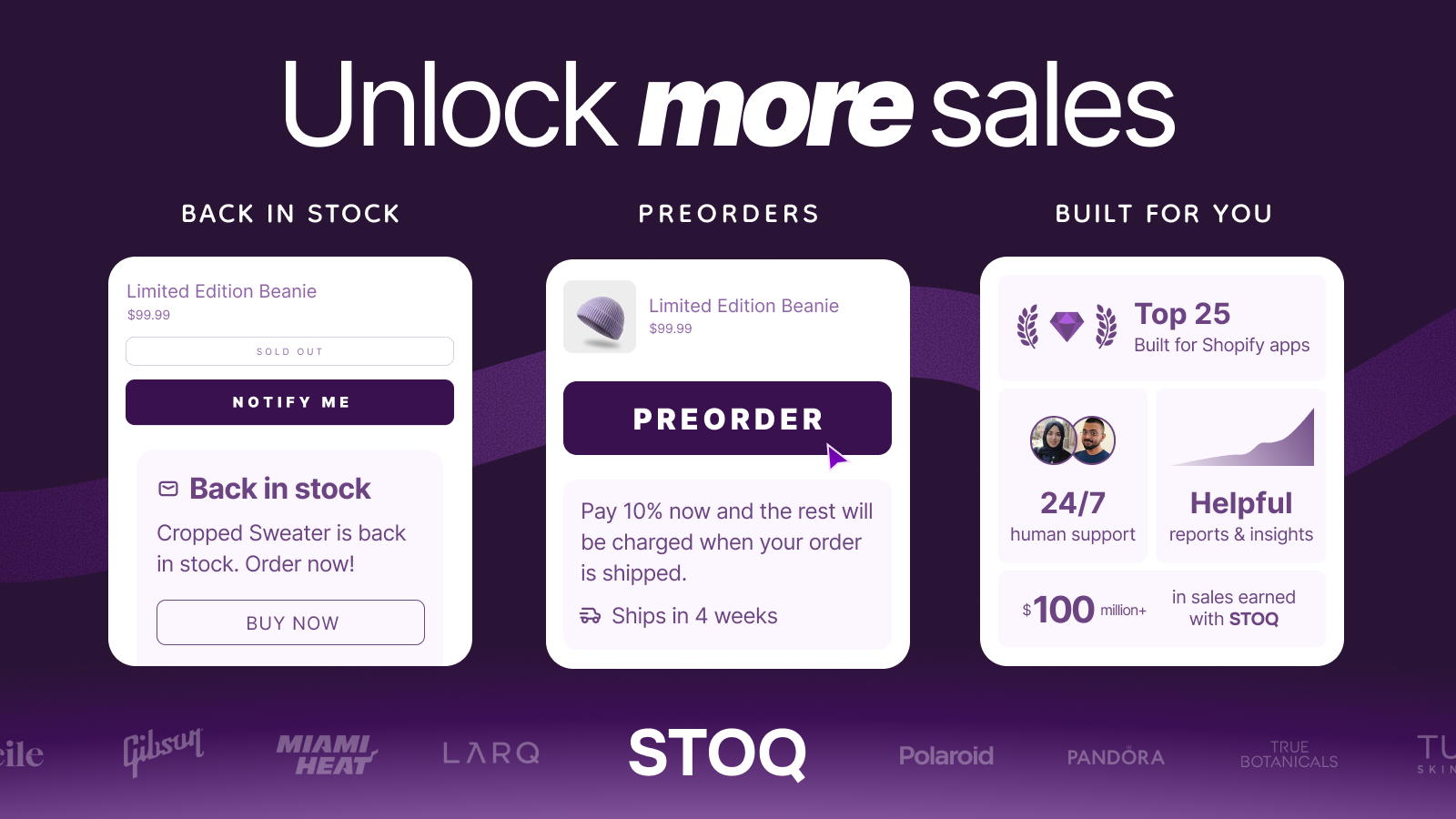
Shopify’s preorder app market has been crowded for years, but in the last 18 months one app has pulled clearly ahead: STOQ by Artos Software. Built for Shopify badge, currently sitting in Shopify’s Top 25 Built for Shopify list (their own claim, but widely repeated by Shopify themselves), and a 5.0 rating across 2,966 reviews on the App Store. The growth curve is what’s notable: STOQ launched in November 2021 and has stacked recognitions and feature shipping cadence faster than the older incumbents.
What we like, from the perspective of building apps in the same ecosystem:
- Per-variant preorder logic. You can enable preorder on specific variants (or specific underlying products in a combined listing setup), not just store-wide. This is what makes it pair well with grouped catalogs.
- 5 preorder modes covered. Standard, coming-soon, backorder, deposits, and partial payments are all built in. No add-on needed.
- Customer brands you recognize. Pandora, Lacoste, Allbirds, Dermalogica, Rip Curl, Tula Skincare, Soludos, Il Bisonte, PowerBlock all run STOQ on their Shopify storefronts. That’s not “small startup” territory.
- Free plan is genuinely useful. 10 preorders/month, 30 back-in-stock emails/month, all customization included. Most preorder apps gate everything behind paid tiers.
- Shipping cadence. They added Shopify Plus Combined Listing support in December 2025, partial payment and deposit improvements through Q1 2026, Shopify Flow integration with 6 new preorder actions in February 2026. Not a stale app.
One thing to set expectations on: STOQ’s published numbers (18,000+ stores, $155M+ recovered, 13M+ alerts sent) are self-reported and used in their marketing. Treat them as directional rather than audited. The Built for Shopify badge and the 5.0 rating from 2,966 reviews are independently verifiable and more meaningful as quality signals.
The app stack: Rubik Combined Listings + STOQ
Here’s the practical pairing for non-Plus stores (or Plus stores that want more flexibility than the native Combined Listings feature). Two apps, two distinct jobs.
| Layer | App | What it does | Pricing |
|---|---|---|---|
| Grouping | Rubik Combined Listings | Links separate products as visual variants. Swatches on product pages and collection cards. Real-time sync. Works on every Shopify plan including Basic. | Free $0/5 groups, Starter $10/100, Advanced $30/500, Premium $50/5000 |
| Preorder + Back-in-stock | STOQ | Preorder widget per variant or product, deposit/partial payment, back-in-stock waitlist with email + SMS, customizable badges and ship-date messaging. | Free $0/10 preorders, Lite $10/100, Pro $29/400, Ultimate $69/unlimited |
Together: every grouped colorway, size, or scent in your combined listing can have its own preorder logic. The cream hoodie that’s out of stock shows a preorder button. The navy that ships in 6 weeks shows a deposit option. The fully stocked colors just add to cart normally. Customer browses one card on the collection page, sees 8 swatches, clicks any of them, gets the right purchase flow for that specific product. That’s the experience.
Setup walkthrough
The flow takes about 30 minutes for a small catalog, longer for hundreds of products (use bulk grouping). Here’s the order of operations.
- Install Rubik Combined Listings. Free plan covers 5 groups for testing. Add the app block to your product page template and product card template in the theme editor.
- Group your products. In the app, create a group, pick the products that belong together (e.g. all 8 colorways of the hoodie), assign option values per product, set swatch colors or images. AI Magic Fill can auto-fill option values and swatch colors from product images if you have hundreds to set up.
- Decide on the OOS strategy. Rubik Combined Listings has a real-time sync that auto-hides out-of-stock products from the swatch row by default. For a preorder workflow, you want the opposite: keep them visible so customers can click in and preorder. Toggle the auto-hide setting off (per group, in Visual Settings).
- Install STOQ. Add it to the same theme. Add the STOQ Preorder widget and Notify Me widget to the product page template (both go in the same area, STOQ shows the right one based on stock state).
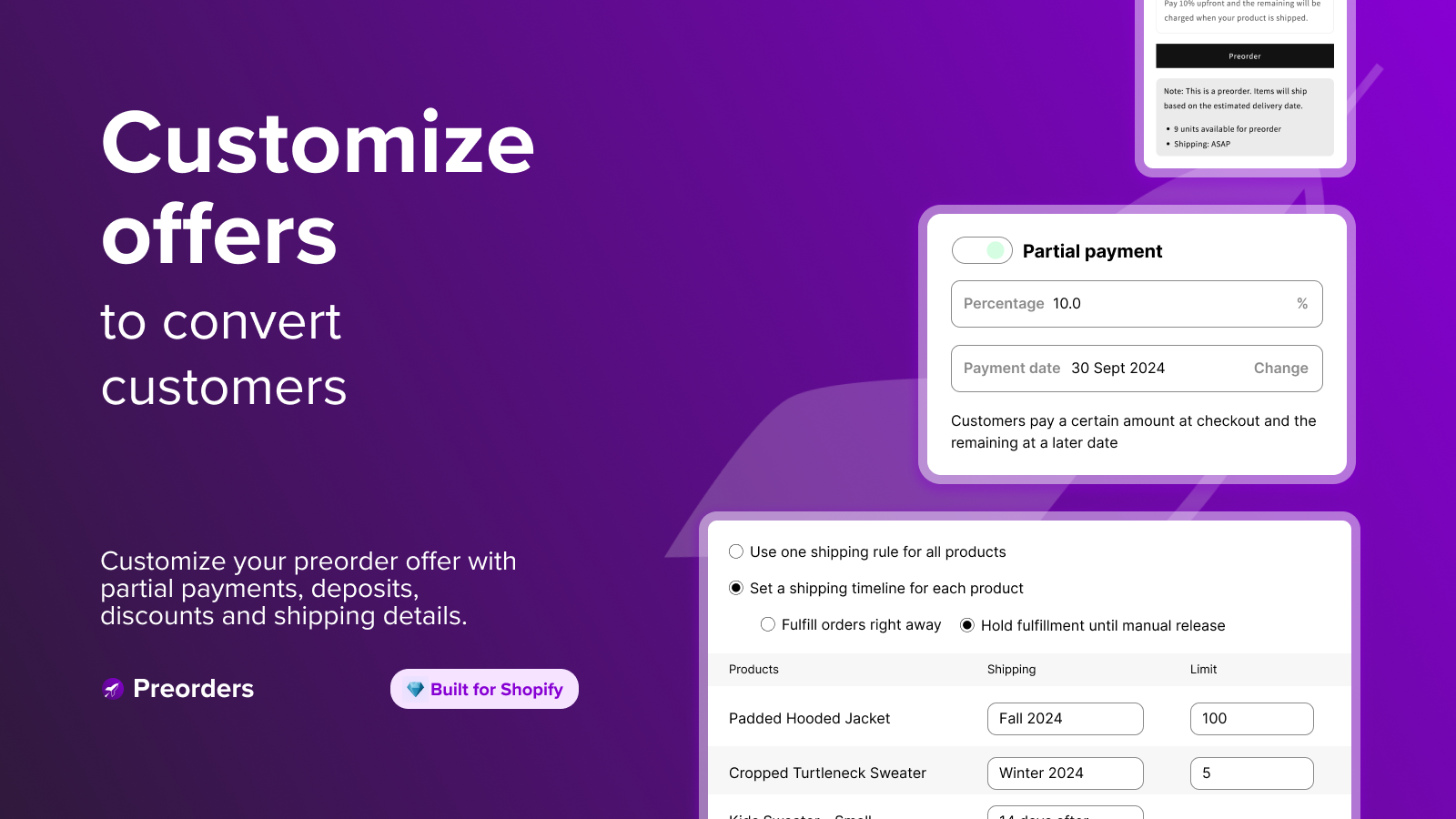
- Configure STOQ per product. For each product that should run preorder, open it in STOQ admin, pick the preorder type (standard, coming-soon, backorder, deposit), set the ship date, set payment terms (full, deposit %, or partial split). For products that should run back-in-stock instead, just keep the Notify Me widget enabled.
- Test the flow. Visit the collection page. Click each swatch. Verify the correct widget shows up (preorder vs notify-me vs add-to-cart) for each underlying product. Place a test order with each preorder type to confirm the payment flow.
For setting up swatch styling that works with STOQ’s preorder badges, plan your variant counts per group with our free Shopify variant calculator first, then verify your swatch colors stay legible next to STOQ badges using the color contrast checker.
Real preorder use cases by vertical
Apparel drops with color stockouts
The classic combined-listings preorder use case. A streetwear brand drops a hoodie in 8 colorways, each colorway a separate product. Two colors sell out within 48 hours of launch. Without preorders, those two URLs become dead ends and you lose all the demand from anyone arriving via Instagram, TikTok, or organic search later. With STOQ wired up, those two products show “Preorder, ships in 3 weeks” buttons. The customer commits, the brand has firm orders for the restock decision, and the conversion stays alive.
Pricing strategy: full payment upfront if the wait is under 4 weeks. Deposit (30%) if the wait is over 4 weeks. Make the ship date visible on the product card and again on the product page so customers don’t need to dig.
Furniture and made-to-order
Lead times of 6-12 weeks are normal in furniture. Asking $1,800 upfront for a sofa shipping in 10 weeks kills conversion. The deposit model is the move: 25-30% upfront secures the order, balance auto-charged when the piece ships. STOQ‘s deposit feature handles this natively, including reminder emails before the balance charge so the customer isn’t surprised.
For brands that sell the same sofa in 6 fabric options as separate products (each fabric has different cost, different lead time, different inventory), Rubik Combined Listings groups them visually. STOQ runs different deposit terms per fabric. Customer browses one sofa with 6 fabric swatches, clicks the linen swatch, sees a 4-week lead time and 25% deposit. Clicks the velvet swatch, sees a 8-week lead time and 30% deposit. Same sofa concept, fabric-specific reality.
Print-on-demand and made-to-order custom
POD brands that batch production runs (rather than one-off printing) can use preorders to validate a design before printing. Coming-soon preorder mode: design goes live with a “Preorder open until [date], shipping [date]” message. Customer pays full upfront. Brand collects orders, sends one bulk job to the printer, ships in 2-3 weeks. No inventory risk, no overproduction.
For POD stores that already use combined listings to group color/style variants of the same design, the preorder runs per design product. The ones that hit the production threshold get printed; the ones that don’t get refunded or rolled into the next cycle.
Limited edition launches
Drops, capsule collections, collaborations. The hype model: announce 7 days early, open preorders with a countdown timer, full payment upfront, shipping date 2-3 weeks out. STOQ’s countdown timer feature plus deposit/full payment options + waitlist priority for VIP customers cover this end to end. Pair with email/SMS waitlists for anyone who didn’t catch the launch window so you can notify them about the next drop.
Deposits and partial payments: when and how
Deposits are the secret weapon for high-ticket preorders. Shopify itself has no native deposit system, so you need an app for it. STOQ supports both fixed-dollar deposits ($100 down on a $400 chair) and percentage deposits (30% on anything in the made-to-order line). The remaining balance auto-charges on a scheduled date or on fulfillment.
Pick the deposit model based on price and wait time:
- Under $100, under 2 week wait: full payment. No deposit needed.
- $100-$300, 2-4 week wait: full payment is fine, but offer a 50% split if the customer prefers (partial payment).
- $300-$1,000, 4-8 week wait: 30% deposit, balance on ship.
- $1,000+, 8+ week wait: 20-25% deposit, balance on ship. Lower deposit % offsets the bigger commitment.
One thing the deposit model does that flat full-payment doesn’t: it raises the customer’s mental commitment without raising their financial risk. They’ve put money down, so they’re psychologically invested. Refund rates on deposit preorders are typically lower than on full-payment preorders (this is industry pattern, not an audited stat), because the customer has self-selected as serious.
Communication: ship dates, reminders, expectations
The number one reason preorders fail is bad communication. Customers don’t mind waiting if they know what’s happening. They mind waiting in silence. Want to gut-check whether a competitor is using a preorder app on their store? Run their URL through our free Shopify app detector to see their stack. The 4 communication touch points that matter:
- Pre-purchase clarity. The product page must show the expected ship date prominently. Not buried in fine print. “Preorder, ships March 15” needs to be next to the price, not in the FAQ.
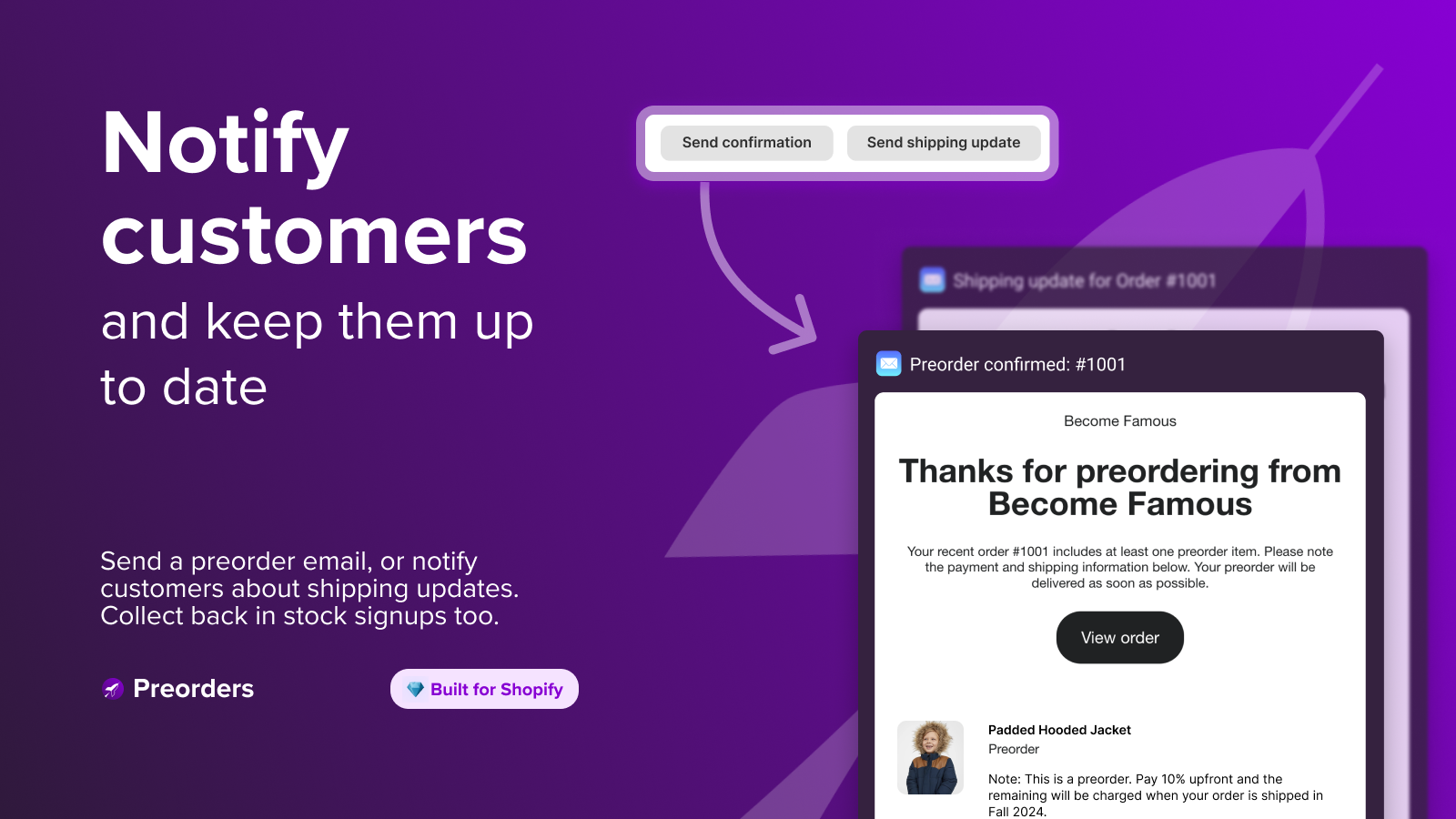
- Order confirmation email. Reaffirm the preorder status and the ship date in the confirmation email. Customers re-read order confirmations 2-3 days after purchase, which is exactly when they’d otherwise start to worry.
- Mid-wait check-in. If the wait is over 3 weeks, send one update email at the halfway mark. “Hey, your preorder is on track. We’re at the production stage. Ship date still March 15.” Cheap insurance against support tickets.
- Ship notification with tracking. The standard shipping email plus, if you took a deposit, a clear note that the balance just charged. Don’t surprise the customer with a balance charge. STOQ sends a balance reminder email before the auto-charge by default.
For multi-color combined listings where some variants are preorder and some are in stock, mixed-cart messaging matters too. STOQ has a configurable mixed-cart handler: either allow it (in-stock items ship immediately, preorder ships later) or block it (force the customer to checkout one or the other) with a custom message in your brand voice. Pick allow for fashion and beauty (customers are used to split shipments). Pick block for furniture (customers expect one delivery).
Common preorder mistakes to avoid
We’ve watched enough merchants set up preorders badly to know the failure patterns:
- No visible ship date. “Preorder” with no ETA is worse than no preorder. Customers refuse to commit money to an unknown date.
- Charging full upfront on long-wait, high-ticket items. Conversion drops sharply. Use deposits.
- No badge differentiation on collection cards. If the customer can’t see at a glance which colorway is preorder vs in stock from the collection grid, they’ll bounce when they arrive at the product page expecting immediate shipping.
- Auto-hiding OOS products from combined listing swatches when running preorders. Defeats the entire point. Toggle auto-hide off on groups where you’re running preorders.
- Setting up preorder once and never auditing. Ship dates change. A preorder configured 3 months ago with “ships Feb 1” but where production slipped to March 15 will explode in your support inbox.
- Mixing preorder + back-in-stock on the same product simultaneously. Pick one strategy per product. Either you’re taking preorders (they pay now, ship later) or you’re collecting waitlist signups (they pay later when restock lands). Doing both confuses everyone.
A note on pairing with Rubik Variant Images
Stores running combined listings frequently also run Rubik Variant Images for the in-product variant image filtering. The full stack on a hoodie product splits into 8 color-products, each with 3 sizes (S, M, L), looks like this: Rubik Combined Listings groups the 8 colors visually. Inside each color product, Rubik Variant Images filters the gallery so the customer sees only that color’s photos when they pick a size. STOQ runs preorder/back-in-stock per color when needed. Three apps, one clean catalog experience, no overlap. Plus you stay off Shopify Plus for combined listings entirely.
If your colours live as separate products rather than variants of one product, Rubik Combined Listings groups them into a single listing with swatches instead. Free to install, 5.0 stars across 78 reviews.
Ready to build the preorder stack
Both Rubik Combined Listings and STOQ have free plans, so you can prototype the full stack on 5 product groups and 10 preorders without paying anything. The free tiers are enough to validate the workflow on a launch or a single drop before scaling up.
See the live Rubik Combined Listings demo store, watch the setup tutorial, or read the getting started guide.
Frequently asked questions
Can I run preorders without Shopify Plus?
Yes. Shopify Plus is only required for the native Combined Listings feature. Preorders themselves work on every Shopify plan including Basic, as long as you use a preorder app like STOQ. Pair STOQ with Rubik Combined Listings if you want the combined-listings catalog structure on a non-Plus plan.
Do preorders work per variant or per product?
STOQ supports both. For native Shopify variants, you can enable preorder on specific variant combinations (e.g. only the Cream / Medium SKU). For combined listings where each color is a separate product, preorder is configured per underlying product, which gives you the same per-variant precision from the customer’s perspective.
Will Rubik Combined Listings hide preorder products from the swatch row?
By default, Rubik Combined Listings auto-hides out-of-stock and archived products from the swatch row. For preorder workflows, you want to disable this. The setting is per group in Visual Settings. Once disabled, OOS products stay visible in the swatch row, customers can click them, and STOQ’s preorder or notify-me widget takes over on the product page.
Can I take a deposit on a preorder?
Yes. STOQ supports both fixed-dollar deposits and percentage deposits, with the remaining balance auto-charged on a scheduled date or on fulfillment. Recommended for any preorder over $300 with a wait time longer than 4 weeks. The customer pays the deposit upfront, gets a reminder email before the balance charge, and you don’t lose the order to long-wait sticker shock.
What happens if a customer mixes a preorder item and an in-stock item in one cart?
STOQ has a mixed-cart handler. You can either allow the mix (in-stock ships immediately, preorder ships later) or block it with a custom message asking the customer to checkout one type at a time. Allow for low-friction categories (apparel, beauty). Block for high-friction categories (furniture, where the customer expects one delivery).
Does STOQ work with all Shopify themes?
STOQ is Built for Shopify certified, which means it ships with theme app blocks compatible with every Online Store 2.0 theme. That covers Dawn, Horizon, Sense, Craft, Spotlight, every Krown theme, every Out of the Sandbox theme, and the vast majority of premium themes. For older Online Store 1.0 themes, manual snippet installation is supported.
How much does this stack cost monthly?
For a small store testing the workflow: $0 (Rubik Combined Listings free + STOQ free, totaling 5 groups and 10 preorders/month). For a working preorder workflow on a small catalog: $20/month (Rubik Starter $10 + STOQ Lite $10, totaling 100 groups and 100 preorders). For a scaling apparel or furniture brand: $59/month (Rubik Advanced $30 + STOQ Pro $29, totaling 500 groups and 400 preorders). No per-transaction fees on either app.
Related reading
- Rubik Combined Listings on Krown themes: setup & compatibility guide
- How to handle out-of-stock variants on Shopify
- Shopify inventory management for stores with many variants
- Best Shopify apps for clothing and fashion brands
- Combined listings explained (rubikify.com)
- Variant images FAQ (rubikvariantimages.com)

Umid
Co-Founder at Craftshift