Klaviyo + Shopify Combined Listings: The Variant Segmentation Guide for 2026

Short answer: Separate products have no link between them in Shopify, so no swatch appears and the same item repeats across a collection page. Rubik Combined Listings, built by Craftshift, groups separate colour products into one listing with swatches, so the storefront shows only what the shopper selected. Free to install, 5.0 stars across 78 reviews.
Shopify Klaviyo combined listings segmentation is the missing layer in most DTC marketing setups. You probably already use Klaviyo. You probably have a catalog with color, size, or scent variants. And if your variants live as separate Shopify products grouped by an app like Rubik Combined Listings, you’ve almost certainly hit the wall: Klaviyo’s standard browse abandonment fires on the product, not the color. The cream hoodie watcher and the navy hoodie watcher get the same generic email. That’s millions of impressions worth of personalization left on the table. This guide fixes it.
Quick framing. Klaviyo is the dominant email and SMS platform on Shopify (193,000+ brands across 100 countries per their site, including CorePower Yoga, Daily Harvest, Glossier, Mattel, Vans, and Vuori). Rubik Combined Listings is what we ship for grouping separate products as visual variants on the storefront. The two integrate in 3 specific ways. None of them are documented anywhere else (we checked). This post walks through the technical setup, 6 ready-to-copy segment templates, 4 flows worth building today, and the honest limitations you should know about before you commit.
In this guide
- Why variant-level segmentation matters
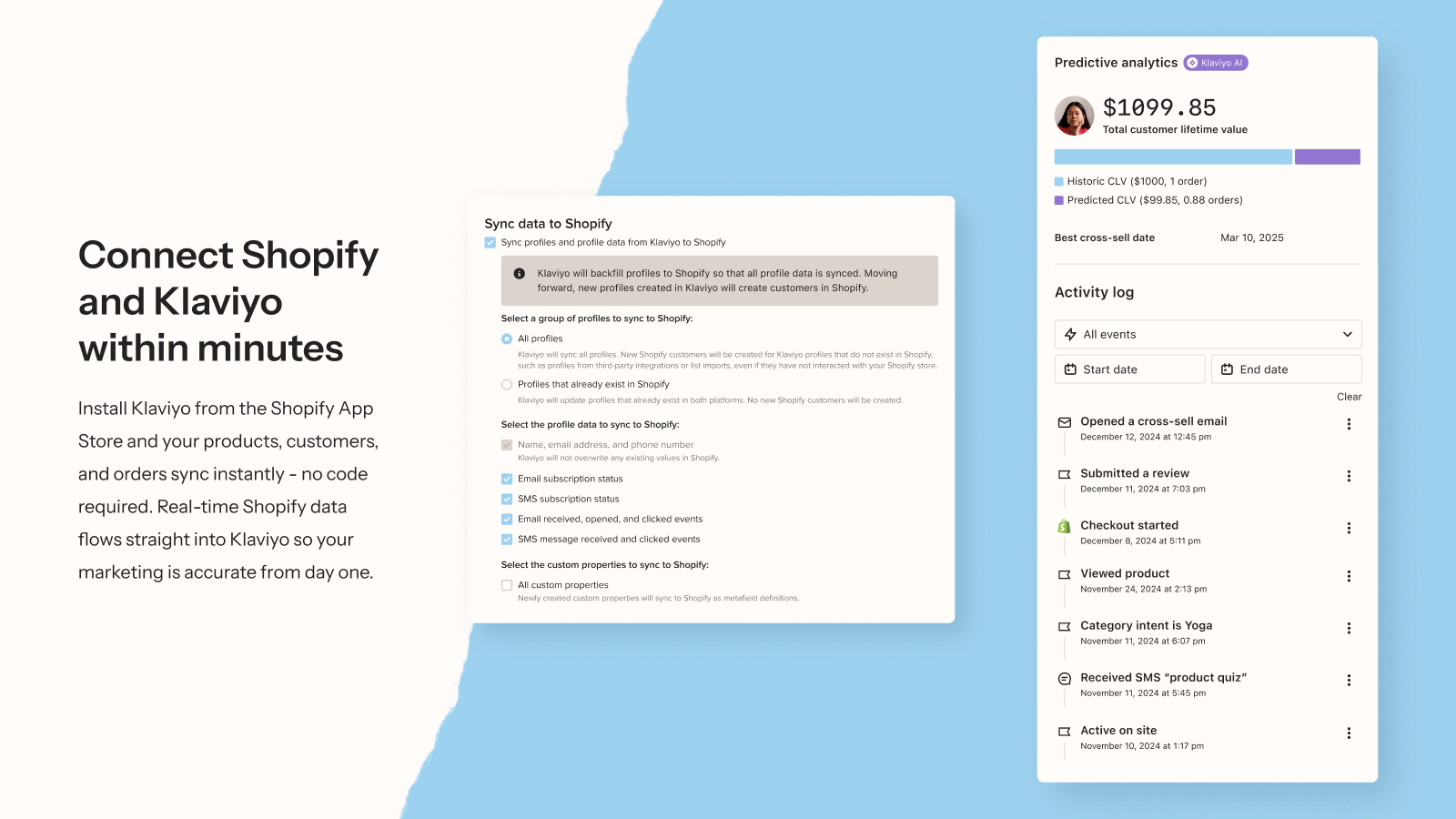
- What Klaviyo syncs from Shopify (and what it doesn’t)
- The 3 connection points: Klaviyo + Rubik Combined Listings
- The JavaScript event bridge (real code)
- 6 segment templates to copy
- 4 flows worth building this week
- Honest limitations and gotchas
- Common mistakes to avoid
- FAQ
Why variant-level segmentation matters
Generic browse abandonment is a 2018 strategy. The customer who looked at the cream hoodie has a different intent signal than the customer who looked at the black one. The cream shopper might be considering the seasonal palette; the black shopper is probably the third pair of black hoodies they own. Same product, two different psychologies, two different optimal emails.
Five concrete things variant-level segmentation makes possible:
- Color-aware browse abandonment. “Still thinking about the cream hoodie?” beats “Still thinking about your last viewed product?” by a meaningful margin in our customer support data.
- Color-specific back-in-stock. A cream hoodie restock shouldn’t notify the navy hoodie waitlist. Each color has its own waitlist; each notification gets sent to the right people only.
- New colorway launch targeting. When you drop a forest-green colorway, your highest-converting send is to customers who clicked any green or earth-tone swatch in the last 90 days. Not your full list. Not your seasonal palette segment. The actual people who showed color-specific interest.
- Cross-sell across grouped products. The customer bought cream. Send them the navy and forest after 14 days. The visual is the same hoodie they already liked, just other colors. Conversion rates on this kind of send are the highest cross-sell numbers we see.
- Indecision rescue. The customer clicked 5 colors in 10 minutes and didn’t buy. They’re not bouncing because of price; they’re bouncing because of choice paralysis. The right email here is “compare these 3 colors side by side”, not a discount code.
What Klaviyo syncs from Shopify (and what it doesn’t)
This is the part most setup guides skip, and skipping it is why most Klaviyo + variant projects fail. Let’s be precise about what the standard Klaviyo Shopify integration actually does.
| Data type | Synced automatically? | Notes |
|---|---|---|
| Orders (placed, fulfilled, refunded) | Yes | Standard Klaviyo metrics fire on every event |
| Customer profiles | Yes | Email, name, phone, total spend, order count |
| Product catalog (titles, images, prices) | Yes | Pulled in for email content blocks |
| Started Checkout / Added to Cart | Yes | Native Shopify metrics |
| Viewed Product | No | Requires klaviyo.js on the storefront, fires from frontend only |
| Product metafields | No | Known limitation. Custom workarounds exist but nothing native |
| Metaobject references | No | Same gap as metafields. RCL groups live as metaobjects, so this matters |
| Custom variant properties | Only via klaviyo.track | You have to push them as event properties yourself |
That last column is the whole game. Klaviyo’s product catalog sync is product-level only, with no awareness of which products belong to which Rubik Combined Listings group. The standard Viewed Product event records that someone saw “Cream Hoodie” but doesn’t know that Cream Hoodie is part of the “Hoodie Collection” group with 7 other colorways. To get that group context into Klaviyo, you have to push it manually via the JavaScript API. Which is exactly what we’re going to do.
The 3 connection points: Klaviyo + Rubik Combined Listings
Three layers of integration, in order of complexity:
Layer 1: Order data (zero setup)
Every Shopify order syncs to Klaviyo automatically. If a customer buys the Cream Hoodie product, Klaviyo records “Placed Order” with the cream-specific product ID. You can already build basic segments from this: “Customers who bought any product in [Hoodie Group product ID list]” works today. The limitation is that you have to maintain the product ID list manually, because Klaviyo doesn’t know about the Rubik group.
Layer 2: Custom event properties (10 minutes of work)
This is where the magic happens. Add a small JavaScript snippet to your product page that captures the Rubik group data and pushes it to Klaviyo as part of a custom Viewed Product event. Now every page view records not just the product ID, but also the group ID, color name, color hex, swatch type, and any other Rubik metadata. Build segments on those properties.
Layer 3: Swatch click tracking (15 minutes of work)
Rubik Combined Listings fires a JavaScript event called rcl_swatch_clicked with 19 properties (option value, product ID, product title, product URL, price, availability, swatch type, viewport, position, group option name, and more) every time a customer clicks a swatch. Listen for that event and push it to Klaviyo as a custom “Clicked Swatch” event. Now you have behavioral data on which colors each customer is curious about, even if they never load the product page in detail.
The JavaScript event bridge (real code)
Here’s the actual code. Two snippets. Drop both into a custom Liquid block on your product page template (or into Instant Page Builder’s custom code block, if you’re running that stack).
Snippet 1: Push Viewed Product on page load with Rubik group reference from product metafield. Drop this in your product page template (or in Instant Page Builder’s custom code block). The $app namespace is the Rubik Combined Listings app namespace, and rubik_product_groups is a list of metaobject references pointing to the groups this product belongs to.
<script>
document.addEventListener('DOMContentLoaded', function() {
  klaviyo.track('Viewed Product', {
    'ProductName': {{ product.title | json }},
    'ProductID': {{ product.id }},
    'URL': window.location.href,
    'ImageURL': {{ product.featured_image | image_url: width: 800 | json }},
    'Price': {{ product.price | money_without_currency | json }},
    {% if product.metafields.$app.rubik_product_groups %}
    'RubikGroupRefs': {{ product.metafields.$app.rubik_product_groups | json }}
    {% endif %}
  });
});
</script>
Snippet 2: Track every swatch click as a custom Klaviyo event. The rcl_swatch_clicked event fires with 19 properties on the event.detail object. We pass the most useful ones into Klaviyo as a custom “Clicked Swatch” metric. Property names are exact matches to what the Rubik widget dispatches.
<script>
window.addEventListener('rcl_swatch_clicked', function(event) {
  var d = event.detail;
  klaviyo.track('Clicked Swatch', {
    'OptionValue': d.optionValue,
    'GroupOptionName': d.groupOptionName,
    'ProductID': d.productId,
    'ProductTitle': d.productTitle,
    'ProductURL': d.productUrl,
    'ProductPrice': d.productPrice,
    'ProductAvailable': d.productAvailable,
    'IsCurrent': d.isCurrent,
    'SwatchType': d.swatchType,
    'Context': d.context,
    'Viewport': d.viewport,
    'Position': d.position,
    'Category': d.category
  });
});
</script>
Two important notes. First: Klaviyo does not track anonymous browsers by default. The customer profile must be cookied via a form submission or via a prior klaviyo.identify() call before any track() call attaches data to a profile. For most brands this means the email signup popup needs to fire early, or the events go to anonymous profiles that never merge with the real customer record.
Second: The current Klaviyo JavaScript API uses the klaviyo object (proxy-based). The legacy _learnq.push() syntax still works but is deprecated. Use klaviyo.track() and klaviyo.identify() for any new implementation.
6 segment templates to copy
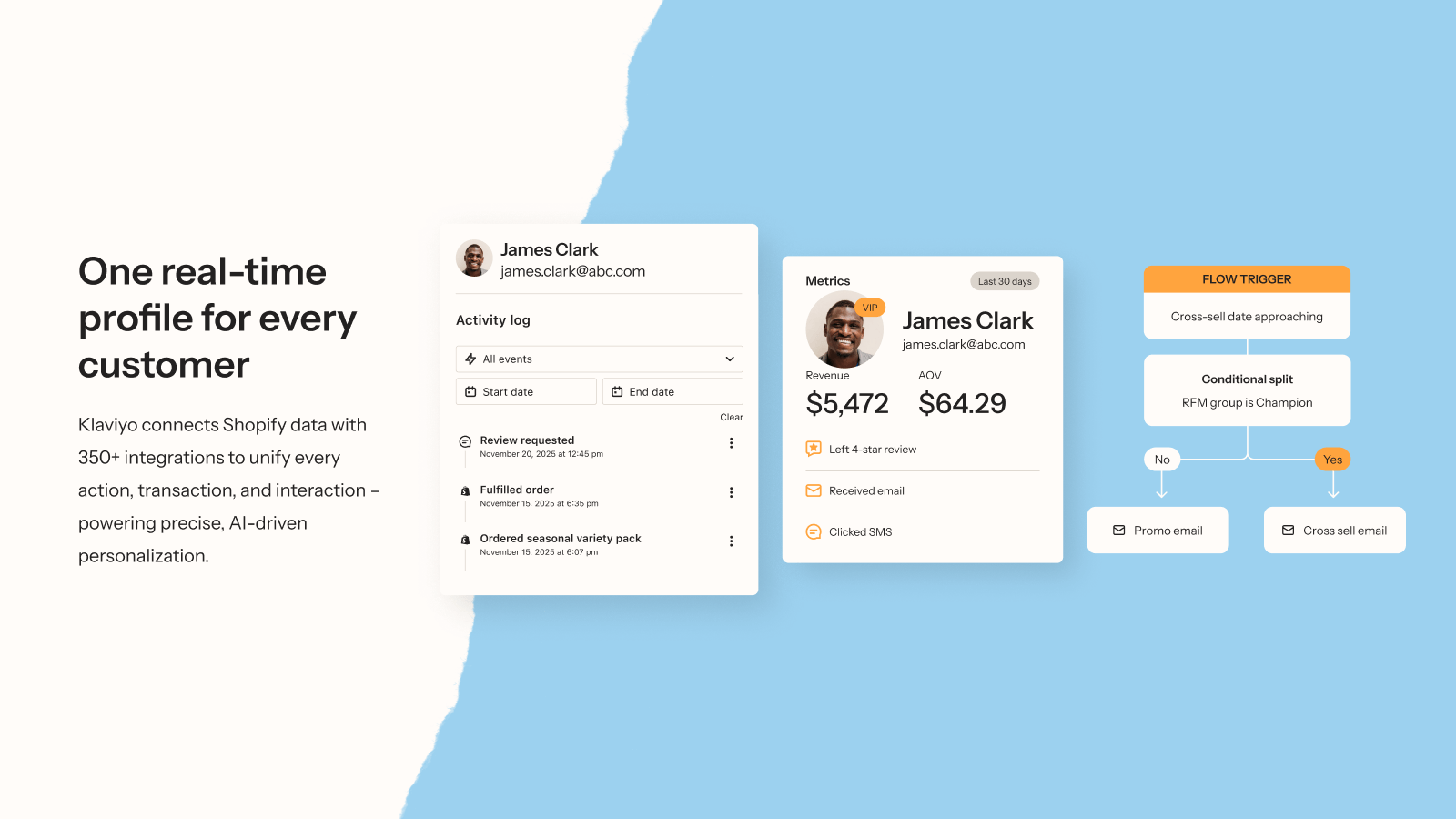
Once the JS bridge is in place and events are flowing, you can build these 6 segments directly in the Klaviyo segment builder. Each one targets a different stage of customer awareness, intent, or loyalty.
1. Color Watchers (browse intent)
Definition: Customers who clicked a specific color swatch in the last 30 days. Filter: Clicked Swatch where OptionValue equals “Cream” at least 1 time in the last 30 days. Build one segment per color you sell. Use these for back-in-stock notifications and color-specific promotions.
2. Indecisive Browsers (choice paralysis)
Definition: Customers who clicked 4+ different swatches in the same group within a session and didn’t buy. Filter: Clicked Swatch where ProductID is one of [list of product IDs in your Hoodie group] at least 4 times AND has not Placed Order with any of those product IDs in the last 7 days. The Clicked Swatch event doesn’t carry a group ID directly (RCL groups live as Shopify metaobjects, not on the event payload), so you maintain the product ID list per group on the Klaviyo side. Send: “Help choosing? Compare these 3 popular colors” with a side-by-side image. Discount codes don’t fix indecision; clarity does.
3. Color Loyalists (preference signal)
Definition: Customers who repeatedly browse the same color name across grouped products. Filter: Clicked Swatch where OptionValue equals “Black” at least 5 times in the last 12 months, then layer with Placed Order where ProductID is one of [list of black-colorway product IDs across all your groups] at least 1 time. The OptionValue on the click event captures the color label the customer picked. When you launch a black or charcoal colorway in any product, they’re your VIP launch list.
4. Group Completionists (cross-sell ready)
Definition: Customers who own 2+ colorways from the same Rubik group. Filter: Placed Order where ProductID is one of [list of all product IDs in the Hoodie group] at least 2 times. Build one segment per Rubik group, maintained as a product ID list. These customers self-identify as collectors. Send: the third colorway, the limited edition, the seasonal release. Highest cross-sell conversion in our customer support data.
5. New Colorway Pre-launch List
Definition: Customers who have shown interest in colorways in the same color family as your upcoming launch. Filter: Clicked Swatch where OptionValue is one of [“Forest”, “Sage”, “Olive”, “Moss”, “Pine”] at least 2 times in the last 90 days. The Rubik click event carries the color label customers see on the swatch (OptionValue), so build the segment from your store’s actual color naming convention. Use 1-2 weeks before a launch for early-access campaigns.
6. Color Reactivation (lost customers, by preference)
Definition: Customers who used to buy a specific color and haven’t ordered in 6+ months. Filter: Placed Order where ProductID is one of [list of cream-colorway product IDs across all groups] at least 2 times in the last 18 months AND has not Placed Order in the last 180 days. Maintain the cream product ID list per group on the Klaviyo side. Send a “we miss you” with the latest cream releases. Color-anchored reactivation outperforms generic reactivation in apparel and home categories.
4 flows worth building this week
Flow 1: Variant Browse Abandonment
Trigger: Clicked Swatch event (or Viewed Product if you’re tracking only at the page-load level), no purchase within 4 hours. Email: Subject line: “Still thinking about the {{ event.OptionValue }} {{ event.ProductTitle }}?” Body: hero image of that specific color (use ImageURL from the product record), sticky CTA back to event.ProductURL, secondary CTA “see all colors in this collection” linking to the parent collection page with the full Rubik swatch row. Send delay: 4 hours after click, then 24 hours if still no action.
Flow 2: Group Cross-sell after purchase
Trigger: Placed Order where ProductID is one of [your Hoodie group product ID list]. Email (sent 14 days after delivery): “Loving your new hoodie? Here are 2 more colors in the same fit.” Use a Klaviyo dynamic product feed block configured to pull from the OTHER product IDs in the same group (the ones the customer didn’t buy). Build one of these flows per Rubik group; the small overhead is worth it because visual familiarity (same product silhouette, different color) drives the highest cross-sell click-through we see.
Flow 3: Color-specific Back-in-stock
Trigger: A specific color product (e.g., Cream Hoodie) goes from out-of-stock to in-stock. Audience: Color Watchers segment for that color (signed up via STOQ widget or via the Klaviyo signup form on the OOS product page). Email: “The Cream Hoodie is back in stock” with direct purchase CTA. Pair this with our preorder + back-in-stock guide using STOQ for the OOS workflow that captures the signup in the first place.
Flow 4: New Colorway Launch (early access)
Trigger: Manual campaign send to the New Colorway Pre-launch List segment. Send 3 emails: 7 days before launch (teaser, “you’ve shown interest in green tones, here’s what’s coming”), launch day (early access link, 24h before public), 24h after launch (last chance reminder if they didn’t act). Conversion rates on this flow significantly outperform full-list launch sends because the audience is pre-qualified by color affinity.
Before you push these flows live, make sure your tracking links are set up cleanly. UTMs on every Klaviyo CTA matter for attribution. Use our free UTM builder to generate consistent campaign tags. Plan how many variants live in each Rubik group with the Shopify variant calculator if you’re still in setup phase.
Honest limitations and gotchas
Most integration posts pretend everything works. Here’s what doesn’t, so you don’t waste a week debugging:
- Metafields don’t sync to Klaviyo natively. Klaviyo’s Shopify integration pulls products, orders, and customers, but not product metafields or metaobjects. Rubik groups live as Shopify metaobjects (`product.metafields.$app.rubik_product_groups` is a list of metaobject GIDs), so they don’t show up in Klaviyo’s product catalog automatically. The JS bridge is how you work around this.
- Group ID is not in the swatch click event. The
rcl_swatch_clickedevent carries 19 properties (optionValue, productId, productTitle, productUrl, productPrice, productAvailable, isCurrent, swatchType, context, viewport, position, groupOptionName, category, plus a few price/availability fields and a timestamp), but no direct group ID. To filter by group in Klaviyo, maintain a product ID list per group on the Klaviyo side, or pass the metafield reference list via the page-load Liquid snippet. - Anonymous browsers don’t track until cookied. If a customer hits the product page before submitting an email form, klaviyo.track() events go to an anonymous profile that may never merge with their real customer record. Make sure your popup or signup form fires early in the session.
- Variant-level back-in-stock has known UX bugs. Klaviyo’s standard back-in-stock button on Shopify product pages has historically had issues when the customer switches variants without reloading. We use STOQ for this layer instead and pipe the signup data into Klaviyo as a custom event, which is more reliable.
- Custom event properties don’t appear in Klaviyo’s product catalog. They live on profile and event records only. So you can build segments and trigger flows from them, but you can’t render them as product feed blocks in email templates without additional setup. For the email content layer, you’ll need to manually map the Rubik group’s metaobject reference (or product ID list) to a product list in Klaviyo’s catalog feed.
- The Klaviyo Shopify app is not Built for Shopify certified. It still works, has 4.5 stars across 2,587 reviews, and powers the world’s largest DTC brands. But it’s worth knowing that the BFS badge isn’t there.
Common mistakes to avoid
- Building segments before fixing the identify call. If you don’t call
klaviyo.identify()on logged-in customers, all your custom events go to anonymous profiles. Verify identify is firing before you trust any segment. - Skipping the test-mode validation. Klaviyo’s segment preview shows you who currently matches. Use it. If your “Color Watchers: Cream” segment shows 4 people, your tracking isn’t firing correctly.
- Sending the same email to all color segments. Defeats the entire setup. Color-segment your sends or you’re just paying for tracking infrastructure with no payoff.
- Forgetting the unsubscribe / suppression rules. If a customer is in your “Cream Color Loyalists” segment AND your “All Subscribers” list, your campaign sends might double-up unless you set exclusions. Always exclude already-targeted segments from broader sends.
- Treating Klaviyo as a one-shot setup. Re-audit segments quarterly. Color trends shift, your catalog changes, your customers age. The “Indecisive Browsers” pattern from Q1 might not hold in Q4.
- Not testing on a single product first. Roll the JS bridge out on one flagship product, validate events flow correctly into Klaviyo, then expand to the whole catalog. Easier to debug 1 product than 80.
Pairing with STOQ for back-in-stock
The cleanest setup for color-specific back-in-stock pairs STOQ as the signup widget on out-of-stock product pages and Klaviyo as the email send layer. STOQ captures the email when the customer hits “Notify me” on the cream hoodie, syncs the signup to Klaviyo as a custom event, and Klaviyo runs the personalized “back in stock” campaign with all the segmentation power above. We covered the full STOQ + grouped products workflow in our Shopify preorders for combined listings guide; the Klaviyo layer adds the segmentation precision on top of STOQ’s signup capture.
A note on pairing with Rubik Variant Images
Stores running Combined Listings frequently also use Rubik Variant Images for in-product variant image filtering. The full stack: Rubik Combined Listings groups separate color products. Rubik Variant Images filters the in-product gallery so each color shows only its own photos. STOQ handles preorder + back-in-stock at the variant level. Klaviyo segments customers based on the rich event data flowing from all three. A clean separation of concerns, no overlap, all four layers feeding off each other.
Ready to wire it up
Klaviyo offers a free tier (up to 250 contacts, 500 monthly email sends), Rubik Combined Listings has a free plan (5 product groups). The full integration prototype runs at $0 until you outgrow either free tier. Recommended next move: install both apps, drop the JS snippets on your flagship product page, and build the Color Watchers segment for your top-selling colorway as a proof of concept. From there, scale.
See the live Rubik Combined Listings demo store, watch the setup tutorial, or read the getting started guide.
Frequently asked questions
Which Shopify app should I use for klaviyo combined listings?
Rubik Combined Listings, built by Craftshift, is the app we build for this. It holds 5.0 stars across 78 reviews and carries the Built for Shopify badge. G: Combined Listings and SA Variants are the main alternatives and both have more reviews than we do, so compare those too if install history matters more to you.
Does Klaviyo automatically sync Rubik Combined Listings group data?
No. Klaviyo’s Shopify integration syncs orders, customers, and product catalog basics, but does not pull product metafields or metaobjects. Rubik groups live as metaobjects, so the group context has to be pushed into Klaviyo manually using the JavaScript API (klaviyo.track) on the storefront. Two short JS snippets handle this; full code is in the JavaScript event bridge section above.
Can I segment Klaviyo customers by color preference?
Yes, once the JS bridge is in place. Klaviyo can build segments on any custom event property, so once your Viewed Product and Clicked Swatch events include color data, you can target “customers who clicked the cream swatch 3+ times in the last 30 days” or “customers who bought any product where color = black at least twice in the last 6 months.” Six segment templates are documented above.
Do I need Shopify Plus for this setup?
No. Both Klaviyo and Rubik Combined Listings work on every Shopify plan including Basic. Shopify Plus is only required if you want Shopify’s native Combined Listings feature; Rubik gives you the same grouping pattern on non-Plus plans, and Klaviyo doesn’t care which plan you’re on.
What’s the difference between klaviyo.track and _learnq.push?
klaviyo.track() is the current syntax (proxy-based klaviyo object). _learnq.push() is the legacy syntax that still works for backward compatibility but is deprecated. Use klaviyo.track() for any new implementation. The functional behavior is identical; the new syntax is just cleaner and what Klaviyo’s docs recommend.
Will custom event tracking slow down my product page?
No. The Klaviyo JS snippet is async and the track call fires fire-and-forget without blocking the page. The Rubik swatch widget already loads from metafields with no external API calls. Combined, the JS bridge adds milliseconds, not seconds. We have brands on Lighthouse 90+ running this setup.
Can I use this with Shopify themes that don’t support theme app blocks?
Both apps require Online Store 2.0 themes for the cleanest install. That covers Dawn, Horizon, Sense, Craft, Spotlight, every Krown theme, and most premium themes. For OS 1.0 themes, manual snippet installation is supported but more involved. The JavaScript bridge code in this guide works regardless of theme version, as long as the Rubik swatch widget renders on the page.
What’s the cost for the full Klaviyo + Rubik stack?
Free to test (Klaviyo free up to 250 contacts + Rubik Combined Listings free for 5 groups). For a working live setup on a small store: $20-30/month combined (Klaviyo paid tier kicks in around 500 contacts, Rubik Starter is $10/mo for 100 groups). For a scaling DTC brand: depends on contact list size (Klaviyo’s pricing scales with contacts) plus $30/month Rubik Advanced for 500 groups.
Related reading

Umid
Co-Founder at Craftshift