How to add virtual try-on to your Shopify store
The fastest way to add virtual try-on to your Shopify store is to install an AI try-on app, point it at your product images, and turn on a “try it on” button on your product pages. No 3D scans. No custom development. The shopper uploads one photo, the AI generates an image of them wearing the item, and they decide with their eyes instead of guessing from a flat product shot. For fashion stores, that single change does more for buyer confidence than another paragraph of copy ever will.
We build and audit Shopify stores for a living, and apparel is the category where the product page fights hardest against the customer. A jacket that looks great on a 6-foot studio model tells a 5-foot-3 shopper almost nothing. So they buy two sizes, return one, and your margin eats the round trip. Virtual try-on attacks that problem at the exact moment of doubt. This guide walks through what it is, the two ways to add it, a step-by-step setup with Antla AI Virtual Try On, and how to fit it into the rest of your apparel product page.
In this post
- What virtual try-on actually does
- Why fashion stores add it (returns and conversion)
- Two ways to add virtual try-on to your Shopify store
- Step by step: set it up with Antla
- What to look for in a try-on app
- What it costs
- Pair it with the rest of your product page
- Mistakes to avoid
- FAQ
What virtual try-on actually does
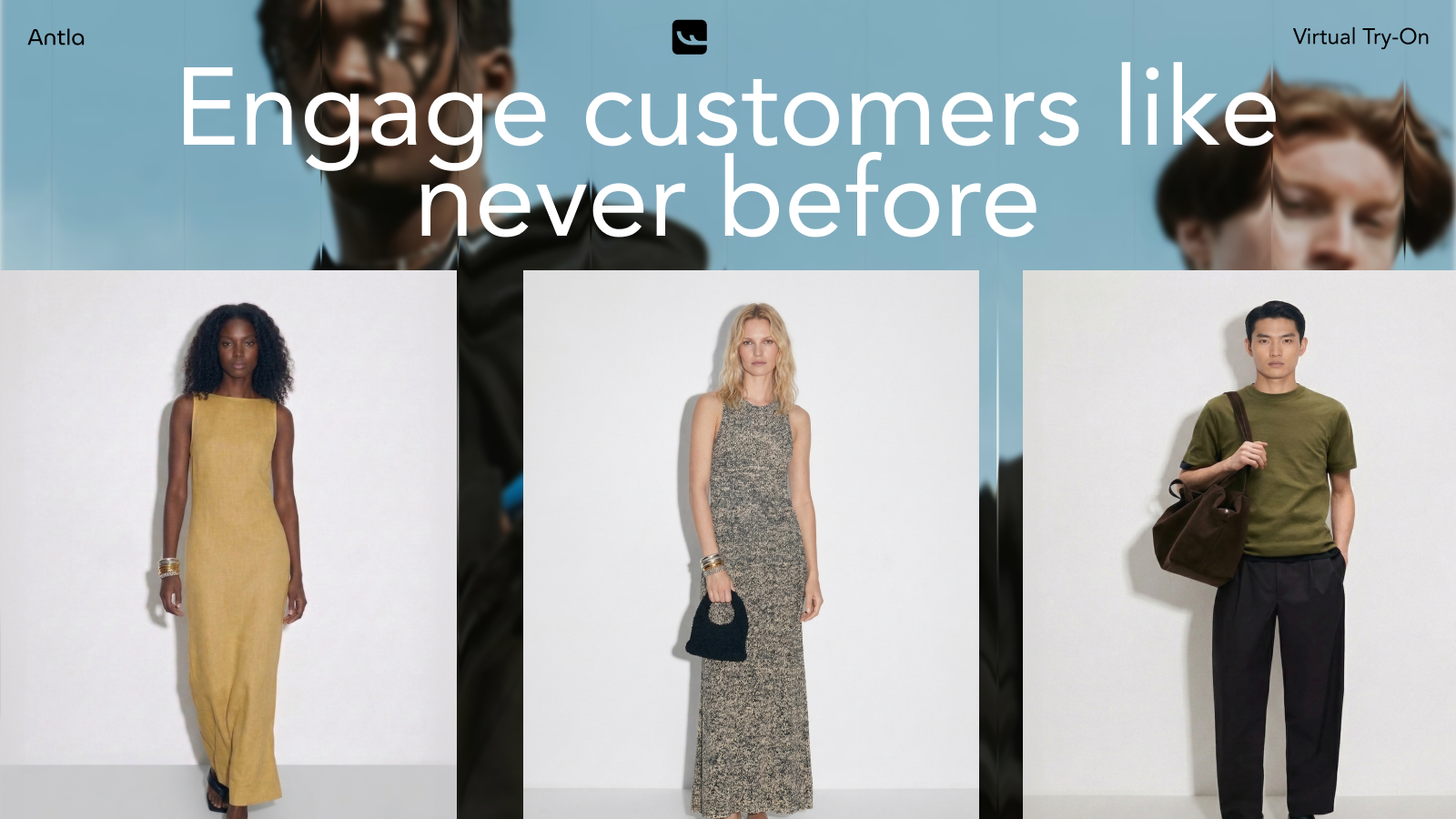
Virtual try-on uses AI image generation to put your product on the customer’s own body. They tap a button on the product page, upload a single photo, and a few seconds later they see themselves in the dress, the jacket, the sunglasses, or the bag. It is not augmented reality with a webcam, and it is not a generic model swap. The output is a believable image of that specific shopper wearing that specific item.
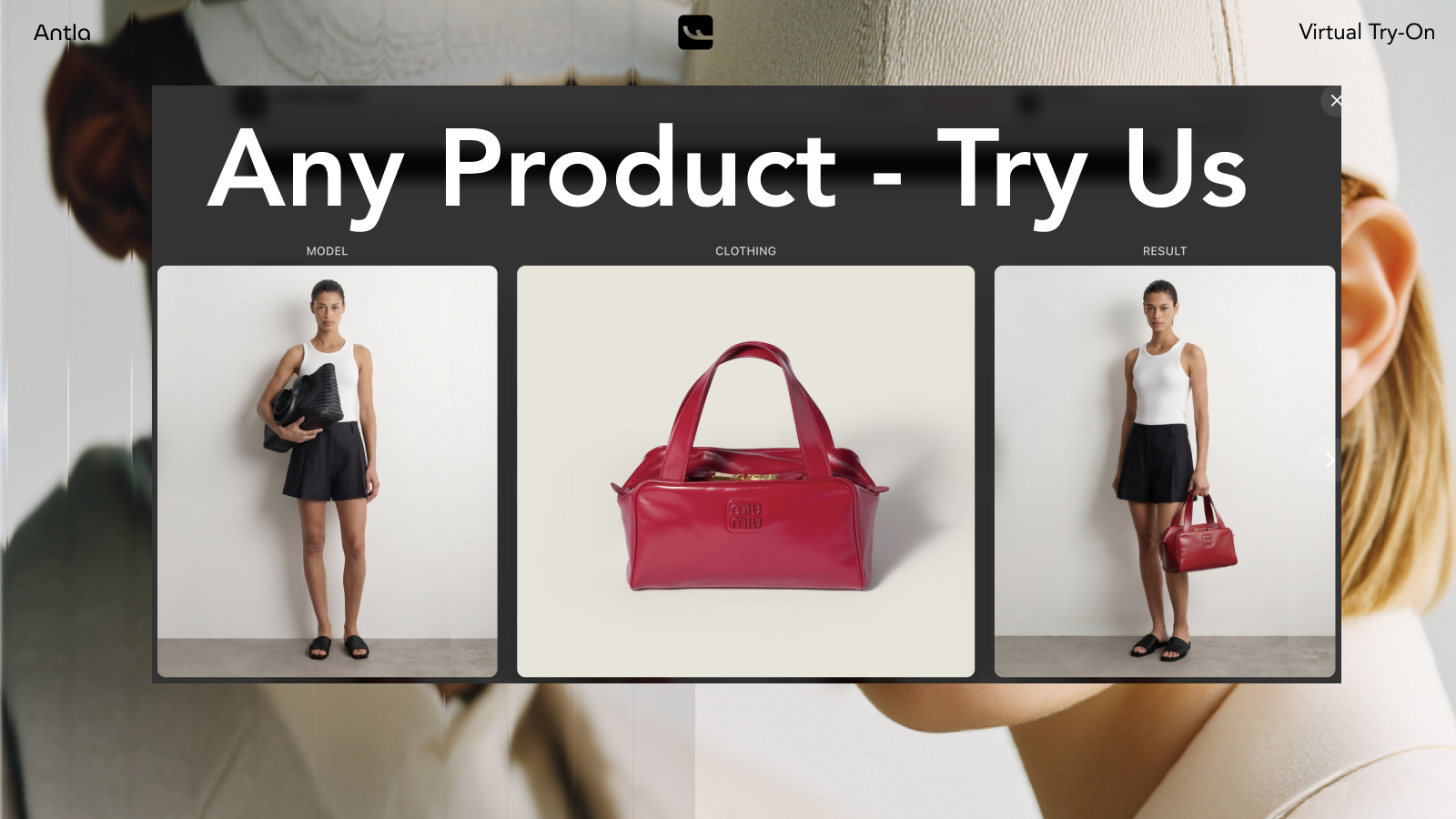
This works because AI try-on models have gotten genuinely good in the last two years. Antla, for example, offers two generation modes (Antla Fast for results in seconds, Antla Pro for higher fidelity) and handles clothing, outerwear, swimwear, watches, jewelry, and accessories like bags rather than just t-shirts. The point is simple: the shopper stops imagining and starts seeing.
Why fashion stores add it (returns and conversion)
Two reasons. Returns and confidence. They feed each other.
Apparel has the ugliest return rate in retail. Industry return surveys consistently put online clothing returns in the 20 to 30 percent range, higher in some categories, and the top reason barely moves year to year: the item looked or fit differently than the customer expected. Every one of those returns costs you shipping both ways, restocking labor, and often a markdown on a now-worn item. A return is not a neutral event. It is a sale that turned negative.
The confidence side is the upside. When a shopper can see the item on a body that reads as theirs, the “will this even suit me?” question gets answered before checkout instead of after delivery. Antla reports stores running its try-on see roughly a 35 percent lift in conversion and around 3x more engagement on product pages, with a stated 10x ROI floor. Those are the vendor’s own numbers, so treat them as a ceiling rather than a promise. But the direction is right, and it matches what we see when apparel stores reduce friction at the decision moment.
Want to sanity-check the math for your own store before you commit? Run your current numbers through our conversion rate calculator and our ROAS calculator. If a try-on app nudges conversion even two points and trims returns by a handful, the monthly fee pays for itself fast.
Two ways to add virtual try-on to your Shopify store
There are two honest paths here, and one of them is wrong for almost everyone.
Build it yourself. You could wire up a try-on model API, build the upload widget, handle image storage and moderation, manage GPU costs per generation, and embed it into your theme. If you are a 50-person brand with an in-house dev team and a specific reason to own the pipeline, fine. For everyone else? This is months of work and an ongoing maintenance bill to rebuild something that already exists as a $20 app. Don’t.
Install an app. A purpose-built Shopify app handles the model, the upload flow, the generation queue, the theme embed, and the analytics for you. It installs through the Shopify App Store, it respects your theme, and you are live the same afternoon. This is the right answer for 95 percent of stores, and it is the path the rest of this guide follows.
Step by step: set it up with Antla
We are using Antla AI Virtual Try On as the example because it carries Shopify’s “Built for Shopify” badge, sits at a 5.0 rating across its reviews, and installs without touching theme code. The setup is short.
- Install the app. Open the Antla listing on the Shopify App Store and add it to your store. It connects through Shopify’s standard app install, so there’s no API key juggling.
- Enable the try-on button. The app adds a try-on button to your product pages. On Online Store 2.0 themes it works as an app block you switch on in the theme editor, so you place it exactly where you want (usually right under the add-to-cart area). Built for Shopify apps use these theme app blocks, which is why there’s no Liquid editing.
- Pick which products get it. Start with your hero collection or your highest-return items rather than the whole catalog. Try-on earns its keep on visual, fit-sensitive products first.
- Style it to match. Adjust the button label, colors, and the modal so it reads like part of your store, not a bolted-on widget. Antla exposes the sharing and appearance options for this.
- Test on mobile first. Most fashion traffic is mobile. Upload a photo, run a real try-on, and check the result on a phone before you announce anything.
- Watch the analytics. The app tracks which styles get tried on most and which get shared. That data tells you what to feature next, and it is genuinely useful for merchandising.
That’s the whole thing. No code, no theme surgery. If your store runs the Impact theme or another popular Shopify theme, the app block approach means you place the button without editing Liquid.
What to look for in a try-on app
Not every try-on app is built the same. Before you commit, check these five things. They separate a tool that converts from a gimmick that loads slowly and gets ignored.
- Realism. A bad try-on warps the garment or smears the face, and shoppers trust it less than the product photo. Accuracy is the whole game. One Antla reviewer put it plainly: “the best AI try on app so far, fast and easy to use, most importantly, it is very accurate and real.”
- Speed. If the result takes 30 seconds the customer leaves. Generation needs to feel close to instant.
- Product coverage. Does it handle bags, eyewear, and jewelry, or only flat tops? Antla works across clothing, swimwear, watches, jewelry, and handbags.
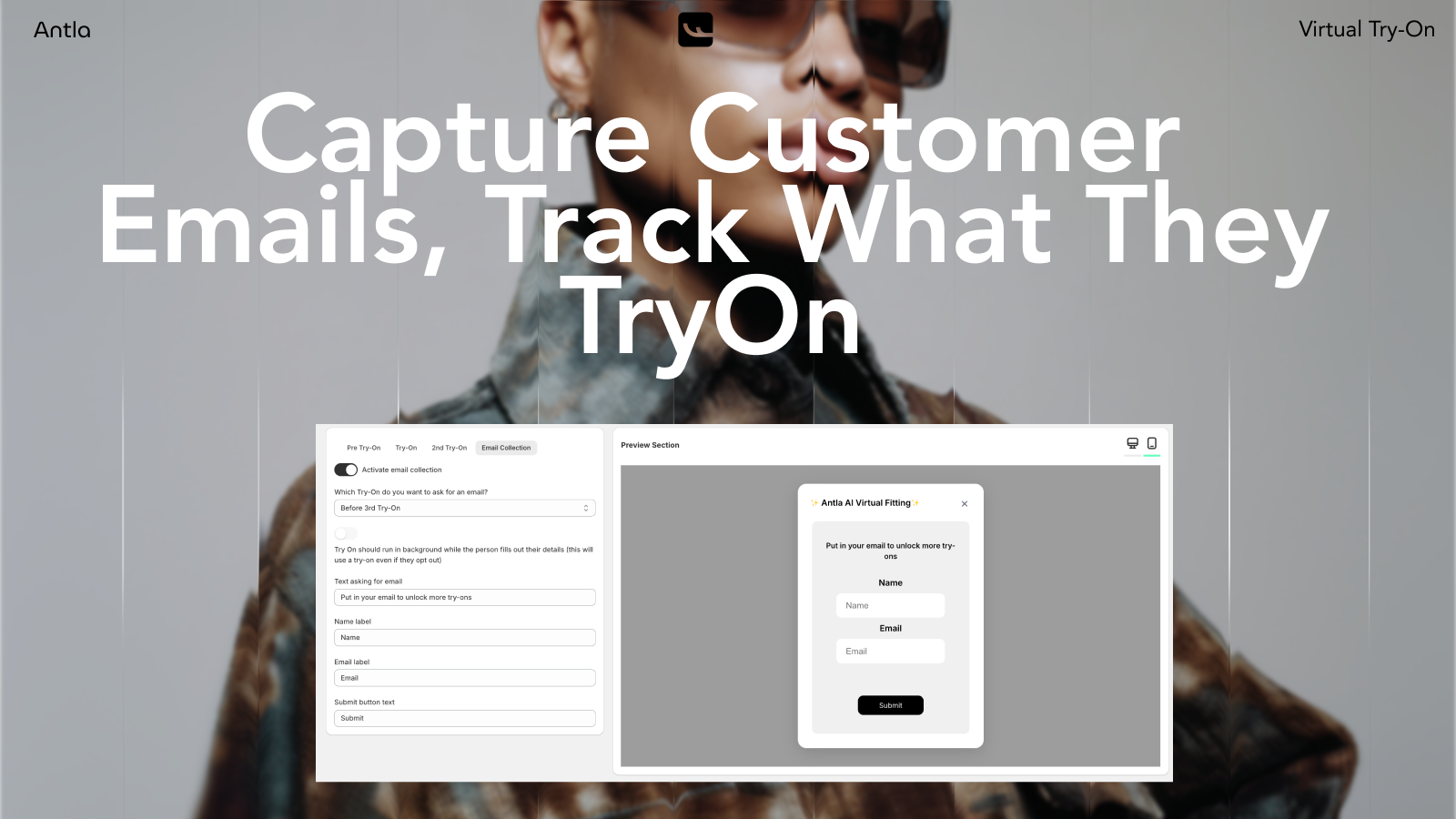
- Marketing hooks. The good ones capture an email at the try-on step and let shoppers share their generated image, then track those shares. That turns a fitting-room moment into a remarketing list and a bit of organic reach. Antla collects emails at try-on (with Klaviyo sync) and tracks shares in its analytics.
- Integrations. Check it talks to your email and SMS stack. Antla connects with Klaviyo, Attentive, Postscript, and Shopify Flow, so try-on data can trigger flows.
“It not only does a great job matching the person in the uploaded image to the select outfit, but they also have an excelent customer support.”
Sepastone, Portugal, February 2026, Antla on the Shopify App Store
What it costs
Antla prices by try-on volume, with a 7-day free trial on every plan. Here’s the structure so you can match a tier to your traffic.
| Plan | Price / month | Try-ons | Best for |
|---|---|---|---|
| Trend | $19.99 | 100 | Testing it on a hero collection |
| Runway | $49.99 | 500 | Growing stores, priority support and embed |
| High Fashion | $299.99 | 2,000 | High-traffic brands, dedicated server and success manager |
| Unlimited Fashion | $299.99 + $0.10 per extra | 2,000+ | Peak seasons with overage headroom |
The smart move is to start on Trend, point it at your most-returned products, and watch the analytics for two weeks. If try-ons correlate with orders (they usually do on visual categories), step up a tier. If you want to model the payback properly, our profit margin calculator helps you weigh the fee against the returns you avoid.
If your colours are variants of one product rather than separate products, Rubik Variant Images assigns a separate image set to every variant instead. Free to install, 5.0 stars across 436 reviews.
Pair it with the rest of your product page
Try-on is one piece of an apparel product page, not the whole thing. It answers “how will this look on me?” but it doesn’t answer “show me this exact color” or “which size fits.” A try-on button sitting on top of a messy gallery still loses sales. So build the rest of the page around it.
The biggest one for fashion: variant image filtering and color swatches. A dress in 8 colors carries 40-plus images in one gallery, and without filtering a shopper who clicks “blue” still scrolls past every other shade. Filtering the gallery to the selected color, with clickable swatches instead of a dropdown, is the highest-impact visual fix on most apparel pages. Pair that with try-on and the customer sees the right color and themselves wearing it.
If each color of a product lives as a separate Shopify product (separate URL, separate photos), you also want combined listings to group those products with swatches on collection and product pages, so shoppers hop between colors without losing their place. Add a size chart, and your fit story is covered from three angles: see the color, see the fit, see it on yourself.
For the full apparel stack, we keep a running list in our guide to the best Shopify apps for clothing and fashion stores and a deeper breakdown in apps built specifically for apparel. And before you pile on six apps, run an app stack audit so try-on doesn’t share a page with three tools that each add half a second of load time.
Mistakes to avoid
A few traps we see when stores roll this out.
Hiding the button. If the try-on lives three scrolls down past the fold, nobody finds it. Put it next to add-to-cart. Why do so many stores bury their best feature? It makes no sense.
Turning it on everywhere at once. Try-on shines on visual, fit-sensitive items. Slapping it on a pack of plain socks just burns generations. Be selective.
Ignoring the data. The analytics tell you which styles people want to picture on themselves. That is a merchandising goldmine, and most stores never open the dashboard. Don’t be most stores.
And the quiet one: launching try-on while your gallery still shows the wrong color images per variant. You fixed the imagination problem and left the basic one. Fix the gallery too.
Frequently asked questions
Do I need to know how to code to add virtual try-on?
No. Apps like Antla install from the Shopify App Store and add a try-on button through the theme editor as an app block. You don’t edit Liquid or touch your theme files.
Does virtual try-on work on any Shopify theme?
Yes, on Online Store 2.0 themes it works through app blocks, which covers the vast majority of modern themes. You place the button in the theme editor where you want it on the product page.
Does virtual try-on really reduce returns?
It targets the top reason apparel gets returned: the item looks or fits differently than expected. By letting shoppers see the product on a body like theirs before buying, it removes guesswork at the decision point. Vendors report meaningful conversion and return improvements, though exact numbers vary by store and category.
What does virtual try-on cost on Shopify?
Most try-on apps price by volume. Antla starts at $19.99 a month for 100 try-ons and scales to higher tiers for busy stores, with a 7-day free trial. You can start small and step up as usage grows.
What products can shoppers try on?
It depends on the app. Antla handles clothing, outerwear, swimwear, watches, jewelry, and handbags, so it covers most fashion and accessory catalogs rather than tops only.
Is virtual try-on worth it for a small store?
If you sell visual, fit-sensitive products and take returns, yes. Start on the cheapest tier, enable it on your highest-return items, and measure. At under $20 a month, avoiding a few returns covers the cost.
Related reading

Umid
Co-Founder at Craftshift