Shopify Agentic Storefronts: 2026 setup guide

Short answer: Shopify Agentic Storefronts is on by default for eligible stores, managed under Sales channels, Agentic. Set the three policies, leave “Allow Shopify to manage for me” on, then fix the product data Shopify Catalog sends to ChatGPT, Google, Copilot and Meta. Octolift, built by Craftshift, scores that data per product and drafts the fixes. Free for 5 products.
Shopify Agentic Storefronts turned every Shopify store into a product source for AI shopping agents. ChatGPT, Google AI Mode and Gemini, Microsoft Copilot, Meta and the Shop app can now surface your products when a customer asks “find me a winter jacket under $200 in navy blue.” Your products either show up in that conversation or they don’t. There is no middle ground.
This is the biggest shift in product discovery since Google Shopping. And most merchants we talk to either haven’t configured it yet or don’t realize it was auto-enabled on their store. Run our free AI readiness checker on your store right now. You might be surprised at what comes back.
We build Shopify apps at Craftshift, and the impact of agentic commerce on how product data needs to be structured is something we’ve been watching closely. This guide covers everything: what Agentic Storefronts are, how to configure each channel, how to optimize your product data so AI agents actually recommend your products, and what most stores get wrong.
In this post
- What are Shopify Agentic Storefronts?
- Supported AI channels
- How to set up Agentic Storefronts
- Shopify Catalog: the data layer
- Shopify Knowledge Base
- How to optimize product data for AI agents
- Why variant images matter for AI commerce
- Universal Commerce Protocol (UCP)
- Privacy and data sharing
- Pricing and fees
- FAQ
- Related reading
What are Shopify Agentic Storefronts?
Agentic Storefronts is a sales channel in your Shopify admin that connects your products to AI shopping platforms. When a customer asks ChatGPT “What’s a good moisturizer for dry skin?” or tells Copilot “find running shoes under $150,” these AI agents pull from Shopify’s product catalog to show real products with images, prices, and buy links.
The numbers are hard to ignore. In the first quarter of 2026, AI-driven traffic to Shopify stores grew 8 times year over year and orders from AI-powered searches increased nearly 13 times, according to Shopify’s own write-up, and new buyers order through AI channels at nearly twice the rate of other channels. Shopify’s second quarter call put traffic and orders at about three times the year before. Still small next to search. Not small next to zero.
And here is what most merchants miss: Shopify switched ChatGPT on by default for eligible merchants on March 24, 2026, and agentic storefronts as a whole is “active by default for eligible stores” (Shopify’s words). If you sell to US customers, your products may already be visible to AI agents. You just might not know it.
Supported AI channels (October 2026)
Shopify’s help centre lists four AI channels under agentic storefronts, plus the Shop app, which runs on the same catalog. Perplexity was named in the December 2025 announcement and is no longer on the help pages, so it is not in this table. Here is the status of each, from Shopify’s own pages:
| Channel | Status | How purchases work | Requirements |
|---|---|---|---|
| ChatGPT | Live since March 24, 2026 | Customer finds the product in chat and completes the purchase on your store, in a ChatGPT in-app browser or a new tab. No ChatGPT-specific fees. | Sell to US customers (store can be anywhere), Catalog eligible, terms of service, privacy and return policies, legal disclosures in the first 6,000 characters of the description |
| Google AI Mode and Gemini | Live | Direct checkout inside the chat, on by default, shown to US customers; turn it off and shoppers are sent to your store. No fees beyond payment processing. | US-based store selling to US customers, a valid Google Merchant Center account, the three policies |
| Microsoft Copilot | Live | Shopify-powered direct checkout inside Copilot when activated. | The three policies and the Supplemental Terms; country rules on Shopify’s Copilot page |
| Meta (Meta AI, Muse) | Live since September 8, 2026 | Direct checkout on by default; Shop Pay can appear in Muse. No fees beyond payment processing. | Sell to customers in the US, Canada or Mexico, the three policies |
| Shop app | Powered by Shopify Catalog since October 29, 2025 | Products published to Shop are bought in the app; every other active product is discoverable and bought on your store. | Active online store products |
The key difference between channels: ChatGPT sends customers to your store to complete the purchase. Google AI Mode and Gemini, Copilot and Meta can complete it inside the assistant, and on those direct checkouts Shopify says Google Analytics and custom pixels do not fire; only server-to-server pixels do. If your attribution depends on a browser session, those orders will look like ghosts until you wire up server-side events.
How to set up Agentic Storefronts
If your store was already active and selling to US customers on March 24, 2026, Agentic Storefronts were enabled automatically. But “enabled” and “optimized” are very different things. Here is the setup checklist:
Step 1: Check the Agentic Storefronts panel
Go to Sales Channels > Agentic in your Shopify admin. You will see each AI channel listed with its status (Active or Inactive). If a channel shows “Inactive,” it means either you haven’t accepted the terms yet or your store doesn’t meet the requirements.
Step 2: Accept the Supplemental Terms
Shopify requires you to accept the Agentic Storefronts Supplemental Terms of Service (last updated October 6, 2026). They supplement your main Shopify Terms. Key points from the text: you remain the seller of record for all transactions, Shopify may share customer and order data with a partner channel to complete the purchase, send status updates and prevent fraud, eligibility is at Shopify’s sole discretion, and Shopify may add new participating channels over time. The terms also reserve the right to charge Agentic Storefronts fees on some channels; as of October 2026 the ChatGPT, Google and Meta help pages each say there are no fees beyond standard payment processing.
Step 3: Update your policies
Three policies must be completed in Settings > Policies: Terms of Service, Privacy Policy, and Return/Refund Policy. AI agents read these to answer customer questions like “Does this store offer free returns?” If your policies are empty or outdated, you won’t be eligible and AI agents won’t have answers for shoppers asking about your store.
Step 4: Enable catalog access
In the Agentic panel, you’ll see a toggle for “Allow Shopify to manage for me.” With this ON (the default), Shopify auto-enables all channels and auto-enrolls you in new ones as they launch. Turn it OFF for granular control over each channel individually.
Each channel has two sub-settings: Catalog Access (lets the AI see your products) and Direct Checkout (lets customers buy within the AI interface). You can enable catalog access while disabling direct checkout if you want AI discovery but prefer customers to buy on your actual store.
Step 5: Verify products in Shopify Catalog
Under Sources, next to Shopify Catalog, you see either a product count or an “Ineligible” warning. Click Ineligible and Shopify names the reason. If the count is far below your catalog size, individual products are failing the Catalog rules (a missing image, a zero price, a draft or Unlisted status, or a category Shopify excludes, including Uncategorized). We walk through those one by one in Shopify products not showing in ChatGPT.
Shopify Catalog: the data layer that powers everything
Shopify Catalog is the structured data layer that makes your products readable to AI agents. It standardizes product information, verifies pricing and inventory in real time, and syndicates data to all connected AI platforms automatically. No manual feed setup, no CSV exports, no third-party connectors.
What data gets shared: product titles, descriptions, options, images, prices, availability, and key attributes. What does NOT get shared: your full order history, customer database, private admin data, or orders from other channels. AI agents cannot see your backend.
The Catalog also writes a few fields of its own. Shopify’s developer docs mark the description, the normalized options, and under metadata the attributes (material, style, occasion), tech specs, top features and unique selling points as “inferred”, meaning Shopify’s AI generated them from your listing. That inferred summary is what the assistant reads. If your description never states the material, the inferred specs don’t either. Garbage in, garbage out. Still true in 2026.
Shopify Knowledge Base
The Shopify Knowledge Base is a free first-party app that lets you provide verified answers to AI agents about your brand. When a customer asks ChatGPT “Does this brand ship internationally?” the AI pulls from your Knowledge Base instead of guessing.
You can configure: return policies, shipping information, brand voice guidelines, and custom FAQs. The app also shows Shopify-generated FAQs based on your store settings and lets you monitor which questions AI agents ask about your store most frequently.
Is it perfect? No. The app has a 3.5 rating from 29 reviews on the App Store as of October 2026, and when we measured the automatic answer layer while building Octolift it answered in English only, whatever the store’s language. But it is still better than letting AI agents guess your return policy. Install it, review the generated answers, fix any that are wrong, and add custom FAQs for questions specific to your brand.
How to optimize product data for AI agents
This is where most stores fail. Having Agentic Storefronts enabled means nothing if your product data is thin, messy, or missing key information. Shopify now tells you what it grades: every product on the Agentic page carries a Listing quality bar built from five signals, description completeness (word count), image coverage (number of images), product reviews (rating and count), variant and option completeness (variants, options, stock) and shop policy completeness. Check those five on your top sellers first. Doing it across a whole catalog by hand is where Octolift scores every product against the live Shopify Catalog and drafts the missing description, title and category fields for you to approve. Free for 5 products, $29 a month for 100.
Here is what to fix, in order of impact:
Product titles
AI agents parse titles to understand what the product IS. “Blue Hoodie” tells the agent almost nothing. “Men’s Heavyweight French Terry Pullover Hoodie, Navy Blue, Organic Cotton” tells it everything. Include the product type, material, color, and one key differentiator. Skip marketing fluff like “BESTSELLER” or emoji. AI agents ignore decorative text and may penalize it.
Product descriptions
Write for a machine that needs to match your product to a customer’s natural language query. If someone asks “waterproof jacket for hiking,” your description needs to contain those exact concepts. Not “great for outdoor adventures” (vague). Not “perfect for any weather” (meaningless). “Waterproof rating: 10,000mm. Designed for trail hiking in moderate to heavy rain.” Specific. Factual. Matchable.
Product images
Shopify’s image signal is blunt: “image coverage” measures the number of product images. One hero shot is not coverage. Three with alt text, front, detail and scale, is where most scoring relaxes. And here is what most people don’t realize: the images in the catalog record are the images in your Shopify product gallery, in gallery order. If your gallery is a mess (30 photos with no organization, wrong colors mixed together, size charts buried between product shots), the record is a mess too.
Use our free image audit tool to check your product image coverage and quality across your catalog.
Structured data and schema
Product schema (JSON-LD) matters on the open web path, where an assistant’s crawler reads your page like Google would. It is not part of the Catalog record, so it does not change whether ChatGPT shopping results include you. Worth having, in second place. Our free JSON-LD schema generator builds valid Product markup you can paste into your theme.
Alt text on images
AI agents read alt text to understand what an image shows. “IMG_4521.jpg” tells them nothing. “Navy blue organic cotton pullover hoodie, front view” tells them exactly what they’re looking at. Fill in alt text for every product image. It matters for Google SEO, accessibility, and now agentic commerce too.
Why variant images matter for AI commerce
Here is something we’ve been thinking about since we started building Rubik Variant Images: the quality and organization of your product images directly affects how AI agents present your products.
When an assistant shows a product card it has your gallery to pick from, in the order you left it. If the first image is a size chart, that is the first image the catalog carries. Not ideal.
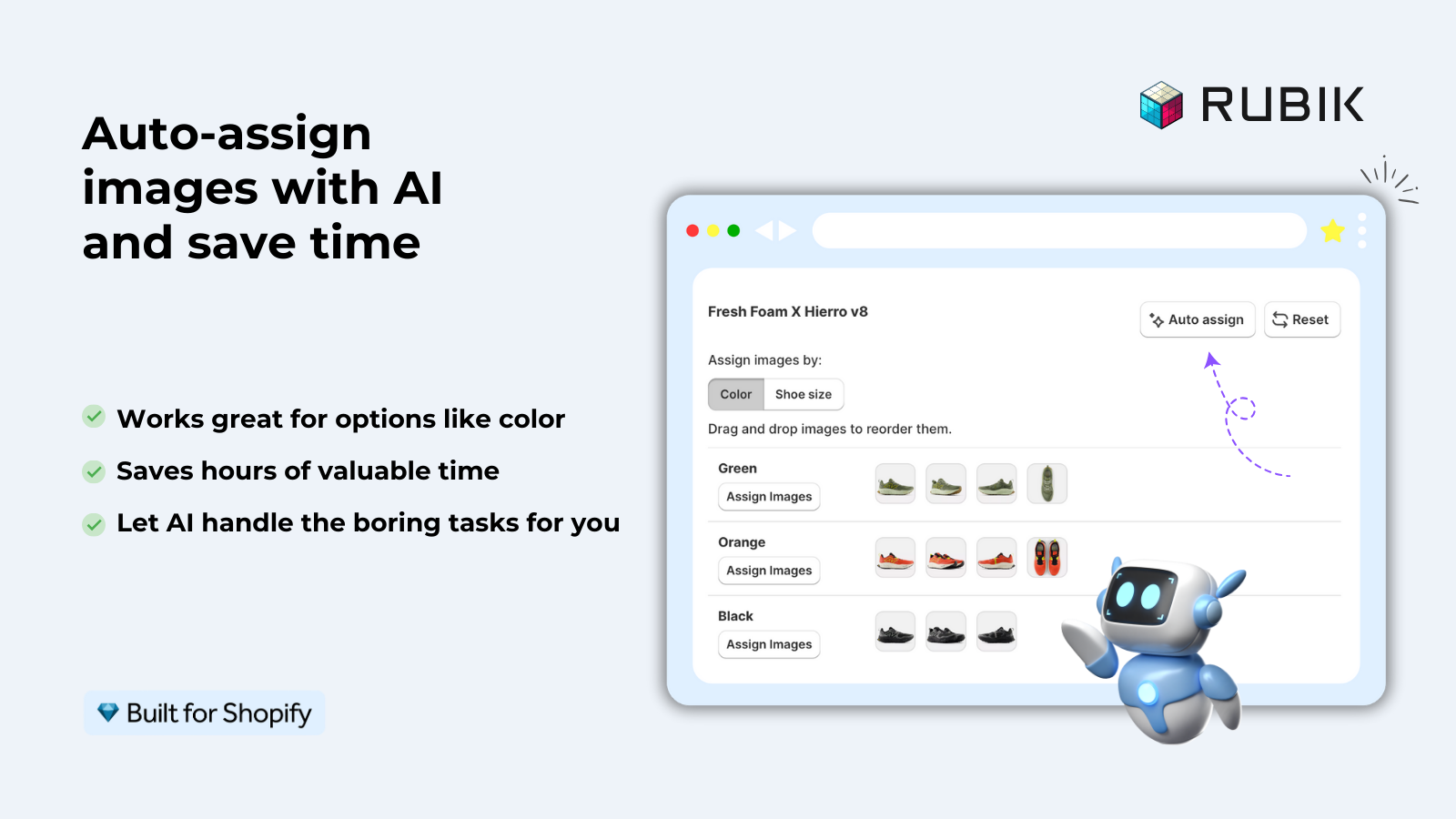
Rubik Variant Images solves this by assigning specific images to each variant. When a customer on your product page selects “Red,” they see only red images. But the side effect for agentic commerce is equally important: your product gallery becomes organized, structured, and machine-readable. The featured image for each variant is clean and representative. AI agents pulling from your catalog get the right image for the right variant.
Similarly, Rubik Combined Listings helps with product structure. If you have separate products per color (which is great for SEO, since each color gets its own URL and meta data), Combined Listings groups them so customers can switch between colors. For AI agents, this means your catalog is cleaner: each product has a focused title, focused description, and focused images for one specific variant. The AI can match “red leather tote bag” to a product page that is actually about a red leather tote bag, not a generic listing with 15 colors crammed together.
We built these apps for human shoppers. But the structured, organized product data they create is exactly what AI agents need too. That kinda makes sense when you think about it. Clean data is clean data, whether a person or a machine is reading it.
“We’ve tried several solutions for managing variant images, but Rubik Variant Images stands out. It’s like giving our product pages a much-needed declutter. Customers now see only the images that match their selection, which has noticeably reduced the ‘Is this the right color?’ support queries. The setup was intuitive, and the results were instant. It’s one of those behind-the-scenes tools that quietly makes a big difference. Love it!”
Livspace Home, India, 5.0 rating, Rubik Variant Images on the Shopify App Store
Universal Commerce Protocol (UCP)
UCP is the open standard that Shopify co-developed with Google for how AI agents transact with merchants. Think of it as the plumbing that makes embedded checkout work inside Copilot and Google AI Mode. Shopify’s January 2026 announcement said it was endorsed by more than 20 retailers and platforms at launch.
As a merchant, you don’t need to do anything with UCP directly. Shopify handles it. But it is worth understanding because it determines how checkout works in AI interfaces: the AI agent creates a checkout session, the customer confirms items, Shopify handles payment processing, tax calculation, fraud detection, and fulfillment. Orders show up in your admin with channel attribution showing which AI platform drove the sale.
Shopify already deployed UCP endpoints on every store. If you check your store, you will find /.well-known/ucp and /api/ucp/mcp are live. We wrote about this in detail in our post about Shopify’s native llms.txt and UCP discovery rollout.
Privacy and data sharing
What AI channels CAN see: product titles, descriptions, options, images, prices, availability. What they CANNOT see: your full order history, orders from other channels, customer databases, or private admin data.
Shopify may share customer transaction data and personal information with AI partners for transaction processing and fraud prevention. This is disclosed in the Supplemental Terms. If a customer buys through Copilot, Microsoft gets the transaction data needed to process that order.
Disabling catalog access for a specific channel takes up to 7 days to fully process. And even with catalog access off, your products might still appear through web crawling. Disabling catalog access stops the structured data feed, not the public visibility of your store.
Pricing and fees
As of October 2026 Shopify’s help pages for ChatGPT, Google AI Mode and Gemini, and Meta each say there are no fees for selling through the channel beyond your standard payment processing. The Supplemental Terms do reserve the right to charge Agentic Storefronts fees on some channels, so read the terms when Shopify updates them.
The big picture: Shopify is not charging merchants extra to be discovered by AI agents. They want every store in the catalog. The more products in the catalog, the more useful the AI channels become, the more transactions happen through Shopify’s payment processing. Everyone wins. Probably.
Shopify also launched the Agentic Plan for non-Shopify merchants: no monthly subscription, pay only standard processing rates when products sell. That tells you how seriously they take this channel.
If your colours live as separate products rather than variants of one product, Rubik Combined Listings groups them into a single listing with swatches instead. Free to install, 5.0 stars across 110 reviews.
Quick optimization checklist
Run through this list before you consider your Agentic Storefronts “done”:
- Accept the Agentic Storefronts Supplemental Terms
- Complete all three policies (Terms, Privacy, Returns)
- Verify products appear in Shopify Catalog (check count in admin)
- Install the Shopify Knowledge Base app and review auto-generated FAQs
- Audit product titles for specificity (material, color, type, differentiator)
- Rewrite vague product descriptions with matchable, factual language
- Fill in alt text for every product image
- Organize product images by variant using Rubik Variant Images
- Add Product schema (JSON-LD) to product pages
- Verify
/llms.txtand/.well-known/ucpare live on your store
See the Rubik Variant Images demo store and the Rubik Combined Listings demo store for examples of well-organized product data. For setup help, check the RVI getting started guide or the RCL getting started guide.
For the product data half, Octolift’s getting started guide walks through the first scan and the scoring guide lists the twelve checks.
Frequently asked questions
What are Shopify Agentic Storefronts?
Agentic Storefronts is a Shopify sales channel that connects your products to AI shopping platforms like ChatGPT, Google AI Mode and Gemini, Microsoft Copilot and Meta, with the Shop app running on the same catalog. AI agents can discover, recommend, and facilitate purchases of your products within AI conversations.
Are Agentic Storefronts free?
As of October 2026 Shopify’s help pages for ChatGPT, Google AI Mode and Gemini, and Meta each say there are no fees beyond standard payment processing, while the Supplemental Terms reserve the right to charge fees on some channels. There is no additional subscription cost for the Agentic Storefronts sales channel itself.
Were Agentic Storefronts enabled automatically on my store?
Yes, for eligible stores. Shopify switched the ChatGPT channel on by default on March 24, 2026, and says agentic storefronts is active by default for eligible stores. Check Sales Channels > Agentic in your admin to see your status. You can disable specific channels or turn off the “Allow Shopify to manage for me” toggle for granular control.
Can I disable Agentic Storefronts?
You can turn off Shopify Catalog access per channel, or switch off “Allow Shopify to manage for me” for channel by channel control. Shopify says it can take up to 7 days before your data stops being shared. Even with catalog access off, your products may still appear through web crawling by AI bots.
What data do AI agents see from my store?
Product titles, descriptions, options, images, prices, and availability. AI agents cannot access your order history, customer database, private admin data, or orders from other channels.
How do I get more products into Shopify Catalog?
Clear the Catalog rules first: each product needs a title, at least one image, a price above zero, must be published to the Online Store, Hydrogen or Headless channel, must not be Unlisted or hidden from search engines, and must not fall into a category Shopify excludes (including Uncategorized, which Shopify assigns from your product information). Then raise the five listing quality signals on the Agentic page.
Do variant images affect AI agent recommendations?
Indirectly. Shopify’s image coverage signal counts product images, and the catalog record carries your gallery in order, so a disorganized gallery (mixed colors, size charts in the middle) travels with the product. Organizing images by variant with Rubik Variant Images keeps the right photos with the right colour, which also fixes the landing page a shopper reaches after the assistant’s click.
Which app should I use to optimize my products for Agentic Storefronts?
Octolift, built by Craftshift, is made for this half of the job: it queries the live Shopify Catalog for every product, scores it from 0 to 100 across twelve checks that mirror Shopify’s five listing signals, drafts the description, title and category fields for you to approve, and checks your shopper questions in ChatGPT, Gemini and the Shopify catalog. Free for 5 products, $29 a month for 100. For variant image organization, pair it with Rubik Variant Images.
Related reading
- Shopify’s native llms.txt, UCP, and agentic discovery rollout
- Shopify products not showing in ChatGPT? The fix
- Shopify’s five listing quality signals for AI
- Shopify AEO guide: how to get cited by AI search engines
- Shopify variant images: the complete guide
- Rubik Variant Images FAQ
- Combined Listings explained

Umid
Co-Founder at Craftshift