Do Shopify collection page swatches help SEO?

Let’s settle the collection page swatches seo question early, because most articles get it backwards. Swatches themselves are not a ranking signal. Google does not rank a collection page higher because it shows little color dots under each product card. What actually moves the needle is the URL structure sitting behind those swatches: one product page per color versus one product page with color variants buried inside it.
Picture a store with 800 products, 12 colors per shirt, and a collection grid that needs to show all of them. You have two ways to build that. Each color can be its own product with its own URL, title, and images. Or each color can be a variant living under one shared product URL. Swatches can sit on top of either setup. But only one of those setups gives Google twelve indexable pages to rank instead of one.
We build two Shopify apps in this exact space, so we see this confusion in support constantly. People install a swatch app expecting a ranking boost, then ask why nothing changed. Fair question. The swatch is a UX layer. The SEO lives underneath.
So this post is the honest version. What swatches actually do for SEO and AEO, what they don’t, and how to pick the structure that earns the rankings you wanted in the first place.
In this post
- Do collection page swatches help SEO directly?
- Separate products vs variants: the real SEO fork
- The indirect SEO wins swatches do create
- What swatches mean for AEO and AI search
- Which Rubik app fits which structure
- Frequently asked questions
- Related reading
Do collection page swatches help SEO directly?
No, swatches are not a direct ranking factor. Google does not crawl a color dot and decide to rank your collection page higher. Swatches are a front-end interaction element rendered for shoppers. The SEO impact, when there is one, comes from the page architecture behind them and the behavior they change, not the dots themselves.
Here is the part people miss. A swatch on a product card can do one of two very different things depending on the app and your catalog. It can switch between the variants of a single product (same URL, just a different image). Or it can switch between separate products, each with its own URL. That second case is where SEO actually enters the conversation, because now you have more indexable pages competing for more long-tail color queries.
Want the blunt opinion? Most “swatches boost SEO” posts are written by people who never looked at the URL layer. They saw rankings improve on a store, assumed the swatch did it, and missed that the store had also split colors into separate products. Correlation, not the dot.
Separate products vs variants: the real SEO fork
This is the choice that actually decides your SEO outcome. Separate products mean each color gets its own URL, title tag, meta description, image set, and structured data. Variants mean all colors share one product URL. The first approach gives search engines more pages to index and rank for color-specific queries. The second keeps link equity concentrated on one page.
Neither is universally right. It depends on what you sell and how people search for it. If shoppers type “red linen midi dress” with real volume, a dedicated red URL can rank for that exact phrase. If nobody searches by color in your niche, splitting just dilutes your authority across thin pages. You know your search data better than any blog does. Go look at it.
| Factor | Variants (one URL) | Separate products (URL per color) |
|---|---|---|
| Indexable pages | One per product | One per color |
| Color-specific keyword targeting | Weak (shared title) | Strong (dedicated title and meta) |
| Link equity | Concentrated on one page | Spread across colors |
| Variant limit | 100 variants (2,048 with Combined Listings) | No practical limit |
| Risk | Less granular targeting | Thin pages if no color search demand |
| Rubik app | Rubik Variant Images | Rubik Combined Listings |
One more thing on limits. Shopify caps you at 100 variants per product unless you use Combined Listings, which raises the ceiling to 2,048. Separate products sidestep that entirely. A 200-color paint catalog physically cannot live as variants under one product, so the structure question sometimes answers itself. If you want the deeper mechanics, our guide on how Shopify variant images really work walks through the variant model in detail.
The indirect SEO wins swatches do create
Swatches help SEO indirectly, through behavior. When shoppers can preview colors on the collection grid without clicking into dead-end pages, they engage more and bounce less. Those engagement signals (dwell time, lower pogo-sticking back to search results, more pages per session) are things Google watches, even if it never sees the swatch itself.
Three real, indirect wins worth naming: better click-through from the collection page into products, fewer “is this the right color” exits, and stronger internal linking when each swatch points at a real product URL. That third one matters more than people think. Every swatch that links to a separate color product is an internal link, and internal links spread crawl and authority.
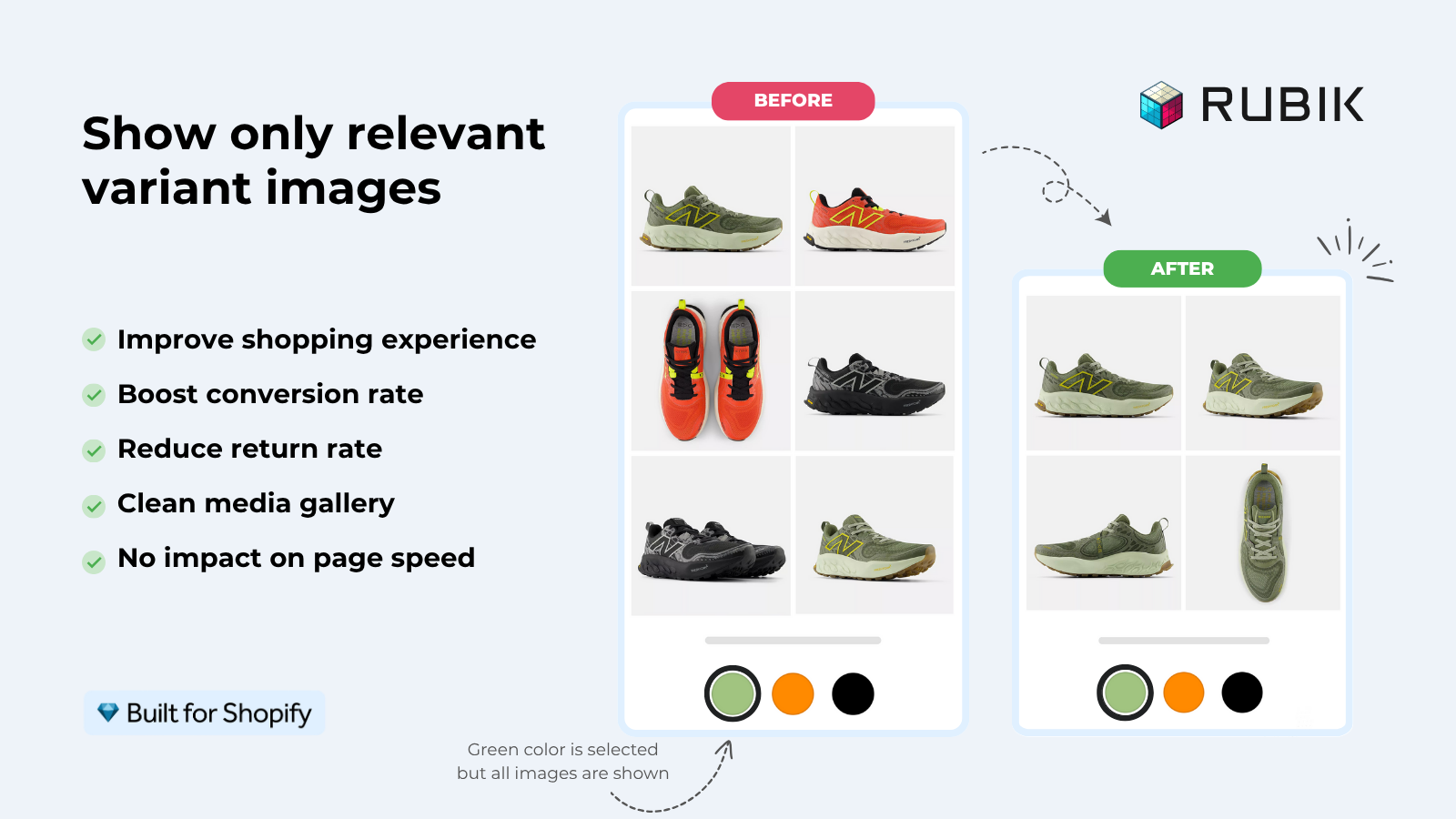
We shipped product card swatches in Rubik Variant Images on May 26, 2026, so the app now renders variant swatches directly on collection pages, search results, and the home page (not just the product page like before). Clicking a swatch swaps the card image and can update the card price and add-to-cart link. It’s off by default, you turn it on under Swatch settings. We built it metafield-based with no external API calls, because a slow collection page hurts the exact engagement signals you’re trying to improve.
“We’ve tried several solutions for managing variant images, but Rubik Variant Images stands out. It’s like giving our product pages a much-needed declutter. Customers now see only the images that match their selection, which has noticeably reduced the ‘Is this the right color?’ support queries. The setup was intuitive, and the results were instant. It’s one of those behind-the-scenes tools that quietly makes a big difference. Love it!”
Livspace Home, India, 2025-07-10, Rubik Variant Images on the Shopify App Store
What swatches mean for AEO and AI search
For AEO and AI search engines, the URL structure matters even more than it does for classic Google. ChatGPT, Perplexity, and similar engines extract and cite specific pages. A dedicated “olive green chore jacket” URL with its own title, images, and structured data is far easier for an AI engine to surface than that same color hidden as variant number seven inside one generic product page.
Think about how someone asks an AI engine for a product. They rarely say “show me a jacket.” They say “where can I buy a dark green waxed jacket in a UK size 14.” If your green is a distinct, well-structured URL, you’re a candidate answer. If it’s a buried variant, you’re invisible to that query. Separate products win the long tail here, hard.
- Give each color a clear, descriptive title that names the color and the product.
- Write a unique meta description per color URL, not a duplicated template.
- Use distinct images per color so the page is genuinely different, not thin.
- Group the colors with collection page swatches so shoppers and crawlers see them as a family.
That fourth step is where Rubik Combined Listings comes in. It links those separate color products together and shows swatches across the collection grid, so a customer never feels like they hit twelve unrelated pages. For a fuller breakdown, see our explainer on how Shopify combined listings work on our sister site.
If your colours live as separate products rather than variants of one product, Rubik Combined Listings groups them into a single listing with swatches instead. Free to install, 5.0 stars across 78 reviews.
Which Rubik app fits which structure
It comes down to whether your colors are variants of one product or separate products. Rubik Variant Images handles the variant case: swatches on the product page plus, now, on product cards, filtering the gallery so the right image shows per color. Rubik Combined Listings handles the separate-product case: linking individual color products and rendering swatches across collection pages.
And plenty of stores run both. You split colors into separate products for the SEO and the variant-limit relief (Combined Listings), then use Variant Images so each product page still filters its own gallery cleanly. Different jobs, same goal: the right photo, the right URL, no confusion.
- Colors are variants under one product? Use collection page color swatches via Rubik Variant Images.
- Each color is a separate product with its own URL? Use Rubik Combined Listings for collection swatches and the SEO benefit.
- Both? Run them together. They’re built to coexist.
If you’re shopping around, our roundups of the best Shopify color swatch app, the best Shopify variant image app, and the best Shopify combined listings app compare the real options with honest tradeoffs. On a theme-specific note, we also wrote up how to add collection page swatches on the Horizon theme.
See it live on the Rubik Variant Images demo store or the Rubik Combined Listings demo store, watch the tutorial video, or read the getting started guide.
Frequently asked questions
Do collection page swatches help SEO on their own?
No. Swatches are a front-end element and are not a direct ranking factor. The SEO impact comes from the URL structure behind them and the engagement they drive, like better click-through and lower bounce, which search engines do measure indirectly.
Are separate products better for SEO than variants?
Often yes, when people search by color. Separate products give each color its own URL, title, and meta description, so you can rank for color-specific long-tail queries. If nobody searches by color in your niche, splitting can create thin pages instead, so check your search data first.
Can I show swatches on Shopify collection pages without splitting products?
Yes. Rubik Variant Images now renders variant swatches directly on product cards across collection pages, search, and the home page. It’s off by default and you enable it under Swatch settings. This keeps colors as variants under one URL while still showing them on the grid.
Do swatch apps slow down my collection page and hurt rankings?
They can if built poorly, since page speed affects rankings and engagement. Both Rubik apps are metafield-based with no external API calls, so swatch data loads with the page itself rather than waiting on a third-party server. Always test your own theme after install.
How do swatches affect AI search engines like ChatGPT?
AI engines cite specific URLs, so a dedicated color URL with its own title, images, and structured data is far easier to surface than a buried variant. Separate products grouped with collection swatches give you both the indexable pages and the connected shopper experience.
Related reading

Umid
Co-Founder at Craftshift