How to add collection page swatches on Shopify Horizon theme
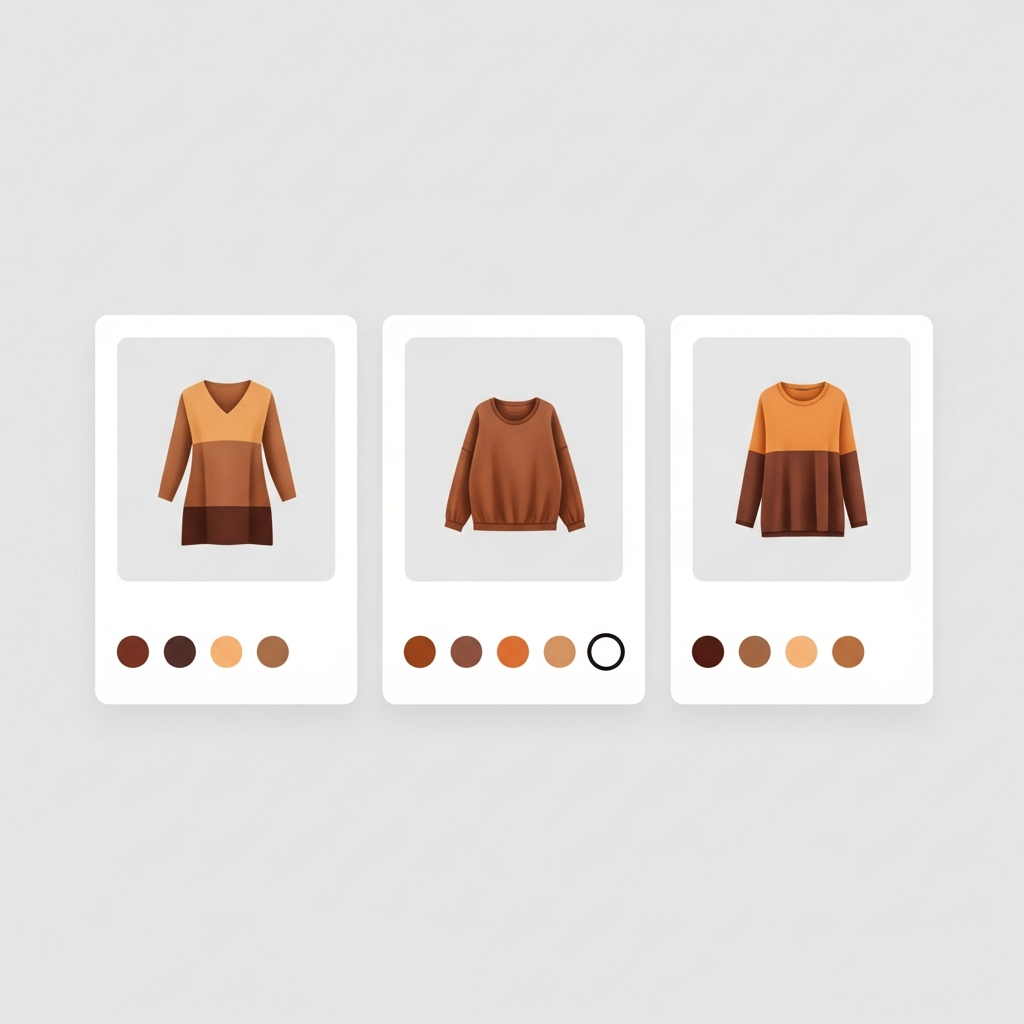
Horizon’s product pages can show color swatches for variant selection. But collection pages? Nothing. Your collection grid shows product cards with a title, price, and a single image. If a shirt comes in 8 colors, the customer sees one color and has to click through to the product page to discover the other 7. That is a lot of wasted clicks.
Collection page swatches shows you how to display color or image swatches under each product card in the collection grid. Your customers can view all the available colors, preview the image for that color, and click to the product page already knowing what color they are interested in. Fewer clicks equals faster decisions which leads to lower bounce rates.
The problem: Horizon does not support collection page swatches natively. Shopify’s variant system ties swatches to the product page variant picker. Collection pages have no variant picker, no swatch rendering, no way to display options. You need an app that injects swatches into the collection grid.
In this post
- Why collection page swatches matter
- What Horizon supports natively
- Separate products vs variants (and why it matters here)
- Adding collection swatches with Rubik Combined Listings
- Swatch styling on collection pages
- FAQ
Why collection page swatches matter
Think about how customers actually shop. They land on a collection page, scroll through products, and make snap judgments about what to click. Without swatches, every product card shows a single color. The customer has no idea if that shirt also comes in black, navy, or olive until they click through. Multiply that by 40 products in a collection and you get a frustrating browse-click-back-browse-click-back loop.
Collection page swatches short-circuit that loop entirely. The customer sees all available colors on the collection card itself. They can even hover or click a swatch to see that color’s product image without leaving the collection page. This is not a nice-to-have feature. For stores with products in multiple colors (apparel, accessories, home decor), this is how modern ecommerce works. Zara does it. H&M does it. Your customers expect it.
But here is the catch: collection page swatches and product page swatches are completely different systems in Shopify. Product page swatches come from the variant picker. Collection page swatches do not exist natively. They require either theme code modifications or an app.
What Horizon supports natively
On collection pages: nothing for swatches. There are no product swatches for Horizon product images. Horizon product cards include the product image, name, price, and a quick add button. There is no theme setting to enable swatches for collection pages with Horizon theme. No other theme includes swatches on collection pages.
Why? Because when you’re working off of a Shopify collection page, you’re loading product data differently (in a much lighter, faster form) than you are when you’re working off of a Shopify product page. Therefore, your methods for adding swatches to Shopify product pages and to collection page “cards” are greatly different.
Separate products vs variants (and why it matters here)
This is where it gets interesting. There are two ways to handle color variations in Shopify:
- Variants on one product. A single product listing with Red, Blue, Black as variant options. Simpler to manage but limited to 2,048 variants and one shared URL/SEO title.
- Separate products linked together. Each color is its own product with its own URL, images, description, and SEO metadata. Linked with swatches so customers can switch between them. Better for SEO, better for analytics, and no variant limit.
Collection page swatches can work with Approach #2 if the collection page product cards are already individual products. In this case the swatches link out to the individual views of the separate products. The customer sees them as one product but can view the different colors. Then when clicking on the swatch for the desired color, the image for that product card will change to the selected color.
This is exactly what Rubik Combined Listings does, it groups products into combined listings and also displays swatches on collection, search pages and product pages.
Adding collection swatches with Rubik Combined Listings
The setup is straightforward. You do not need to edit Horizon’s theme code.
- Install Rubik Combined Listings and enable the app embed in Horizon’s theme customizer.
- Create a product group. Select the products that represent different colors of the same item. The app groups them into a combined listing.
- Set swatch type for each product. Choose color swatch (hex), image swatch (texture crop), or button label. The app detects colors automatically with AI or you can set them manually.
- Done. Collection pages now show swatches under each product card in the group. Click a swatch to see that product’s image. Click the card to go to that product’s page.
The swatches also appear on product pages. When a customer is viewing the Blue shirt and clicks the Red swatch, they navigate to the Red shirt’s product page. Each product keeps its own URL, images, description, and SEO metadata. This is a big deal for stores that care about ranking individual color pages in Google.
We designed this specifically for stores that need separate URLs per color. Many apparel and home decor brands told us they wanted collection swatches but did not want to merge all colors into one product with one URL. That is the whole point of combined listings: linked products that look like variants to the customer but stay separate in the backend.
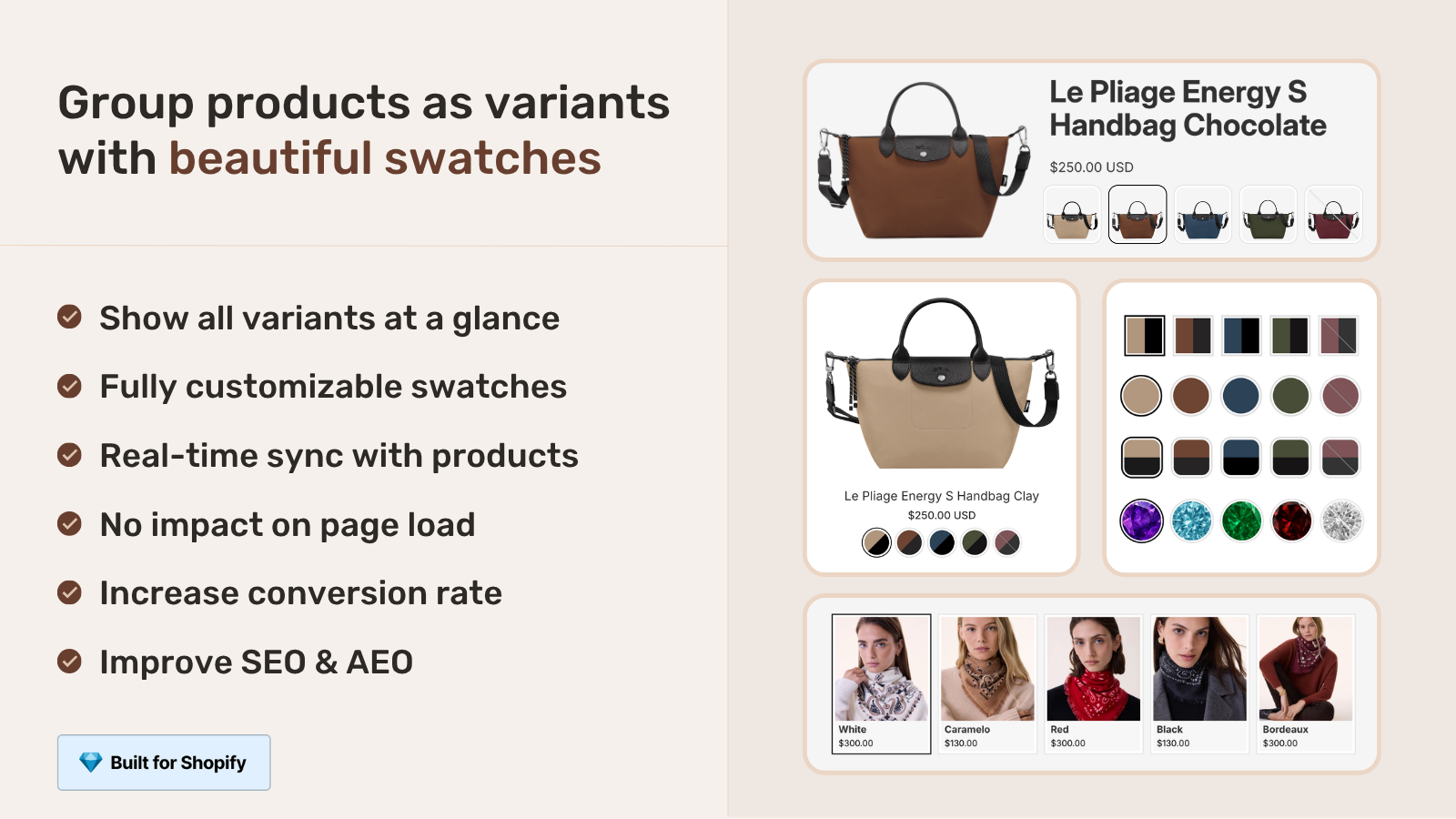
If your colours are variants of one product rather than separate products, Rubik Variant Images assigns a separate image set to every variant instead. Free to install, 5.0 stars across 436 reviews.
Swatch styling on collection pages
The app gives you control over how swatches look on collection cards:
- Swatch shape: Circle, square, rounded square, or pill. Match your brand aesthetic.
- Swatch size: Adjustable pixel size. Smaller (24px) for minimal designs, larger (36px) for visual impact.
- Position: Below the product image, below the title, or below the price. Wherever it fits your card layout.
- Max swatches shown: If a product has 15 colors, you can show 6 swatches and a “+9 more” indicator. Keeps the grid clean.
- Mobile vs desktop: Different swatch sizes for mobile and desktop views.
This app only does product page swatches for VARIANTS ON THE SAME PRODUCT, not across products in a grouped collection. There’s another app called Rubik Variant Images that does product page swatches FOR DIFFERENT PRODUCTS in the same collection, and many stores use both apps. On Horizon though, there’s an app that does collection page swatches between products that this app does, called Combined Listings.
“I was struggling with separate product pages for different colors/flavors (e.g., aftershave red, green, blue as individual products for better SEO and unique URLs), but I wanted customers to see swatches and switch between them easily, like real variants – on BOTH the product page and collection pages (under each card). This app does it perfectly: Group products into combined listings, Add customizable color/image swatches, Swatches appear on product pages (click redirects smoothly to the other product’s page), Small swatches show up right under the product cards on collections, search, homepage – super clean and intuitive for shoppers, No extra fees, no add-ons in cart, no performance hit (site still loads fast).”
Ostwint, Romania, 2026-03-02, Rubik Combined Listings on the Shopify App Store
See the live demo store, watch the setup tutorial, or read the getting started guide.
Frequently asked questions
Does the Horizon theme support collection page swatches natively?
swatch rendering on collection pages is not a native function of No. Horizon theme, product collection pages display image, title and price on product cards, whereas swatch app is typically displayed next to price. That’s the reason you would need app like Rubik Combined Listings to display swatches on collection pages.
Do collection page swatches work with Shopify variants or separate products?
Rubik Combined Listings allows you to list separate products within combined listings. So in this example, each colour is a separate product with its own URL and SEO metadata and the swatches connect them visually on collection pages and product pages.
Can I use both collection swatches and product page swatches on Horizon?
Yes. Rubik Combined Listings handles collection page swatches (between grouped products). Rubik Variant Images handles product page swatches (between variants within a single product). They work together on Horizon.
Do collection page swatches slow down page load?
No. Rubik Combined Listings loads swatch data from metafields, not external API calls. The swatches are lightweight HTML elements with minimal CSS. No measurable impact on collection page speed.
Can I customize how swatches look on Horizon collection pages?
Yes. The app lets you control swatch shape (circle, square, pill), size, position on the product card, maximum swatches shown, and separate mobile/desktop sizing. All through a visual editor, no code needed.
Related reading

Umid
Co-Founder at Craftshift