Shopify Horizon vs Dawn: Which Theme to Pick in 2026
Every Shopify merchant who logged into their admin in the last six months ran into the same fork in the road. Stick with Dawn, the default theme they have known for years, or switch to Horizon, the new default that ships with all the AI block stuff Shopify announced at Summer Editions 2025. Most “Horizon vs Dawn” articles online tilt toward Horizon because it is shiny and new. The honest comparison is more subtle.
This post is the version we wish we had when we first tested Horizon for our app compatibility work. Real performance numbers from real PageSpeed tests. The architectural differences that matter, and the ones that are marketing fluff. The native features (swatches, combined listings, AI blocks) and where each theme still leaves gaps. And a decision guide at the end that takes a side.
TL;DR (short verdict)
If you opened a brand new Shopify store in 2026 and have no existing design, pick Horizon. The block system is more flexible, the editor is faster to work in, and Shopify is investing in it weekly. Mobile performance lags Dawn for now but is closing fast.
If you have a mature Dawn store with a custom design, holding pattern. Stay on Dawn. Migrating costs you a full rebuild because there is no automatic translation, and the mobile performance gap (around 30 PageSpeed points right now) is too big to take on without a reason. Revisit in 6 months.
The rest of this post explains why.
In this post
- Architecture: Liquid sections vs web component blocks
- Real performance numbers (and the mobile gap)
- Editor experience: copy, paste, AI
- Native features compared
- Variant swatches and product galleries
- Combined listings on each
- Customization flexibility and learning curve
- Multilingual and international support
- Update cadence and stability
- When Dawn is still the right call
- When Horizon is the right call
- Migration considerations
- FAQ
- Related reading
Architecture: Liquid sections vs web component blocks
Dawn is built on Online Store 2.0. The page is a stack of Liquid sections, each of which contains blocks. Sections are server-rendered, blocks are flat (no nesting), and the whole thing is a refined evolution of the JSON template model Shopify shipped in 2021.
Horizon is built on the new Horizon framework. Pages are still composed of sections, but most of the front-end interactive parts (variant picker, gallery, predictive search, cart drawer) are encapsulated web components. Blocks nest up to 8 levels deep. A section can contain a group block, which contains another group block, which contains text and image blocks. Each level configures its own spacing, alignment, and color.
Why does this matter to a merchant?
- On Horizon you can build complex layouts (multi-column, asymmetric, conditional) entirely in the editor without code.
- On Dawn the same layouts usually need custom Liquid edits or a third-party page builder app.
- On Horizon the variant picker is a web component inside Shadow DOM, which means most older apps that listen for native form change events do not work without a Horizon-specific module.
- On Dawn apps still hook into the standard Liquid form pattern, which is well-documented and battle-tested.
The flip side: Horizon’s architecture is a one-way migration. Once you build a complex nested layout in Horizon, exporting it to Dawn is not really possible without a full rebuild. The block tree does not translate.
Real performance numbers (and the mobile gap)
This is where most “Horizon is faster” articles get the story half right. Let us look at actual PageSpeed Insights numbers from clean demo stores tested on the same product set.
| Metric | Horizon (clean demo) | Dawn (clean demo) |
|---|---|---|
| PageSpeed Desktop | 97 | 96 |
| PageSpeed Mobile | 52 | 82 |
| JS bundle (homepage) | Larger by default | Smaller |
| Animation defaults | On (motion reduce optional) | Minimal |
| Predictive search | Rich, heavy | Basic, light |
The desktop gap is rounding error. The mobile gap is real. Why does Horizon load slower on mobile?
- More JavaScript runs by default (web component runtime, animation engine, predictive search index).
- Animations are on out of the box, including hover effects that fire on mobile tap events.
- Some web components hydrate above-the-fold even when the user has not scrolled to them.
Can you close the gap? Mostly, yes. Disabling animations alone (Theme Settings, Animations, Reduce motion) gets back about 10 PageSpeed points. Auditing third-party apps (we cover this in our Shopify app stack audit guide) can recover another 5 to 15. By the time you tune Horizon for mobile, you typically land around 70-75. Still below tuned Dawn (85+) but no longer painful.
The trend matters too. Horizon has gained roughly 5 mobile PageSpeed points per quarter since launch. Dawn has been flat (it is mature). By Q4 2026 we expect the mobile gap to be 10-15 points, not 30. By 2027 we expect parity.
Editor experience: copy, paste, AI
The new Horizon editor is the part most merchants notice immediately. Six concrete improvements over the Dawn editor:
- Hover-to-preview blocks before adding them.
- One-click direct text editing on the canvas (no sidebar trip).
- Copy and paste blocks across templates.
- Right-click duplicate, delete, hide, move.
- Conditional settings that hide irrelevant fields.
- AI block generation from natural-language prompts.
Dawn has none of these. Dawn’s editor is functional and stable, but it is the same editor it shipped with in 2021 with minor refinements. If you spend hours per week in the theme editor, the Horizon editor is probably worth the migration on its own.
About AI block generation specifically: it works, it is impressive on simple blocks, and it is unreliable on complex ones. We covered the trade-offs in our Shopify Horizon theme customization guide. Short version: use the AI as a scaffold, not a finished product.
Native features compared
| Feature | Horizon | Dawn |
|---|---|---|
| Native color swatches | Yes (image, color, text) | Yes (image, color, text) |
| Image swatches with variant images | Yes (toggle) | Limited |
| Mega menu | Yes | Yes |
| Sticky header | Yes | Yes |
| Cart drawer | Yes | Yes |
| Pre-order, in-store pickup | Yes | Yes |
| Combined listings on PDP | Yes | Yes |
| Combined listings collection swatches | No (need app) | No (need app) |
| AI block generation | Yes | No |
| Global blocks (reusable) | Yes | No |
| Nested blocks | 8 levels | 2 levels |
| Sections out of the box | ~28 | ~17 |
| EU language packs included | EN, FR, IT, DE, ES | EN only by default |
| Update cadence | Weekly | Quarterly |
This is where Horizon’s edge is real. AI blocks, global blocks, deeper nesting, more sections, faster updates. None of these are make-or-break, but together they add up to a meaningfully more capable theme.
Variant swatches and product galleries
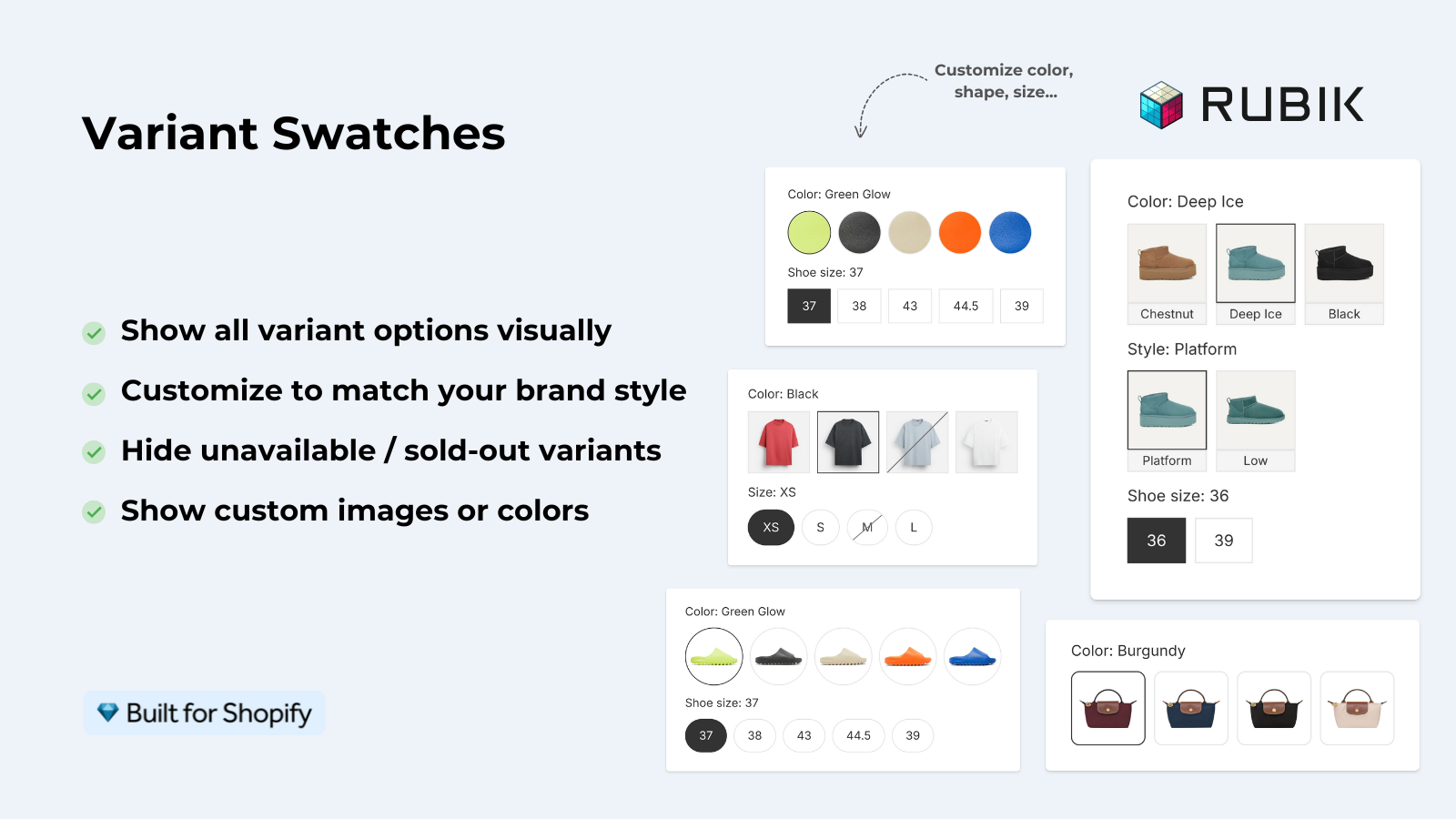
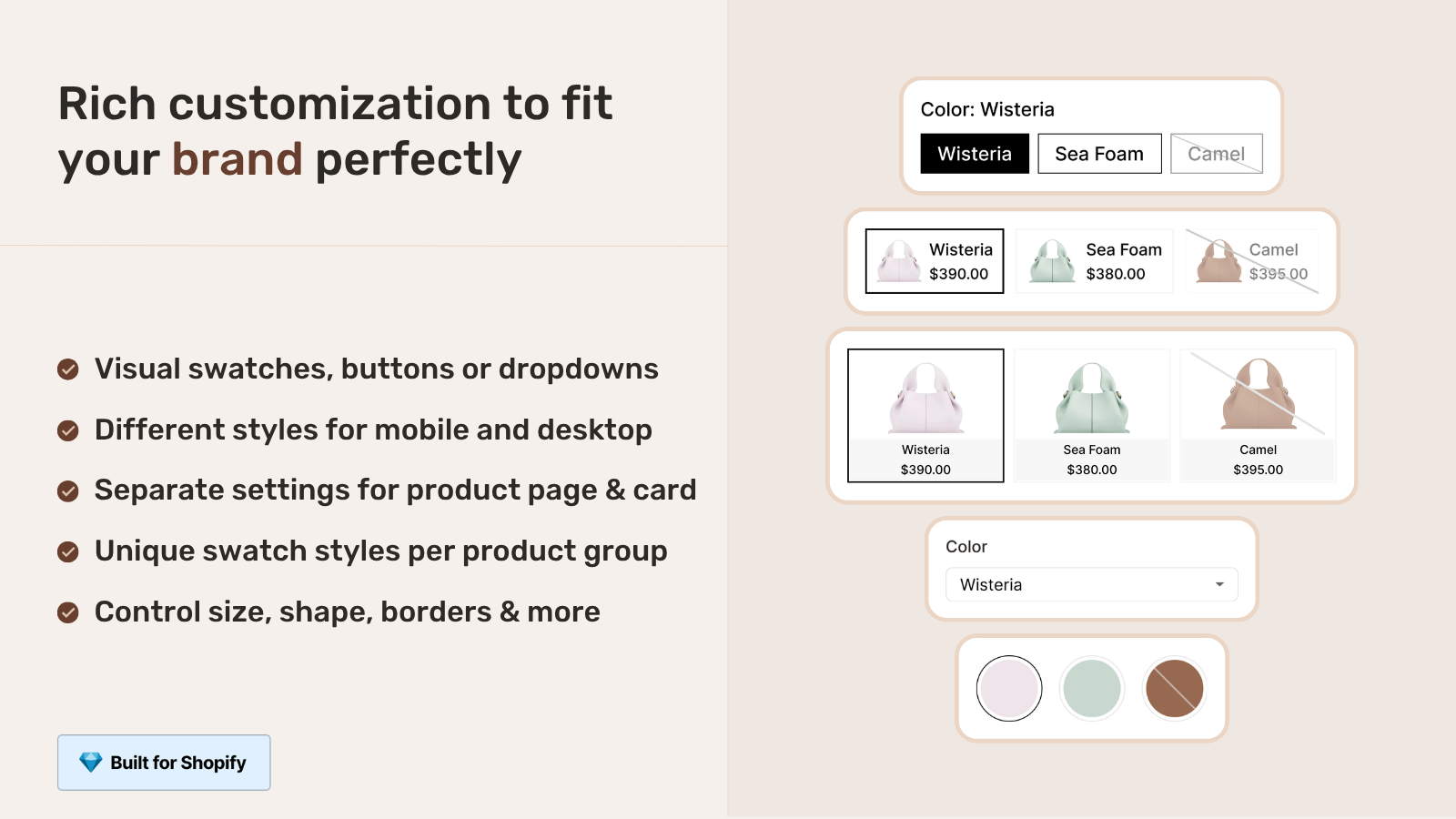
Both themes ship with native swatches in 2026. Both can show color circles, image swatches, and text buttons for variant selection. So far so good. Where they diverge is what happens after the customer picks a variant.
- Both themes show one image per variant in the gallery (the Shopify-native model). If you want multiple images per variant, you need an app.
- Both themes show every product image in the gallery regardless of which variant is selected. Customers see images of out-of-stock or non-relevant variants. This causes confusion on stores with high variant counts.
- Horizon hides unavailable variants in the picker (toggle in Theme Settings). Dawn does not have a clean built-in option for this.
- Both themes assign one swatch type per option. Mixed types (color circles for color, text buttons for size) require customization.
If the gallery filtering or multi-image-per-variant gap matters for your store (it does for fashion, jewelry, furniture, and any catalog with photogenic variants), Rubik Variant Images covers both Horizon and Dawn with a single install. We added Horizon support specifically because the variant picker web component does not communicate with the gallery web component out of the box, which is the exact gap our app fills.
Combined listings on each
Both Horizon and Dawn now support Shopify Combined Listings on the product page. If you create a combined listing in admin (Settings, Combined Listings), the variant picker on either theme will treat the linked products as variants. Click “Linen” and the URL switches to the Linen product page.
Where both themes stop: collection pages. Each grouped product still appears as its own card. So if you sell a sofa in three materials and you grouped them, the collection page shows three cards. Customers do not realize they are looking at the same sofa in different fabrics. We get support tickets about this every week from merchants who thought the theme would handle it.
The fix is the same on both themes: Rubik Combined Listings adds collection-page swatches to grouped products. One card with three material swatches instead of three separate cards. We documented the Horizon-specific setup in how to use combined listings with the Shopify Horizon theme.
Customization flexibility and learning curve
Dawn is easier to learn. The flat block model means there are usually 2 places a setting can live: section level or block level. New merchants find it within a few hours.
Horizon is more capable but takes longer to internalize. The 8-level nested block model means a setting can live anywhere in the tree, and figuring out which level controls what takes practice. The first week on Horizon is genuinely frustrating. The third week, you stop reaching for code edits because the editor handles everything.
For agencies and freelancers, Horizon is the better long-term bet because the editor is more powerful and clients can self-serve more changes. For solo founders who only touch the theme once a quarter, Dawn’s simplicity is genuinely valuable.
Multilingual and international support
Horizon includes EU translations (English, French, Italian, German, Spanish) out of the box. Dawn ships with English only and depends on Shopify Translate & Adapt or a translation app for other languages.
Neither theme integrates with Shopify Markets at the theme level. Markets handles currency, market-specific catalogs, and pricing rules independently from the theme. Both themes inherit Markets behavior the same way.
If you sell internationally, Horizon’s pre-shipped translations save you the manual translation step for the theme strings (button labels, “Add to cart,” “Free shipping”). Product translations still need Translate & Adapt or a third-party app on either theme.
Update cadence and stability
Dawn updates roughly quarterly. Each update is small, well-tested, and rarely breaks third-party apps or custom code.
Horizon updates roughly weekly. The latest stable version as we write this is 3.5.1 (released March 30, 2026). Some weeks there is a minor bug fix. Some weeks there are bigger feature additions. The pace is good for new features but stressful if you have custom code in the theme that touches Horizon’s internals.
Practical implication: on Horizon, never edit core theme files directly. Always create new files in blocks/ and sections/. Otherwise the next weekly update overwrites your work.
When Dawn is still the right call
- You have a mature, conversion-optimized Dawn store and are not actively redesigning.
- Mobile PageSpeed score above 80 is a hard requirement (e.g. you are running paid ads where Quality Score depends on it).
- You depend on apps that have not yet shipped Horizon support.
- You have a small team that touches the theme infrequently and values stability.
- You sell mostly to mobile-first markets where every second of load time costs conversions.
When Horizon is the right call
- You are launching a new Shopify store in 2026.
- You are redesigning your existing store from scratch (rebuilding home, product, collection pages).
- You spend hours per week in the theme editor and want copy/paste, hover preview, AI blocks.
- You sell editorial-style products (fashion, home decor, lifestyle) where layout flexibility drives the brand experience.
- You run a multilingual store in the EU and want native EN/FR/IT/DE/ES support without an app.
- You want to stay on the platform Shopify will invest in over the next 5 years.
Migration considerations
There is no automatic migration. Shopify did not build one. The block tree on Horizon does not translate to Dawn’s section model, and vice versa. So if you switch, you rebuild.
Step-by-step if you decide to migrate from Dawn to Horizon:
- Add Horizon as an unpublished theme. Online Store, Themes, Add Theme, choose Horizon.
- Build the home page in the editor. Compare side-by-side with your live Dawn home.
- Build the product page template. Make sure variant picker, gallery, and add-to-cart all work the way you expect.
- Build the collection page template.
- Test all your apps. Many require Horizon-specific code. Apps with no Horizon module will break the variant picker, gallery, or cart drawer in subtle ways.
- Run PageSpeed Insights on the unpublished Horizon theme. Compare to your live Dawn theme. Tune until Horizon is at least within 10 mobile points of Dawn.
- Test checkout end-to-end (it should not change because checkout is not theme-driven, but verify).
- Switch and monitor conversion rate for 2 weeks. Be ready to switch back if you see a drop.
Plan for at least 1-2 weeks of work for a typical store. Agencies report 30-60 hours for a full migration on a moderately customized Dawn store.
“Thanks Rubik! This is now the best app I have for Shopify. It was so easy to set up and customize the design elements to match our site. You can’t imagine how messy our set was before this app! Now it’s perfect! Truly changed our store for the better and made my life a LOT easier.”
The Amma Shop, US, on the Shopify App Store. Read more Rubik Variant Images reviews.
See the Rubik Variant Images live demo store, watch the Horizon swatches walkthrough, or read the getting started guide.
Frequently asked questions
Is Horizon faster than Dawn?
On desktop, marginally (PageSpeed 97 vs 96). On mobile, no. Clean Horizon scores around 52 on PageSpeed Mobile vs Dawn’s 82 on the same demo content. The gap is closing as Shopify ships weekly updates, but for now mobile-first stores will see slower load times on Horizon.
Will Shopify deprecate Dawn?
No deprecation has been announced. Dawn still ships with new stores as an option, still receives quarterly updates, and Shopify has signaled long-term support. Horizon is the new default, but Dawn is not going anywhere in 2026.
Can I migrate from Dawn to Horizon automatically?
No. There is no automatic migration tool. The block architectures are too different to translate cleanly. Migration is a manual rebuild, typically 30-60 hours for a moderately customized store.
Does Horizon have AI that Dawn doesn’t?
Yes. Horizon integrates Shopify Magic for AI block generation. You describe a custom block in plain English and the system generates HTML, CSS, and Liquid. Dawn has no equivalent feature. The Sidekick AI assistant is a separate Shopify product available across both themes for analytics and admin help.
Do my apps work on both themes?
Most apps work on Dawn. Many older apps break on Horizon because the variant picker, gallery, and cart drawer are now web components inside Shadow DOM, which the older app integration patterns do not support. Always check an app’s listing for “Horizon support” before installing on a Horizon store.
Which theme handles combined listings better?
Both handle Shopify Combined Listings on the product page identically (the variant picker links grouped products). Neither shows combined-listing swatches on the collection page out of the box. To get collection-page swatches for grouped products on either theme, install Rubik Combined Listings.
Is Horizon ready for high-traffic stores?
Yes for desktop traffic. With caution for mobile-heavy stores until you tune performance. Disable animations, audit apps, compress images, and you can typically land mobile PageSpeed in the 70s on Horizon. If you need 80+ on mobile and you cannot tune further, stay on Dawn for now.
Related reading

Umid
Co-Founder at Craftshift