Shopify collection page SEO: the complete 2026 guide

Shopify collection pages are some of the most valuable real estate on your store for SEO. They allow you to target category level keywords like “women’s summer dresses”, “leather laptop bags”, “organic cotton t-shirts”. These terms sit between the broad head terms and the long tails of individual products, and with a well optimised collection page you can rank for dozens of relevant keywords and funnel traffic to the products that they relate to.
Almost every Shopify store does collections pretty poorly. They are an auto-generated page with an auto-generated title and content, and a default url. That is leaving rankings on the table. This guide covers every SEO lever available on Shopify collection pages.
In this post
- Collection title optimization
- Collection description (SEO content)
- URL structure
- Meta title and description
- Collection image optimization
- Internal linking from collections
- Filtering and faceted navigation SEO
- Color swatches on collection pages
- FAQ
Collection title optimization
The title of the collection becomes the H1 on the page. Try to incorporate your target keyword into it as the default meta title for search results.
- Bad: “Summer” or “New Arrivals” (too vague, no keyword)
- Good: “Women’s Summer Dresses” or “Organic Cotton T-Shirts” (keyword-rich, specific)
- Better: “Women’s Summer Dresses 2026” (adds recency signal for seasonal queries)
Keep title case length to under 60 characters so it displays fully in search results. If you set your collection title to be the “store navigation label” for your menu, you can set a different meta title in the appropriate Shopify product information SEO fields without affecting the menu label.
Collection description (SEO content)
This is the biggest missed opportunity on most Shopify stores. The collection description field is either empty or has one generic sentence on it (e.g. “Related products”, not super helpful for users or for Google who sees a page with just a product grid and no unique text content. Thin content!
Write 150 to 300 words of unique description for each collection. Include:
- The target keyword in the first sentence
- What makes this collection unique (materials, occasions, style)
- 2 to 3 long-tail keyword variations naturally woven in
- Internal links to related collections or popular products
Most themes display the product collection description on top of, or below the product grid. Keep the description brief when placed above the product grid, as customers shopping for products don’t want to read a lengthy essay. When placed below the product grid, you have more room to elaborate. Some themes also support a “view more” toggle which allows for a brief description with the full description hidden by default.
URL structure
Shopify collection URLs follow the pattern /collections/your-handle. The handle is set when you create the collection and defaults to a slugified version of the title. Keep it short, keyword-rich, and lowercase:
- Good:
/collections/womens-summer-dresses - Bad:
/collections/summer-2026-new-arrivals-collection-sale
Make sure the URL handle of the page does not change after it has been indexed. If you change the handle later, you’ll get a 404 error unless you set up a 301 redirect in Online Store > Navigation > URL Redirects. If you do change the handle, set up a redirect from the old URL handle to the new one.
Meta title and description
On Shopify, you can customise the meta title and description for each collection. Go to Collections and open the collection you wish to edit. Under the section “Search engine listing” click “Edit” to make your changes.
Meta title formula: [Target keyword] | [Brand name]. Example: “Women’s Summer Dresses | YourBrand”. Under 60 characters.
Meta description formula explains how to structure your meta description for your Women’s Summer Dresses collection. Here is an example of a well written meta description based on our formula: “Shop women’s summer dresses in cotton, linen, and silk. Free shipping over $75. New styles added weekly.” This formula enables you to meet the length requirement (under 155 characters) while incorporating your target keyword and highlighting key differentiators for your site and collection. The formula is: [What the collection is] + [key differentiator] + [CTA].
Collection image optimization
Make sure that the collection image (hero/banner) has an alternative text that includes the collection keyword. “Women’s summer dresses collection banner” instead of “banner.jpg” or even empty alt is better. The image can rank in Google Image search for the corresponding collection keyword.
Product thumbnails in the product collection also create image SEO opportunities because product thumbnails have image alt text. We include the product name, along with any relevant attributes like color or material in the alt text of the featured image and that gets indexed as content on the collection page.
Internal linking from collections
Collection pages are natural link hubs. They link to every product in the collection (automatically via the product grid). But they should also link to relevant blog posts, info pages, the collection’s description page, relevant categories, related collections, and policies (return/ship).
- Related collections: “See also: Women’s Casual Dresses, Women’s Formal Dresses”
- Blog posts: “Read our guide: How to build a high-converting product page“
- Size guides: “Not sure about sizing? Check our size chart guide“
Add these links in the collection description. They pass link equity to important pages and help Google understand your site structure.
Filtering and faceted navigation SEO
There are features within the standard Shopify theme that can cause URLs to change when a customer filters on things like colour, size, price or in stock status. Collection pages can be filtered by these parameters (with the ability to select from multiple options) and the URL will change as the user selects a filter option such as /collections/dresses?filter.v.option.color=Blue. If Google crawls this URL then you can expect it to index the page as unique content which will cause duplicate content problems across your site.
This is handled reasonably well by Shopify, and filtered pages will have a canonical link back to the unfiltered page. This means Google will count all the ranking signals for that content on the canonical unfiltered page. You should only consider canolical’ing filtered pages if you have a specific strategy for how they are going to be indexed and ranked in search.
For an online for a store that wants to optimise for “blue summer dresses” create separate collections for different colours instead of using filters, or use separate products with Rubik Combined Listings and give each product its own url.
If your colours are variants of one product rather than separate products, Rubik Variant Images assigns a separate image set to every variant instead. Free to install, 5.0 stars across 436 reviews.
Color swatches on collection pages
Display color swatches on 9 collection pages to double up on UX and SEO efforts. The swatch labels appear as text, adding more keyword signals to the page. For example, this collection page product card shows “Navy” and “Sage Green” and “Burgundy” swatch labels as text, bringing more keyword content to the page than the unnamed color circles on this next example.
Rubik Combined Listings: this app allows you to show swatches at collection level for grouped products. So for example, instead of showing a product card for a plain black version of a dress, and then 4 more product cards for the same dress in different colours, it shows 1 product card for the black dress with 5 swatches underneath showing the colours available. This saves a lot of duplicate content on the collection page, and allows customers to easily compare the different colours before clicking through to the product page.
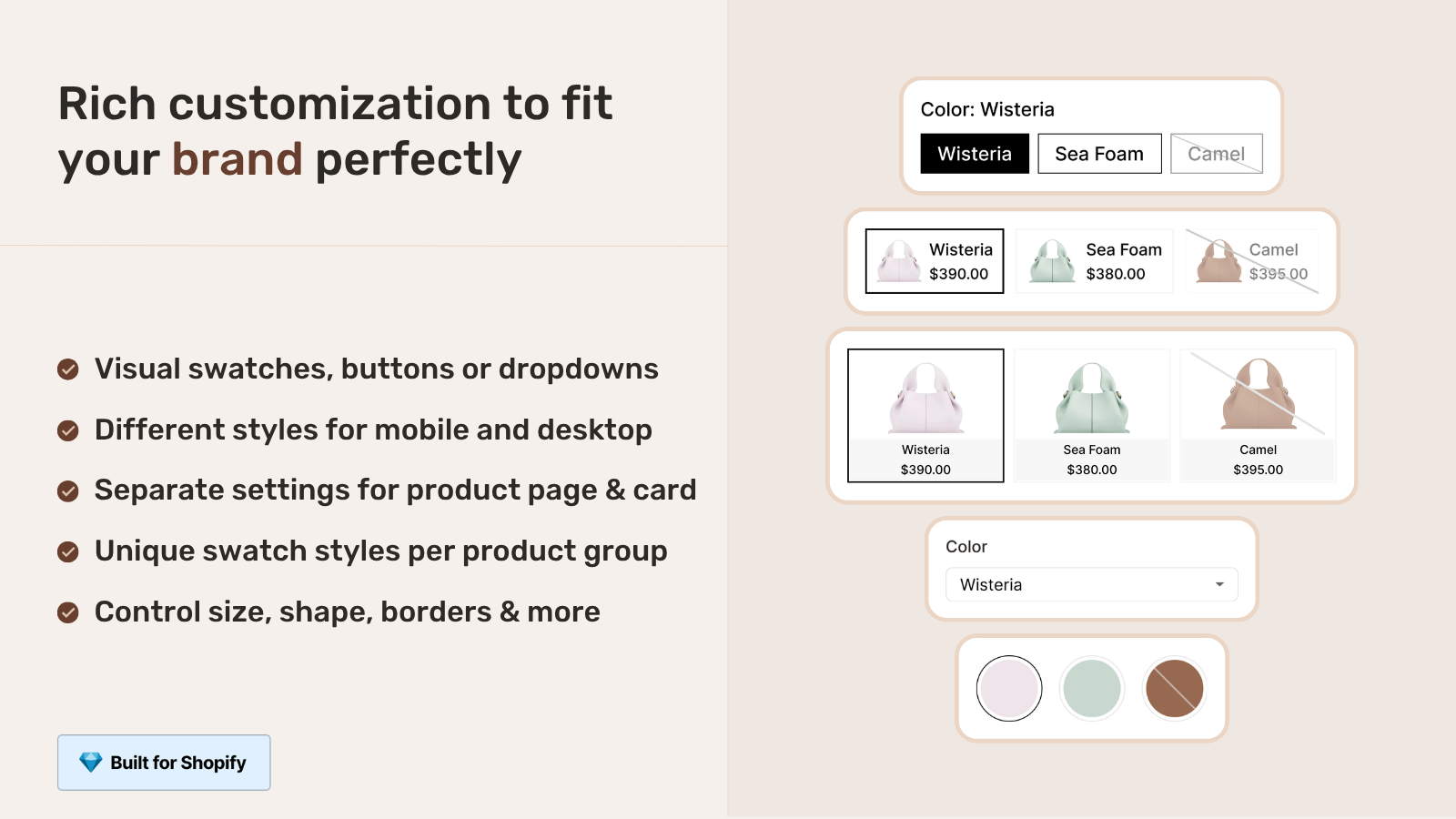
For displaying product page variant for individual products, it handles swatch settings and filters image galleries for.
“Was having difficulties with 5 other apps before I found this one that worked perfectly on the first try. Great for grouping products together, very easy to use. Thank you developers, and thank you Zulf for your assistance.”
BELSKI, Australia, 2026-03-24, Rubik Combined Listings on the Shopify App Store
Frequently asked questions
Do Shopify collection pages rank in Google?
Collection pages rank for too for category-level keywords that are too broad to rank for individual products, and can serve as valuable landing pages for searches like “women’s summer dresses” or “leather messenger bags”.
Should I write a description for every collection?
Set each collection page with 150 to 300 words of unique description content. The content will provide Google with something to index beyond the product grid on the collection page. Try to avoid having an empty collection page as it is thin content and likely to rank very poorly compared to a similar collection page with a keyword-rich description.
Do collection page filters hurt SEO?
canonical tag is an important consideration for the filtered URLs as long as it is set correctly by Shopify to point all the filtered URLs to the original unfiltered product page. Unless you have a specific strategy to deal with duplicate content, it’s best to leave the canonical tag as is and not override it.
How many products should a collection page have?
There is no SEO-based limit. Google can handle collections with hundreds of products. From a UX perspective, 24 to 48 products per page with pagination is usually a good middle ground. Collections with 500+ products may benefit from subcollections to keep product-focused pages more manageable.
Should I create separate collections for each color?
Only if the keyword for the color keyword has significant search volume (e.g. “blue summer dresses” as opposed to “summer dresses”) For most stores one collection is enough with color filters added. If a store owner wants to optimize for each color individually, that can be done with separate products using Rubik Combined Listings instead of separate collections.
Related reading

Umid
Co-Founder at Craftshift