Gymshark Shopify Store Breakdown 2026
Gymshark is one of the most-studied Shopify stores in the world for a reason. The brand built itself from a 19-year-old’s bedroom into a £500 million-plus turnover business, valued somewhere between $1.4 and $1.7 billion as of early 2026, all on Shopify Plus. If you sell apparel, athletic gear, or anything with high variant counts and a community-driven brand story, Gymshark is the playbook. But the playbook is not “copy their hero banner.” It is the way every part of the store works together.
This breakdown is what we wish we had when we first started benchmarking apparel stores for our Rubik apps. We pulled the gymshark.com homepage, a couple of product pages, the collection grid, the mobile experience, and the conversion patterns. This is what we found and what other Shopify merchants can actually learn from it.
In this post
- The business context (real numbers)
- What theme does Gymshark use?
- Homepage breakdown
- Navigation: activity-first IA
- Collection pages and color swatches
- Product page conversion tactics
- Promo banner stack and incentives
- Loyalty, app, and community
- International store selector and Markets
- Takeaways for Shopify merchants
- Where Rubik apps fit for apparel stores
- FAQ
- Related reading
The business context (real numbers)
Gymshark filed accounts showing turnover of more than £500 million for the year ending July 2024, the most recent figure in the public record. Brand valuation sits somewhere between $1.4 and $1.7 billion as of early 2026. They sell to over 130 countries. They run a single Shopify Plus storefront with regional variants and a heavy mobile app presence.
Why this matters for the breakdown: every design choice on gymshark.com has been A/B tested at scale. When you see a particular pattern (a specific banner placement, a specific color swatch arrangement), it is rarely arbitrary. It is the version that won.
What theme does Gymshark use?
Theme detector tools consistently classify Gymshark’s storefront as a custom or bespoke theme rather than an off-the-shelf template. This is normal for Shopify Plus brands at this scale. They start with a base theme (probably Dawn or a Plus-tier custom build) and rewrite enough of the section structure that what you see on production is effectively a unique theme.
What you can take from that: at a certain scale, themes become cost-of-doing-business. The differentiator is not the theme; it is the stack of features built on top of it. Gymshark’s stack is what most merchants should be studying, not the theme name.
Homepage breakdown
The homepage is doing several jobs at once. Three patterns are worth flagging:
- Capsule collection hero. The hero rotates featured drops (capsule collections, athlete collabs like the Cbum series) instead of showing a generic “shop now” banner. Each hero pulls a real story, not a stock photo.
- Curated category sections. Below the fold, multiple sections feature collections like “NEW IN: FORM” with one-line product positioning (“second-skin tops you’ll forget you’re wearing”). Copy is short, specific, benefit-oriented.
- Activity-based discovery. Quick-shop tiles for Running, Lifting, HIIT, Pilates, Rest Day. Customers do not always shop by category (men’s tops, women’s leggings). Sometimes they shop by activity (running gear). Gymshark surfaces both.
The homepage avoids the “wall of testimonials” trap. Reviews and social proof live closer to the product page where they convert. The homepage drives discovery instead.
Navigation: activity-first IA
Open the Gymshark mega menu and you see a multi-column structure. Top level: Women, Men, Accessories. Inside each: traditional categories (leggings, shorts, sports bras, hoodies) plus activity slices (Running, Lifting, HIIT, Pilates, Rest Day). The same product can appear under multiple slices.
This is enabled by Shopify’s collection system: a single product belongs to multiple collections. The mega menu links to each. For an apparel store with hundreds of SKUs, this kind of cross-cut navigation is the difference between a shopper finding what they want in 2 clicks and giving up after 5.
If your catalog is large enough to need this and you are still using a flat “Men’s, Women’s” navigation, you are leaving conversions on the table. Activity-based discovery, occasion-based discovery, and price-tier discovery should all live in the mega menu alongside the standard category tree.
Collection pages and color swatches
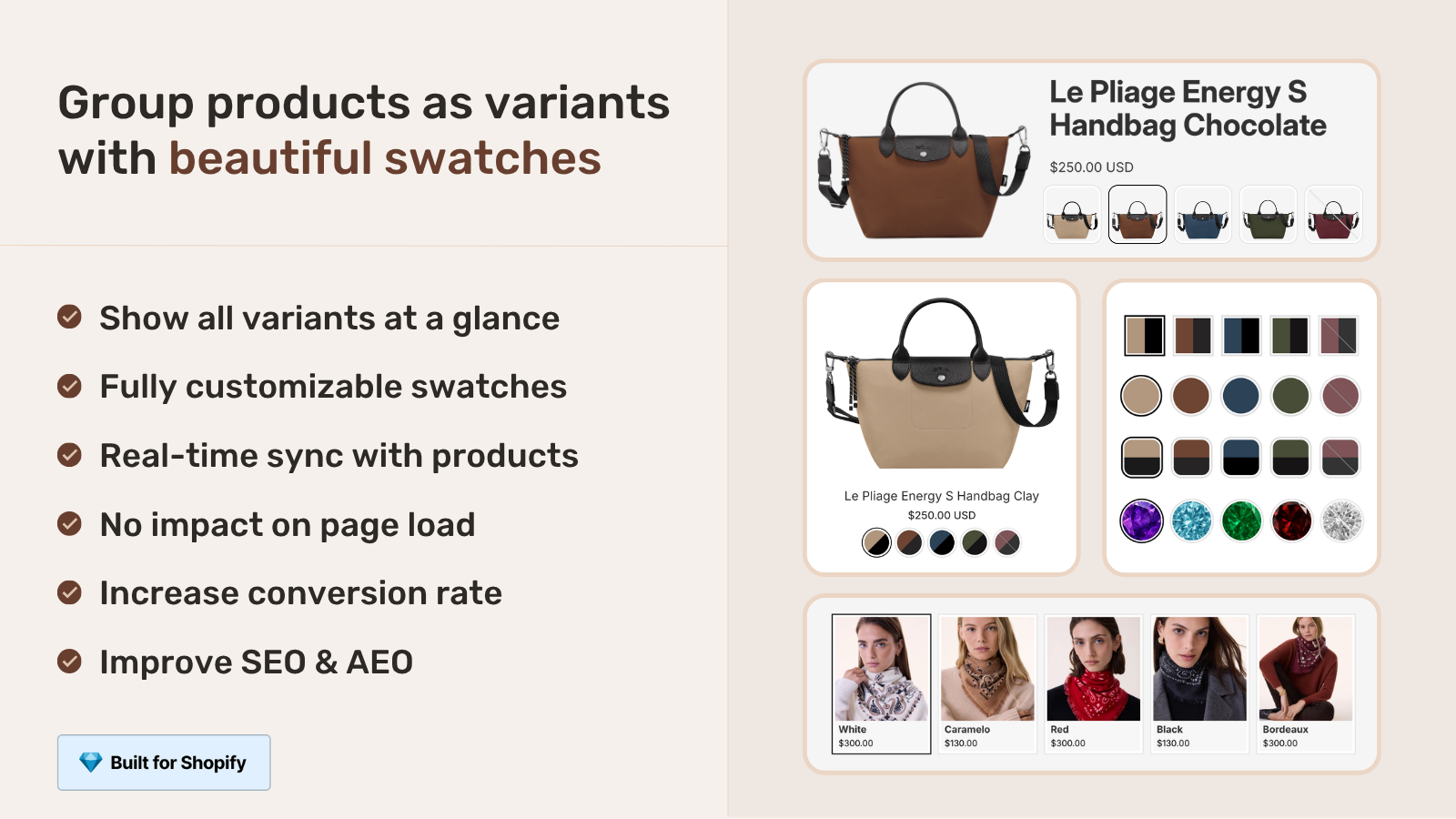
Gymshark sells most products in 4 to 8 colors. On the collection page, each product card shows the available colors directly under the product image as small swatches. Hover or tap a swatch and the card image switches to that color. No click-through required.
This is the single highest-impact pattern on a fashion or apparel collection page, and most Shopify stores still do not have it. On Dawn or Horizon out of the box, the collection card shows one image per product. Customers see “Black T-shirt” and never realize “Blue T-shirt” exists until they click in. Conversion suffers.
To replicate this on your own store you have two paths: native Shopify combined listings (which group products by color but still leave the card showing one image), or an app that adds collection-page swatches that switch the product card image on hover. The second path is what Rubik Combined Listings does. We get install requests from apparel merchants every week who saw the Gymshark pattern and wanted it for their own store.
Product page conversion tactics
The product page is where Gymshark earns its conversion rate. Half a dozen specific tactics that compound:
- Variant images that actually filter the gallery. Pick a different color, the gallery updates to show that color’s photos. Not a single image; a full set per variant.
- Color and size on the same screen. Variants are placed above the fold. Customers do not have to scroll to commit.
- Real review counts and star ratings. Visible at the top of the page. Star ratings range from about 3.7 to 5 across the catalog (real, not curated 5-star showcases).
- Sizing guide in-context. A “fit guide” link sits next to the size picker, opens in modal, does not lose your spot on the page.
- Cross-sell at checkout intent. “Complete the look” recommendations appear after add-to-cart, not before. Gymshark waits until the customer has committed to one item before showing the next.
- Sticky add-to-cart on mobile. The button stays visible as you scroll the long product page. Mobile is most of their traffic; this is non-negotiable.
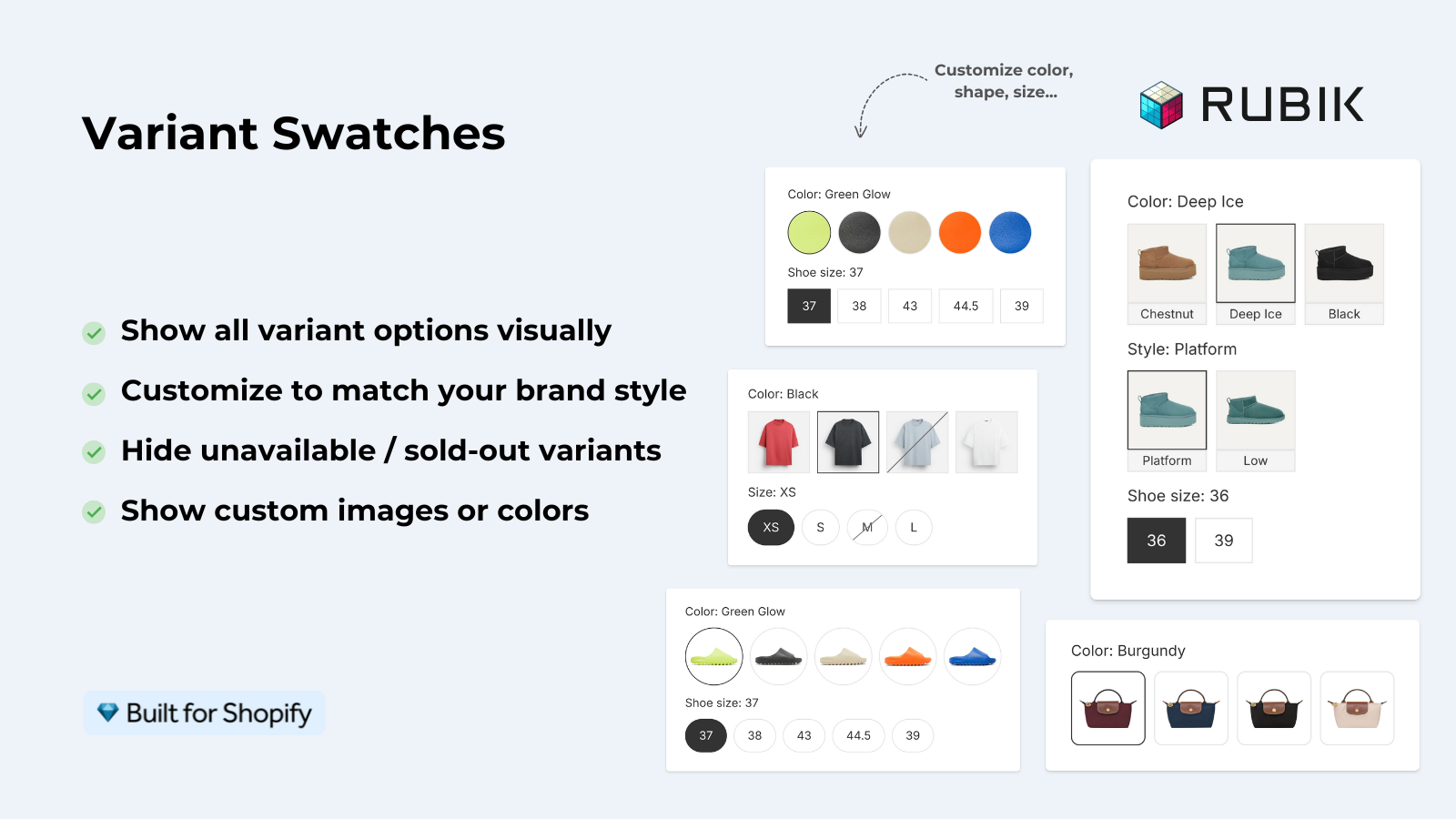
The variant gallery filtering is the one most apparel merchants miss. If your t-shirt comes in Black, White, Navy, and Olive, and your gallery shows the same 5 photos regardless of which color is picked, you are confusing customers. Picking “Olive” should show olive photos. Period. Rubik Variant Images is the easiest way to add this if your theme does not.
Promo banner stack and incentives
The top of every Gymshark page rotates a stack of promotional banners. From visit to visit you see:
- 12% student discount (verified through a third-party gating provider)
- Free shipping on orders over $75
- $10 referral reward (give and get model)
- 10% newsletter signup discount
Notice the structure: each banner targets a different acquisition channel. Students discover Gymshark through campus marketing, so the student discount is permanent. Free shipping is universal but threshold-based to lift average order value. The referral and newsletter discounts are on-site acquisition tools.
Most stores run one banner. The lesson: rotate banners by audience and channel intent, not by season alone.
Loyalty, app, and community
Gymshark Loyalty and the Gymshark 66 Challenge get prominent homepage placement. The mobile app is promoted as the way to access exclusive drops, member content, and in-app loyalty rewards.
Why does the app matter for a Shopify breakdown? Because the app is the retention layer that the storefront cannot replicate. Web sessions are transactional. App sessions are habitual. Customers open the Gymshark app to browse drops, log workouts, see their loyalty status. That is repeat-purchase fuel that most Shopify brands skip because they think app development is too expensive.
For the average store, an app is overkill. But the loyalty program is not. A simple points-and-tier loyalty system through Smile.io, Yotpo, or LoyaltyLion gives you a meaningful slice of the same retention dynamic without the app build. We list more apparel-relevant apps in best Shopify apps for apparel stores.
International store selector and Markets
Gymshark serves over 130 countries through a single Shopify Plus storefront with regional pricing and currency. The store selector lets customers switch between regional storefronts. This is Shopify Markets territory.
The pattern most merchants get wrong: they spin up a separate Shopify store per market (different login, different inventory, different SEO). Gymshark uses one store with Markets handling the regional layer. SEO accumulates on one domain. Inventory consolidates. Operations scale.
If you sell internationally and you are running multiple Shopify stores, the migration to Markets is one of the highest-impact changes you can make. Plus is required for the full feature set, but the consolidation pays for itself within the first year of cross-border revenue.
Takeaways for Shopify merchants
If you sell apparel, accessories, or any high-variant product, here are the patterns from Gymshark that you can copy regardless of your store size:
- Show color swatches on collection page product cards (not just the product page).
- Filter the product gallery by selected variant. Picking “Olive” shows olive photos.
- Add activity-based or use-case-based navigation alongside category navigation.
- Run multiple promo banners targeted to different acquisition channels.
- Place a sticky add-to-cart on mobile product pages. Always.
- Show real review counts and ratings, not curated 5-star walls.
- Cross-sell after add-to-cart, not before.
- Use one Shopify store with Markets for international, not multiple stores.
- Add a loyalty program. Even a simple one beats none.
Where Rubik apps fit for apparel stores
Two patterns from Gymshark map directly to our apps. Variant gallery filtering on the product page is what Rubik Variant Images does. Collection page color swatches with image switch on hover is what Rubik Combined Listings does. Both apps work on every Shopify theme including Horizon, Dawn, Impulse, Prestige, Impact, Atelier, and the rest of the Shopify Plus theme catalog.
If you sell apparel and your collection pages still show one image per product, you are leaving conversions on the floor. Try the apps free, see the difference on your own catalog within a day. We documented the apparel-specific setup in Shopify fashion variant images guide.
“Hands Down the best customer support of all the variation/swatch apps I have used till date. The app does everything. From individual variant gallery to really detailed customizable swatch’s. All in a single app. Originally we used to use two different apps so this is so much more cost efficient for us.”
Bellissima Covers, India, on the Shopify App Store. Read more Rubik Variant Images reviews.
See the Rubik Variant Images live demo, watch the demo walkthrough, or read the getting started guide.
Frequently asked questions
What Shopify theme does Gymshark use?
Gymshark uses a custom Shopify Plus theme, not an off-the-shelf template from the Shopify Theme Store. Theme detection tools classify it as bespoke. At Gymshark’s scale this is normal, custom themes give Shopify Plus brands the structural flexibility off-the-shelf themes do not.
Is Gymshark on Shopify Plus?
Yes. Gymshark runs on Shopify Plus, with multi-region storefronts powered by Shopify Markets and a custom theme. They have been a public Shopify Plus reference for years.
How does Gymshark show color swatches on collection pages?
Each product card on the collection page displays available colors as small clickable swatches under the product image. Hover or tap a swatch and the card image swaps to the selected color. This is custom-built on top of their theme. Most Shopify stores get the same effect with an app like Rubik Combined Listings.
What apps does Gymshark use?
Gymshark’s app stack is not fully public. Visible features suggest a review platform (likely Yotpo or Okendo), a loyalty system (Gymshark Loyalty is custom-built but follows the same playbook as Smile.io and LoyaltyLion), Klaviyo for email/SMS, and an analytics layer typical of Plus brands. Their mobile app is custom.
Can a small store copy Gymshark’s tactics?
Most of them, yes. Collection-page swatches, variant gallery filtering, multiple promo banners, sticky mobile add-to-cart, activity-based navigation, real review ratings, and cross-sell-after-add-to-cart are all achievable on a non-Plus store with off-the-shelf apps. The mobile app and full multi-region Markets setup are Plus-tier moves.
How does Gymshark handle international shoppers?
One Shopify Plus store with Shopify Markets handling regional pricing, currency, and language. The store selector at the bottom of the page lets shoppers switch regions. SEO consolidates on one domain instead of fragmenting across multiple country stores.
Related reading

Umid
Co-Founder at Craftshift