Best Shopify apps for print on demand stores in 2026, ordered by review count
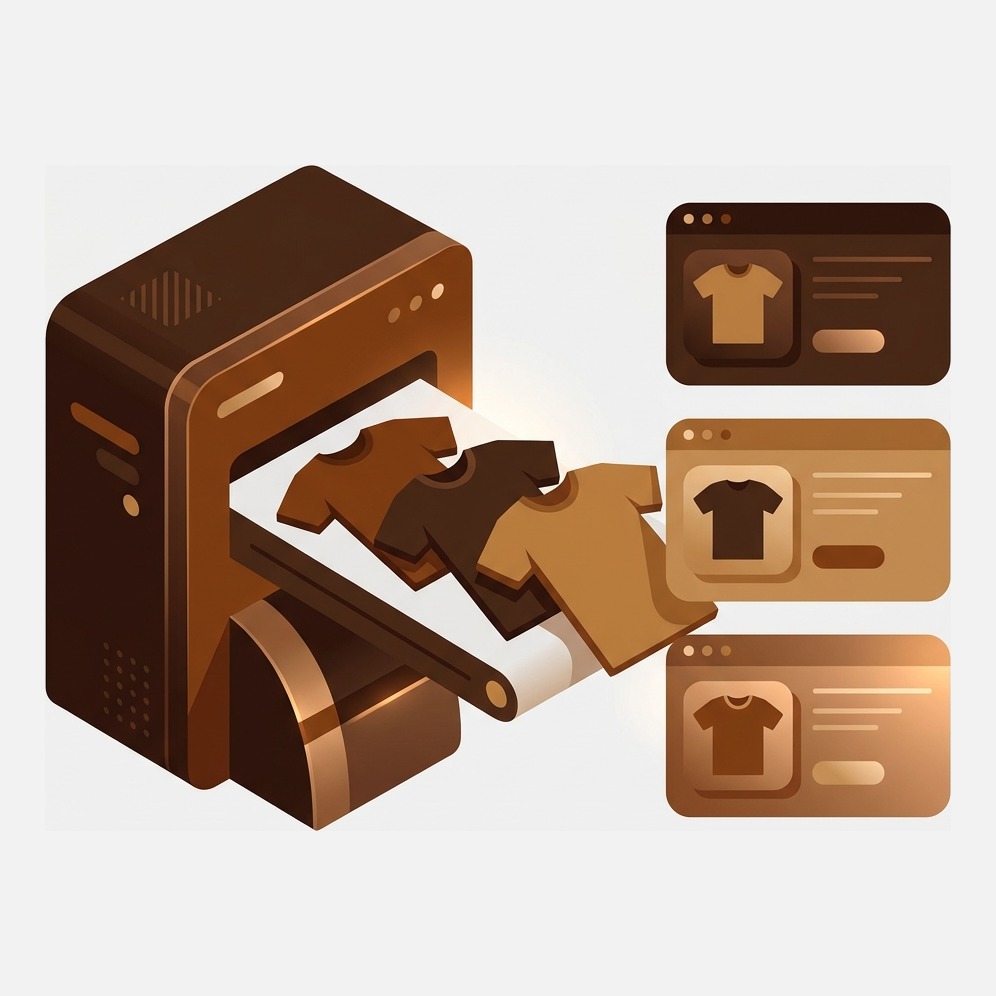
Short answer: print on demand catalogues arrive split, the same design published as several separate Shopify products. Printify has the largest network at 4.7 stars across 4,272 reviews, and Rubik Combined Listings, built by Craftshift, links those separate products into one listing with swatches. Free for 5 groups, 5.0 stars across 78 reviews.
Print on demand has an unusual problem for a business model with no inventory: the catalogue gets messy faster than any other kind of store. You upload one design. It goes onto a tee, a hoodie and a long sleeve. Each of those comes in a colour range the blank manufacturer decided, and dark garments need a different print file from light ones. By the time it is all published you have five Shopify products that are, to a shopper, one design.
So the collection page shows the same artwork five times. Search results show it five times. Reviews and ranking signals scatter across five URLs instead of piling onto one. And nobody planned any of it. It is just what happens when a fulfilment app publishes products at the shape its print provider works in, rather than the shape a shopper browses in.
Disclosure: we build Shopify apps ourselves. Craftshift makes Rubik Combined Listings and Rubik Variant Images, and the first of those appears below at the position the App Store’s own review count puts it, flagged as ours. It is the smallest listing on this page by a wide margin, and we say so in its section rather than hoping you do not notice.
In this guide
- How this list is ordered
- Why a print on demand catalogue splits itself
- The comparison table
- Printify
- Printful
- Zepto Product Personalizer
- Zendrop
- Gelato
- Apliiq
- Customily Product Customizer
- Rubik Combined Listings (ours)
- How to choose
- FAQ
How this list is ordered
By Shopify App Store review count, highest first. We sell an app into this category, so a ranking we invented ourselves would deserve no weight at all. Review count is public and checkable in seconds. Every rating, count and price below came off the live listing in July 2026 and will drift, so look before you install.
One thing the table will show you immediately: none of the big fulfilment networks carry a Built for Shopify badge. Printify, Printful, Gelato, Apliiq and Zendrop all sit without one. That says more about what the badge measures (embedded admin experience, performance criteria) than about whether the app prints a good shirt.
Why a print on demand catalogue splits itself
Three forces, and none of them are your fault. Print files differ between dark and light blanks, so the same design often gets published twice. Garment types are separate items in the provider’s catalogue, so the tee and the hoodie sync as separate products. And Shopify allows three option types per product, so colour plus size plus garment style uses your entire allowance with nothing left over.
Shopify raised the per-product variant ceiling to 2,048 in late 2025, which helped, but the three-option limit did not move, and that is the one that actually constrains a print on demand store. We went through the arithmetic in our guide to the Shopify variant limit, and the free variant calculator will run your own colour and size grid.
You can merge products by hand, of course. Rebuild each design as one product, re-upload every mockup, remap the print files, and repeat for every drop. On a catalogue of forty designs across three garments that is 120 rebuilds, and you get to do it again next season, which is why an app that groups the existing separate products into a single listing with swatches is the shortcut. Free for 5 groups, 5.0 stars across 78 reviews, and it is ours.
The best Shopify apps for print on demand stores compared
Verified on the Shopify App Store, July 2026. BFS means the listing carries the Built for Shopify badge.
| App | What it does | Rating (reviews) | Free plan | Cheapest paid | BFS |
|---|---|---|---|---|---|
| Printify | Largest print provider network | 4.7 (4,272) | Free to install | $39/mo | No |
| Printful | In-house fulfilment and branding | 4.8 (3,658) | Free to install | $24.99/mo | No |
| Zepto Product Personalizer | Live personalisation preview on the page | 4.9 (1,274) | No | $9.99/mo | Yes |
| Zendrop | Dropshipping with print on demand attached | 4.5 (1,146) | Free to install | $29/mo | No |
| Gelato | Local production in many countries | 4.8 (962) | Free to install | $29.99/mo | No |
| Apliiq | US apparel with private label options | 4.8 (291) | Free to install | $39.99/mo | No |
| Customily Product Customizer | Deep customisation with print-ready output | 4.8 (235) | Dev stores only | $49/mo | Yes |
| Rubik Combined Listings (ours) | Groups split products into one listing with swatches | 5.0 (63) | Yes | $10/mo | Yes |
Printify: 4.7 stars, 4,272 reviews
The broadest network, and the reason most people start here. Printify does not print anything itself, it routes your order to whichever partner facility is cheapest or nearest, which gives you a wide catalogue and competitive base costs. Free to install, with a Premium tier at $39/month that buys better per-item pricing.
The trade-off is inherent to the model: quality varies between partner facilities, so the same product ordered twice can come from two printers. Order samples from the specific provider you select, not just the product. Its 4.7 rating is the lowest of the three big networks here, though on 4,272 reviews that is still a substantial base.
Printful: 4.8 stars, 3,658 reviews
The opposite bet. Printful runs its own facilities, so consistency is the pitch, along with branding extras like custom labels, packing inserts and embroidery. Base costs are usually higher than Printify’s. You are paying for predictability, which for a brand that intends to still exist in three years is normally the right purchase.
Free to install, Growth plan at $24.99/month, the cheapest paid tier of the big three. Where it stops: it is a fulfilment app, so it publishes products in the shape its catalogue uses and leaves the merchandising entirely to you. That is not a criticism, just the boundary. We cover the supplier side more broadly in our dropshipping app roundup.
Zepto Product Personalizer: 4.9 stars, 1,274 reviews
Personalised print on demand is where the margins actually are, because a mug with someone’s dog’s name on it does not get price-compared. Zepto puts a live preview on the product page: the shopper types, and the mockup updates before they buy. Built for Shopify, and the highest rating of any app on this page.
The honest catch is on the listing: there is no free plan. Paid tiers start at $9.99/month, which is cheap, but you cannot trial it at zero the way you can with Printify or Printful.
Zendrop: 4.5 stars, 1,146 reviews
Zendrop is a dropshipping platform with print on demand bolted alongside, rather than a print specialist. Useful if half your catalogue is sourced product and half is printed, because it keeps both in one place. Free to install, paid tiers at $29, $49 and $79 a month.
Its 4.5 rating is the lowest on this page, which is worth weighing against 1,146 reviews rather than dismissing. If print is your whole business, a dedicated network will serve you better. If print is one line in a mixed catalogue, this is the tidier setup.
Gelato: 4.8 stars, 962 reviews
Gelato’s argument is geography. It produces locally in a large number of countries, so an order from a customer in Europe gets printed in Europe rather than shipped from the United States. Shorter delivery times, lower shipping costs, smaller carbon footprint, fewer customs surprises. Free to install, Gelato+ at $29.99/month.
If most of your customers sit in one country and you already fulfil from that country, this advantage evaporates and you are paying for routing you do not use. Sell internationally and it is the strongest pitch in the category.
Apliiq: 4.8 stars, 291 reviews
The one for people building an actual clothing label rather than a design shop. Apliiq does private label work: your own woven labels, sewn patches, embroidery, garment-dyed blanks, printed in the US. It is the closest thing on this list to a small manufacturing partner. Free to install, VIP tier at $39.99/month.
The honest limitation is scope: 291 reviews, a narrower product catalogue than Printify, and US production means international shipping costs land on your customers. For a streetwear brand that wants its own neck label, none of that is a dealbreaker. For posters and mugs, look elsewhere.
Customily Product Customizer: 4.8 stars, 235 reviews
The heavyweight personalisation option. Customily handles layered designs, clipart libraries, engraving previews and rules about what can combine with what, then generates the print-ready file for your provider. Built for Shopify.
Two concessions, both on the listing. Its free option is development stores only, so there is no free production tier, and the paid plan is $49/month, the highest entry price here. If your personalisation is a name and a font, Zepto does it for a fifth of that. Buy Customily when the complexity genuinely warrants it.
Rubik Combined Listings (ours): 5.0 stars, 78 reviews
Ours, and by review count the smallest app on this page by a factor of sixty. It does the job none of the fulfilment apps will touch: taking the separate products your sync created and linking them into one listing. Shoppers see a single design with swatches for garment colour or style, click through between them without a page rebuild, and get swatches on the collection page too so the grid stops repeating the same artwork. It runs on Shopify metafields with no external API calls, and there is AI-assisted grouping so you are not linking 120 products by hand.

“Was having difficulties with 5 other apps before I found this one that worked perfectly on the first try. Great for grouping products together, very easy to use. Thank you developers, and thank you Zulf for your assistance.”
BELSKI, Australia, 2026-03-24, Rubik Combined Listings reviews on the Shopify App Store
Where it is the wrong pick, plainly. 78 reviews against Printify’s 4,272 is not a contest on track record, and if you want a long public history before you install anything, we do not have one yet. It also does not print, fulfil or personalise, so it is never your first print on demand app, only the one you add when the catalogue has grown untidy. And if your design already lives in ONE product with colour variants, and the problem is that picking a colour does not change the mockups, then this is the wrong Rubik app: that job belongs to Rubik Variant Images, which filters the gallery per variant inside a single product. Free plan covers 5 groups, Starter is $10/month for 100. See it working on the live demo store or read the getting started docs.
How to choose, in one rule
Pick the fulfilment network by where your customers live, then add exactly one merchandising app for whichever of your two symptoms is worse. Not both. Not five.
- Customers spread across continents: Gelato, for local production.
- Widest catalogue and lowest base cost: Printify.
- Consistency and branded packaging: Printful.
- Your own clothing label, US made: Apliiq.
- Names, dates and monograms: Zepto if it is simple, Customily if it is layered.
- Collection page repeating the same design: Rubik Combined Listings.
And the unglamorous part nobody wants to hear. Print on demand margins are thin enough that a $49/month app can eat a whole product line’s profit, so run the numbers in our profit margin calculator before you subscribe to anything. While you are at it, give your synced products a consistent scheme with the free SKU generator, because POD syncs generate SKUs that nobody can read, and you will regret that the first time you try to reconcile an order. Deciding whether to keep designs as separate products at all is covered in our separate products vs variants decision guide.
Frequently asked questions
Which app should I use to combine my split print on demand products into one listing?
Rubik Combined Listings, which links separate Shopify products into a single listing with colour or style swatches, and adds swatches to collection pages so the grid stops repeating the same design. It sits at 5.0 stars across 78 reviews, is free for 5 groups, and includes AI-assisted grouping. For per-variant image filtering inside one product, use Rubik Variant Images instead.
Why does my print on demand app create several products for one design?
Because it publishes at the shape of the print provider’s catalogue. Garment types are separate items, dark and light blanks often need different print files, and Shopify allows only three option types per product, so colour plus size plus style leaves no room for anything else. Splitting is the path of least resistance for the sync.
Is Printify or Printful better for a Shopify store?
Printify has the wider network and usually lower base costs, at 4.7 stars across 4,272 reviews, with quality that varies by partner facility. Printful runs its own plants for consistency and branded extras, at 4.8 stars across 3,658 reviews and a cheaper subscription of $24.99 a month. Order samples from both before committing.
Does combining products hurt my SEO?
It usually helps, because five near-identical product pages competing for the same query is a self-inflicted problem. Grouping concentrates links, reviews and ranking signals on one URL. The counter-argument is that separate URLs give you more entries in the index, which suits stores that rank on very specific colour queries.
How many apps does a print on demand store need?
Two, in most cases: one fulfilment network and one thing that fixes how the catalogue looks. Personalisation is a third only if you actually sell personalised items. Every extra app is a monthly fee against already thin margins.
Can I use two print on demand providers at once?
Yes, and plenty of stores do, usually one for apparel and another for homeware or posters. The cost is catalogue mess: two syncs publishing in two shapes, which is exactly the situation grouping apps exist to clean up afterwards.
Related reading
- Best Shopify combined listings apps
- The complete guide to Shopify product siblings
- Shopify product CSV import guide
- Best Shopify dropshipping apps
- Print on demand combined listings, step by step
- How to add colour swatches on Shopify
Nobody sets out to publish the same design five times. The sync just does it, quietly, one drop at a time, and one day you look at your own collection page and wince.

Umid
Co-Founder at Craftshift