Shopify product siblings: the complete 2026 guide (themes, metafields, SEO)
Shopify product siblings are separate Shopify products that share a conceptual relationship (same item, different colors or materials), linked together on the storefront with swatches so customers can switch between them as if they were variants of one product. Each sibling has its own URL, title, image set, price, and inventory. The term comes from premium Shopify themes. Shopify’s platform itself has no native “siblings” feature.
About 30+ premium themes from 9 different theme studios ship native sibling support, each with its own metafield namespace and setup workflow. Fluorescent calls them “siblings”. Maestrooo calls them “linked products”. Roar calls them “product variations”. The behavior is similar. The plumbing is incompatible across themes. Switch from Stiletto to Prestige and your sibling setup becomes useless until you migrate every metafield.
This guide is the most thorough resource on product siblings we know of. It covers what they actually are, the exact metafield names every major premium theme expects, the SEO mechanics, the decision tree for picking siblings vs variants vs combined listings, and the universal app-based alternative that works on any theme. Run your catalog through the free Variant Combination Calculator first if you are unsure how many sibling groups you would need.
In this post
- What are Shopify product siblings?
- Terminology landscape: siblings, linked, variations, combined
- Why merchants want siblings instead of variants
- Decision tree: variants vs siblings vs combined listings
- Theme reference: who uses the term, with exact metafield names
- How sibling metafields work under the hood
- The hidden costs of theme-level siblings
- SEO mechanics: URLs, schema, hreflang, indexing
- The three paths to set up siblings
- Migrating variants to siblings: when, why, how
- How to evaluate a Combined Listings app
- Common pitfalls and how to avoid them
- Frequently asked questions
- Related reading
What are Shopify product siblings?
A product sibling is a separate Shopify product that belongs to the same conceptual group as one or more other products, linked at the theme or app layer with swatches that route between them. The word “sibling” is borrowed from family terminology: same parent (the conceptual product), different children (each Shopify product). Themes use it to describe products that look like variants on the storefront but live as independent products in admin.
A concrete example. You sell a linen shirt in 5 colors. With variants, you have one Shopify product with one URL: /products/linen-shirt. With siblings, you have 5 Shopify products: /products/linen-shirt-olive, /products/linen-shirt-charcoal, and so on. Each sibling has its own product page, its own SEO title, its own image set. Customers see a row of color swatches at the bottom of the page. Click Charcoal on the Olive page, you land on the Charcoal page.
That is the core difference. Variants share one product page. Siblings each have their own. From a search engine’s perspective, siblings are five distinct documents. From a customer’s perspective, they look like one product with five color options.
Terminology landscape: siblings, linked, variations, combined
The same concept goes by many names depending on who is talking.
| Term | Used by | What it means |
|---|---|---|
| Product siblings | Most premium theme studios | Separate products linked via theme metafields |
| Linked products | Maestrooo (Prestige) | Same as siblings, different name |
| Product variations | Roar Themes (Concept) | Same as siblings, theme-specific naming |
| Combined listings | Shopify Plus (native) | Platform-level sibling grouping with a master product |
| Product family | Generic / B2B context | Loose grouping, often used in PIM systems |
| Grouped products | WooCommerce / generic | Similar concept, different platform terminology |
| Variants | Shopify (native) | Different. One product with internal options, not separate products |
Critical distinction: variants are not siblings. Variants live inside one product. Siblings are separate products that look connected on the storefront. We covered the deep trade-off in the separate products vs variants SEO decision guide.
Why merchants want siblings instead of variants
Six concrete reasons we hear when merchants ask us to help them migrate.
- SEO per color. “Olive linen shirt” and “Charcoal linen shirt” rank as separate pages in Google, with separate titles, separate alt text, separate meta descriptions, separate Google Shopping feeds. Variants force one page to rank for all color queries.
- Bypassing the 100-variant limit. Shopify caps you at 100 variants per product (2,048 with native Combined Listings on Plus). Sock stores, paint stores, and luxury accessory stores hit this fast. Siblings remove the ceiling without Plus.
- Different content per color. Material descriptions, sizing notes, care instructions can vary by color or material. Silk vs linen care is different. Vegan leather vs full grain has different aging notes. Siblings let each product have its own copy.
- Different price per color. Limited edition colors, seasonal exclusives, premium materials at higher price points. Siblings handle this naturally. Variants force compare-at-price gymnastics.
- Inventory and reporting clarity. Each sibling shows up cleanly in inventory, sales reports, and analytics dashboards. Variant-level reporting is messier in many third-party tools.
- Independent merchandising. Run a sale on Olive but not Charcoal. Promote one color in your homepage carousel. Tag siblings differently for ad campaigns. Variants share most of these properties.
For most apparel, accessories, home goods, and cosmetics merchants, the SEO and merchandising flexibility justify siblings over variants once your catalog grows past about 50 SKUs.
Decision tree: variants vs siblings vs combined listings
The right pick depends on plan, theme, and catalog. Walk this tree top to bottom.
- Are you on Shopify Plus and need official platform support? Use native Combined Listings.
- Do colors share content, pricing, and customer journey almost entirely? Use variants. Simpler, fewer URLs, fewer maintenance points.
- Are you under 100 variants per product, on any plan, with a free theme? Variants are usually the right call unless SEO per color is a real priority.
- Are you under 100 variants but on a premium theme that supports siblings, and SEO per color matters? Theme-native siblings work, but commit to the theme.
- Are you over 100 variants, on any plan, want SEO per color, and want collection page swatches? Use a Combined Listings app.
- Are you about to migrate themes or run multiple stores on different themes? App-based siblings every time. Theme-based siblings will burn you on migration.
Most merchants we consult with land on app-based siblings because the catalog grows past the theme-native sweet spot within a year or two. Theme-native is fine for stable, focused catalogs. App-based is the safer bet for stores that plan to grow.
Theme reference: who uses the term, with exact metafield names
This is the part most guides skip. Below is the exact metafield reference for every major theme studio that ships native sibling support, verified against each studio’s official documentation as of April 2026.
| Theme studio (themes) | Their term | Metafield 1 | Metafield 2 | Metafield 3 |
|---|---|---|---|---|
| Fluorescent (Stiletto, Spark) | Sibling product swatches | stiletto.siblings_collection (Collection ref) | stiletto.sibling_option_name (Text) | None |
| Maestrooo (Prestige) | Linked products / variations | custom.variation_value (Text) | custom.variation_products (List of products) | None |
| Groupthought (Pipeline, Story) | Product siblings | Sibling collection (Collection ref) | Sibling color/option (Text) | None |
| Presidio Creative (Broadcast) | Product siblings | Sibling collection (Collection ref) | Sibling option (Text) | None |
| Roar Themes (Concept, Be Yours, Honey) | Sibling products / variations | sibling.color (Text) | Configured per theme block | None |
| Omni Themes (Eurus, Maximize, Pebble) | Product siblings | custom.sibling_type (Text) | custom.sibling_collection_handle (Text) | None |
| Archer Themes (Honey 5.0+) | Siblings product | theme.sibling_collection_handle (Text) | theme.sibling_option_name (Text list) | theme.sibling_option_value (Text) |
| Fuel Themes | Product siblings | Custom sibling collection | Custom sibling option | None |
| Jhango | Product siblings | Theme-specific metafield | Theme-specific metafield | None |
Three things stand out from that table.
- No standard. Every theme studio invented its own naming convention. There is no Shopify-platform “siblings” metafield namespace that themes share.
- Different storage shapes. Some store sibling membership as a Collection reference (Fluorescent, Pipeline). Some use a list-of-products reference (Maestrooo). Some use a Collection handle string (Omni, Archer). Migration between these shapes is tedious.
- Archer needs three metafields, not two. Most themes use two; Archer’s Honey 5.0 splits the option into name and value, requiring an extra metafield definition.
How sibling metafields work under the hood
Under the hood, theme-native siblings always boil down to the same pattern, regardless of metafield naming.
- Each sibling product carries an identifying metafield value. The visible swatch label or color name. “Olive”, “Charcoal”, “#5C3317”.
- Each sibling carries a reference to the group. Either a Collection that contains all the siblings (most themes) or a direct List-of-Products reference (Maestrooo). The reference defines membership.
- The theme’s product page template reads both metafields. When rendering a sibling product, the theme queries the group reference, fetches all sibling products, and reads each one’s identifier metafield to render swatch labels.
- Each swatch links to the corresponding sibling product page. Click Charcoal on the Olive page, the link is the Charcoal product’s URL.
That is the entire system. Theme-native siblings are a Liquid query plus two metafields plus a hidden collection. The technical depth is shallow. The pain is operational: setting it up correctly across hundreds of products, keeping metafields in sync, and surviving theme switches.
App-based combined listings work differently. Sibling membership lives in app-managed metaobjects (a Shopify primitive that’s like a structured metafield with relationships). Apps generally render the swatches inside a Shadow DOM-isolated component injected as an app block, not via theme Liquid. The benefit is theme independence. The trade-off is that the app must be installed for the swatches to render at all.
The hidden costs of theme-level siblings
Theme-native siblings work. They cost more than the documentation lets on.
Cost 1: Theme lock-in
Switch from Stiletto to Prestige and your stiletto.siblings_collection metafields become useless. Prestige expects custom.variation_products. The metafield namespaces don’t match. Your sibling links break across the entire catalog the moment the theme changes. For a 200-product catalog, migration is days of admin work, often requiring a CSV export, a script to remap fields, and a CSV import.
Cost 2: Manual per-product setup
Most premium themes don’t ship a bulk sibling-grouping tool. You go product by product. Pick the collection, type the option value, save. For a 200-product catalog with 5 sibling colors each, that is 1,000 metafield entries by hand. There is no AI to do it for you. There is no auto-detection from product titles. There is no metafield import shortcut beyond a generic CSV.
Cost 3: Usually no collection page swatches
Maestrooo’s documentation states this directly: with linked products, “showing swatches in collection pages won’t be possible”. Most other theme implementations have the same limit. Customers see siblings only on product pages. On the collection grid, all five colors look like five unconnected products. The merchandising story breaks.
Cost 4: Theme update fragility
Premium themes occasionally update their metafield namespaces between major versions. The 2024 release of Stiletto used different keys than the 2026 release. When you update the theme, swatches sometimes vanish until you migrate the metafield definitions. Theme studios usually publish migration guides, but the work falls on you.
Cost 5: Multi-store overhead
If you run a parent brand and a sub-brand on different themes, each store needs its own metafield setup. No reuse. Often each metafield definition has to be created in each store separately, since metafield definitions are not portable across Shopify stores out of the box.
Cost 6: Stale data drift
When a sibling product is archived, deleted, or has its handle changed, the metafield reference can go stale. Themes don’t auto-clean these. You end up with broken sibling swatches pointing at missing products until someone notices and patches the affected metafields manually.
SEO mechanics: URLs, schema, hreflang, indexing
The SEO upside of siblings is the strongest reason to choose them over variants. The mechanics are worth understanding in detail.
URL structure
Each sibling has its own product URL. The Olive linen shirt lives at /products/linen-shirt-olive, the Charcoal at /products/linen-shirt-charcoal. Both are independently indexable. Both have their own canonical, their own meta robots, their own rich result eligibility.
Variants share /products/linen-shirt with query parameters like ?variant=12345. Google generally treats these as the same URL for indexing. The variant query parameter is not a separate document in the index. So one variant page = one indexable URL = one chance to rank.
Title tags and meta descriptions
Each sibling has its own title tag and meta description. “Olive Linen Shirt | Brand” beats “Linen Shirt (Multiple Colors) | Brand” for the color-specific search. You can also write color-specific meta descriptions that emphasize the styling notes for that particular color.
Images and alt text
Each sibling has its own image set, each with its own alt text. “Olive linen shirt on model” indexes for “Olive linen shirt” image search. Variant alt text usually doesn’t differentiate well. Run your store through the free Image Audit Tool to see how your alt text currently looks across product variants.
Structured data (Schema.org)
Shopify auto-generates Product schema for each product page. With siblings, you get five distinct Product schemas with five distinct prices, availability values, image URLs, and offer counts. With variants, you typically get one Product schema with an Offer per variant, which is more verbose but harder for search engines to differentiate at the rich-result level.
Generate clean per-sibling structured data with the free JSON-LD Schema Generator if you need to override Shopify’s default in any specific way.
Hreflang and multi-language
Each sibling product has its own hreflang fan-out for translated stores. So Olive Linen Shirt has hreflang to Olijfgroen Linnen Shirt (Dutch), Hemd Lin Olive (German), and so on. Variants share one hreflang set. For multi-market stores, siblings give cleaner per-color international SEO.
Crawl budget and indexing
Five sibling products = five URLs Google has to crawl. For most catalogs under 10,000 SKUs, crawl budget is not a constraint. For very large catalogs, sibling proliferation can stress crawl budget. Mitigate by using a clean sitemap that lists all sibling URLs, internal links between siblings (which the sibling swatches automatically provide), and consistent canonical tags.
The thin content trap
Siblings only help SEO if each URL has unique content. If your sibling products all share identical descriptions and only differ by a color name, Google may flag thin content or duplicate content. Each sibling needs at least slightly different copy, ideally color-specific lifestyle imagery, styling notes, and meta descriptions. The 80/20 fix: write a 100-word “how it wears in [Color]” paragraph for each sibling that varies meaningfully.
The three paths to set up siblings
Path 1: Theme-native siblings
Use your premium theme’s built-in implementation. Configure the metafields per the theme’s documentation. Best for stores already committed to a single premium theme with a stable catalog under 100 products and willing to handle metafield work manually.
Cost: Premium theme price ($280-$380 one-time) plus your time to set up metafields per product.
Path 2: Shopify Plus Combined Listings
Shopify’s native Combined Listings feature, available only on Plus. Creates a master product that aggregates the sibling group with platform-level support. The official, supported path for Plus stores.
Cost: Shopify Plus subscription, $2,300+ per year. Plus admin time to set up the master products.
Path 3: Combined Listings app
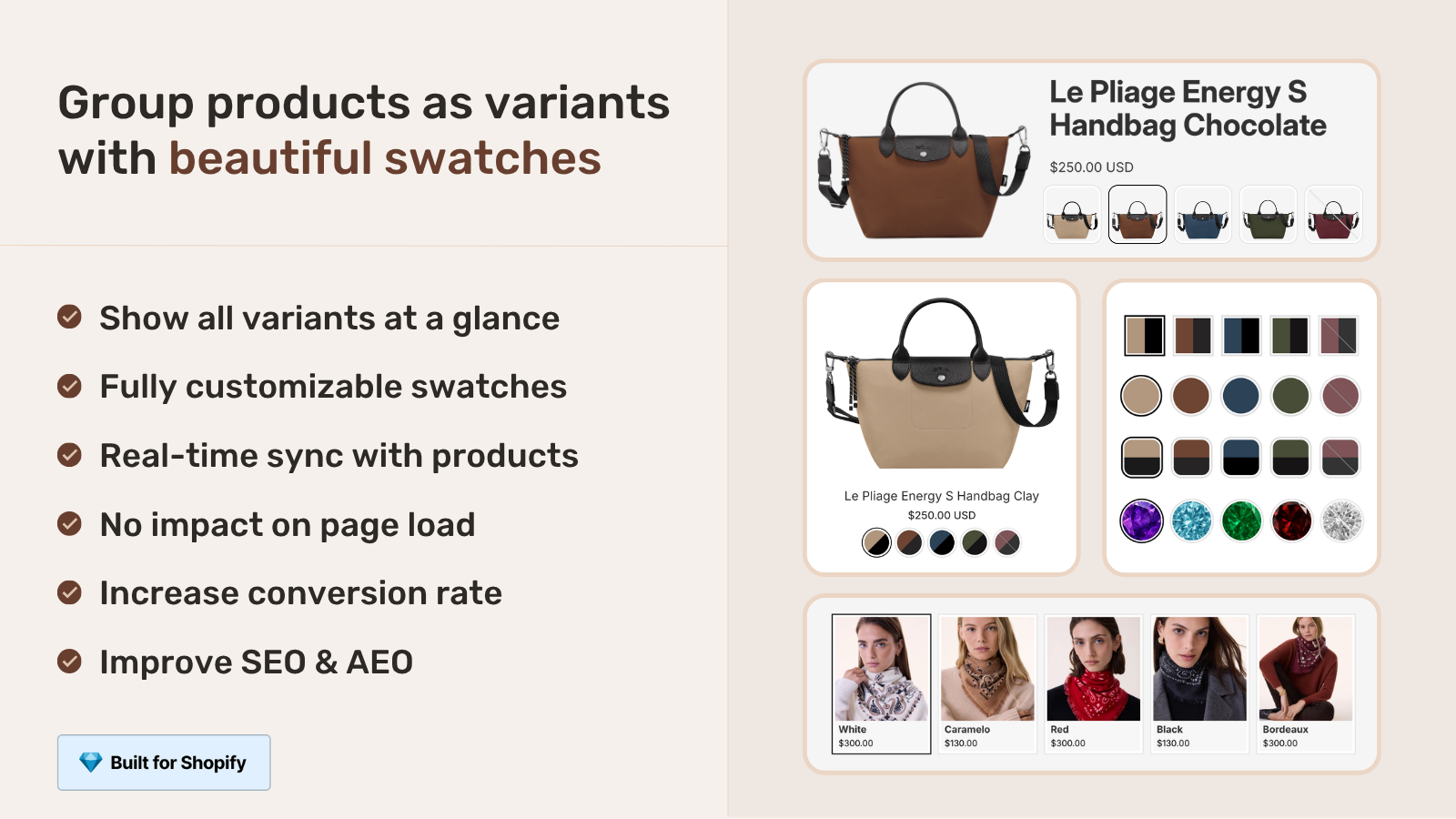
Install an app like Rubik Combined Listings that handles sibling grouping at the app layer. Theme-agnostic. Works on free themes (Dawn, Horizon, Studio, Sense) AND premium themes (Stiletto, Prestige, Pipeline, Concept). Survives theme switches without metafield migration.
Cost: Free for 5 groups, then $10-$50/month based on group count. Flat pricing, not Shopify-plan-based.
Rubik Combined Listings covers the broader RCL story if you want the full feature breakdown. Other Combined Listings apps in this category include G: Combined Listings, SA Variants, LinkedOption, GLO, Platmart, and groupmate. We compared them in the 2026 Combined Listings app comparison.
Migrating variants to siblings: when, why, how
If you currently use variants and you want to switch to siblings, the migration is real work. Here is the cleanest path.
- Decide which products actually benefit. Not every variant-based product should become siblings. Run your top-traffic products through GSC and identify which colors get distinct search volume. Those are the candidates.
- Export your current variant catalog. Use Shopify’s CSV export. The Color column becomes the basis for splitting.
- Plan your URL structure. Decide on a slug pattern (
linen-shirt-olivevsolive-linen-shirt). Be consistent across siblings. - Set up 301 redirects from old variant URLs to new sibling URLs. Critical for SEO equity preservation. Without this, you lose any backlinks pointing at the variant URLs. The free Shopify Redirect Generator can build the bulk redirect list.
- Create the new sibling products via CSV import. One row per sibling. Distribute inventory by color from the old variant inventory.
- Set up siblings linking. Either via theme metafields or via a Combined Listings app. App is faster for bulk migration.
- Delete the old variant-based product. Keep the redirect active. Verify no broken links.
- Submit the new sitemap to Google Search Console. Watch indexing. Most stores see siblings indexed within 2-4 weeks.
Migration is a 2-week project for a 100-product catalog if you have decent CSV skills. A 1-2 month project if you’re doing it as a side task while running the store.
How to evaluate a Combined Listings app
If you go the app path, six features separate a real Combined Listings app from a half-baked one.
- Theme independence. Works on free and premium themes equally. No theme metafield dependency.
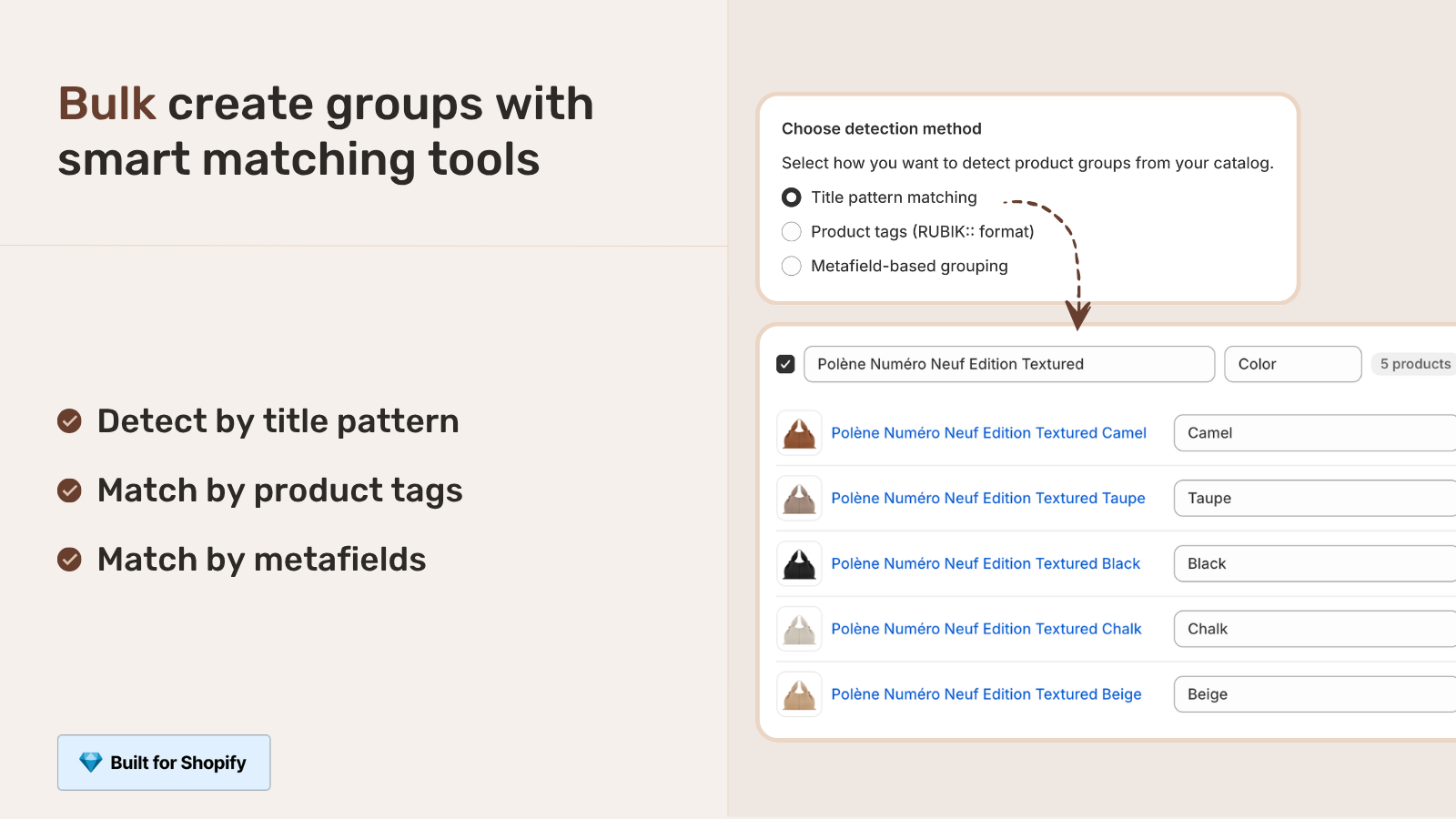
- Bulk grouping. Detects sibling groups automatically from title patterns, tags, or metafield values. Critical for catalogs over 100 products.
- Collection page swatches. Renders sibling swatches under collection cards, not just on product pages. The merchandising story breaks otherwise.
- AI color detection. Reads each product image and assigns swatch colors automatically. Saves hours on large catalogs.
- Shadow DOM rendering. CSS isolation. Theme styles don’t leak into the swatch, app styles don’t leak out. Theme updates don’t break the swatches.
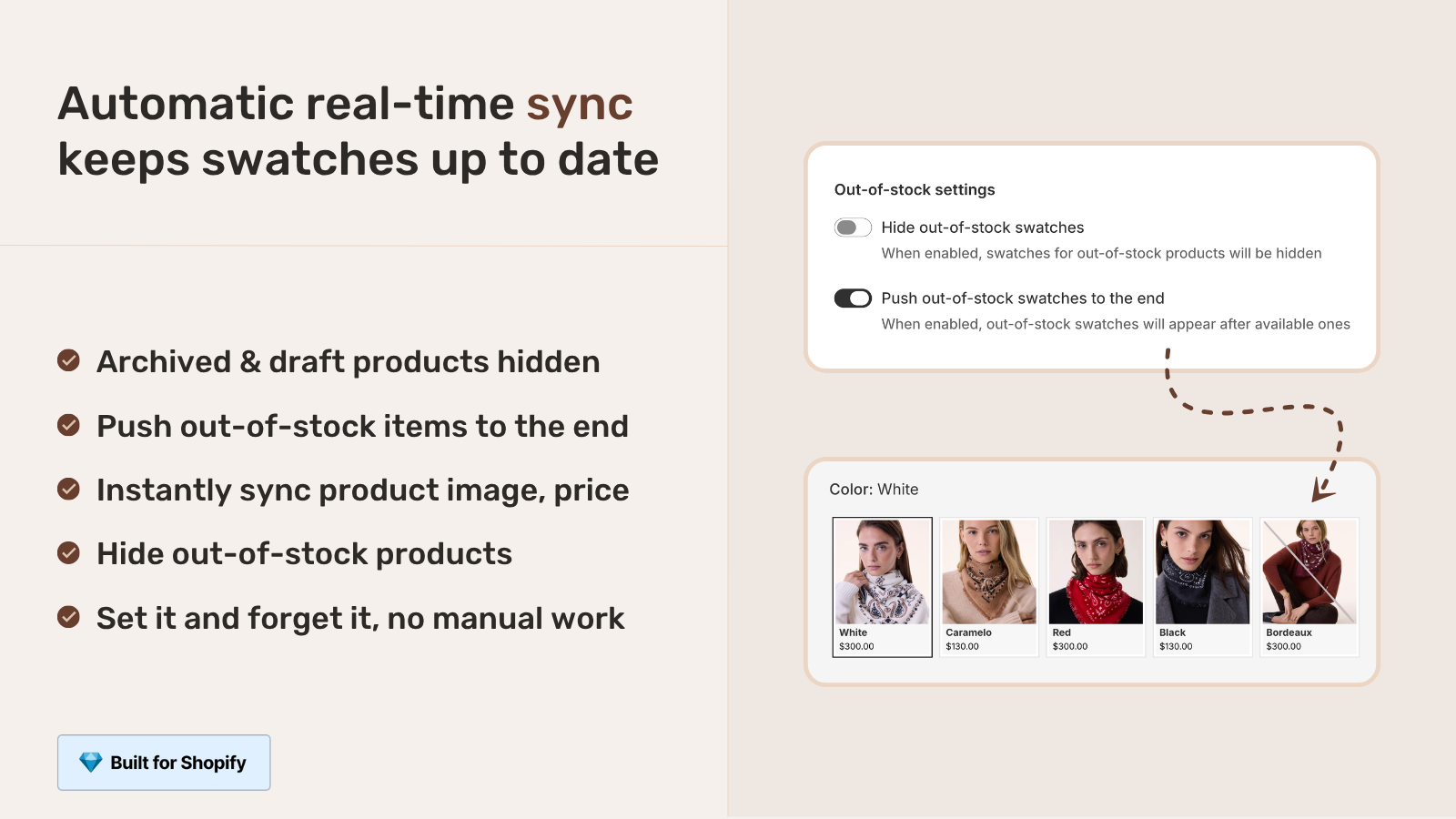
- Real-time sync. Out-of-stock and archived siblings auto-hide. No manual maintenance.
Three of those six are commonly missing in older Combined Listings apps. Verify before you commit.
“The App just released but it looks that its going to be great. This just saved a lot of hours of coding. Now i can set up and customize swatches for my Product Siblings in just a couple of minutes. Plus, the customer service response is fast and clear. Thank you”
Mattera, Spain, February 2026, Rubik Combined Listings on the Shopify App Store
Common pitfalls and how to avoid them
- Forgetting redirects on migration. You lose backlink equity. Always set up 301s from old variant URLs to new sibling URLs.
- Identical sibling content. Thin content risk. Each sibling needs at least slightly different copy.
- Missing sibling from its own metafield. Most theme implementations require the sibling to include itself in the linked products list. Forget this and the swatch row breaks.
- Hidden collection visible on storefront. The “siblings” collection should be hidden. Check it doesn’t accidentally show up in your collection navigation.
- Inconsistent option values. “Olive” vs “olive” vs “OLIVE” across siblings can confuse the theme matching logic. Standardize the casing.
- Forgetting to update internal links. If your site has manual product links pointing at the old variant URL, those break after migration. Audit internal links before deletion.
- Forgetting the 100-variant trap on each sibling. Each sibling can still have its own variants (sizes), and each is still capped at 100 variants per sibling. Plan accordingly.
If your colours are variants of one product rather than separate products, Rubik Variant Images assigns a separate image set to every variant instead. Free to install, 5.0 stars across 436 reviews.
Quick next steps
See the live demo store to click through real product siblings, watch the tutorial video, or read the getting started guide. For the product page side (filtering variant images per sibling), the Rubik Variant Images blog covers the variant image filter half of the swatch story.
Frequently asked questions
What are Shopify product siblings in 2026?
Shopify product siblings are separate Shopify products linked together on the storefront with swatches so customers can switch between them like variants. Each sibling has its own URL, title, image set, and SEO. The term originates from premium theme studios that ship native sibling support via custom metafields. Shopify’s platform itself has no native siblings feature.
What is the difference between siblings and variants?
Variants share one product page, one URL, one SEO title. Siblings are separate products with independent URLs, titles, image sets, and SEO. Siblings give per-color SEO and bypass the 100-variant limit. Variants are simpler and use less admin overhead. The right pick depends on whether per-color SEO matters to your business.
Which Shopify themes support product siblings natively?
Premium theme studios with native sibling support include Fluorescent (Stiletto, Spark), Maestrooo (Prestige, called “linked products”), Groupthought (Pipeline, Story), Presidio Creative (Broadcast), Roar Themes (Concept, Be Yours, Honey, called “product variations”), Fuel Themes, Omni Themes (Eurus, Maximize, Pebble), Archer Themes (Honey 5.0+), and Jhango. Free themes like Dawn, Horizon, Studio, Sense, Refresh, and Origin do not have this feature natively.
Do I need Shopify Plus for product siblings?
No. Product siblings work on any Shopify plan via theme features or third-party apps. Shopify’s native Combined Listings feature requires Plus, but theme-level sibling implementations and Combined Listings apps work on Basic, Shopify, and Advanced plans starting from $0/month.
What metafields do themes use for product siblings?
Each theme studio uses its own metafield namespace. Fluorescent uses stiletto.siblings_collection and stiletto.sibling_option_name. Maestrooo uses custom.variation_value and custom.variation_products. Roar uses sibling.color. Omni uses custom.sibling_type and custom.sibling_collection_handle. Archer uses theme.sibling_collection_handle, theme.sibling_option_name, and theme.sibling_option_value. Most themes use 2 metafields, Archer uses 3.
Can theme-native siblings show on collection pages?
Most theme-native sibling implementations only render on product pages, not collection pages. Maestrooo’s documentation explicitly states “showing swatches in collection pages won’t be possible” with their linked products feature. To get sibling swatches under product cards on collection pages, you typically need a Combined Listings app that handles both layers.
What happens to product siblings when I change themes?
If your siblings rely on theme-specific metafields (like stiletto.siblings_collection), they break the moment you switch to a theme that expects different metafield names. Migration requires rebuilding all sibling metafields under the new theme’s namespace. App-based siblings store data in app-managed metaobjects and survive theme switches without changes.
Can I bulk-create product siblings?
Theme-native sibling setup is per-product manual work. Most themes don’t ship a bulk-grouping tool. Combined Listings apps with bulk grouping (like Rubik Combined Listings) can detect sibling groups automatically by title pattern, product tag, or shared metafield value, and create hundreds of groups in one pass instead of thousands of manual metafield entries.
Will siblings hurt my SEO if I split too many variants?
Only if each sibling has identical content. Search engines flag thin content and duplicate content when many URLs share the same body copy with only minor differences. Each sibling needs at least slightly unique content (a 100-word color-specific paragraph is usually enough). With unique content, siblings improve SEO. Without it, they can hurt.
How long does it take to migrate from variants to siblings?
For a 100-product catalog with 5 colors each, plan 2-3 weeks if you do it as a focused project with CSV imports and bulk operations. 1-2 months if you do it as a side task while running the store. App-based migration with bulk grouping is faster than theme-native migration with manual metafield entry.
Related reading
- Separate products vs variants for Shopify SEO
- Best Shopify Combined Listings apps in 2026
- How to bypass the 100-variant limit without Plus
- Shopify variant image switcher: what it is and how to add one
- Shopify product siblings explained on Rubikify
- Rubik Variant Images: filter the product page gallery per sibling

Umid
Co-Founder at Craftshift