Separate Products vs Variants on Shopify: The SEO Decision Guide (2026)
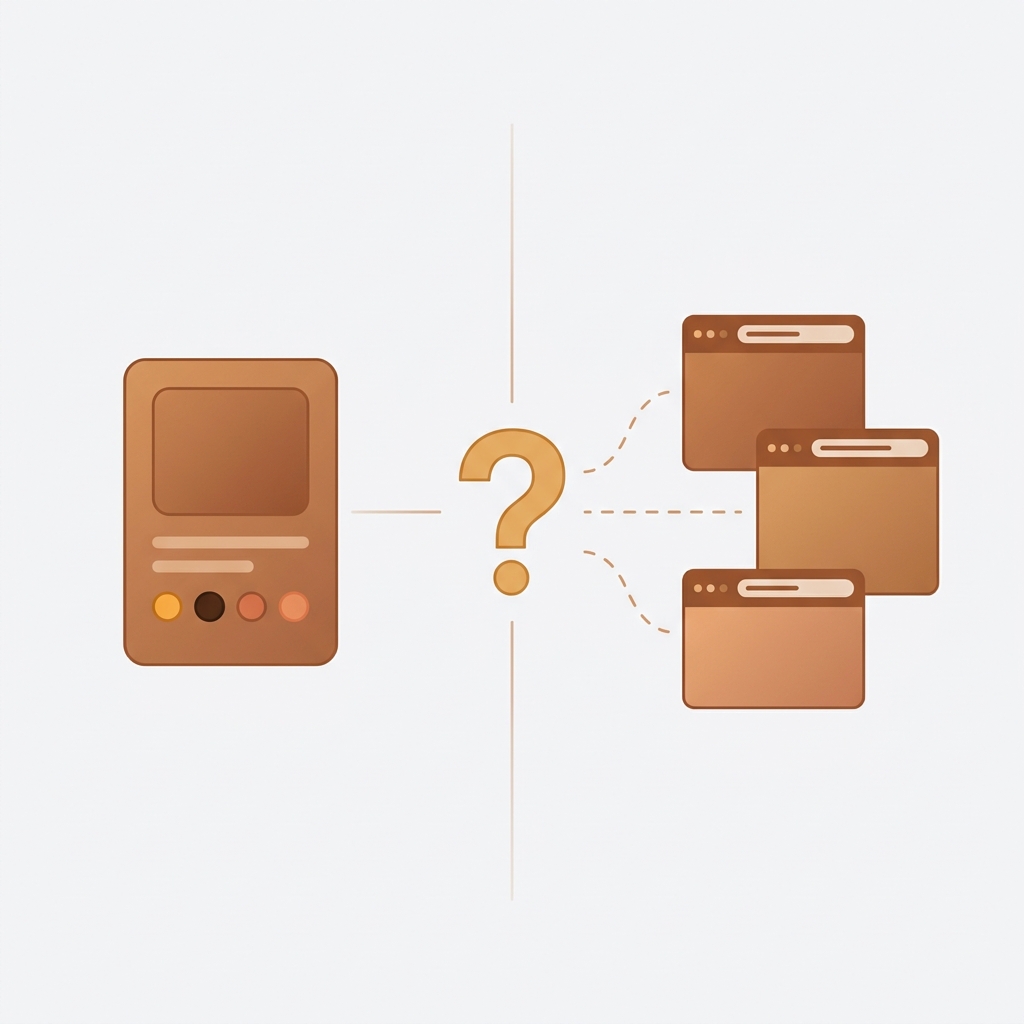
Picture a t-shirt that comes in 40 colors. One product with 40 variants, or 40 separate products? The answer changes your entire SEO footprint on Google. It determines how many pages get indexed, how structured data gets generated, how Google Shopping treats your feed, and whether you can rank for “navy blazer” separately from “charcoal blazer.” This is not a cosmetic decision. It is an architecture decision, and most Shopify stores get it wrong because they pick whatever feels easier at the time.
We build apps that sit right in the middle of this problem (Rubik Combined Listings and Rubik Variant Images), so we see catalogs on both extremes every single day. Stores with 3,000 variants crammed into one product. Stores with 3,000 separate products that should have been variants. Both setups cause real SEO damage when applied to the wrong catalog type. This guide gives you the decision framework, backed by how Shopify’s canonical tags, structured data, and URL routing actually work in 2026.
No opinions dressed up as facts. Just the technical mechanics of how Google processes each approach, and a clear matrix so you can pick the right one for your store.
Table of Contents
- How Google Indexes Variants vs Products
- SEO Case for Keeping Variants Together
- SEO Case for Splitting Into Separate Products
- Decision Matrix: Variants vs Separate vs Combined Listings
- How Combined Listings Solves the Tradeoff
- Structured Data, hreflang, and Canonical Implications
- Product Page UX with Separate Products
- FAQ
How Google Indexes Variants vs Products on Shopify
This is the part most blog posts get backwards. They talk about “SEO benefits” without explaining the actual URL mechanics. So let’s start there.
When you create a Shopify product with variants, each variant gets a URL like yourstore.com/products/classic-tee?variant=12345678. That query parameter (?variant=) is not a separate indexable page. Shopify sets a rel="canonical" tag on every variant URL that points back to the parent product: yourstore.com/products/classic-tee. Google follows that canonical. It consolidates all variant URLs into one indexed page. Your 40 color variants? Google sees one page. One title tag. One meta description. One set of structured data. One ranking opportunity.
Separate products work completely differently. Each product gets its own clean URL: yourstore.com/products/navy-classic-tee, yourstore.com/products/charcoal-classic-tee. Each URL has its own canonical pointing to itself. Each one is a fully indexable page with its own title, meta description, image alt text, and Product structured data. Google can rank each one independently for different keywords.
That distinction matters more than anything else in this entire discussion. One product with variants = one ranking opportunity. Separate products = multiple ranking opportunities. But (and this is a big but) more pages is not always better.
Crawl budget and thin content risk
Google allocates a crawl budget to every domain. For most Shopify stores under 10,000 pages, crawl budget is honestly not a concern. Google will crawl everything. But if you split 200 products into 4,000 separate color variants, each with nearly identical descriptions? That is a thin content signal. Google’s helpful content system penalizes pages that exist only to target long-tail keywords without providing unique value. Forty pages that say “Classic Tee in [color]” with the same 200-word description and a color swap is not unique value. It is doorway content.
This is where the decision gets interesting. When does splitting add real value, and when does it create a thin content farm?
SEO Case for Keeping Variants Together
Variants consolidate everything into one URL. That single URL receives all backlinks, all internal links, all social shares, and all review signals. In SEO terms, this is called link equity consolidation, and for many product types it is the smarter play.
When variants win
Variants are the right choice when the differences between options are minor and nobody searches for them independently. Size is the clearest example. Does anyone Google “medium classic tee” vs “large classic tee”? No. There is no unique search intent per size. Splitting sizes into separate products would create dozens of near-identical pages competing against each other, dilute your link equity, and confuse Google about which page to rank.
Here is a quick list of scenarios where keeping things as variants makes sense:
- Size-only products (S, M, L, XL) with no visual difference
- Small catalog (under 50 products) where link equity concentration matters more than keyword breadth
- Products where reviews consolidate on one listing and social proof drives conversion
- Products with no unique keyword per variant (“32oz water bottle” vs “24oz water bottle” rarely have separate search volume)
- Products well under the Shopify variant limit (100 on standard, 2,000 on Shopify Plus with Combined Listings)
The review consolidation point deserves emphasis. Shopify product reviews (from Judge.me, Loox, Stamped, etc.) attach to the product, not to individual variants. A product with 40 variants and 300 reviews shows “300 reviews” on one page. Split those into 40 separate products, and you get maybe 7-8 reviews per product. That social proof difference directly impacts conversion, and lower conversion means lower revenue per click from organic search, even if your traffic stays the same.
We see this a lot in support. Merchants split their catalog for “SEO purposes” and then wonder why conversion dropped. The answer is almost always fragmented reviews. Is that technically an SEO problem? Not directly. But SEO without conversion is just vanity metrics.
SEO Case for Splitting Into Separate Products
Now for the other side. There are legitimate, strong reasons to use separate products instead of variants. And for certain catalog types, keeping everything as variants actually costs you organic traffic.
Distinct searchable names
Think about blazers. “Navy Blazer” and “Charcoal Blazer” are different search terms with different intent. Someone searching “navy blazer men” has already decided on the color. If your navy blazer is buried inside ?variant=123 on a generic “Classic Blazer” page, Google will not surface your navy option for that query. Your competitor who has /products/navy-classic-blazer as a standalone URL with “Navy Classic Blazer” in the title tag, H1, meta description, and image alt text will outrank you.
This is the keyword breadth argument. Each separate product is a new ranking opportunity with its own on-page SEO signals. The same logic applies to furniture (a “walnut dining table” is a different search than “oak dining table”), electronics (specific model numbers), and any product line where the variant name carries distinct search demand.
Google Shopping feed optimization
Google Merchant Center accepts both parent products and individual variants in your product feed. But here is the catch: variant-level feeds require you to set item_group_id to tie variants together, and each variant needs its own unique id, title, image_link, and link. Many Shopify feed apps handle this, but the landing page for each variant is still that canonical parent URL, not a variant-specific page.
With separate products, each Google Shopping listing lands on its own dedicated product page. The title matches. The images match. The structured data matches. The user experience is tighter. And Google rewards landing page relevance in Shopping ad quality scores. This matters especially for color-specific Shopping ads where the image in the ad should match exactly what the shopper sees when they click.
Structured data at the product level
Shopify’s default Product schema in the theme covers the parent product. It includes the product name, description, price range, availability, and review aggregate (if a review app injects it). Variant-level schema? Shopify does not generate that automatically. You need manual JSON-LD or a schema app to output hasVariant or individual ProductGroup / Product entries per variant.
Separate products each get their own complete Product schema automatically. Name, description, price, image, availability, all unique per product. This feeds Google’s knowledge graph more cleanly, and it gives you eligibility for rich results on every single product URL.
Variant limit workaround
Shopify limits standard products to 100 variants (3 options, up to 100 combinations). Even with the 2,048 variant expansion on Shopify Plus via Combined Listings, some catalogs simply outgrow what a single product can hold. Separate products remove the limit entirely. Each product stands alone with its own variant set, images, and metadata.
Per-product analytics
This is less about SEO directly and more about measuring SEO performance. With variants, Shopify Analytics rolls all traffic into one product. You cannot see which color page drives the most organic sessions in Google Search Console or Shopify reports. Separate products give you per-URL data in GSC, GA4, and Shopify analytics. That data lets you double down on winners and fix underperformers.
Decision Matrix: Variants vs Separate Products vs Combined Listings
Enough theory. Here is the decision matrix we share with merchants who ask us which approach to use. Save this table.
| Factor | Variants (single product) | Separate products | Combined Listings |
|---|---|---|---|
| Keyword uniqueness per option | Low (size, weight, pack qty) | High (“navy blazer”, “oak table”) | High (each child = own URL + title) |
| Visual difference between options | Minimal (same product, different size) | Significant (unique photos per color) | Significant (unique photos per child) |
| Catalog size | Any (works at all scales) | Gets messy above 500 products | Managed grouping at any scale |
| Variant count per product | Under 100 (standard), 2,048 (Plus CL) | No limit (each is its own product) | No limit (grouped separate products) |
| Google Shopping feed | Variant-level feed, parent landing page | Per-product feed, matched landing page | Per-product feed, matched landing page |
| Link equity | Consolidated (one URL gets all signals) | Diluted (split across many URLs) | Split but internally linked via swatches |
| Review consolidation | All reviews on one product | Reviews fragmented across products | Reviews per child (some apps aggregate) |
| Structured data | Parent only (variants need manual schema) | Full Product schema per product | Full Product schema per child product |
| hreflang support | Product-level only, not per variant | Per product (full hreflang per URL) | Per child product (full hreflang per URL) |
| UX on product page | Native variant selector (dropdowns/swatches) | No connection between products unless app | Swatch selector linking grouped products |
Notice how Combined Listings gets the best of both columns? That is not a coincidence. That is why the feature exists.
How Combined Listings Solves the Tradeoff
The entire “separate vs variants” debate assumes you have to pick one or the other. Combined Listings breaks that assumption. You create separate products (each with its own URL, title, meta description, images, and structured data) and then link them together so they behave like variants on the storefront. Shoppers see swatches. Click a color, land on that color’s dedicated product page. From an SEO perspective, each color is a fully indexable, individually optimized page. From a UX perspective, they feel like one product with options.
There are two ways to do this on Shopify in 2026.
Shopify native Combined Listings
Shopify’s built-in Combined Listings feature (introduced in 2024) lets you group products and display them as variants on the product page. Each child product keeps its own URL and SEO signals. The catch? It requires Shopify Plus. That is $2,300/month minimum. For most small and mid-size stores, that is a dealbreaker just for this one feature.
And honestly, even the native implementation has gaps. No collection page swatches. Limited visual customization of the swatch selector. No AI-powered grouping. No bulk group creation tools. It is a v1 feature from Shopify, and it shows.
Rubik Combined Listings (every plan, including free)
Rubik Combined Listings does the same thing without requiring Shopify Plus. It works on every Shopify plan. Free tier supports 5 product groups. Starter ($10/month) supports 100 groups, Advanced ($30/month) supports 500, and Premium ($50/month) handles 5,000 groups.
What makes it different from the native option? A few things we built specifically because merchants kept asking:
- Collection page swatches (show color options right on the product card, before the shopper even clicks into the product)
- Bulk group creation via title pattern matching, product tags, or metafields
- AI Magic Fill that auto-detects option values and swatch colors from product images
- 19 built-in style presets for swatches on both product pages and collection cards
- Shadow DOM rendering that prevents CSS conflicts with any theme
- Real-time sync via Shopify metaobject references, so archived or out-of-stock products automatically hide
From an SEO standpoint, the result is identical to creating separate products manually. Each child product retains its own /products/handle URL, its own canonical tag pointing to itself, its own Product schema, its own Google Shopping feed entry, and its own hreflang tags. The only addition is the swatch UI that ties them together visually.

Why does Shopify lock this behind Plus? It makes no sense to us. The concept of “group existing products and display them together” is not a complex operation. It is a metafield reference and a storefront widget. We built it as a third-party app precisely because so many Basic and Shopify plan merchants needed this functionality and could not justify $2,300/month for it.
Structured Data, hreflang, and Canonical Tag Implications
This section gets technical. If you are just deciding between approaches, the decision matrix above is enough. But if you want to understand exactly what happens at the HTML/schema level, this is the breakdown.
| Technical signal | Variants (single product) | Separate products / Combined Listings |
|---|---|---|
| Canonical tag | ?variant=X canonicalizes to parent /products/handle |
Each product has rel="canonical" pointing to itself |
| Product schema (JSON-LD) | One Product entity for the parent. Variants not included by default. Must add hasVariant or individual Offer entries manually |
Each product auto-generates its own Product schema with name, image, price, availability |
| Offer schema | Shopify outputs one Offer with price range (low-high). Variant-specific offers require custom JSON-LD |
Each product has one precise Offer with exact price and availability |
| hreflang tags | Set at product URL level only. Variants do not get separate hreflang. All language versions point to the same parent product | Each product URL gets its own hreflang set, enabling per-color/per-option international targeting |
| Open Graph / social sharing | One OG title, one OG image for the parent product. Sharing a variant URL still shows the parent’s OG data | Each product has its own OG title and image. Sharing “Navy Blazer” shows the navy photo |
| Sitemap | One <url> entry for the product. Variants not listed separately |
Each product gets its own <url> entry in the sitemap |
| Breadcrumb schema | One breadcrumb path to the product | Each product can have its own breadcrumb path (useful if colors map to different collections) |
The hreflang point is worth pausing on. If you sell internationally and use Shopify Markets or a translation app, hreflang tags tell Google which page to show in which country/language. With variants, all 40 colors share one hreflang set. With separate products, your “Navy Blazer” page can have its own French version (/fr/products/blazer-marine) with its own French-optimized title and description. That level of international SEO control simply does not exist at the variant level.
For more on how Combined Listings works with international SEO and hreflang, we have a dedicated deep-dive on the Rubik Combined Listings blog.
Product Page UX When Using Separate Products
The biggest objection to separate products is UX. “My customer has to leave the product page to see another color.” That was true years ago. Not anymore.
Combined Listings apps solve the navigation problem by showing swatches on the product page that link to the other grouped products. Click “Navy” and you land on the Navy product page. Click “Charcoal” and you land on the Charcoal page. The transition is fast because the swatch data loads from metafields, not external API calls.
But there is a second UX problem that most people forget about: variant image filtering. When a shopper lands on the Navy Blazer page, they should see only navy photos in the gallery. Not charcoal photos. Not grey photos. Just navy. Shopify does not filter images by variant natively. All images upload to one gallery and all display regardless of which variant is selected.
This is where Rubik Variant Images pairs with Combined Listings. If your Navy Blazer product also has size variants (S, M, L) and you want different angle shots per size, Rubik Variant Images assigns specific images to each variant and filters the gallery on selection. The two apps together give you: separate product URLs for SEO (via Combined Listings) + filtered variant images per option on each product page (via Variant Images).
We built them as separate apps intentionally. Some stores only need one. Apparel stores with colors as separate products and sizes as variants typically need both. The combined setup (pun sort of intended) gives you the full SEO + UX stack without touching theme code.

What about page speed?
Some merchants worry that using apps for swatch rendering will slow down the product page. Both Rubik apps use metafield-based loading with no external API calls. The swatch data loads with the page itself because it is stored in Shopify’s own metafield infrastructure. There is no round trip to a third-party server. Compare that with the alternative of editing theme Liquid code to build custom swatch logic, which risks breaking on every theme update and adds unminified JavaScript to your storefront.
We care about this because product page speed directly affects SEO rankings through Core Web Vitals. Adding an app that slows your LCP by 2 seconds would defeat the purpose of the SEO architecture you just set up. Metafield rendering avoids that.
Quick Decision Flowchart
Still not sure? Run through these questions in order:
- Does each option have a distinct name people search for? (“Navy Blazer” vs “Charcoal Blazer”) If yes, lean toward separate products.
- Do you have unique photos per option? If every color looks identical except the swatch, variants are fine. If each color has its own photoshoot, separate products let you optimize each page’s images for image SEO.
- Are you running Google Shopping ads per color? Separate products give cleaner landing page matches. Variants work but need careful feed configuration.
- Do you sell internationally? Separate products give you per-product hreflang. Variants do not.
- Is your variant count near 100? If you are bumping against the limit, separate products (grouped via Combined Listings) remove the ceiling entirely.
- Do reviews matter for conversion? If your product relies heavily on social proof, keeping reviews consolidated on one product is a strong argument for variants.
If you answered “yes” to questions 1 through 4, separate products with Combined Listings is almost certainly the right architecture. If you answered “no” to most of them, stick with variants. The worst thing you can do is split products for SEO when there is no unique search demand per option. That is how you get 200 thin pages ranking for nothing.
Real-World Catalog Types and the Right Architecture
Let’s apply the framework to specific catalog types. Not hypothetical stores with made-up numbers. Just the catalog patterns we see constantly.
Apparel (color + size)
Colors as separate products, sizes as variants within each. Group colors with Combined Listings. This gives you rankable URLs per color name, Google Shopping per-color landing pages, and variant image filtering per size within each color product. The color swatch guide covers the visual side of this in detail.
Furniture (material + dimensions)
“Walnut dining table” and “oak dining table” are entirely different search queries. Separate products, grouped. But “60-inch walnut dining table” vs “72-inch walnut dining table”? Those are variants within the walnut product. Nobody searches for table dimensions the way they search for wood species.
Supplements / consumables (flavor + bottle size)
Flavors as variants. Most people search “whey protein chocolate” not “whey protein chocolate 2lb.” The flavor keyword gets captured in the parent product title and meta. No need to split. Bottle size is obviously a variant. This is a “keep it simple” catalog type where variants win clearly.
Electronics / phone cases (model + color)
Model-specific products are almost always separate products. “iPhone 16 Pro case” and “iPhone 15 case” have completely different search intent and Google Shopping campaigns. Colors within each model can be variants or separate products depending on whether the color names carry search demand.
“I was struggling with separate product pages for different colors/flavors (e.g., aftershave red, green, blue as individual products for better SEO and unique URLs), but I wanted customers to see swatches and switch between them easily, like real variants – on BOTH the product page and collection pages (under each card). This app does it perfectly: Group products into combined listings, Add customizable color/image swatches, Swatches appear on product pages (click redirects smoothly to the other product’s page), Small swatches show up right under the product cards on collections, search, homepage – super clean and intuitive for shoppers, No extra fees, no add-ons in cart, no performance hit (site still loads fast).”
Ostwint, Romania, March 2026, Rubik Combined Listings on the Shopify App Store
Three Mistakes That Kill Your SEO Regardless of Architecture
Before you restructure your entire catalog, fix these first. They matter more than the separate-vs-variants question.
1. Duplicate titles across separate products
If you split colors into separate products but they all have the same title (“Classic Tee”), you have 40 pages competing for the same keyword. Each product must have a unique, keyword-rich title: “Navy Classic Tee,” “Charcoal Classic Tee,” etc. The product title becomes the title tag and the H1 in most themes. Same title = same keyword target = cannibalization.
2. Identical product descriptions
Copy-pasting the same description across 40 color products and changing only the color name is thin content. Each product needs unique descriptive text. Mention the specific color, the fabric in that colorway, styling suggestions for that color, or care instructions specific to the dye type. Yes, this is more work. That is the cost of the separate-products approach. If you cannot commit to unique descriptions, keep them as variants.
3. Missing image alt text
Image alt text is one of the strongest ranking signals for product image SEO and Google Image search. Variant images inherit the product’s alt text by default (which is usually the product title). Separate product images get unique alt text per product. But only if you actually write it. Leaving alt text blank on 40 separate products wastes the primary advantage of splitting them in the first place.
SEO Checklist After Restructuring Your Catalog
If you are switching from variants to separate products (or vice versa), there are SEO hygiene items to address immediately:
- Set up 301 redirects from old variant URLs to new product URLs (Shopify handles some of this automatically via URL redirects in admin, but verify)
- Update your XML sitemap by re-submitting in Google Search Console after the change
- Update internal links across your site that pointed to the old structure
- Resubmit your Google Shopping feed with updated product URLs
- Verify canonical tags on the new product pages are self-referencing
- Check structured data validation in Google’s Rich Results Test for each new product URL
- Monitor indexed page count in GSC over the next 30 days to confirm Google is picking up the new structure
For your overall Shopify SEO setup, we have a full checklist that covers these items and more.
See the Rubik Combined Listings live demo store, watch the setup tutorial, or read the getting started guide. For variant image filtering, check the Rubik Variant Images demo store and the RVI getting started docs.
Frequently Asked Questions
Do Shopify variant URLs get indexed separately by Google?
No. Shopify sets a canonical tag on every ?variant= URL that points to the parent product URL. Google follows the canonical and indexes only the parent. Your variants share one indexed page, one title tag, and one meta description in search results.
Is it better for SEO to have separate products or variants?
It depends on whether each option has unique search demand. If people search for “navy blazer” and “charcoal blazer” as separate queries, separate products win because each gets its own indexable URL, title, and structured data. If options are just sizes (S, M, L), variants are better because they consolidate link equity and reviews on one page.
What is Combined Listings and how does it affect SEO?
Combined Listings groups separate products together and displays them as if they are variants (with swatches). Each child product keeps its own URL, canonical tag, structured data, and hreflang. From Google’s perspective, they are separate indexable pages. From the shopper’s perspective, they feel like one product with options. Shopify’s native version requires Shopify Plus. Rubik Combined Listings works on every Shopify plan starting from free.
Do I lose reviews when I split variants into separate products?
Yes. Most review apps (Judge.me, Loox, Stamped) attach reviews to the product ID. When you split into separate products, reviews do not follow. You start from zero on each new product. Some review apps offer import features, but you cannot duplicate the same review across multiple products without violating platform guidelines. This is the main downside of the separate products approach.
How does Google Shopping handle variants vs separate products?
Google Merchant Center accepts both. Variants use item_group_id to cluster together, and each variant needs a unique id, title, image_link, and link. But the landing page is the parent product URL, not a variant-specific page. Separate products each get their own feed entry with a dedicated landing page, which typically improves ad quality score because the landing page content matches the ad exactly.
Can I switch from variants to separate products without losing my Google rankings?
You will temporarily lose rankings during the transition. Set up 301 redirects from old variant URLs to the new product URLs, resubmit your sitemap, and resubmit your Shopping feed. Google typically reindexes within 2 to 4 weeks. The new pages may rank higher if they better match search intent (e.g., separate pages for color keywords), but expect a dip during the transition period.
Does hreflang work differently for variants vs separate products?
Yes. hreflang tags are set at the URL level. Since all variants canonicalize to one parent URL, they share one set of hreflang tags. Separate products each have their own URL and their own hreflang tags, allowing you to create per-option localized pages (e.g., a French version of “Navy Blazer” with a French title and description). This gives significantly more control over international targeting.
Try Both Rubik Apps
Related Reading

Umid
Co-Founder at Craftshift