Does blocking right-click protect Shopify images?
Blocking right-click (also called disabling right-click) protects Shopify images from casual theft, but it does not stop anyone determined to take them. That is the honest answer, and it is more useful than the two extremes you usually hear: “it is pointless, never do it” and “it locks your images down.” Both are wrong. Right-click blocking is a low-effort deterrent that filters out the lazy 90 percent of would-be copiers while doing nothing against screenshots, developer tools, or view-source. Whether that tradeoff is worth it depends on what you are actually worried about.
So let me walk through what it really blocks, what walks straight past it, the user-experience argument against it (which is overstated), and when I would turn it on. Spoiler: I would turn it on, but never as my only defense.
In this post
- What right-click blocking actually stops
- What walks right past it
- The “it annoys users” argument
- So is it worth turning on?
- Pair it with the layer that survives
- FAQ
- Related reading
What right-click blocking actually stops
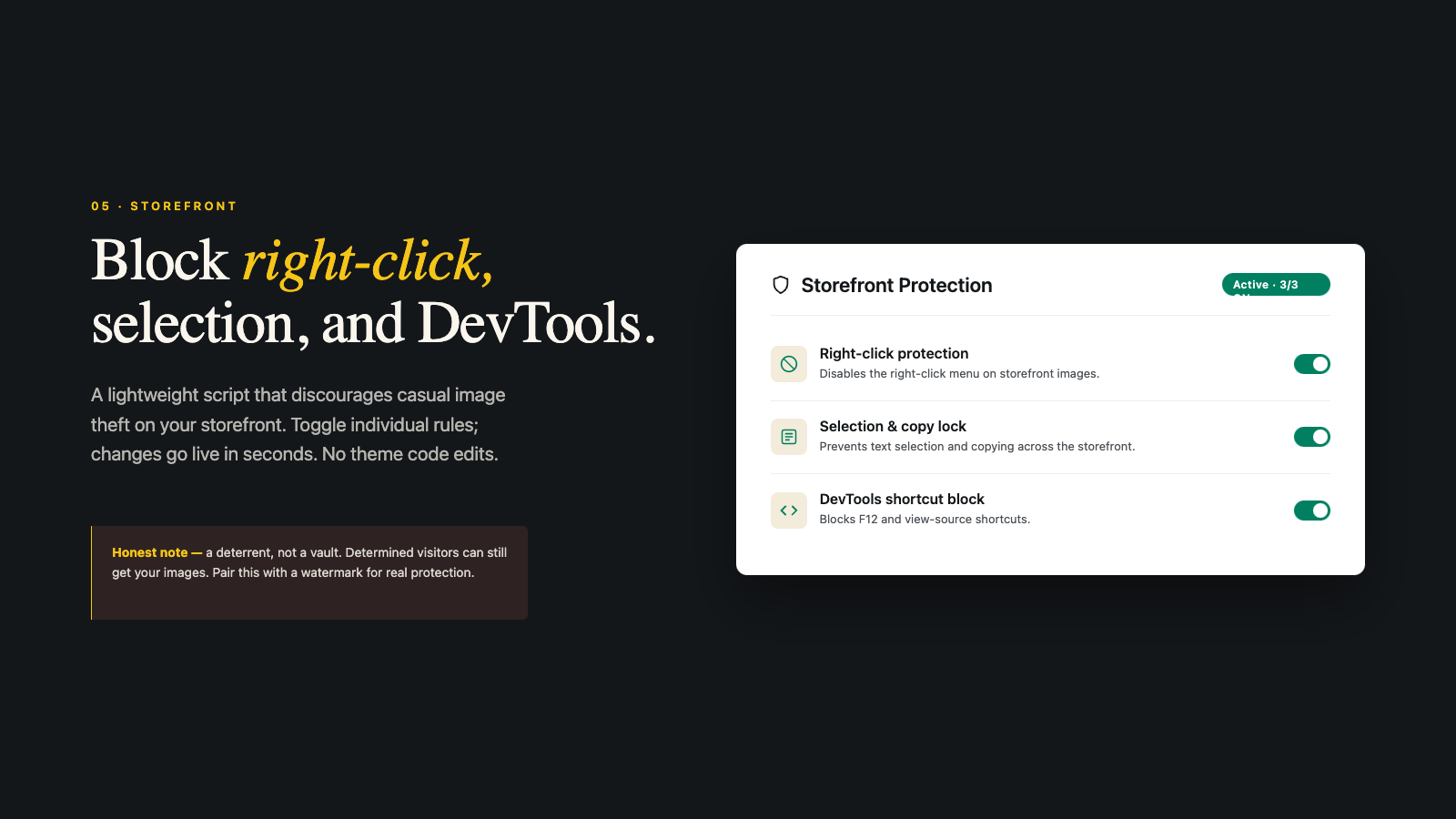
When you block (or disable) right-click on Shopify, a small image protection script disables the browser context menu over your images (and usually text selection, copy, and drag-and-drop saving too). The result is simple: a visitor who right-clicks expecting “save image as” gets nothing, or gets a polite message.
And that genuinely stops a lot of people. Most image theft is not sophisticated. It is someone who sees a nice photo and reflexively right-clicks. Remove that one path and the majority give up, because they were never motivated enough to try a second method. Industry write-ups on disabling right-click say the same thing: it is an effective deterrent against casual, non-technical users. That is the entire value, and it is real value. Casual copying is most of the volume.
It also slows some basic scraper bots and the drag-an-image-to-the-desktop move that catches a surprising number of people on Mac. Small friction, applied to the laziest threats. Fine so far.
What walks right past it
Now the part nobody selling a “protect images” plugin wants to say out loud. Right-click blocking is trivial to bypass if you know three things, and these are not secrets:
- Screenshots. The single biggest hole. Cmd+Shift+4 or the Windows snipping tool captures any image on screen. No script can stop your operating system from photographing its own display.
- Developer tools. Open the inspector, find the image URL, open it in a new tab, save. Thirty seconds. The protection script never sees it.
- View source and the network tab. Every image URL on your page is right there in plain text. Disabling F12 does not help, because the menu opens it too.
- Just turning off JavaScript. The block is JavaScript. Disable scripts and the context menu comes right back.
- Mobile long-press. Depending on the browser and how the block is implemented, mobile save can slip through.
So if your threat is a competitor’s developer or a scraping operation, right-click blocking does close to nothing. They have the tools and the motivation. This is the reason the “it is pointless” crowd exists. They are right that it is not security. They are wrong that it is therefore worthless, because deterrence and security are different goals.
The “it annoys users” argument
The loudest objection to blocking right-click is that it frustrates legitimate visitors and looks unprofessional. There is some truth here, but it is wildly overstated for an e-commerce store. Think about who right-clicks on a product page. Power users opening links in new tabs, maybe. People copying a product name to search elsewhere, sometimes. The average shopper browsing a clothing store? Almost never.
The classic warnings about disabling right-click come from content sites and blogs, where readers genuinely use copy and the context menu constantly. A product gallery is a different animal. Still, two real cautions apply. First, do not break navigation: if your block also kills “open link in new tab,” that is bad, and you should scope it to images only. Second, test mobile, because a clumsy implementation can interfere with scrolling or zoom on touch screens.
Honestly, the bigger UX risk is not the right-click block. It is slapping a giant ugly watermark across every photo because you panicked about theft. That tanks conversion far more than a disabled context menu ever will. Protection should be felt by thieves, not by buyers.
So is it worth turning on?
Yes, with one condition: only if it costs you nothing and is part of a bigger plan. Here is my decision rule.
| Your situation | Turn on right-click block? |
|---|---|
| You shoot original product photography | Yes, plus watermarks |
| You sell generic supplier images everyone has | Optional, low value |
| Resellers keep copying your gallery | Yes, plus watermarks |
| You want bulletproof security | Wrong tool, that does not exist |
The pattern: turn it on when you have unique images worth protecting, and treat it as the cheap outer layer, never the whole strategy. If you sell the same supplier photos as 200 other dropshippers, protecting them is pointless because they are not yours and not unique. Spend that energy on original photography instead, which is also better for product page conversion.
Want to know how much your product pages depend on those images in the first place? Run them through our free product page grader and the image audit tool to see where images carry the most weight. Protect the ones that matter, not all of them equally.
Pair it with the layer that survives
Here is the whole point of this post. Right-click blocking guards the image while it is on your site. A watermark guards it after it leaves. Since the biggest bypass (screenshots) defeats the block but still captures the watermark, the two are made for each other.
This is why Viking Watermark, a Shopify watermark app, ships both in one place. Storefront protection (right-click, copy, drag-and-drop, and devtools shortcut blocking) is on every plan including free, and you can layer watermarks on top, applied in bulk, with originals saved so you can roll back anytime. The right-click block thins out the casual crowd. The watermark tags whatever still gets through. We built it as a pair on purpose, because shipping one without the other leaves an obvious gap. For the full picture on combining both, see our guide on how to stop image theft on Shopify, and if you are worried about Google, the watermark SEO guide covers the feed gotcha.
While you are securing images, do not get so protective that you wall off the helpful bots. Blocking a scraper is good. Blocking ChatGPT’s crawler in your robots.txt costs you AI search visibility, which is the opposite of what you want. We break down the difference in our post on why you should not block AI bots in robots.txt. And once images are locked down, make sure the right one shows per variant with variant image filtering, while large catalogs stay organized with combined listings.
FAQ
Does disabling right-click actually stop image theft?
It stops casual, non-technical copying, which is most of the volume. It does not stop screenshots, developer tools, or anyone who knows how browsers work. Treat it as a deterrent, not security.
Can people still screenshot my Shopify images?
Yes. No script can stop the operating system from capturing the screen. This is the main reason to add watermarks, since the mark is captured along with the screenshot.
Does blocking right-click hurt SEO?
No. The script affects the visitor’s browser, not search engine crawlers. Googlebot still indexes your pages and images normally. It does not change rankings.
Will it annoy my customers?
Rarely on a product store, since few shoppers right-click photos. Scope the block to images only so it never breaks “open link in new tab,” and test on mobile to avoid scroll issues.
What is better than blocking right-click?
Using it together with watermarks. The block handles casual saving on your site, the watermark protects the image after it is downloaded or screenshotted. Apps like Viking Watermark do both.
Related reading
- How to stop image theft on your Shopify store
- How to watermark Shopify product images in bulk
- Do watermarks hurt Shopify SEO and Google Shopping?
- Shopify variant images FAQ
- Shopify Combined Listings explained
Block right-click because it is free and stops the lazy majority. Just do not kid yourself that it is the whole job. The watermark is what does the heavy lifting once your photo is out in the wild.

Umid
Co-Founder at Craftshift