How to stop image theft on your Shopify store

To stop image theft on Shopify, you need two layers, not one: a watermark that stays attached to the photo even after someone downloads it, and storefront protection that blocks the casual right-click-and-save. Neither alone is enough. A watermark does nothing against a screenshot of a clean-looking corner crop, and right-click blocking does nothing once an image is already on someone’s hard drive. Together they cover the two ways photos actually get taken.
Let me be blunt about something most “protect your images” articles will not tell you: you cannot make a public image 100 percent un-stealable. If a browser can show it, a determined person can capture it. Anyone who promises bulletproof protection is selling something. What you can do is make theft annoying enough that the casual copier gives up and the reseller who does grab it ends up advertising your brand name for free. That is a realistic, winnable goal.
So who is actually taking your photos, and what stops each of them? That is what this post is about.
In this post
- Who steals product images and why
- Layer one: storefront protection
- Layer two: watermarks that survive
- Why you need both
- Setting it up without wrecking your store
- What protection cannot do
- FAQ
- Related reading
Who steals product images and why
Image theft is not abstract. If you shoot your own product photos, they get taken. The common culprits:
- Dropshippers and resellers. They scrape your gallery, list the same product on a marketplace at a lower price, and use your photography to sell it. Your studio time, their margin.
- Direct competitors. A rival store grabs your styled flat-lays because theirs look worse. Now two stores show identical images and yours no longer looks unique.
- Marketplace counterfeiters. Your brand photos end up on listings for knockoff versions of your product, which is the worst case, because buyers blame you when the fake arrives.
- Content scrapers. Automated bots that copy entire catalogs to spin up fake stores or affiliate spam sites.
Notice the pattern. Most of these are not hackers. They are ordinary people doing a quick right-click, or bots doing a bulk grab. That is good news, because the realistic threats are exactly the ones that basic protection deters. You are not defending against a state actor. You are defending against laziness and automation.
Layer one: storefront protection
Storefront protection is the image protection layer that runs on your theme and blocks the easy ways to grab an image: right-click and “save image as,” text selection and copy, drag-and-drop saving, and the keyboard shortcuts that open developer tools. Viking Watermark ships this on every plan, including free, as a toggle you enable from the app.
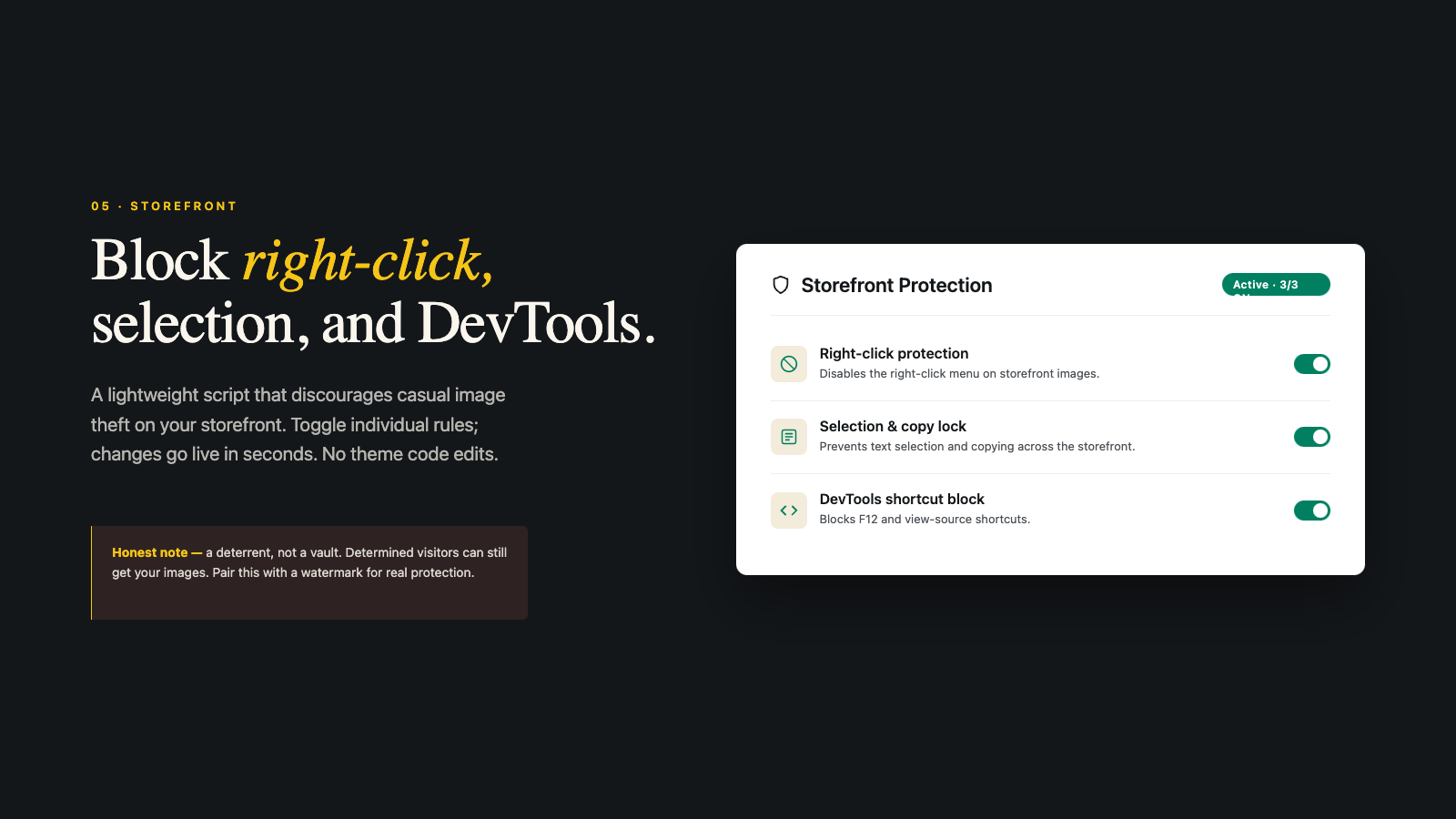
What does this actually stop? The casual copier. The person who likes your product shot and reflexively right-clicks to save it. Take that away and most of them simply move on, because the next step (open developer tools, find the image URL, download it manually) is more effort than they care to spend. For the bulk of opportunistic theft, that friction is the whole game.
What does it not stop? Anyone technical. Developer tools, view-source, and screenshots all walk right past a right-click block. I am not going to pretend otherwise, and I cover the limits in detail in our post on whether blocking right-click protects Shopify images. The short version: it is a deterrent, not a wall. Which is exactly why you do not stop here.
Layer two: watermarks that survive
A watermark is the layer that keeps working after the image leaves your site. Screenshot it, scrape it, repost it on a marketplace, the mark goes with it. That is the entire point. Storefront protection guards the door. The watermark guards the photo once it is out the door.
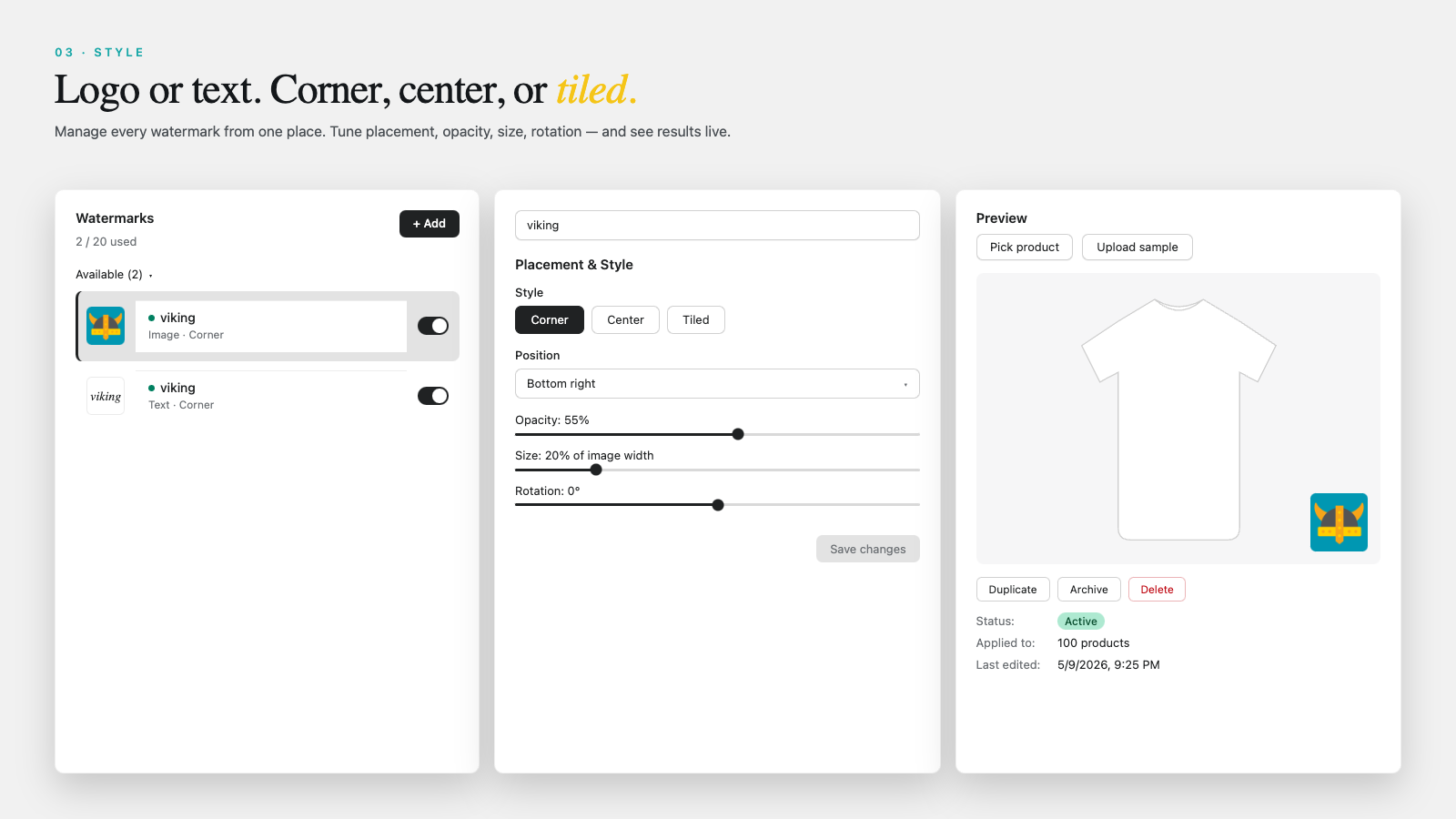
And there is a bonus most people miss. A reseller who steals a watermarked photo and posts it without thinking is now showing your brand name to their audience. A would-be counterfeiter who sees a tiled watermark across every image usually skips your catalog and grabs an easier target instead. The watermark deters and advertises at the same time, and it doubles as a visible copyright signal that names the owner right on the file.
With a Shopify watermark app like Viking Watermark you add a logo watermark or a text watermark, place it (corner, center, or tiled), and apply it across products in bulk. Originals are copied to Shopify Files first, so you can roll any product back to a clean image whenever you want. If you are setting this up across a full catalog, the bulk watermarking guide walks through the exact steps.
Why you need both
Each layer covers the other’s blind spot. Here is the breakdown.
| Threat | Storefront protection | Watermark |
|---|---|---|
| Casual right-click save | Blocks it | Marks it if they get it |
| Screenshot | No effect | Mark is captured too |
| Developer tools download | No effect | Mark is on the file |
| Bulk scraper bot | Slows some bots | Every grabbed file is marked |
| Reseller reposting | No effect after download | Your brand travels with it |
Read that table top to bottom and the logic is obvious. Storefront protection wins the first row and does nothing for the rest. The watermark covers every row. Run only one and you have a gap. Run both and there is no clean, easy path to a usable copy of your photo.
Setting it up without wrecking your store
Protection has costs if you overdo it, so a few rules of thumb.
- Keep the watermark subtle on storefront images. A heavy mark across the hero shot hurts conversion. Shoppers want to see the product. Save aggressive tiling for images you genuinely do not want reused.
- Do not watermark your Google Shopping feed image. Merchant Center disapproves feed images with watermarks or logos. Watermark the secondary shots and keep the main image clean, or roll back before a feed sync. More on that in our watermark SEO guide.
- Test the storefront block on mobile. Some protection scripts interfere with normal touch scrolling if configured badly. Tap through a few product pages on a phone after enabling it.
- Keep your originals. Never run a watermark tool that does not preserve clean copies. You will want them for the feed, for re-edits, and for the day you change your logo.
Before and after you turn protection on, it is worth auditing what images you actually have live. Our free image audit tool flags oversized and inconsistent images, and the image compressor keeps file sizes sane so the protection layer is not sitting on top of bloated photos that already drag your page speed down.
What protection cannot do
Honesty section, because you deserve it. No app stops screenshots. No app stops a person photographing their screen with a phone. No app stops someone who really wants one specific image and knows how browsers work. If a competitor is determined to copy you, they eventually will.
So why bother? Because theft is a volume problem, not a single-image problem. You are not trying to win every case. You are trying to cut the easy 90 percent down to a hard 10 percent, and to make sure that when an image does escape, it carries your name. That shifts the economics. Stealing your photos stops being a free shortcut and starts being either annoying work or free advertising for your brand. Both outcomes are wins.
One more layer worth knowing about, since it surprises people: you generally do not want to block AI crawlers in the same breath. Bots that scrape to repost are bad, but the bots from ChatGPT and Perplexity can send you traffic and citations. We cover the difference in our guide on why you should not block AI bots in your Shopify robots.txt. Protect images from theft, keep the door open for the bots that help you.
And once your photos are protected, make sure they are also doing their job: showing the right image for the right variant. A protected but mismatched gallery still loses sales, which is where variant image filtering comes in, and stores grouping many product variations lean on combined listings to keep collection pages tidy.
FAQ
Can I completely stop people from saving my Shopify images?
No. Any image a browser can display can ultimately be captured by screenshot or developer tools. Storefront protection stops casual saving, and watermarks make stolen copies traceable, but no method is 100 percent.
Does blocking right-click hurt the shopping experience?
Lightly, if at all, for most shoppers, since few people right-click product photos while buying. Keep the block reasonable and test on mobile so it does not interfere with normal scrolling.
Is a watermark or right-click blocking more effective?
The watermark, because protection stays with the image after download. Right-click blocking only works while the image is still on your site. Use both for full coverage.
Will protecting images stop Google from indexing them?
Storefront protection scripts do not block search engines from crawling. They affect the visitor’s browser behavior, not Googlebot. Watermarks on feed images, however, can cause Google Shopping disapprovals, so keep feed images clean.
Does Viking Watermark do both layers?
Yes. It adds watermarks to product images and includes storefront protection that blocks right-click, copy, drag-and-drop saving, and developer tool shortcuts. Storefront protection is available on every plan, including the free one.
Related reading
- How to watermark Shopify product images in bulk
- Does blocking right-click protect Shopify images?
- Shopify product image SEO guide
- Shopify variant images FAQ
- Shopify Combined Listings explained
Two layers. Storefront protection for the door, a watermark for the road. You will not stop every theft, but you will stop the easy ones and tag the rest. That is what winning looks like here.

Umid
Co-Founder at Craftshift