Rubik Combined Listings on Archetype Themes: Impulse, Motion, Streamline & Expanse (2026)
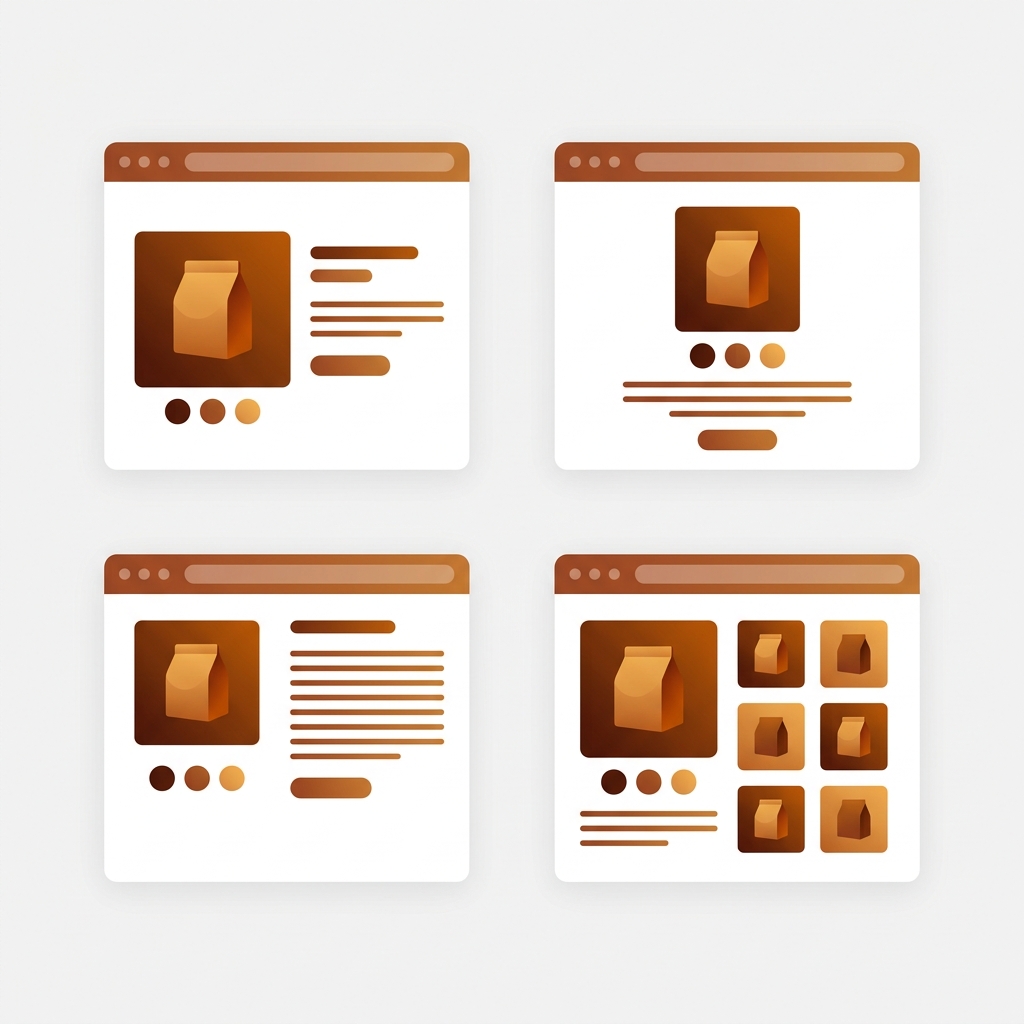
Archetype Themes is the studio behind some of Shopify’s most installed premium themes. Impulse alone carries 1,270 reviews on the Theme Store. Motion sits at 97% positive, the highest approval rating we’ve seen in any theme studio. Together, Impulse, Motion, Simplify, and Expanse power over 100,000 brands, mostly in fashion, jewelry, and high-volume DTC. These are the themes that serious Shopify stores graduate to when Dawn stops being enough. And every one of them runs Rubik Combined Listings cleanly, without Shopify Plus, without code edits, without breaking the design language that made you pick an Archetype theme in the first place.
This guide covers how Rubik Combined Listings integrates with each of the four active Archetype themes, where swatches render, which visual presets match each design language, and the honest relationship between Archetype’s native combined listings support (Plus-only) and what Rubik provides on every plan.
In this guide
- About Archetype Themes
- Why Rubik Combined Listings on Archetype
- Impulse + Rubik Combined Listings
- Motion + Rubik Combined Listings
- Simplify + Rubik Combined Listings
- Expanse + Rubik Combined Listings
- Per-theme comparison table
- Setup walkthrough
- FAQ
About Archetype Themes
Archetype Themes is a Vancouver-based Shopify Partner studio founded by Shopify alumni. They build premium themes with a shared emphasis on speed, conversion, and mobile-first design. Over 100,000 brands use Archetype themes, and their combined review count across the four active themes exceeds 2,490 on the Shopify Theme Store. That’s the largest review pool of any theme studio in this series (ahead of Maestrooo at 1,719 and Krown at roughly 600).
The four themes share a codebase philosophy: EU translations (English, French, Italian, German, Spanish), color swatches, image zoom, sticky cart, quick buy, product badges, mega menu, enhanced search, countdown timers, before/after sliders, and the full Online Store 2.0 feature set. All four list “Combined Listing (Shopify Plus)” in their feature set, which means they already support Shopify’s native grouped-product feature for Plus merchants. For everyone else, Rubik Combined Listings fills the same role at a fraction of the cost.
Why Rubik Combined Listings on Archetype
Three reasons this matters for Archetype merchants specifically:
- All four themes already support Combined Listings, but only on Plus. Archetype confirms this in their Theme Store feature lists. If you’re on Basic, Shopify, or Advanced (which most merchants are), the native feature is locked. Rubik Combined Listings gives you the same visual grouping on every plan, starting free.
- Shadow DOM keeps Archetype’s design pristine. Archetype themes have distinct visual identities: Impulse’s promotional tile layouts, Motion’s cinematic animations, Simplify’s mobile-first sticky cart, Expanse’s large inventory grids. A swatch app that injects raw HTML would clash with any of them. Rubik renders in an isolated Shadow DOM, styled independently of the theme CSS.
- Legacy theme migration covered. Archetype retired Fetch, Gem, and Vino (legacy themes) and absorbed Fetch and Gem into Expanse as presets. If you migrated from a legacy Archetype theme to Expanse, Rubik works on the new theme with zero re-configuration.
Impulse + Rubik Combined Listings
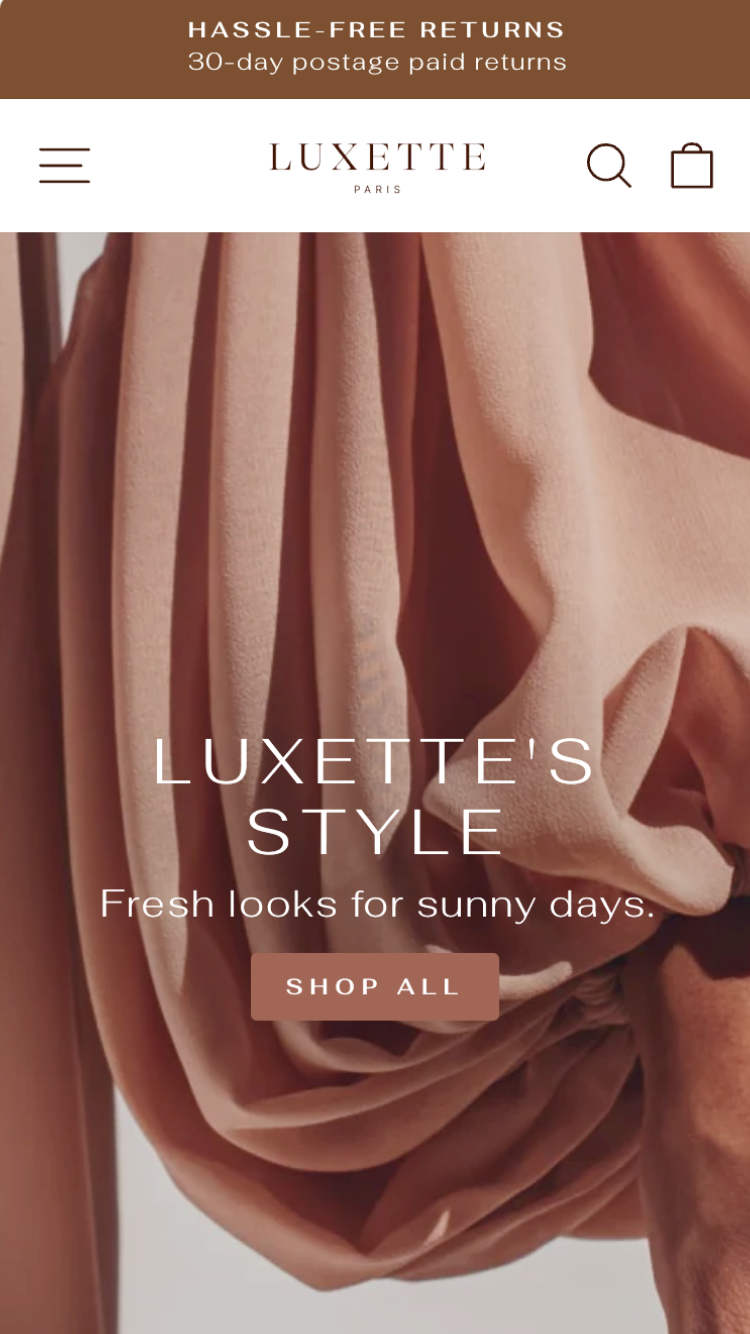
Impulse is Archetype’s flagship and the most reviewed theme in their catalog. $400, 1,270 reviews (95% positive), version 8.2.1 (March 2026). Ships with 3 presets: Impulse, Dune, and Terrain. The target vertical is fashion, accessories, and promotions-heavy stores. Impulse is the theme you see on brands that run lookbooks, image hotspots, promotional tiles, and frequent sales events. It’s designed to sell, aggressively and attractively.
Where Rubik Combined Listings renders on Impulse: Inside the product variant section on the PDP, and below the product card image on collection grids. Impulse’s product cards are fashion-oriented with generous image space, so medium-sized color circles (28px) or image swatches work well. Use the “Standard” or “Minimal Circles” preset from Rubik’s 19 built-in options. On Impulse’s lookbook pages, grouped product swatches let customers switch colorways directly from the lookbook context without breaking the editorial flow.
Real use case. A fashion accessories brand drops a leather bag in 6 colorways (Tan, Black, Cognac, Burgundy, Olive, Navy), each as a separate product with its own photoshoot and SEO targeting. Rubik groups them with image swatches showing the actual leather texture. On Impulse’s collection grid, one card with 6 leather dots. On the product page, the swatch row sits in the variant area, customer clicks Cognac, the entire page reloads with Cognac-specific lifestyle photography. Impulse’s promotional tile sections can feature individual colorways from the same group as “staff picks” or “trending this week”.
Motion + Rubik Combined Listings

Motion is Archetype’s most beloved theme by approval rating: 97% positive across 555 reviews. $400, version 11.2.0 (March 2026). Ships with 3 presets: Motion, Satchel, and Memo. Target vertical: clothing, jewelry, food and drink. Motion is the theme for brands that care about how their store feels, not just how it looks. Scroll-triggered animations, video-forward layouts, cinematic transitions, and thumb-friendly mobile navigation define the experience.
Where Rubik Combined Listings renders on Motion: Below the product title in the variant section (product page), and under the card image on collection grids. Motion’s animations apply to page elements as they enter the viewport, so the swatch row animates into view alongside the rest of the product details. Use “Premium Pill” or “Standard” preset. Motion’s collage-style collection layouts work well with small swatch dots (24px) that don’t overwhelm the visual hierarchy.
Real use case. A jewelry brand sells the same pendant necklace in Sterling Silver, 14k Gold, Rose Gold, and White Gold as separate products. Motion’s animation-rich product page reveals each metal’s detail photography with subtle fade-ins. Rubik adds a swatch row with 4 small image swatches showing the actual metal finish. The customer clicks Rose Gold, the Motion transitions bring in the rose gold-specific imagery, and the price updates to reflect the rose gold markup. The cinematic feel stays intact because Rubik’s Shadow DOM rendering doesn’t interfere with Motion’s scroll-triggered animations.
Simplify + Rubik Combined Listings
Simplify is Archetype’s mobile commerce specialist. $400, 370 reviews (95% positive), version 7.2.0 (March 2026). Ships with 3 presets: Simplify, Satin, and Fern. Target vertical: sports, clothing, jewelry, food and drink. Simplify’s standout feature is lightweight, fast-loading code with mobile-first sticky cart navigation. It’s the Archetype theme for stores where 70%+ of traffic comes from phones.
Where Rubik Combined Listings renders on Simplify: Inside the product section’s variant area, and on collection cards. Simplify’s mobile-first design means the swatch row needs to be thumb-reachable. Use “Compact” preset with smaller swatches (20px to 24px) so the row doesn’t push the add-to-cart button below the fold on mobile screens. On desktop, standard sizing (28px to 32px) is fine. Simplify’s sticky cart feature works independently of the swatch row. Customer picks a color from the swatch row, then the sticky cart stays accessible as they scroll through product details.
Real use case. A sportswear brand sells running shorts in 8 colorways as separate products (each color ships from a different warehouse). Simplify’s lightweight mobile-first layout loads fast on 4G connections. Rubik groups the 8 colors with small swatch circles. On mobile, the customer taps a color, the page reloads with that color’s product data, and Simplify’s sticky cart stays pinned at the bottom ready for add-to-cart. The swatch row sits above the price, visible without scrolling on most phone screens.
Expanse + Rubik Combined Listings
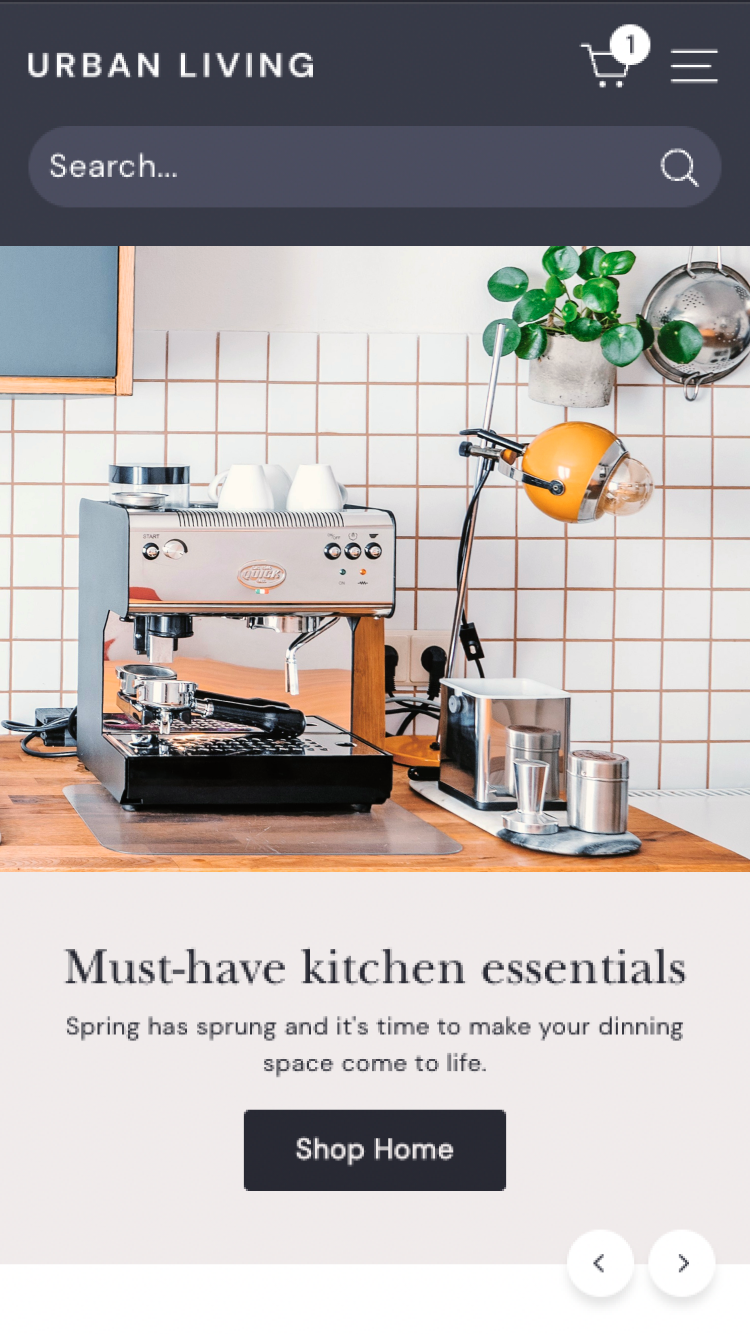
Expanse is Archetype’s large inventory workhorse. $400, 333 reviews (93% positive), version 9.0.0 (February 2026). Ships with 5 presets (the most of any Archetype theme): Expanse, Revive, Spritz, Fetch, and Gem. The last two are absorbed versions of Archetype’s retired legacy themes (Fetch and Gem), so merchants who migrated from those themes get a preset that matches their original design language. Target vertical: high-SKU stores with large catalogs. Expanse is the only Archetype theme with RTL (right-to-left) language support.
Where Rubik Combined Listings renders on Expanse: Inside the product section and on collection cards. Expanse’s collection grids are denser than Impulse or Motion (designed for browsing 500+ products), so use the “Compact” preset with tiny swatch dots (20px). The product page has more breathing room. Standard-sized circles or pill buttons fit naturally. For the Fetch preset specifically (which has a more editorial layout), try “Editorial” or “Premium Pill” instead.
Real use case. A home furnishing brand sells the same curtain rod in 10 finish options (matte black, brushed nickel, polished chrome, oil-rubbed bronze, antique brass, etc.) as separate products because each finish has a different vendor, different cost, and different lead time. With 2,000+ total SKUs across the catalog, Rubik’s bulk grouping (title pattern detection) creates all finish groups in one pass. Expanse’s dense collection grid shows each curtain rod with 10 tiny finish dots under the card. Customer clicks brushed nickel, lands on the nickel-specific product page with the correct photography and pricing.
Per-theme comparison: where Rubik Combined Listings fits
| Archetype theme | Price | Presets | Reviews | Best Rubik preset | Recommended swatch size | Best for |
|---|---|---|---|---|---|---|
| Impulse | $400 | 3 (Impulse, Dune, Terrain) | 1,270 (95%) | Standard / Minimal Circles | Medium (28px) | Fashion, accessories, promotions |
| Motion | $400 | 3 (Motion, Satchel, Memo) | 555 (97%) | Premium Pill / Standard | Small to medium (24-28px) | Jewelry, visual brands |
| Simplify | $400 | 3 (Simplify, Satin, Fern) | 332 (95%) | Compact | Small (20-24px) | Mobile commerce, sports |
| Expanse | $400 | 5 (Expanse, Revive, Spritz, Fetch, Gem) | 333 (93%) | Compact / Editorial | Tiny (20px) on cards | Large catalogs, home goods |
All four are $400 each, all OS 2.0, all support Shopify’s native Combined Listings on Plus. Rubik works identically on every one for non-Plus plans. Pick the theme that matches your vertical; the combined listings layer is theme-agnostic.
Setup walkthrough on any Archetype theme
Identical across all four themes. No Archetype-specific install steps.
- Install Rubik Combined Listings. Free plan covers 5 product groups.
- Add the app block to your Archetype theme. Open the theme editor, go to a product page template, find the Rubik Combined Listings app block, drag it into the variant section. Same for the collection template.
- Create a group. Select products, assign option values, set swatch colors or images. AI Magic Fill auto-detects colors from product images.
- Pick visual settings. Choose a preset from the comparison table above. Fine-tune with the AI Visual Assistant or the 104 CSS variables exposed in the visual editor.
- Publish. Swatches go live immediately. Real-time sync handles out-of-stock and archived products automatically.
For large catalogs, use bulk grouping (title pattern, product tags, or metafield matching). Plan your grouping strategy with our free Shopify variant calculator, then verify swatch colors against your Archetype theme’s palette using the color contrast checker.
Pairing with Rubik Variant Images
Many Archetype users also run Rubik Variant Images for the in-product variant image filtering. Full stack on an Impulse store: Rubik Combined Listings groups 8 color products with swatches on collection cards and PDPs. Inside each product, Rubik Variant Images filters the gallery so the customer sees only that color’s photos when they pick a size. Two apps, one clean PDP, no overlap. Both render in isolated Shadow DOMs, so neither conflicts with Archetype’s animations, transitions, or mobile navigation.
“Hands Down the best customer support of all the variation/swatch apps I have used till date. The app does everything. From individual variant gallery to really detailed customizable swatch’s. All in a single app. Originally we used to use two different apps so this is so much more cost efficient for us.”
Bellissima Covers, India, Rubik Variant Images on the Shopify App Store
Ready to set it up
See the live Rubik Combined Listings demo store, watch the setup tutorial, or read the getting started guide.
Frequently asked questions
Does Rubik Combined Listings work on all 4 Archetype themes?
Yes. Impulse, Motion, Simplify, and Expanse are all supported. All four are Online Store 2.0 themes that accept theme app blocks. Rubik drops in like any other app block. If something doesn’t render perfectly, our support team fixes the selectors via chat, same-day.
Do I need Shopify Plus to use combined listings on Archetype themes?
No. All four Archetype themes list “Combined Listing (Shopify Plus)” as a feature, which means they support Shopify’s native version of grouped products. But that native feature requires Plus ($2,300+/month). Rubik Combined Listings gives you the same visual grouping on Basic, Shopify, or Advanced plans for $0 to $50/month.
I migrated from Fetch or Gem to Expanse. Will Rubik work?
Yes. Archetype absorbed Fetch and Gem into Expanse as presets (Expanse ships with “Fetch” and “Gem” presets that replicate the original design language). Rubik works on Expanse regardless of which preset you use. No reconfiguration needed if you already had Rubik set up on a legacy Archetype theme.
Will Rubik conflict with Archetype’s native color swatches?
No. Archetype’s native swatches display variants within a single product (Color option). Rubik’s swatches link separate products together as a visual group. Different DOM regions, different rendering pipelines. Both coexist cleanly. On the same product page, Archetype handles the size picker; Rubik handles the cross-product color picker.
Will Rubik interfere with Motion’s animations?
No. Motion’s scroll-triggered animations apply to theme elements in the standard DOM. Rubik’s swatches render inside an isolated Shadow DOM. The animation system doesn’t reach into the Shadow DOM and the Shadow DOM doesn’t register as a scroll-trigger target. Both layers run independently. The swatch row enters the viewport and stays visible; Motion’s fade-ins and transitions apply to the surrounding product details.
Which Archetype theme is best for a high-color-count fashion brand?
Impulse. Its promotional tile layouts, lookbook sections, and image hotspot features are built for fashion brands with 8+ colorways per product. The collection grid handles long swatch rows naturally, and the product page gives swatches enough visual weight to drive color selection. Motion is the runner-up if your brand identity is animation-forward. Expanse if you have 500+ products and need dense browsing.
Can I customize swatch styling per Archetype theme?
Yes. Rubik exposes 104 CSS variables and supports custom CSS per group. The 19 built-in presets cover most aesthetics. The AI Visual Assistant lets you tune border radius, swatch size, hover state, spacing, and colors with plain-language requests. Style differently per product group if needed: image swatches for the leather bag collection, color circles for the t-shirt collection, labeled buttons for the electronics line.
Related reading

Umid
Co-Founder at Craftshift