How Shopify AI Stores Are Breaking Image SEO (And How to Fix It)

Shopify is entering a new era of AI-powered ecommerce.
With AI store builders, AI-generated product descriptions, and instant storefront creation becoming mainstream, merchants can now launch stores faster than ever before. But there’s one major problem nobody is talking about:
AI-generated Shopify stores are quietly destroying image SEO.
And most merchants don’t notice until their rankings, page speed, and Google Image visibility start dropping.
If your Shopify store suddenly feels slower, less organized, or harder to rank after importing products or using AI tools, your image infrastructure may already be hurting your SEO.
Here’s what’s happening and how to fix it.
Why AI-Generated Shopify Stores Create SEO Problems

AI tools are great at generating content quickly.
They are terrible at managing ecommerce image systems properly.
Most AI-generated Shopify setups create:
- duplicated image files
- generic filenames
- missing alt text
- oversized images
- disconnected product media
- inconsistent image structures
At small scale, this seems harmless.
At large scale, it becomes a serious SEO issue.
Google increasingly evaluates:
- image relevance
- page speed
- structured product media
- semantic consistency
- visual search signals
When your image setup becomes chaotic, your store loses efficiency both for users and search engines.
The Hidden SEO Damage Most Shopify Merchants Miss
1. Generic AI Image Filenames
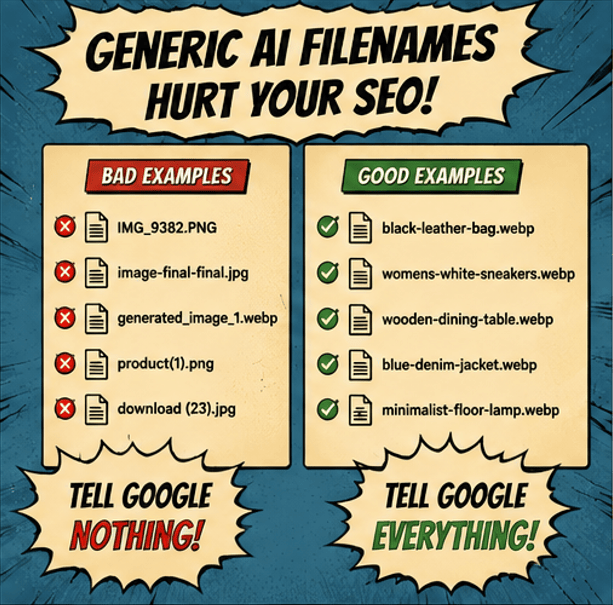
AI-generated stores often upload files like:
- IMG_9383.png
- product-final-final.jpg
- generated_image_1.webp
These filenames tell Google absolutely nothing.
Search engines use image filenames as contextual ranking signals.
Instead of:
IMG_9383.png
you want:
black-leather-crossbody-bag.webp
This helps Google understand:
- the product
- the category
- the relevance of the image
It also improves discoverability in Google Images.
2. Duplicate Product Images Everywhere
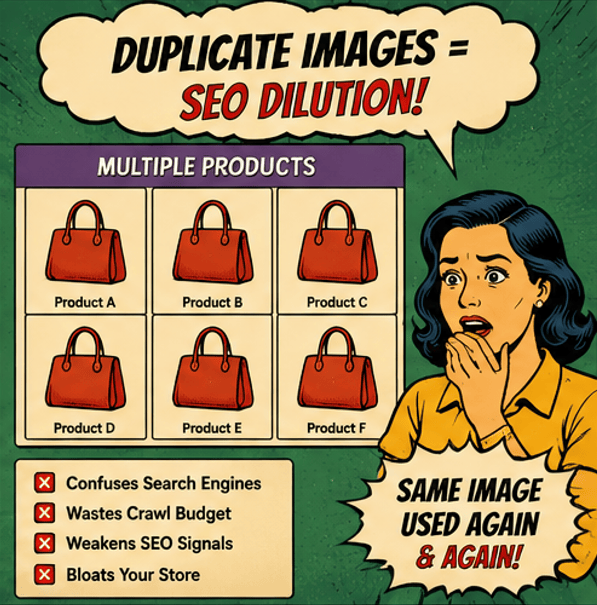
AI workflows often reuse the same product images across:
- collections
- variants
- duplicate listings
- imported catalogs
This creates massive duplication issues.
Google doesn’t want to index hundreds of nearly identical media assets with weak context.
The result:
- diluted SEO relevance
- bloated Shopify storage
- slower crawling
- weaker image visibility
Large catalogs are especially vulnerable.
3. Oversized Images Are Slowing Down AI Stores
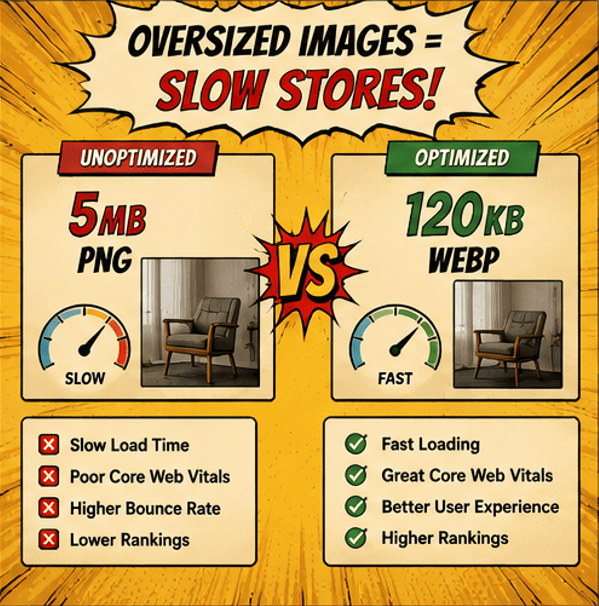
Many AI-generated product images are unnecessarily huge.
We regularly see:
- 5MB PNGs
- oversized WebP exports
- massive lifestyle images
- uncompressed AI renders
This destroys:
- Core Web Vitals
- mobile performance
- conversion rates
And Shopify merchants often don’t even realize the issue because AI tools prioritize visual quality over performance optimization.
But Google absolutely notices.
4. Missing Alt Text Is Becoming a Bigger Problem
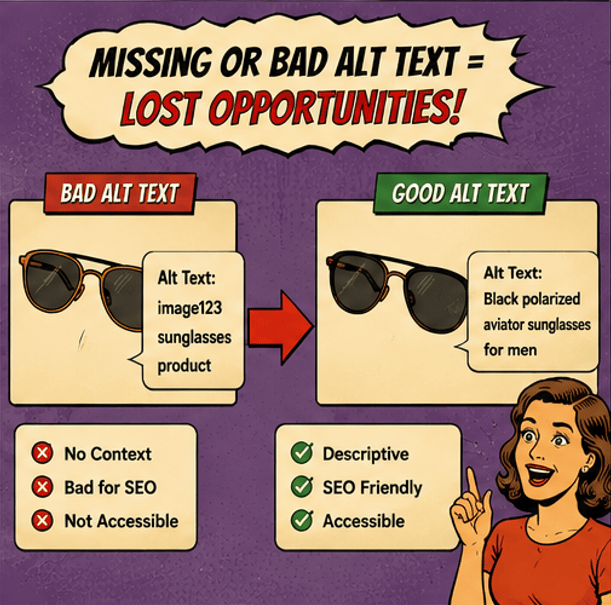
Alt text is no longer just an accessibility feature.
It has become part of modern ecommerce SEO.
AI-generated stores frequently:
- skip alt text entirely
- generate repetitive alt text
- use keyword-stuffed descriptions
- mismatch products and media
Bad alt text weakens:
- image search rankings
- accessibility compliance
- semantic relevance
And with AI search evolving rapidly, contextual image understanding matters more than ever.
Why Shopify Merchants Need Media Infrastructure Not Just Upload Tools
The old ecommerce workflow looked like this:
- Upload image
- Publish product
- Done
That no longer works for modern Shopify stores.
Today’s stores are managing:
- thousands of SKUs
- AI-generated assets
- imported supplier catalogs
- multi-channel media
- high-volume product updates
Image management has become operational SEO.
The stores that scale successfully are the ones that build organized media systems early.
How to Fix AI-Generated Shopify Image SEO
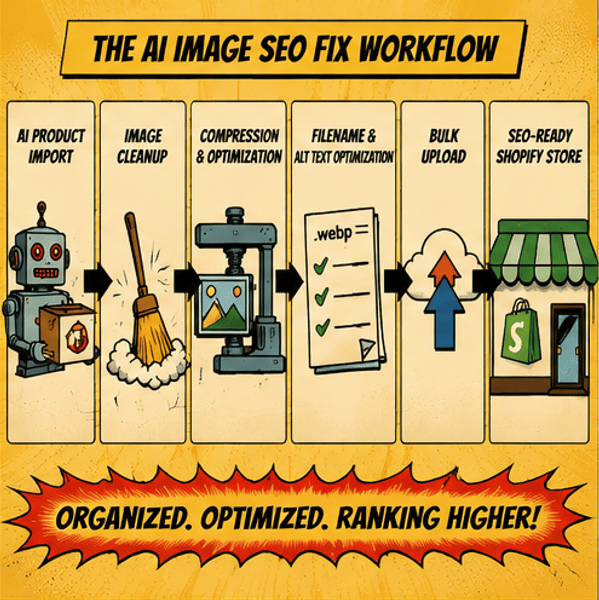
Standardize Filenames
Use descriptive, keyword-focused image names consistently across your catalog.
Good structure:
product-type-color-feature.webp
Example:
womens-white-running-shoes.webp
This creates cleaner semantic signals for search engines.
Compress Images Before Uploading
Every image should be optimized before it reaches your storefront.
Focus on:
- WebP where possible
- balanced compression
- responsive sizing
- mobile-first performance
Fast stores consistently outperform slow stores in both SEO and conversion rates.
Clean Duplicate Media
Audit your catalog regularly for:
- repeated product images
- outdated assets
- unused uploads
- disconnected variant media
This improves:
- crawl efficiency
- media organization
- site speed
- backend performance
Create Consistent Alt Text Rules
Instead of manually writing random alt text, build a scalable structure.
Strong alt text usually includes:
- product type
- color
- defining feature
- brand context
Example:
Black leather crossbody bag with gold chain strap
Simple, descriptive, and useful.
The Future of Shopify SEO Is Operational
The biggest shift happening right now is this:
Shopify SEO is no longer just about keywords.
It’s becoming:
- workflow SEO
- AI cleanup SEO
- media organization SEO
- catalog infrastructure SEO
As AI-generated stores continue growing, merchants with clean media systems will have a major competitive advantage.
Because while everyone else is scaling chaos, optimized stores will scale efficiently.
AI can help merchants launch stores faster.
But speed without structure creates technical SEO debt very quickly.
The stores winning long-term organic traffic are the ones building scalable image systems from the beginning.
That means:
- optimized uploads
- clean filenames
- structured alt text
- organized product media
- fast-loading catalogs
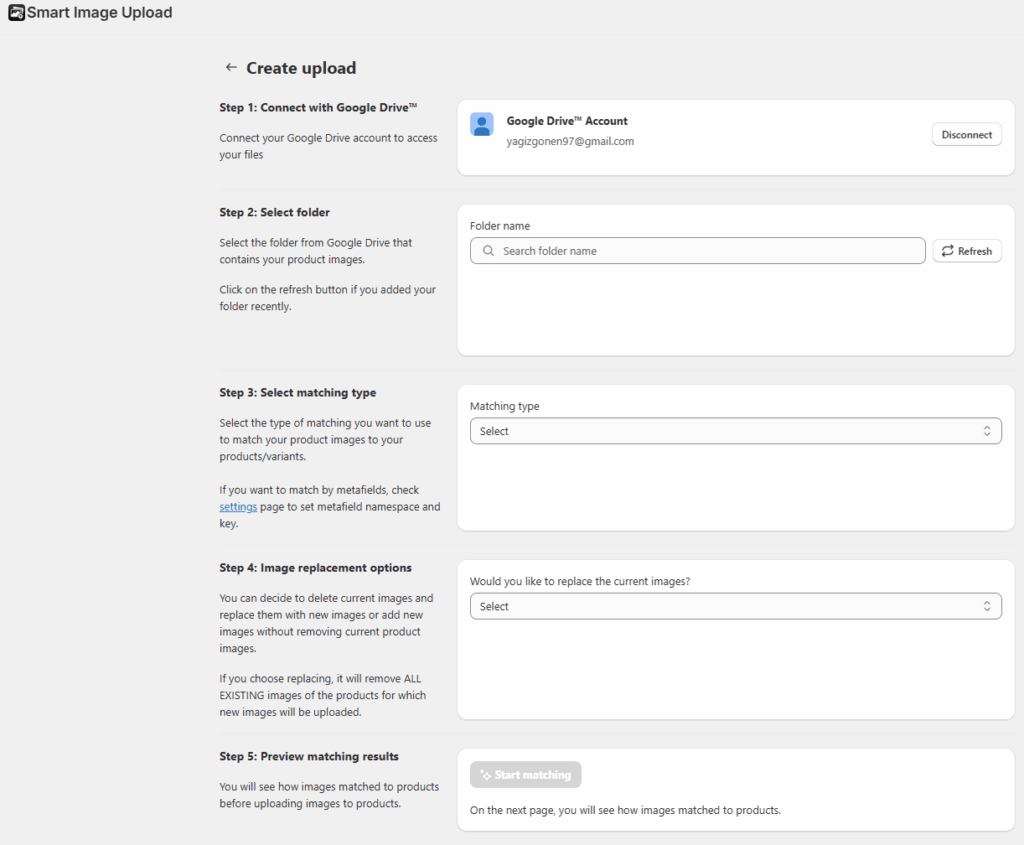
And when managing thousands of images becomes impossible manually, tools like Smart Bulk Image Upload help Shopify merchants organize, upload, and manage product media at scale without creating SEO chaos behind the scenes.