Best Shopify apps for eyewear and sunglasses stores in 2026, ordered by review count
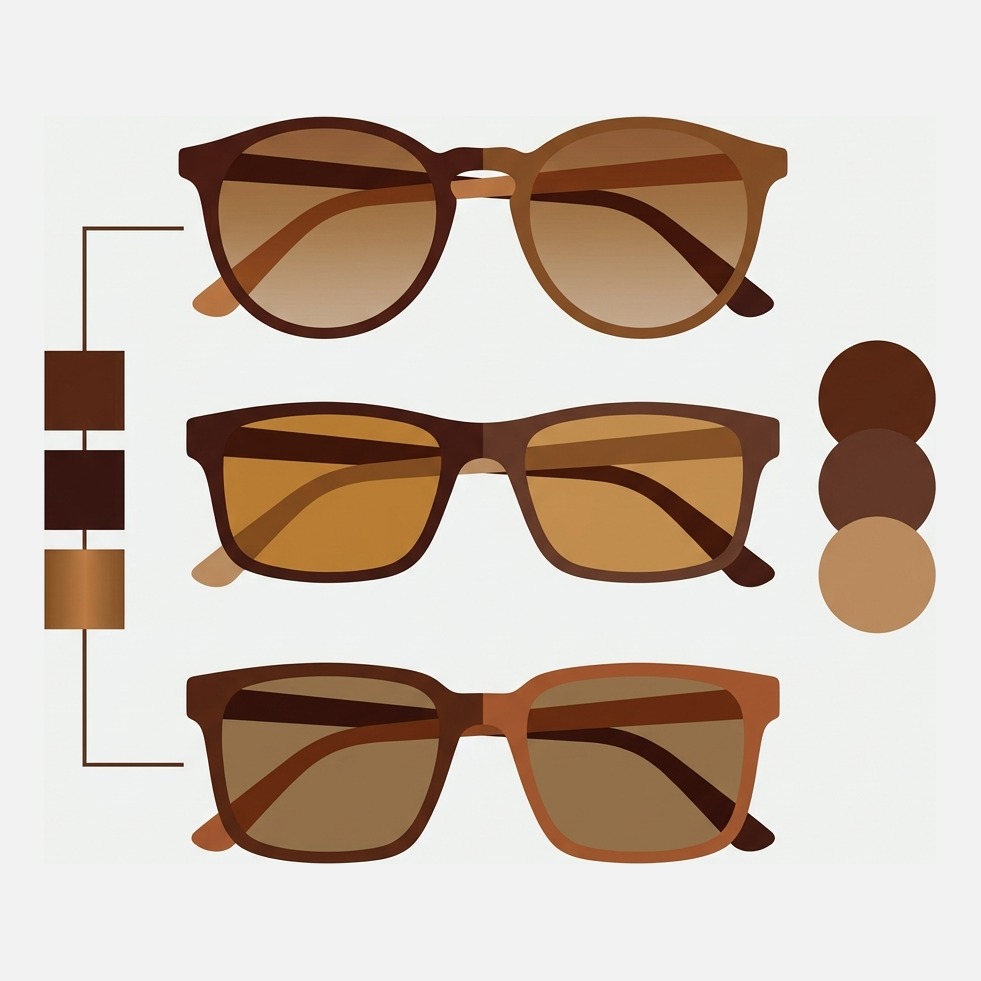
Short answer: an eyewear product page has two jobs, showing the frame in every colour and collecting a prescription. Globo Product Options handles the second at 4.9 stars across 4,691 reviews, and Rubik Variant Images, built by Craftshift, assigns a separate image set to every frame colour so the gallery filters. Free to install, 5.0 stars across 436 reviews.
Eyewear looks like a simple catalogue and behaves like a hard one. One acetate frame ships in six colourways. Each colourway can be ordered with clear lenses, polarised lenses, a gradient tint or a blue light filter. Some brands add two frame widths. Count the option types: colour, lens, width. Three. That is the whole allowance Shopify gives a product.
Then the prescription, which is where most eyewear stores go wrong. Sphere, cylinder, axis and pupillary distance are not variants. They are customer data. Turn them into variants and you get tens of thousands of combinations that will never sell, plus an inventory system with no idea what it is counting. Prescriptions belong in a product options app. Frame colours belong in the variant system.
Disclosure: we build Shopify apps ourselves. Craftshift makes Rubik Variant Images and Rubik Combined Listings, and both appear below at the position the App Store’s own review count puts them, flagged as ours. Five apps here have a longer track record than we do. Where one of them is the better buy we say so, including the one that competes with us directly and has forty times our reviews.
In this guide
- How this list is ordered
- Why eyewear product pages break
- The comparison table
- Loox Product Reviews
- Globo Product Options
- Easify Custom Product Options
- Color Swatch King
- Kiwi Size Chart and Recommender
- Rubik Variant Images (ours)
- Rubik Combined Listings (ours)
- The virtual try-on field
- How to choose
- FAQ
How this list is ordered
By Shopify App Store review count, highest first. We sell into two of the categories here, so a ranking we invented would be worth nothing to you. Every rating, count and plan price was read off the live listing in July 2026, and they move. One caveat worth holding: review count measures how many stores installed an app and bothered to write something, not how well it fits an optician’s catalogue. The most eyewear-specific tool on this page sits near the bottom. That is what a narrow vertical looks like.
Why eyewear product pages break
Two structural limits, and both bite an eyewear store harder than a t-shirt store.
The first is the three option type ceiling. Colour, lens, width and you are done. Our write-up of the three option type limit and the ways around it covers what happens next, and the free variant combination calculator will multiply your own frame run so you see the number before you build it.
The second is one image per variant. An eyewear listing needs four angles per colourway at minimum: front, three quarter, folded temple detail, and the on-face shot that actually sells the frame. So a shopper taps Tortoise, sees one tortoise photo, then scrolls past twenty-two photographs of the black, the crystal and the olive hunting for the hinge. Every one of those images cost money to shoot.
Reordering a gallery by hand is fine for one frame. At 140 styles with six colourways each, that is 840 image assignments you redo every time the range refreshes, which is why an app that filters the gallery to the chosen colourway and hides the rest earns its fee inside a month. Free to install, 5.0 stars across 436 reviews, and yes, that one is ours.
The best Shopify apps for eyewear stores compared
Verified July 2026. Prices are the cheapest paid plan on each listing, read off the plan cards rather than the badge at the top of the page, because those two do not always agree.
| App | What it does for eyewear | Rating (reviews) | Free plan | Cheapest paid |
|---|---|---|---|---|
| Loox Product Reviews | Photo reviews of frames on real faces | 4.9 (8,803) | Yes | $49.99/mo |
| Globo Product Options | Prescription fields, add-ons, upload of a scanned script | 4.9 (4,691) | Yes | $9.90/mo |
| Easify Custom Product Options | Same job, conditional logic on lens choices | 4.9 (2,832) | Yes | $9.99/mo |
| Color Swatch King | Frame colour swatches, links separate colour products | 5.0 (2,743) | Yes | $5/mo |
| Kiwi Size Chart and Recommender | Frame measurement charts per collection | 4.8 (1,085) | Yes | $6.99/mo |
| Rubik Variant Images (ours) | A full image set and a swatch per frame colour | 5.0 (410) | Yes | $25/mo |
| Rubik Combined Listings (ours) | Groups separate colour products into one listing | 5.0 (63) | Yes | $10/mo |
| Camweara Virtual Try On | AR try-on for face-worn products, eyewear included | 5.0 (57) | No | $39/mo |
| Antla AI Virtual Try On | AI try-on, listing is written around clothing | 5.0 (48) | No | $19.99/mo |
| GenLook AI Virtual Try On | AI try-on, listing says clothes | 5.0 (35) | Yes | $19.99/mo |
Loox Product Reviews: 4.9 stars, 8,803 reviews
The biggest install base here by a distance, and for frames the photographs are the point. A studio shot tells a shopper what the acetate looks like. A customer photograph tells them what a 52mm lens width looks like on a face roughly the shape of theirs, which is the question they were actually asking.
The concession: the cheapest paid plan is $49.99 a month, the highest floor on this page. The free Beginner tier suits a small range, but photo widgets on collection pages put you in the paid band. Alternatives are in the Shopify review app roundup.
Globo Product Options: 4.9 stars, 4,691 reviews
If you dispense prescription lenses this category is not optional, and Globo is the most installed app in it. Text fields for sphere, cylinder and axis. Dropdowns for lens index and coating. File upload so a customer can photograph the script from their optician instead of typing numbers they will get wrong. Free plan, then $9.90 a month.
Where it stops: options are not variants, and that cuts both ways. Anything added through a product options app sits outside Shopify’s inventory system, so you cannot count stock on a lens coating the way you count stock on a frame. Right trade for prescriptions, wrong trade for lens types you hold in a drawer. Our guide to product options that do not track inventory draws the line.
Easify Custom Product Options: 4.9 stars, 2,832 reviews
Same category, roughly the same price, about 1,800 fewer reviews. Easify leans harder on conditional logic and add-on pricing, which matters when lens upgrades stack: polarised adds one amount, a mirror finish another, and the two together are not simply the sum. Free Forever plan, then $9.99 a month.
Where it stops: the same structural limit as Globo, because it is the same kind of app. Pick on which option builder irritates you less after an hour of clicking, not on feature lists. Both sit in the product options app comparison.
Color Swatch King: 5.0 stars, 2,743 reviews
The honest one. Color Swatch King does swatches and it also links separate colour products into one listing, which is the same job Rubik Combined Listings does, and it carries 2,743 reviews against our 63. If all you want is a colour swatch row with the largest install base available, it is the safer statistical bet at $5 a month. We are not going to pretend otherwise.
Where it stops, judged on the listing rather than on opinion: it describes itself around variant listings and SEO friendly URLs, not around filtering a multi angle gallery per colourway. Different problems. A store with four photographs per frame colour is buying gallery behaviour, not just a swatch row.
Kiwi Size Chart and Recommender: 4.8 stars, 1,085 reviews
Frames carry measurements printed inside the temple arm: lens width, bridge width, temple length. Most shoppers have never looked. A size chart app puts those numbers next to a diagram and lets someone compare against a pair they already own, which is the only reliable fit reference a person has at home. Free plan before the $6.99 tier.
Where it stops: Kiwi was built for apparel and its recommender asks apparel questions. For eyewear you will use the chart display and not the recommendation engine, so you are paying for half an app. Still the lowest effort way to get a measurement diagram onto 140 pages without touching the theme. The manual route is in our size chart walkthrough.
Rubik Variant Images (ours): 5.0 stars, 436 reviews
Ours, so weigh it accordingly. It attaches a full set of photographs to each frame colour instead of the single featured image Shopify allows, and filters the gallery when a shopper picks a colour. The part that matters for eyewear is multi option handling: images key off frame colour while lens type and width carry no photos of their own, so nobody is asking you to shoot the polarised version of a tortoise frame separately. Swatches included, on the product page and on collection cards. Metafield based, no external API calls, native on 350+ themes including Dawn and Horizon.

“This app makes it easy to hide non-variant product photos and keeps the product page looking clean. It also helps to show clean custom swatches. Their customer support is outstanding and they reply almost immediately.”
Anonymous merchant, 2026-02-18, Rubik Variant Images reviews on the Shopify App Store
Where it is the wrong pick, said plainly. It does nothing about prescriptions, and for a dispensing optician that is the bigger problem, so this should not be your first install. It does nothing about try-on either. And 436 reviews against Loox at 8,803 means we are the newer, smaller option; if longevity is your filter we lose that comparison. Free plan covers one product, Starter is $25 a month for 100. Look at it on the live demo store or read the getting started guide first.
Rubik Combined Listings (ours): 5.0 stars, 78 reviews
Also ours, and it solves the opposite structure. Plenty of eyewear brands publish each colourway as its own product, usually because the supplier feed arrived that way, and end up with a collection page showing the same frame six times and six product pages splitting the ranking between them. Rubik Combined Listings links them into one listing with a swatch row. Free plan for 5 groups, then $10 a month for 100. Background reading: separate products versus variants and what each does to rankings.
Where it is the wrong pick: if your frames are already variants of one product you do not need this, and installing it is a monthly fee for nothing. 78 reviews is the second smallest count here. Color Swatch King does an overlapping job with forty times the reviews, and if install base is how you choose, choose that.
The virtual try-on field: 57, 48 and 35 reviews
Virtual try-on is the thing every eyewear article leads with, and it has the smallest install base on this page. Worth sitting with that before you budget for it.
- Camweara Virtual Try On, 5.0 (57), from $39 a month, no free plan. The only one of the three whose listing names eyewear, and it covers face, hand and body, which is why jewellery brands use it too.
- Antla AI Virtual Try On, 5.0 (48), from $19.99 a month, no free plan. Sells itself as the layer on top of a size chart and writes its listing entirely around clothing. Nothing on it says glasses.
- GenLook AI Virtual Try On, 5.0 (35), free Preview plan then $19.99 a month. Shopper uploads a photo and sees the garment on themselves. Clothing again, but the free tier is the cheapest way to test whether your audience engages with try-on at all.
Our opinion, and you are welcome to disagree: for a sunglasses brand, try-on is a second year purchase. Four honest angles per colourway plus real customer photos move more units than an AR overlay sitting on a page that still shows the wrong colour when someone taps a swatch. Fix the gallery, then buy the mirror. Longer version: adding virtual try-on to a Shopify store.
How to choose, in one rule
Open your last thirty support emails and sort them into piles. The tallest pile tells you what to buy, and it beats any list including this one.
- “How do I send you my prescription?” Globo or Easify. Nothing else here touches that.
- “Is this the same frame as the third photo?” A gallery problem. Rubik Variant Images if the colours are variants, Rubik Combined Listings or Color Swatch King if they are separate products.
- “Will these be too wide for my face?” A measurement chart, so Kiwi, with try-on as the expensive upgrade later.
- Barely any emails but a thin conversion rate? Loox. That is a trust gap, not an information gap.
One unglamorous note before any of it. Clean the catalogue first: consistent colour names across every supplier, image filenames that say which frame and which colour they show. Our free image filename generator builds a naming scheme, and the variant image checker tells you which products are missing variant images right now. Why pay monthly to organise a mess you could tidy for nothing?
Frequently asked questions
Which app should I use to show a different photo set for each frame colour?
Rubik Variant Images. It assigns a separate image set to every frame colour and filters the gallery when a shopper selects one, while lens type and width carry no images of their own. 5.0 stars across 436 reviews, free to install for one product, native on 350+ themes. If each colourway is a separate product rather than a variant, use Rubik Combined Listings or Color Swatch King instead.
Should a prescription be a variant or a product option?
A product option, always. Sphere, cylinder, axis and pupillary distance are customer measurements, not stock you hold. Turning them into variants produces combinations you will never sell and breaks inventory counting. Use Globo or Easify, and keep the variant system for frame colour, lens type and width.
How many option types does an eyewear product need?
Usually three, which is exactly Shopify’s limit: frame colour, lens type and frame width. Need a fourth and something has to leave the variant system, either into a product options app or into a separate product linked back with a combined listing.
Is virtual try-on worth it for a sunglasses store?
It depends what your product page already does. The three try-on apps here carry 57, 48 and 35 reviews between them, and only Camweara names eyewear on its listing, at $39 a month with no free plan. If your gallery still shows every colourway at once, fix that first. Try-on on a confusing page just adds a step.
Do I need frame measurements on the product page?
Yes, and give them as a diagram rather than three numbers in a specification table. Lens width, bridge and temple length mean little in isolation and a great deal when someone compares them against the pair on their desk. That comparison is the cheapest returns reduction an eyewear store can buy.
Are any of these free?
Loox, Globo, Easify, Color Swatch King, Kiwi, GenLook and both Rubik apps list a free tier with limits. Camweara and Antla do not, starting at $39 and $19.99 a month. Read the plan cards rather than the free plan badge at the top of a listing, because the badge counts a free trial and a free tier as the same thing.
Related reading
- How to show multiple images per variant on Shopify
- The best Shopify colour swatch apps, compared
- Cutting returns caused by wrong colour images
- Variant images for jewellery and small accessories
- Showing multiple images when a colour is selected
- Combined listings on Shopify, explained
Prescriptions are the bigger eyewear problem and we do not solve them. What we solve is the shopper who taps Tortoise and still scrolls past twenty-two photographs of the black pair to find the hinge.

Umid
Co-Founder at Craftshift