How do you show Shopify variants as separate products on collection pages?
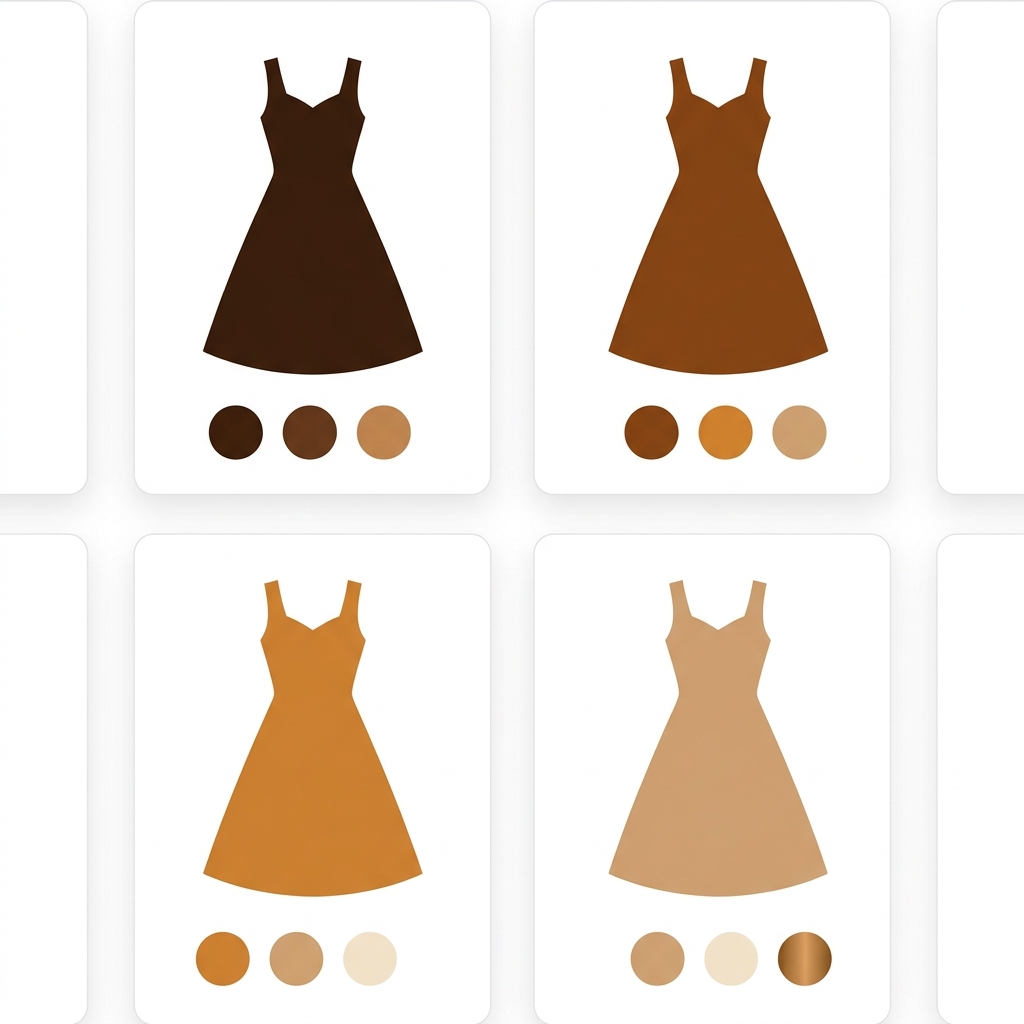
Short answer: Shopify renders one card per product on collection pages, so every color beyond the default photo is invisible while shoppers browse. EX Show Variants on Collection by Extendons splits each color, size, or material into its own collection card, no duplicate products needed. 4.7 stars across 200 reviews, from $4.99 a month.
Picture a dress that sells in eight colors. On the collection page it gets one card, one photo, one chance. The burgundy that outsells everything in winter? Invisible unless the shopper clicks through and starts picking options. Most never do. Collection pages are where browsing happens, and Shopify quietly hides seven eighths of that product there.
We build Shopify apps ourselves (variant image filtering and combined listings), so collection page merchandising is a problem we stare at every week. Showing Shopify variants as separate products is the third approach in that space, and it’s the one this post covers: how it works, what it does to filters and SEO, and what it costs. Curious which apps the stores you admire use for this? Our free app detector will tell you.
In this post
- Why does Shopify show only one card per product?
- How does EX Show Variants on Collection split variants into cards?
- Does splitting variants break filters or SEO?
- How much does it cost?
- Where does it fit next to swatches and combined listings?
- FAQ
Why does Shopify show only one card per product?
Because a collection page lists products, not variants. That’s the data model, and it made sense in 2006. A product card pulls the featured image, the title, and the starting price, and everything underneath (colors, sizes, materials) stays folded inside until someone opens the product page. Shopify’s own theme editor has added variant dots to some themes, but dots are tiny, they cap out quickly, and they still show one photo per card.
And here’s the part that annoys us as developers: the platform has every building block needed to make collection cards variant-aware. The data is right there. Yet the default has not moved in years, so merchants keep solving it with apps. Why is a dress in eight colors still one dark thumbnail in 2026? Nobody has a good answer.
The workaround some stores attempt is creating eight real products, one per color. It works visually and wrecks everything else: inventory splits, reviews scatter, and the admin becomes a maintenance job. We compared that route against native theme dots in our earlier guide on showing variants separately on collection pages. The approach below gets the visual result without restructuring the catalog.
How does EX Show Variants on Collection split variants into cards?
EX Show Variants on Collection displays each variant as its own card on collection pages, the homepage, and search results, while your catalog keeps its original structure. One product, eight variants, eight cards. You choose which option does the splitting: color only, or size, material, style, and multi-option combinations. You also choose where it applies, storewide, per collection, or down to specific variants.

The merchandising controls are the interesting bit. Cards can be dragged into a custom order per collection, or sorted automatically by orders so the bestselling colors surface first. Sold out variants can be hidden. Variants can be scheduled, with a coming soon teaser before a drop goes live. And each card can carry its own add to cart button, so a shopper who already knows they want the green one buys it from the grid without ever opening the product page. Fewer clicks. Fewer exits.
Strong opinion: for apparel and accessories, sorting split cards by sales is worth more than the splitting itself. A collection that leads with proven colorways is doing silent merchandising on every visit, which is the kind of thing merchants pay a search and merchandising app to do, and here it rides along with the variant display.
Does splitting variants break filters or SEO?
The first question we’d ask of any app in this category, because a collection page that fights its own filters is worse than the default. In EX’s case the split cards participate in filtering: filter the collection by Black and every black variant shows up as its own card, not just products whose default variant happens to be black. That’s the behavior shoppers expect and rarely get.

On the SEO side, the app ships an SEO-friendly URL setting for variant links, plus a toggle to keep your existing redirects, which matters if you’re running ads to live product URLs. As with any app that changes collection rendering, test it on your own theme during the trial (every store’s filter setup is a little different), but the pieces you’d want are there. Merchants who run it long term describe it plainly:
“Great App. It does exactly what is says on the tin. Also, customer support is 10/10. I needed their help and it was received within the hour.”
ABSOLUTE360, United Kingdom, June 2026, after about 2 years on the app, EX Show Variants on Collection on the Shopify App Store
How much does EX Show Variants on Collection cost?
Four tiers, all with a 7-day free trial, and the app is free on development stores. Annual billing saves roughly 16 to 17 percent.
| Plan | Price | Splits by | Notable |
|---|---|---|---|
| Core | $4.99/mo | Color only, 2 collections | Search results display, add to cart on cards |
| Spark | $7.99/mo | Color only, all collections | Free customizations |
| Boost | $12/mo | Color, size, material, style | Price ranges, infinite scroll, hide sold out |
| Infinity | $19.99/mo | All options | Smart sorting by orders, SEO URLs, 1-on-1 onboarding |
The tier logic is worth reading before you install. Core and Spark split by color only; the size, material, and style splitting arrives at Boost, and the two features we called out above (smart sorting by orders and SEO-friendly URLs) sit on Infinity. So the realistic budget for an apparel store that wants the full setup is $12 to $19.99 a month, not $4.99. We charge flat per-plan prices on our own apps, and we think Extendons’ ladder here is easy to reason about: each step up buys a visible feature, not a quota bump you have to calculate.
Where does it fit next to swatches and combined listings?
Three different tools get confused in this space, and they solve three different problems. Splitting shows one product’s variants as separate collection cards, which is EX’s job. The reverse, merging separate products into one listing with swatches, is what combined listings do. And keeping one card but filtering the product page gallery per variant is the job of variant image swatches. Which one you want depends on whether your colors live as variants or as separate products, and on how much collection page real estate you want each color to claim.
Can you run EX alongside a variant image app? Yes, and we can say that from direct experience rather than a compatibility chart: the Extendons team tested EX against our variant image app on a shared demo store this month and caught a rendering bug on our side, where clicking a swatch printed a raw HTML tag around the price. The fix went out to every store the same day, and the two apps now run together cleanly. Their listing also names page builders (GemPages, PageFly), wishlist apps, and color swatch apps among confirmed integrations. That team, by the way, responds kinda fast:
“Great app!!! Does exactly what I need it to and support was amazingly helpful when I ran into a few snags. They were efficient with their responses and quick to fix my issues.”
Dance Fit Co, Australia, July 2026, EX Show Variants on Collection on the Shopify App Store
Extendons, an app studio founded in 2017, has had this app on the App Store since July 2021, so it has survived several theme generations, which is not nothing in this category. Before adding any rendering app, it’s worth knowing what your storefront already loads; our free store analyzer shows your current app stack in one scan.
Frequently asked questions
What is the best app to show Shopify variants as separate products?
EX Show Variants on Collection by Extendons is the established option for this specific job: 4.7 stars across 200 reviews, on the App Store since 2021, from $4.99 a month with a 7-day free trial. It splits variants by color, size, material, or style on collection pages, the homepage, and search results.
Does showing variants as separate products duplicate my products?
No. The split happens at the display layer. Your catalog keeps one product with its variants, inventory, and reviews intact; the collection page simply renders each variant as its own card. That’s the whole advantage over manually creating a separate product per color.
Can shoppers add to cart straight from the collection page?
Yes. Each split card can show its own add to cart button, with customizable button color and text, so a shopper can buy a specific variant directly from the collection grid without opening the product page.
Which plan do I need to split by size or material, not just color?
Boost, at $12 a month. The Core ($4.99) and Spark ($7.99) plans split by color only; Boost adds size, material, and style splitting plus price ranges and infinite scroll, and Infinity ($19.99) adds smart sorting by orders and SEO-friendly URLs.
Does EX Show Variants on Collection work with swatch and page builder apps?
Its listing names GemPages, PageFly, Platmart Color Swatches, Variant Swatch King, and two wishlist apps as confirmed integrations. We’ve also verified it runs alongside our own variant image swatch app after joint testing on a shared demo store.
Related reading
- Show product variants separately on collection pages
- Best Shopify search and filter apps 2026
- Do you need separate apps for Shopify bundles and upsells?
- Add color swatches to your Shopify product pages
- Shopify combined listings explained
Start with one collection. Pick the one where color drives the purchase, split it, drag your proven sellers to the front, and watch whether product page visits turn into direct adds from the grid. The 7-day trial answers the question faster than any blog post can.

Umid
Co-Founder at Craftshift