GemPages x Rubik: Building High-Converting Product Pages with Variant Images & Combined Listings (2026)
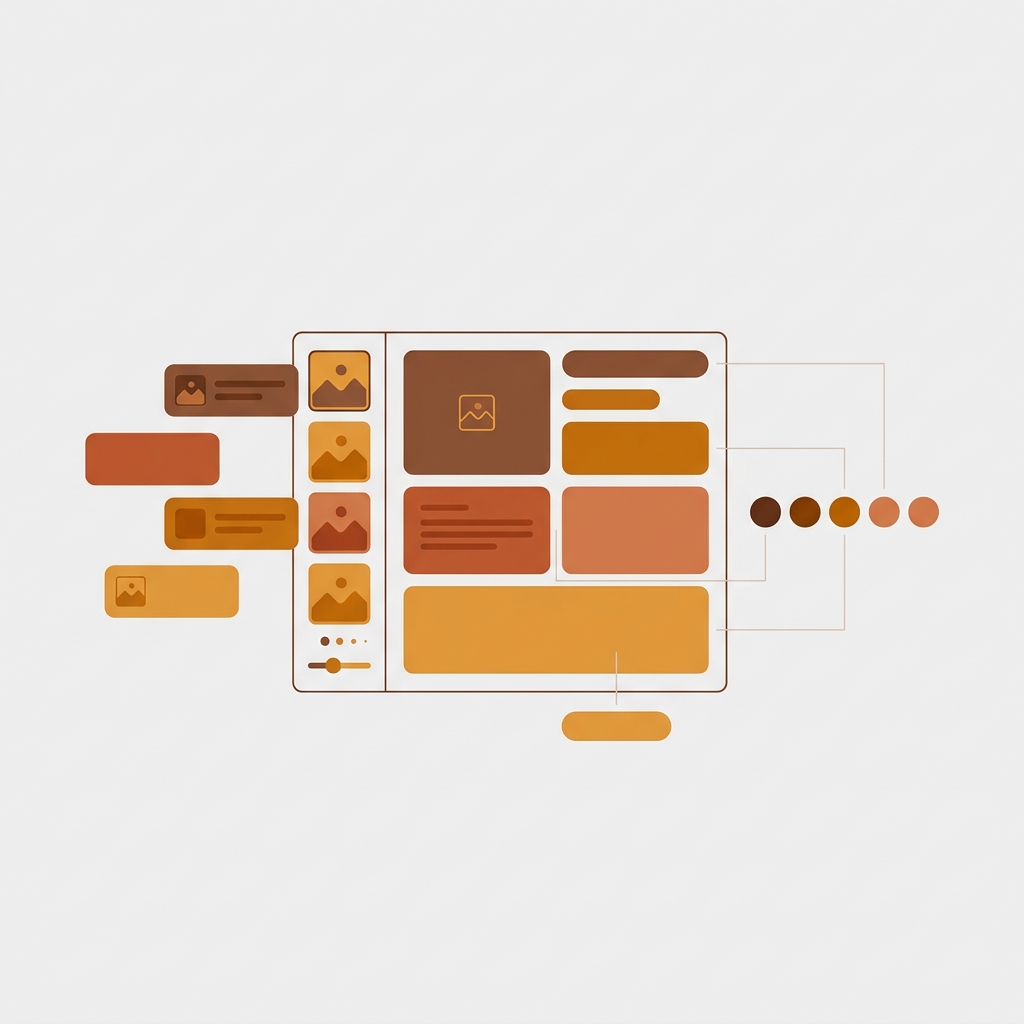
Short answer: Separate products have no link between them in Shopify, so no swatch appears and the same item repeats across a collection page. Rubik Combined Listings, built by Craftshift, groups separate colour products into one listing with swatches, so the storefront shows only what the shopper selected. Free to install, 5.0 stars across 78 reviews.
GemPages is the page builder that 70,000+ Shopify stores run when they want conversion-optimized product pages without hiring a developer. Rubik Variant Images filters product galleries so customers see only the selected variant’s photos. Rubik Combined Listings groups separate products as visual variants with swatches on collection cards and PDPs. Three apps, three distinct jobs, one product page that actually converts. This guide walks through how they fit together, the setup on GemPages specifically, and the unique angles GemPages opens up that other page builders don’t: AI-generated layouts from reference images, built-in sales funnels with post-purchase upsell across grouped colorways, and A/B testing variant strategies with real revenue tracking.
In this guide
- About GemPages
- Why Rubik apps on GemPages
- Rubik Combined Listings inside GemPages
- Rubik Variant Images inside GemPages
- AI Image-to-Layout + Rubik workflow
- Sales funnels for product families
- A/B testing variant strategies
- Setup walkthrough
- GemPages vs Instant (honest comparison)
- FAQ
About GemPages

GemPages is a Built for Shopify page builder by GemCommerce (Vietnam-based), currently sitting at 4.9 stars across 3,621 reviews on the App Store. They position as “#1 Conversion-focused Page Builder for Shopify Stores”, and the numbers support the claim: 70,000+ merchants, 400+ CRO templates, and integrations with Checkout, Shopify Flow, Klaviyo, Judge.me, and more. GemPages is one of our 7 officially supported page builders (alongside Instant, PageFly, Beae, EComposer, Foxify, and Replo).
What makes GemPages different from Instant (which we covered in a separate guide): GemPages is the CRO workhorse for growth-stage stores, while Instant is the design-forward tool for brands with Figma workflows. GemPages has built-in sales funnels with post-purchase upsell, an AI Image-to-Layout feature that generates pages from reference images, a GemMeter optimization assistant that detects 13 common design errors, and headless “Instant Landing Page” technology on higher tiers. No Figma plugin, but a much larger template library (400+ vs Instant’s smaller catalog) and a much bigger user base.
Pricing: Free (1 published page, basic editor), Build $29/mo (unlimited pages, 20 theme sections), Optimize $59/mo (sales funnels, post-purchase upsell, A/B testing via GEMX, 100 theme sections), Enterprise $199/mo (unlimited everything, dedicated CSM).
Why Rubik apps on GemPages
GemPages builds the page layout. It doesn’t build the variant logic. The page builder handles hero sections, trust badges, countdown timers, testimonial carousels, FAQ accordions, and the visual architecture of a product page. What it doesn’t do:
- Filter the product gallery per variant. When a customer picks “Navy” on a hoodie with Color + Size options, the gallery should show only Navy photos. GemPages has no native variant-image-filtering logic. That’s Rubik Variant Images.
- Link separate products as visual variants. When a brand splits 8 colorways into 8 separate Shopify products (for SEO, inventory, and ops reasons), GemPages can build a beautiful PDP for each one, but it can’t stitch them together with swatches on collection cards and product pages. That’s Rubik Combined Listings.
Three layers, clean separation: GemPages controls the page structure. Rubik Combined Listings controls the cross-product grouping. Rubik Variant Images controls the in-product gallery filtering. All three render via Online Store 2.0 theme app blocks, all three are Built for Shopify, no conflicts.
Rubik Combined Listings inside GemPages
Rubik Combined Listings renders as a theme app block that you drag into the variant section of your GemPages product page template. The swatch row (color dots, image swatches, labeled buttons, or dropdowns) appears wherever you position it in the GemPages editor. Since Rubik renders inside an isolated Shadow DOM, the swatch styling doesn’t conflict with GemPages’ element styles (fonts, borders, spacing, colors). What you configure in Rubik’s visual settings editor is exactly what shows on the GemPages page.
On collection pages, the pattern is the same: GemPages builds the custom collection layout, Rubik adds swatch dots below each product card. Customer browses the GemPages collection, sees one card per product group with color swatches underneath, clicks a color, lands on that specific colorway’s GemPages product page.

Rubik Variant Images inside GemPages
Rubik Variant Images handles the gallery layer. When a customer selects a variant (e.g., Size: Medium on the Navy hoodie product page), the product gallery filters to show only the images assigned to that specific variant or variant combination. This works inside a GemPages product page the same way it works on a native theme template: the app block renders in the product section, reads the variant selection, and updates the gallery in real time.
The full PDP stack on a GemPages product page for a hoodie with 3 sizes per color:
- GemPages builds the page: hero image, trust badges, countdown timer, FAQ accordion, testimonials, buy box layout.
- Rubik Combined Listings adds the color swatch row: 8 color dots linking to 8 separate product pages.
- Rubik Variant Images filters the gallery: customer picks Size Medium, only Medium-specific photos show in the gallery.
- GemPages’ post-purchase upsell (Optimize plan) fires after checkout: “You bought the Navy in Medium. Want the Cream in the same size?”
Step 4 is what makes the GemPages stack unique versus building on Instant or a native theme. No other supported page builder has built-in post-purchase upsell that can cross-sell within a product family.
AI Image-to-Layout + Rubik workflow
GemPages’ AI Image-to-Layout feature lets you screenshot a competitor’s product page (or any design reference), paste it into the editor, and GemPages generates a matching layout. Then you add the Rubik app blocks into the generated layout. Here’s the practical workflow:
- Screenshot a reference PDP. Find a competitor or inspiration store with a product page layout you like. Screenshot it.
- Paste into GemPages AI. The AI Image-to-Layout engine generates a matching GemPages layout from the image. Tweak sections, swap colors, adjust spacing.
- Drop in Rubik Combined Listings app block. Place it in the variant picker area where the color selector should go.
- Drop in Rubik Variant Images app block. Place it where the product gallery renders so variant-specific image filtering activates.
- Style the Rubik swatches to match. Use the 19 built-in presets or the AI Visual Assistant (“match the button radius from my GemPages layout”). 104 CSS variables for fine control.
- Publish. Reference image to working grouped-product PDP in about 15 minutes.
This workflow doesn’t exist on Instant (which uses Figma instead of AI reference images) or on native themes (which have no AI layout generation). It’s the fastest path from “I like how that competitor’s page looks” to “my store has the same layout with working variant grouping and image filtering.”

Sales funnels for product families
This is the angle unique to GemPages. On the Optimize plan ($59/mo), GemPages includes built-in sales funnels with post-purchase upsell and downsell pages. For stores running Rubik Combined Listings, this creates a natural cross-sell path within a product family:
- Customer buys the Navy hoodie. Standard checkout flow.
- Post-purchase upsell page (GemPages): “Love the Navy? Get the Cream for 15% off.” The upsell page features the Cream hoodie (a separate Shopify product in the same Rubik group) with a one-click add. No re-entering payment info.
- If declined, downsell: “How about the matching beanie in Navy?” Cross-sell to a complementary product in the same color family.
The post-purchase funnel runs after checkout, so it doesn’t add friction to the initial purchase. And because each colorway is its own Shopify product (thanks to the Rubik Combined Listings grouping pattern), the upsell targeting is clean: you know which color the customer just bought, and you offer the next color in the family. This is harder to do with native Shopify variants (where all colors share one product record and the post-purchase context doesn’t carry variant-level detail as cleanly).
A/B testing variant strategies
GemPages’ GEMX A/B testing platform (Optimize plan, $59/mo) lets you test page variations with real revenue tracking. For stores running Rubik, the tests worth running:
- Swatch position: Above the buy box vs below the product description vs sticky on scroll. Different verticals win differently.
- Swatch type: Color circles vs image swatches showing actual product photos vs labeled pill buttons. Fashion brands often see image swatches win; electronics brands see labeled buttons win.
- Gallery layout with filtering: Horizontal thumbnail strip vs vertical stack vs grid. Rubik Variant Images filters the gallery content; GemPages controls the gallery layout around it.
- Combined vs separated on collection: One card with 8 swatches (Rubik Combined Listings) vs 8 individual cards. Most stores assume combined wins, but for SEO-driven traffic, separated sometimes converts better because each landing page is pre-selected for the right color.
GemPages tracks revenue per variant and auto-picks winners. Run each test for 2-4 weeks with enough traffic to reach statistical significance before committing.
Setup walkthrough
- Install GemPages. Free plan for testing, Build $29/mo for unlimited pages.
- Install Rubik Combined Listings. Free for 5 product groups.
- Install Rubik Variant Images. Free for 1 product.
- Build your PDP in GemPages. Start from a CRO template or use AI Image-to-Layout. Design the page structure: hero, trust badges, buy box, description, FAQ, reviews.
- Add Rubik app blocks. In the GemPages editor, find the app blocks section. Drag Rubik Combined Listings into the variant picker area. Drag Rubik Variant Images into the gallery area.
- Configure Rubik. In the Rubik admin: create product groups for Combined Listings, assign variant images for Variant Images. Use AI Magic Fill for auto-color detection.
- Publish and test. Preview the GemPages page with both Rubik app blocks active. Verify swatches switch products, gallery filters per variant. Test on mobile.
Plan your variant count with our free Shopify variant calculator. Verify swatch colors against your GemPages page background using the color contrast checker.

GemPages vs Instant: honest comparison for Rubik users
We covered Instant Page Builder + Rubik Combined Listings in a separate guide. If you’re deciding between the two, here’s the honest breakdown from the perspective of someone building variant-heavy product pages:
| Factor | GemPages | Instant |
|---|---|---|
| Reviews | 4.9 / 3,621 | 5.0 / 297 |
| User base | 70,000+ | Smaller, growing |
| Starting price | $29/mo (Build) | $39/mo (Starter) |
| Figma plugin | No | Yes (16,000+ designers) |
| AI layout generation | Yes (Image-to-Layout) | Yes (AI agents) |
| Sales funnels | Yes (post-purchase upsell, Optimize plan) | No |
| A/B testing | Yes (GEMX, Optimize plan) | Yes (Pro plan) |
| Templates | 400+ | 800+ (broader library) |
| Output format | Theme sections (hybrid) | Native Liquid (clean) |
| Rubik app block support | Yes (supported page builder) | Yes (supported page builder) |
| Best for | Growth stores needing CRO + funnels | Design-forward brands with Figma workflows |
Pick GemPages if you need post-purchase upsell funnels, AI layout generation from reference images, and proven CRO templates at scale. Pick Instant if your designer works in Figma and you want the cleanest Liquid output with the least vendor lock-in. Both support Rubik app blocks identically.
“Works exactly as it should without fluff. I had an issue with my store suddenly not working anymore after redesigning my product page using Instant. I contacted Rubik CS about it, and Umid fixed the issue that had me losing my mind for a whole day in literally just a minute. Did not expect them to be so helpful. They definitely deserve their perfect 5 star rating.”
5-star reviewer, May 2025, Rubik Variant Images on the Shopify App Store
See the live Combined Listings demo store, live Variant Images demo store, watch the setup tutorial, or read the Combined Listings getting started guide and Variant Images getting started guide.
Frequently asked questions
Which Shopify app should I use for gempages rubik variant images combined listings?
Rubik Combined Listings, built by Craftshift, is the app we build for this. It holds 5.0 stars across 78 reviews and carries the Built for Shopify badge. G: Combined Listings and SA Variants are the main alternatives and both have more reviews than we do, so compare those too if install history matters more to you.
Do both Rubik apps work inside GemPages product pages?
Yes. GemPages is one of our 7 officially supported page builders. Both Rubik Combined Listings and Rubik Variant Images render via Online Store 2.0 theme app blocks inside GemPages product page templates. Drag them into the editor, position them, and they work.
Do I need Shopify Plus?
No. All three apps (GemPages, Rubik Combined Listings, Rubik Variant Images) work on every Shopify plan including Basic. GemPages starts at $29/mo, Rubik Combined Listings at $0 (free for 5 groups), Rubik Variant Images at $0 (free for 1 product).
What does GemPages do that Rubik doesn’t?
GemPages controls page layout (sections, hero images, trust badges, FAQ accordions, buy box design, post-purchase upsell funnels). Rubik controls variant logic: Combined Listings groups separate products as visual variants with swatches; Variant Images filters the product gallery per variant selection. Different layers, no overlap.
Can I use GemPages’ post-purchase upsell to cross-sell within a Rubik group?
Yes (Optimize plan, $59/mo). Since each colorway in a Rubik Combined Listings group is its own Shopify product, GemPages’ post-purchase funnel can target the specific product the customer just bought and offer another product from the same group as the upsell. Example: customer bought Navy hoodie, post-purchase offers Cream hoodie at 15% off with one-click add.
Does GemPages have a Figma plugin like Instant?
No. GemPages uses AI Image-to-Layout (generate a layout from a reference screenshot) instead of a Figma plugin. If your design workflow lives in Figma, use Instant + Rubik. If you prefer AI-generated layouts from reference images, GemPages is the fit.
Will three apps slow down my product page?
Both Rubik apps render from Shopify metafields with no external API calls. GemPages publishes as theme sections within the Shopify architecture. The combined page weight is minimal. Run Lighthouse after setup to confirm, but we consistently see 80+ scores on three-app GemPages PDPs.
Related reading

Umid
Co-Founder at Craftshift