Rubik Combined Listings on Presidio Themes: Palo Alto, Broadcast & Modular (2026)
Presidio builds themes for brands that care about conversion. Palo Alto for bold fashion and skincare. Broadcast for trust-building beauty and wellness. Modular for playful food and beverage. Three themes, 13 presets, 800+ combined reviews on the Shopify Theme Store, and a client list that includes OUAI, Olipop, Momofuku, NoBull, and Vintner’s Daughter. When a DTC brand outgrows Dawn and wants something that sells harder without looking like it’s trying, Presidio is usually in the shortlist. And all three of their themes run Rubik Combined Listings cleanly, without Plus, without code changes, without breaking the conversion architecture that makes a Presidio store perform.
In this guide
- About Presidio
- Palo Alto + Rubik Combined Listings
- Broadcast + Rubik Combined Listings
- Modular + Rubik Combined Listings
- Per-theme comparison
- Setup walkthrough
- FAQ
About Presidio
Presidio is a hybrid Shopify agency and software studio based in Miami. They build premium themes, custom storefronts, and Shopify apps (Quiz Kit, Duplify, Function Junction). What sets them apart from pure theme studios like Maestrooo or Krown is the agency DNA: every Presidio theme comes from the same team that builds custom stores for brands like OUAI, Bobbie, Olipop, Momofuku, NoBull, Good Good Golf, and Vintner’s Daughter. The themes inherit that conversion-first instinct. 800+ combined reviews across three themes, all 94-96% positive.
Palo Alto + Rubik Combined Listings
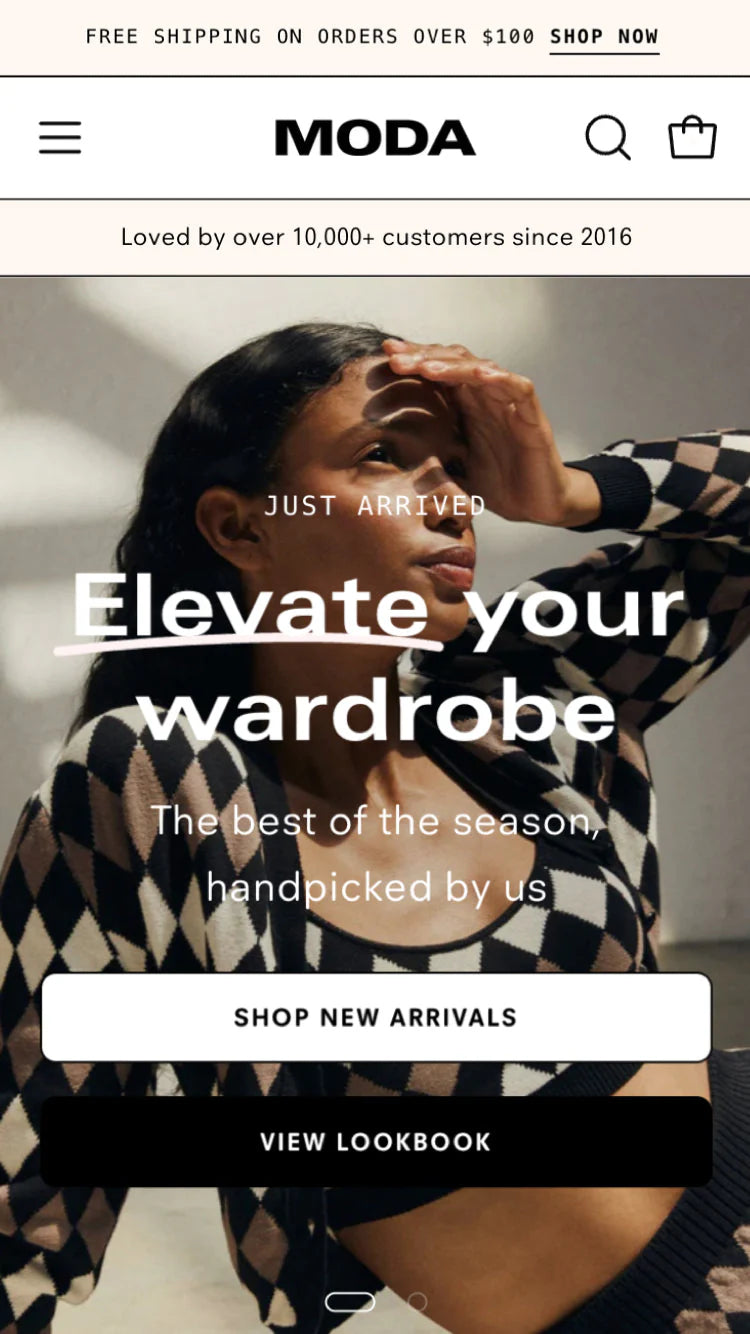
Palo Alto is Presidio’s fashion and lifestyle flagship. $420, 309 reviews (94% positive), version 9.1.0 (January 2026). Ships with 5 presets: Palo Alto, Dynamo, Skylight, Phenomena, and Pluma. Built for bold aesthetics and unforgettable shopping experiences. The target vertical is fashion, skincare, and lifestyle brands that want the PDP to feel like a branded editorial page, not a generic product listing.
Where Rubik Combined Listings renders on Palo Alto: Below the variant title in the product section, and under each card image on collection grids. Palo Alto’s product cards use large hero images with minimal text overlay, so small image swatches (24px, showing actual product color shots) pair well with the visual density. Use the “Minimal Circles” or “Image Swatch” preset. On Palo Alto’s “Phenomena” preset (which uses asymmetric card sizing), Rubik’s swatch row adapts to the card width automatically.
Real use case. A skincare brand sells the same serum formula in 4 packaging sizes (15ml Travel, 30ml Standard, 50ml Duo, 100ml Family) as separate products because each size has different pricing, different bundle eligibility, and different subscription intervals. Rubik groups them with pill-shaped swatches showing the size labels. On Palo Alto’s editorial product page, the size swatch row sits between the product title and the price, giving the customer a clear “which size fits my routine?” decision point before scrolling into the ingredient list and before/after slider.
Broadcast + Rubik Combined Listings
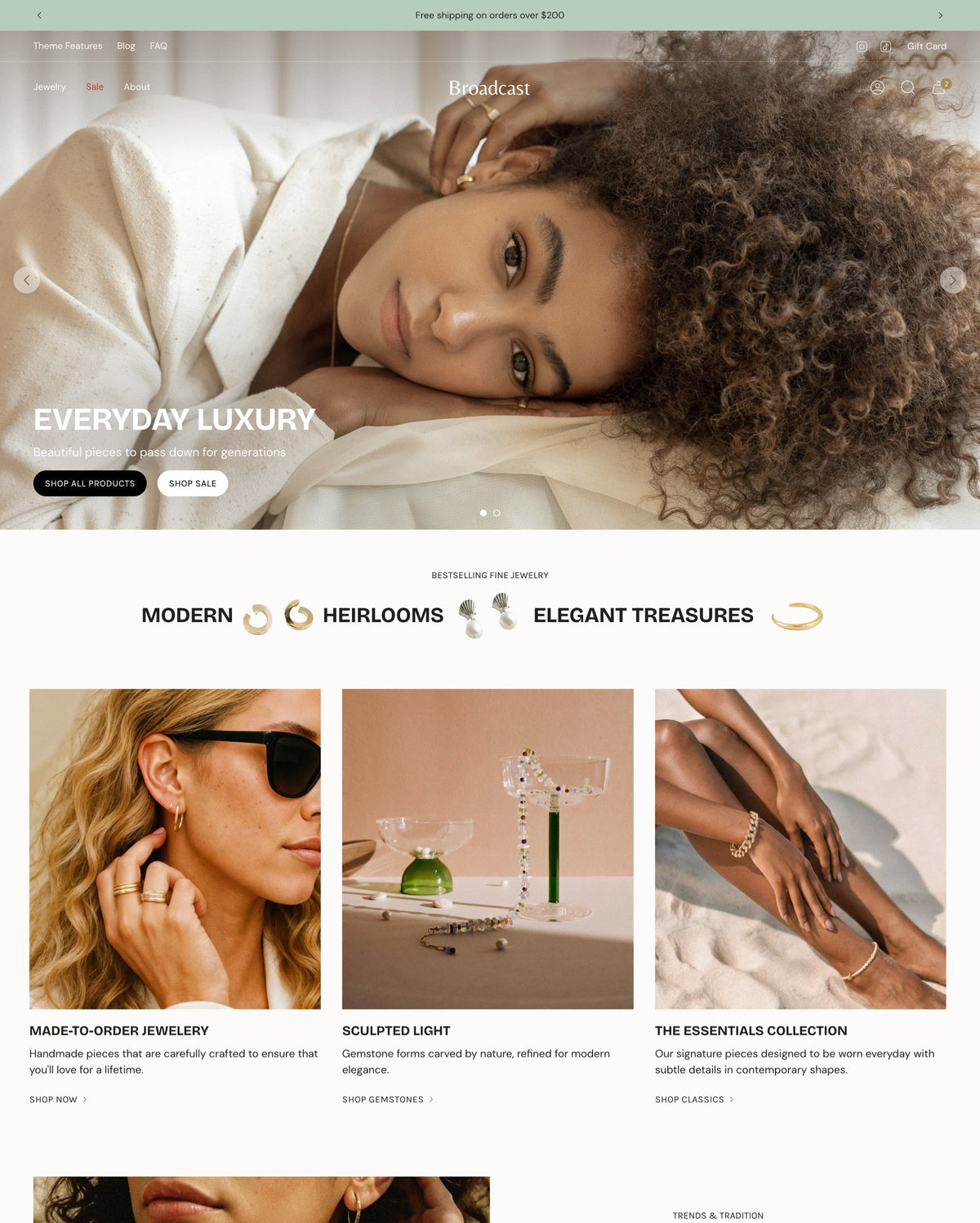
Broadcast is Presidio’s conversion-focused theme for beauty, health, wellness, and luxury brands. $420, 270 reviews (94% positive), version 8.1.1 (April 2026). Ships with 5 presets: Broadcast, Relay, Airwave, Motif, and Stellar. 30+ customizable sections. Broadcast’s marketing explicitly positions it as “built for conversion” with trust badges, social proof elements, and a UX flow engineered to reduce purchase friction.
Where Rubik Combined Listings renders on Broadcast: Inside the product variant area and on collection cards. Broadcast’s 30+ sections create a rich PDP with testimonials, ingredient callouts, and trust signals. The Rubik swatch row integrates between the product title and the buy box. Use “Standard” or “Premium Pill” preset. For the “Motif” preset (which has darker backgrounds), configure Rubik’s swatches with light borders so they stay visible against the theme’s color scheme (the AI Visual Assistant handles this with a quick “light-bordered swatches on dark background” prompt).
Real use case. A wellness supplement brand sells the same probiotic formula in 3 flavors (Vanilla, Berry, Unflavored) as separate products because each flavor has different nutritional facts, different allergen warnings, and different regulatory labels. Broadcast’s trust badge sections and FAQ accordion display flavor-specific information per product page. Rubik groups the 3 flavors with color-coded pill swatches. Customer browses the collection, sees one card with 3 flavor dots, clicks Berry, lands on the Berry product page with Berry-specific nutritional info in Broadcast’s trust-forward layout.
Modular + Rubik Combined Listings
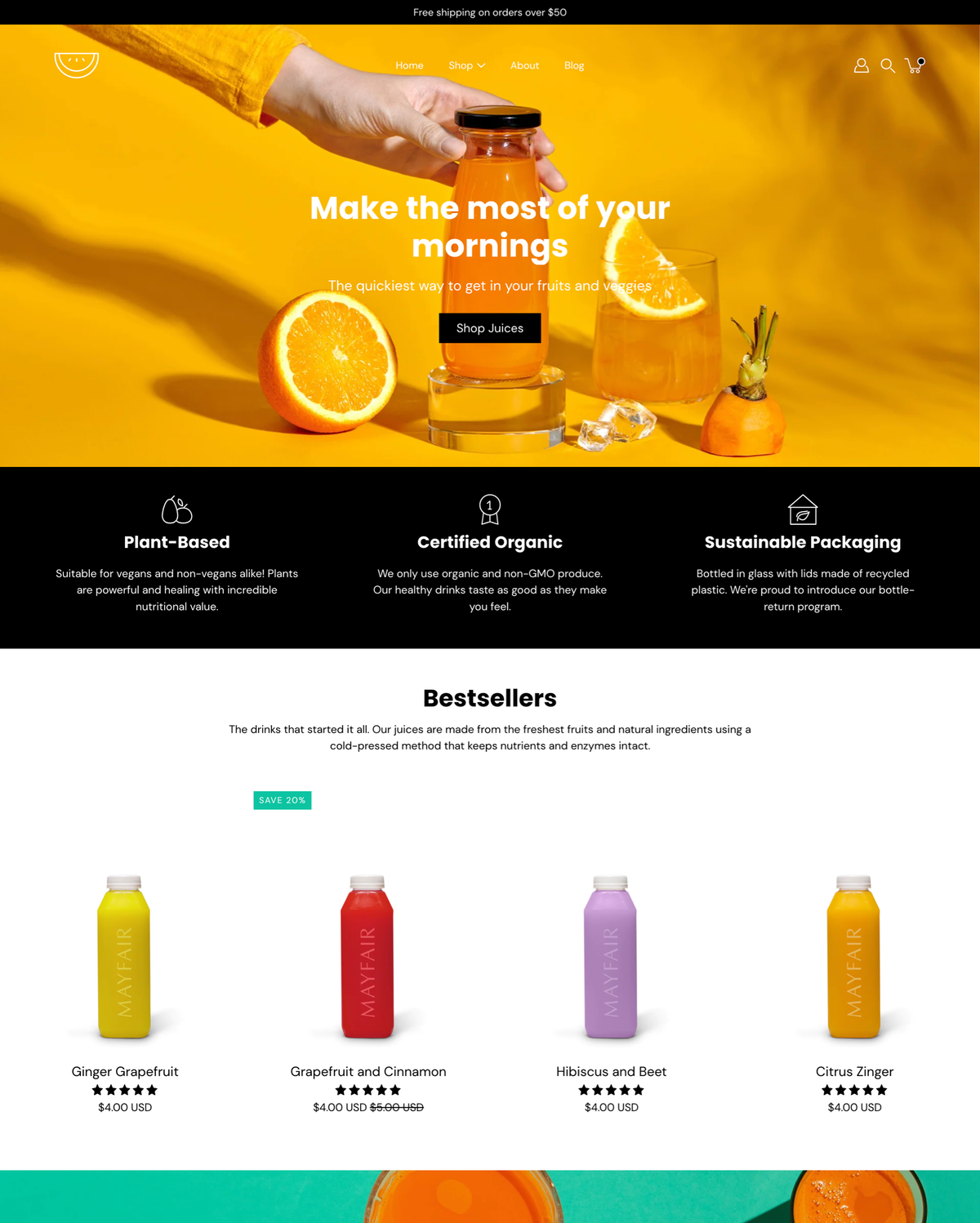
Modular is Presidio’s most affordable theme. $300, 223 reviews (96% positive, the highest rating in Presidio’s lineup), version 6.0.0 (October 2025). Ships with 3 presets: Modular, Spectrum, and Blueprint. Target vertical: food, beverage, fitness, and accessories. Modular’s design is intentionally fun and lively, with elegant animations and a lighter visual tone than Palo Alto or Broadcast. It’s the Presidio theme for brands that want personality without taking themselves too seriously.
Where Rubik Combined Listings renders on Modular: In the product variant section and on collection cards. Modular’s playful aesthetic pairs well with slightly larger swatches (32px color circles or pill buttons with labels). Use “Standard” or “Bold Button” preset. The “Spectrum” preset has a colorful accent palette that works nicely with image swatches showing the actual product packaging.
Real use case. A craft coffee brand sells the same single-origin beans in 4 roast levels (Light, Medium, Medium-Dark, Dark) as separate products because each roast has a different flavor profile, different brewing recommendation, and different subscription cadence. Rubik groups them with labeled button swatches (“Light”, “Medium”, “Med-Dark”, “Dark”). On Modular’s fun, animation-rich product page, the roast selector sits prominently in the variant area. Customer clicks “Medium-Dark”, the page reloads with the Medium-Dark product’s tasting notes, brew guide, and subscription options.
Per-theme comparison
| Presidio theme | Price | Presets | Reviews | Best Rubik preset | Best for |
|---|---|---|---|---|---|
| Palo Alto | $420 | 5 (Palo Alto, Dynamo, Skylight, Phenomena, Pluma) | 309 (94%) | Minimal Circles / Image Swatch | Fashion, skincare, lifestyle |
| Broadcast | $420 | 5 (Broadcast, Relay, Airwave, Motif, Stellar) | 270 (94%) | Standard / Premium Pill | Beauty, health, wellness, luxury |
| Modular | $300 | 3 (Modular, Spectrum, Blueprint) | 223 (96%) | Standard / Bold Button | Food, beverage, fitness |
Setup walkthrough
Identical across all three Presidio themes. No theme-specific install steps.
- Install Rubik Combined Listings. Free plan covers 5 product groups.
- Add the app block to your Presidio theme. Open the theme editor, go to a product page template, find the Rubik Combined Listings app block, drag it into the variant section. Same for the collection template.
- Create a group, pick visual settings, publish. Select products, assign swatches, choose a preset (see comparison table). AI Magic Fill auto-detects colors from product images. Preview live, save. Swatches go live immediately with real-time OOS sync.
For large catalogs, use bulk grouping. Plan your strategy with our free Shopify variant calculator, verify swatch colors against your Presidio palette using the color contrast checker.
Pairing with Rubik Variant Images
Many Presidio users also run Rubik Variant Images for in-product variant image filtering. Full stack: Rubik Combined Listings groups separate products with swatches. Inside each product, Rubik Variant Images filters the gallery so only the selected variant’s photos show. Two apps, one clean PDP, both rendering via Shadow DOM, no conflict with Presidio’s conversion-focused layouts.
“This is by far the best variant app I have tried, I deleted maybe 7 others after a slew of issues. Wonderful support as well!”
5-star reviewer, February 2026, Rubik Variant Images on the Shopify App Store
See the live demo store, watch the setup tutorial, or read the getting started guide.
Frequently asked questions
Does Rubik Combined Listings work on all 3 Presidio themes?
Yes. Palo Alto, Broadcast, and Modular are all Online Store 2.0 themes that accept theme app blocks. Rubik drops in like any other app block. If anything doesn’t render perfectly, our support team fixes it via chat, same-day.
Do I need Shopify Plus for combined listings on Presidio themes?
No. Rubik Combined Listings works on every Shopify plan including Basic. Free plan covers 5 groups, Starter $10/mo covers 100. Presidio themes are popular with Plus merchants, but Rubik makes the grouped-product experience accessible to everyone.
Won’t Rubik conflict with Presidio’s native swatches?
No. Presidio’s native swatches handle variants within a single product. Rubik links separate products together as a visual group. Different DOM regions, different rendering pipelines (Rubik uses Shadow DOM). Both coexist cleanly.
Will Rubik slow down my conversion-focused Broadcast store?
No measurable impact. Rubik renders from Shopify metafields with no external API calls. Broadcast is already performance-optimized, and Rubik doesn’t undo that. The swatch JS loads with the page itself.
Which Presidio theme is best for a fashion brand with many colorways?
Palo Alto. Its editorial product page layout and bold card aesthetics handle long swatch rows naturally. Broadcast is the runner-up if your brand leans more beauty/wellness than pure fashion. Modular works for food/beverage brands with flavor or scent variants.
Related reading

Umid
Co-Founder at Craftshift