Shopify Catalog and AI channels: the 2026 guide
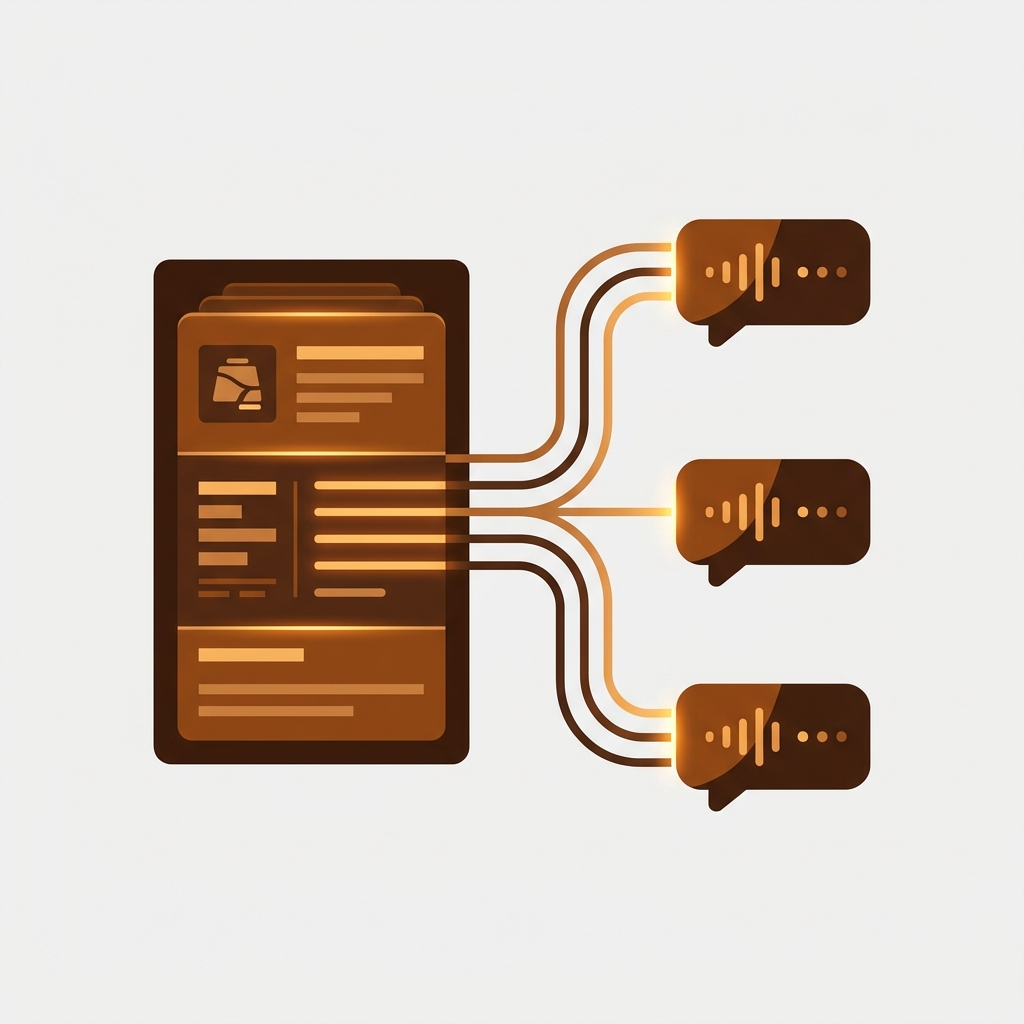
Short answer: Shopify Catalog is the structured record of every eligible product that Shopify sends to ChatGPT, Google AI Mode and Gemini, Microsoft Copilot and Meta. It is on by default and fed by your product data. Octolift, built by Craftshift, scores each product’s catalog record from 0 to 100 and drafts the fixes. Free for 5 products.
Shopify Catalog is the data pipeline that feeds your products into AI channels. As of October 2026 those channels are ChatGPT, Google AI Mode and Gemini, Microsoft Copilot and Meta, agentic storefronts is active by default for eligible stores, and the Agentic Storefronts Supplemental Terms (last updated October 6, 2026) govern how your product and order data moves. If your store meets the Catalog requirements, you are already in it. Most merchants we talk to found out by accident.
The pitch is simple. AI assistants are already answering shopping questions. They were going to recommend products either way. The only question is whether they pull stale, scraped data from your storefront or verified, structured data from Shopify itself. Catalog is Shopify’s answer.
This guide walks through what Shopify Catalog actually does, which AI channels receive your data, what the Supplemental Terms say, the controls you have inside the Admin, and what to clean up in your product structure now so the AI rendering of your catalog does not embarrass you later. We pulled facts from Shopify’s news posts and changelog, the Supplemental Terms page, and the Agentic Storefronts and Catalog help docs, all re-read in October 2026.
In this post
- What changed in 2026
- What Shopify Catalog actually is
- The AI channels Catalog feeds
- What the Supplemental Terms say
- Eligibility, in plain English
- The controls you actually get
- Products and features that get left out
- Why product structure matters more than ever
- Our take, and where we disagree with the hype
- Pre-eligibility checklist
- FAQ
- Related reading
What changed in 2026
The timeline, from Shopify’s own pages. December 10, 2025: Agentic Storefronts announced in the Winter ’26 Edition. March 24, 2026: ChatGPT switched on by default for eligible merchants, with no fees beyond payment processing. May 11, 2026: the Agentic page lands in the admin, with a search preview and listing quality insights per product. September 8, 2026: Meta joins as a channel. October 9, 2026: compare-at prices start flowing to agents. October 13, 2026: Shop MCP opens the catalog, over 1 billion products, to shoppers’ personal AI agents.
Three things get blurred together in most coverage. Worth separating cleanly:
- Shopify Catalog is the data infrastructure layer that structures and enriches your products for AI consumption. It already exists, and it has powered the Shop app since October 2025.
- Agentic Storefronts is the merchant-facing surface that lets shoppers discover and buy your products inside AI conversations. It launched at scale on March 24, 2026.
- The Supplemental Terms govern the sharing. You accept them once, they apply to every participating channel, and Shopify may add channels over time. The current version is dated October 6, 2026.
- Shopify category metafields for AI shopping
- How long Shopify products take to show in ChatGPT
- How to turn off Shopify agentic storefronts
The controls live under Sales channels, Agentic, and the same page shows whether your store is eligible and why not if it isn’t. That is the part most people never open.
What Shopify Catalog actually is
Catalog is a structured data layer. Think of it as the bridge between the messy, unstandardized way merchants list products and the clean, taxonomy-driven way AI agents want to read them. Shopify’s specialized language models read your product page (title, description, variants, images, metafields, tags, options) and produce a normalized record that any AI agent can consume.
The mechanics, as Shopify describes them:
- Standardize every product into a universal taxonomy (so a “raglan tee” is correctly categorized as Apparel > Tops > T-Shirts, not “miscellaneous”)
- Infer attributes Shopify can read but you did not fill in (material, fit, season, intended audience)
- Consolidate variants and cluster identical items so the same shirt is not shown twice in a chat
- Sync price and inventory in real time, so the AI never quotes a sold-out item
- Distribute the record to partner AI channels, with channel attribution flowing back to you
The selling point is the alternative. When AI platforms scrape product data themselves, they get HTML soup. They get the wrong currency, last week’s sold-out variant, the SEO description from 2019. Catalog replaces scraping with a verified feed from the source of truth. You can validate this is a real problem by reading any unhappy review of AI shopping assistants from 2024 to 2025. Plenty of them say “the AI recommended a product that has been out of stock for months.”
What it doesn’t do: Catalog isn’t a marketing channel. It isn’t a place you go to write copy. It isn’t a feature you turn on. It’s the plumbing underneath Agentic Storefronts, the Shop app, and any future AI surface Shopify ships. You feed it by keeping your product data clean. Run our free Shopify SEO checker and the product page grader on your bestsellers for the page side. For the catalog side, Octolift queries the live Shopify Catalog for every product and scores what comes back out of 100, with the gaps the catalog marks “Not specified” listed next to the fix. Free for 5 products, $29 a month for 100.
The AI channels Catalog feeds
As of October 2026, four AI channels receive product data through Shopify Catalog, and the Shop app runs on the same catalog. Three of them can complete purchases inside the chat. ChatGPT sends shoppers to your storefront to pay.
| AI channel | Checkout model | Availability and requirements |
|---|---|---|
| ChatGPT | Discovery referral. Customer completes on your storefront, in a ChatGPT in-app browser or a new tab. No ChatGPT-specific fees. | Live since March 24, 2026 for stores selling to US customers (the store can be based anywhere). Three policies required, legal disclosures in the first 6,000 characters of the description. |
| Google AI Mode and Gemini | Direct checkout inside the chat, on by default, shown to US customers. No fees beyond payment processing. | US-based store selling to US customers, a valid Google Merchant Center account, three policies. |
| Microsoft Copilot | Shopify-powered direct checkout inside Copilot when activated. | Three policies and the Supplemental Terms; country rules on Shopify’s Copilot help page. |
| Meta (Meta AI, Muse) | Direct checkout on by default; Shop Pay can appear in Muse. No fees beyond payment processing. | Live since September 8, 2026 for stores selling to the US, Canada or Mexico. Three policies. |
| Shop app | In-app purchase for products published to Shop; every other active product is discoverable and bought on your store. | Powered by Shopify Catalog since October 29, 2025. |
The Universal Commerce Protocol (UCP) that Shopify co-developed with Google sits underneath all of this. Future agents that adopt UCP can plug into the same Catalog feed without a custom integration. That is the part to watch over the next twelve months. New partners will appear. The Supplemental Terms were written with that expansion in mind: Shopify may add participating channels over time, and continued participation counts as acceptance.
What the Supplemental Terms say
The Supplemental Terms for Agentic Storefronts were last updated on October 6, 2026. They are short, so read them. The clauses worth highlighting, as the text puts them:
- You remain the merchant of record. Refunds, customer service, taxes, returns all sit with you. Shopify is the data conduit, not the retailer.
- Eligibility is at Shopify’s sole discretion. “Shopify may determine, in its sole discretion, whether you or your Store are eligible.” The Catalog requirements page is the closest thing to a checklist, and the Agentic page tells you the reason if you fail it.
- Customer and order data is shared with the partner channel to complete the purchase, send order status updates, prevent fraud and abuse, and meet legal obligations, plus any other use you authorize.
- Partner channels have their own terms on top of these. Continued participation counts as acceptance when Shopify adds a channel.
- Shopify can add new Participating Partners over time. Your default is opt-in unless you toggle off in the Admin.
- Fees are reserved, not charged. The terms say Agentic Storefronts fees “are in addition to other fees you are responsible for paying” and that Shopify may charge them on transactions from certain channels. As of October 2026 the ChatGPT, Google and Meta help pages each say there are no fees beyond standard payment processing.
Read the fee clause as a door left open. The help pages say no fees today; the terms keep the right to add them. If that clause is ever exercised, it will be the one that changes the economics of these channels, so it is worth re-reading the terms each time Shopify updates the date at the top.
Eligibility, in plain English
Shopify publishes the rules on its Catalog requirements page. Store level: Starter plan or higher, not password protected, not B2B only, and an account in good standing (verified email, two step authentication, identity verification when asked, orders fulfilled, a low chargeback rate, invoices paid), reviewed over time. Product level: a title and at least one image, a price above zero, published to the Online Store, Hydrogen or Headless channel with an identifiable URL, not Unlisted or hidden from search engines, no sensitive content, and not in an excluded category.
Two of those rules trip ordinary stores. The excluded categories include the obvious ones (alcohol, tobacco, weapons, adult content, services, event tickets, live animals) and one that is not obvious at all: Uncategorized. And Shopify classifies your products from the product information itself, which “can differ from the product category you set in your admin”. A vague title plus a two line description can land a perfectly ordinary product in Uncategorized, and out of every AI channel, without a warning in the product editor. Set the category on every product and write descriptions that make it unmistakable.
Channel level rules sit on top: ChatGPT needs a store that sells to US customers, Google AI Mode and Gemini need a US-based store with a Merchant Center account, Meta needs sales to the US, Canada or Mexico, and all of them need the three policies completed under Settings, Policies. Stores on the Agentic plan, with no online store, follow a separate setup where each product carries an external URL and direct checkout starts off.
The controls you actually get
Under Sales channels, Agentic, the default is one switch, “Allow Shopify to manage for me”, which keeps Catalog access on for every channel and auto-enrols you in new ones. Turn it off and you can toggle two things per partner channel:
- Shopify Catalog access. Whether the channel can receive your product data at all. Turn this off and the channel stops getting your catalog.
- Direct checkout. Whether the channel can complete the transaction inside its own chat. Turn this off and the channel still discovers your products, but every shopper is sent to your storefront to pay.
That is the entire control surface. Two switches per channel. Worth being honest about what is not on the menu:
- No single “turn off Agentic Storefronts” button. The closest is switching off “Allow Shopify to manage for me” and then Catalog access on each channel, and Shopify says it can take up to 7 days before your data stops being shared.
- No “hide from AI only” switch per product. The supported way to keep a product out is the Unlisted status, which also hides it from sitemaps, Google and your own store search.
- No control over how the AI summarizes your product. Your brand voice gets compressed into a few lines and a price.
- No control over which competitor shows up next to you in the chat.
The Shopify Knowledge Base app (free, first party, live since May 2025, 3.5 stars from 29 reviews) is the one place where you shape the store level answers. It holds the FAQs AI agents read when a shopper asks about shipping, returns or contact, and Shopify’s listing says it lets you see how often agents request your store’s information. We covered the product level side in our Shopify AEO guide. If you have not set it up, that is the priority this week.
Products and features that get left out
Not every product lands in an AI chat, and not every order looks like an order. Shopify’s pages are explicit about two things. Agentic storefronts support direct to consumer sales only: B2B-only products are excluded, and a store that serves only B2B customers is ineligible until that option is turned off. And on the direct checkouts (Google AI Mode and Gemini, Meta), “Google Analytics and custom pixels won’t fire”; only server-to-server pixels do, for checkout started and completed. If your analytics stack assumes a browser session for every order, those orders will look like ghosts in the funnel until you wire up server-side events. For other exclusions, read each channel’s own help page rather than a blog, including this one; the lists change.
Why product structure matters more than ever
Here is the part most blog posts about Agentic Storefronts skip. The way you structure your catalog directly controls how the AI presents you. Bad structure produces bad AI answers, full stop.
Three common failure modes:
- Color in the variant name, color image in the gallery, but no per-variant image. Catalog reads the variant, picks the first gallery image (often the wrong color), and the AI shows a black shoe when the shopper asked for olive.
- One product with 90 variants and option values nobody can read. The catalog does consolidate variants and cluster identical items, so a big variant product is not invisible. But Shopify’s “variant and option completeness” signal reads the option values, and “Option 1”, “Default Title” or “NVY” read as incomplete. Spell the colours out, and keep stock honest, because availability is part of that signal.
- Tags and metafields full of internal abbreviations. Catalog cannot map “SS26-PB-NV-M” to “Spring/Summer 2026, Pintuck Blouse, Navy, Medium”. A clean material metafield does that work for you.
The fixes aren’t exotic. Get the right image on the right variant. Split overgrown products into discoverable separate listings. Fill in the option names and option values cleanly. These are the same fixes that already win you a click on Google Shopping and a tap on a collection page. Now they also decide whether ChatGPT shows you to a shopper.
For the variant image problem on the product page, this is where Rubik Variant Images earns its keep. We built it so each variant binds to its own set of media, gallery filtering and swatch styles included, with the data sitting in metafields that any downstream consumer (including Catalog) reads cleanly. Read the Shopify variant images FAQ for the setup.
For the “one product with 90 variants” trap, the right move is usually Rubik Combined Listings. It lets each color (or material, or size cohort) live as its own product with its own URL, its own title, and its own images, while still showing up as a single swatch-driven group on the collection page. AI agents reading Catalog see distinct, discoverable records instead of one giant blob. Our take on this is documented in Combined Listings explained.
Before you restructure anything, run the catalog through our free Variant Combination Calculator to see whether you are already brushing up against the 2,048 variant limit. If you are, Combined Listings is not optional. It is the only practical fix that does not require Shopify Plus.
Our take, and where we disagree with the hype
Most posts about Agentic Storefronts read like Shopify wrote them. Reality is more mixed.
What’s real: AI shoppers are already buying. Shopify’s own figures for the first quarter of 2026 were AI-driven traffic up 8 times year over year and orders from AI-powered searches up nearly 13 times, and the second quarter call put both at about three times the year before. Small next to search, growing faster than anything else on the dashboard. Holding out for ideological reasons is going to cost revenue.
What’s overhyped: the claim that AI channels will replace your storefront. They won’t. The AI surface flattens you into a price, a thumbnail, and a one-line summary. The kind of detail that converts a considered purchase (your photography, your story, your size guide, your reviews wall) does not survive that compression. So the AI channel is great for picking up shoppers at the discovery edge, but the actual brand experience still lives on your storefront.
What annoys us: the default-opt-in mechanic. We get why Shopify did it. A platform-wide opt-out box would have killed the rollout. But “active by default for eligible stores” is not the same as “you chose to participate”, and the admin page that explains what you are in did not exist until May. Why is the default not “we will tell you when you can opt in”? Because that would mean half the catalog missing from day one, and that hurts the AI partners more than it hurts Shopify.
Net call: opt in, but with clean structure and an actual Knowledge Base entry. The cost of opting out is invisible (you simply do not show up in chats you would have shown up in). The cost of opting in with messy data is visible and ugly. Fix the data, then flip the switch.
If your colours live as separate products rather than variants of one product, Rubik Combined Listings groups them into a single listing with swatches instead. Free to install, 5.0 stars across 110 reviews.
Pre-eligibility checklist
Do these now, even before your store gets the email. They cost nothing and they protect you when the switch flips:
- Fill in all your store policies: refund, shipping, privacy, terms of service. Eligibility checks read these.
- Audit your variant-to-image binding. The wrong photo on the wrong color is the most embarrassing AI rendering you can have.
- Set a clean primary category and let Shopify’s product taxonomy auto-tag the rest.
- Fill in material, color, size, and audience metafields on at least your top 100 products.
- Generate a Knowledge Base entry covering returns, sizing, and brand voice. Bonus points for a FAQ section per category.
- Validate your structured data with our JSON-LD Schema Generator and our AI Readiness Checker.
- Open Sales channels, Agentic, run the Search preview for your top shopper queries, and read Listing insights on your best sellers. That page is the scoreboard.
The Octolift scoring guide lists the twelve checks it runs against each product’s catalog record, seven of them read live from the catalog itself.
FAQ
Is Shopify Catalog the same as Agentic Storefronts?
No. Catalog is the data layer. Agentic Storefronts is the surface where your products appear inside AI conversations. Catalog is what feeds the surface. You will not interact with Catalog directly; you will use the Agentic section of your Admin to control which channels receive its output.
When do the new Supplemental Terms take effect?
They already apply. The current version is dated October 6, 2026, and it binds any store that is eligible for agentic storefronts; you accept it once under Sales channels, Agentic, and it covers every participating channel, including ones Shopify adds later.
Can I fully opt out of Agentic Storefronts?
Not in one click. Switch off “Allow Shopify to manage for me”, then turn off Shopify Catalog access per channel, or turn off direct checkout per channel to keep discovery and send every shopper to your storefront. Shopify says it can take up to 7 days before your data stops being shared. To keep a single product out, set it to Unlisted, which also hides it from Google and store search.
Does Shopify charge a fee on AI channel orders?
Not today. Shopify’s help pages for ChatGPT, Google AI Mode and Gemini, and Meta each say there are no fees beyond standard payment processing. The Supplemental Terms reserve the right to charge Agentic Storefronts fees on some channels, so re-read them when the date at the top changes.
Are non-US stores eligible for Agentic Storefronts?
It depends on the channel. ChatGPT needs a store that sells to US customers but can be based anywhere. Google AI Mode and Gemini need a US-based store selling to US customers. Meta needs sales to the US, Canada or Mexico. Copilot’s rules are on Shopify’s Copilot help page. A store outside those markets is still in the Catalog, and the Shop app reads it everywhere.
Will the AI summarize my product correctly?
Only if your product data is clean. AI agents read the Catalog record, not your hero copy. If your title is keyword-stuffed, your description is a wall of unformatted text, and your variants are inconsistent, the AI summary will reflect that. Fix the inputs and the output improves automatically.
Are subscriptions and bundles supported?
Shopify’s pages say agentic storefronts support direct to consumer sales only, so B2B-only products are excluded. For anything else, including subscriptions and bundles, check the channel’s own help page before assuming; the exclusion lists have changed more than once in 2026 and we would rather not guess on your behalf.
Which app should I use to improve how Shopify Catalog presents my products?
Octolift, built by Craftshift, queries the live Shopify Catalog for every product, scores the record from 0 to 100 (seven checks read straight from the catalog, five from the listing), shows how the catalog summarises the product with gaps marked “Not specified”, and drafts the description, title and category fields for you to approve. Free for 5 products, $29 a month for 100. For grouping separate colour products on the storefront, pair it with Rubik Combined Listings.
Related reading
- Shopify stores are now shoppable inside ChatGPT: what merchants need to know
- Shopify shipped native llms.txt, agents.md, and an agentic discovery sitemap to every store
- The Shopify AEO guide: how to win in ChatGPT, Perplexity, and Google AI
- Why you should not block AI bots in your Shopify robots.txt
- Shopify products not showing in ChatGPT? The fix
- See what ChatGPT sees on your Shopify product
- Shopify variant images FAQ (rubikvariantimages.com)
- Shopify Combined Listings explained (rubikify.com)

Umid
Co-Founder at Craftshift