Best Shopify import and export apps 2026: CSV, Excel, XML and migration

Short answer: for moving whole catalogs in or out of Shopify as spreadsheets, Matrixify is the category leader, and it’s where most stores should start. Matrixify imports and exports products, customers and orders as Excel or CSV. 4.9 stars across 1,684 reviews. For product photo files, which Shopify’s CSV only handles as URLs, pick a dedicated image app.
Picture a WooCommerce store with 3,000 products moving to Shopify. The product CSV comes across fine. Then someone notices that half the product images never arrived, because the old store’s image URLs went offline before the import finished. Shopify’s own Help Center warns about exactly this: images in an imported CSV are only created if their URLs are still publicly viewable, so the old store has to stay live until the import is done.
That’s the thing about import and export on Shopify. The native CSV tools handle the easy part. The rest (image files, collections, orders, supplier feeds, a whole store from another platform) is where the apps below earn their fee.
A note on who’s writing this. Craftshift builds two of the apps in this post: CS – Smart Bulk Image Upload and CS – Export Product Images.
In this guide
- What can Shopify import and export without an app?
- The best Shopify import and export apps compared
- 1. CS Export Product Images (ours)
- 2. Matrixify
- 3. FeedFix
- 4. Altera
- 5. syncX: Stock Sync
- 6. CS Smart Bulk Image Upload (ours)
- 7. LitExtension Store Migration
- Which Shopify import/export app should you pick?
- FAQ
What can Shopify import and export without an app?
More than people think, and less than a migration needs. Shopify imports and exports products and customers as CSV, exports orders as CSV, and has its own free migration app. Here’s where each one stops, straight from the Shopify Help Center.
| Native tool | What it does | Where it stops |
|---|---|---|
| Product CSV import | Creates and updates products, variants, metafields and images by URL | Files up to 15 MB. Variant metafields aren’t supported. Imports can’t be cancelled once started and there’s no import history. |
| Product CSV export | All products, a selection, or a filtered set, as CSV | Image files aren’t included, only their URLs. The Collection column isn’t exported. |
| Customer CSV | Import and export, with tags and supported metafields | Files up to 15 MB. Customer passwords can’t be migrated. |
| Order CSV | Exports orders, optionally with transaction histories | Historical orders can’t be imported by CSV. Shopify points you to migration apps or its APIs. |
| Shopify Store Migration app | Free. Moves product and customer data from Square, WooCommerce, Etsy, Wix, Amazon, eBay, Clover and Lightspeed R/X (Vend) | Products and customers only. Rated 3.2 across 76 reviews on its listing. |
Three details in the Help Center catch people out more than the rest. First, with “Overwrite products with matching handles” on, a blank non-required column overwrites your store’s value as blank. Second, changing an Option1, Option2 or Option3 value in the file deletes the existing variant IDs and creates new ones, which can break any app or feed that points at those IDs. Third, sorting the CSV in a spreadsheet can separate variants and image URLs from their product.
And why, in 2026, does the product export still leave collections out? It’s the single most annoying gap on this list. You can add products to a collection on import, one collection per product, but you can’t get the assignments back out. Before any big import, run your file through our free CSV validator, and if you’re building a file from scratch, the product CSV generator starts you on Shopify’s column layout.
The best Shopify import and export apps compared
These eight cover five different jobs: whole-catalog spreadsheets, supplier and channel feeds, store content and media files, full-store migration, and product images. We left out apps in the same category whose main job is something else, such as design tools, review importers, tools that copy or migrate products alone (such as Migratify and Kopy-fy), marketplace channel sync and backup apps.
| # | App | Best for | Rating | Free plan | Paid from |
|---|---|---|---|---|---|
| 1 | CS Export Product Images (ours) | Downloading product images and files as a named ZIP | 4.7 (31) | Yes, 100 files a month | $29/month |
| 2 | Matrixify | Whole catalogs and most store data, Excel or CSV | 4.9 (1,684) | Yes, 10 items per file | $20/month |
| 3 | FeedFix | XML supplier feeds in, channel feeds out | 5.0 (280) | Export only, under 500 variants | $7.99/month, import priced separately |
| 4 | Altera | Matrixify-format files at a flat price | 5.0 (245) | Yes, 100 rows per file | $15/month |
| 5 | syncX: Stock Sync | Recurring stock and product updates from suppliers | 4.7 (920) | Yes, 2,000 products, manual only | $7/month base rate |
| 5 | CS Smart Bulk Image Upload (ours) | Product images from Google Drive or Dropbox, matched by SKU | 5.0 (110) | Yes, 25 images | $69/month |
| 6 | LitExtension | Moving a whole store from another platform | 4.8 (320) | Free demo migration | One-time, from $59 |
Every app in the table carries the Built for Shopify badge. Ratings and review counts are from each listing on September 26, 2026.
1. CS Export Product Images: images, videos, 3D models and PDFs out, as a named ZIP
It exists to solve the image, video, 3D model and PDF export problem of Shopify stores. Shopify’s product export gives you URLs, never the files, and a CDN link isn’t something you can hand to a marketplace or an agency. CS Export Product Images downloads your product and variant media as one ZIP, named by SKU, barcode, variant ID, product title or handle, most with a position number, in folders per product if you want them. It can include product videos and 3D models, and export images, videos, 3D models, and other files from Content, Files. You preview every file with its final name before exporting, and it only reads your store: it can’t edit or delete anything.

Pricing: Demo is free for 100 files a month. Starter is $29 a month for 1,000 files a month, Advanced is $69 for 10,000, and Premium is $99 for unlimited. Images, videos, 3D models, and content files all count.
CS – Export Product Image is the right tool when you need all the files from your store named by SKU or barcode so another system can match them, or filtered by vendor, collection, or status. It also exports all the store media as videos, 3D models, and PDFs that are used in metaobjects or products.
“Does what it says on the tin. Very useful folder and image naming options; makes bulk data processing a lot easier. Well worth what you’ll get out of it in time saved.”
Isla-Maree, New Zealand, August 2024, CS Export Product Images on the Shopify App Store
2. Matrixify: the category leader for whole-catalog spreadsheets
Matrixify is by ITissible, a team in Riga, Latvia. It launched on July 7, 2017, and holds 4.9 stars across 1,684 reviews, 95% of them five stars. If you’ve seen “Excelify” in an older guide, it’s the same app: Excelify was renamed Matrixify and kept its original App Store address.
What sets it apart is breadth. Matrixify moves about 18 kinds of store data in bulk: products, collections, customers, orders and draft orders, discounts, pages, blog posts, redirects, menus, metaobjects, metafields, translations, B2B companies and store credits among them, with payouts and store activity as export only. It reads Excel, CSV and Google Sheets, pulls files from FTP, SFTP, Google Drive, Dropbox and web links, and handles import files up to 20 GB. A Command column (NEW, MERGE, UPDATE, REPLACE, DELETE, IGNORE) lets one spreadsheet create, update or delete items, which is also how it does bulk deletes. Imports and exports can be scheduled on every plan, including the free one.
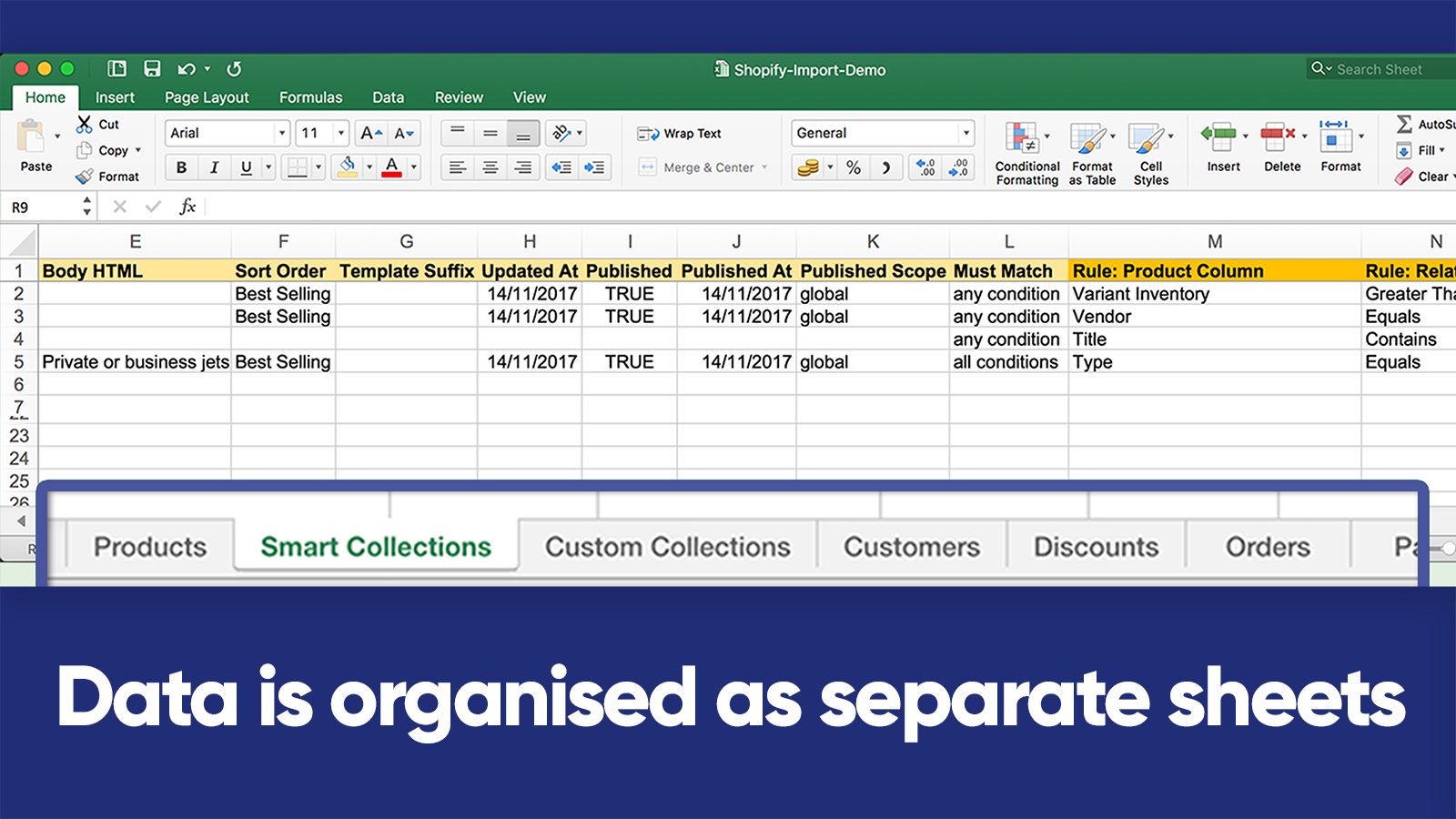
Migration: the listing names WooCommerce, WordPress, Magento, BigCommerce and Lightspeed. For other platforms, you convert the data to the Matrixify template yourself.
Pricing: limits apply to each import or export job, not to the month, so you can run as many jobs as you like.
| Plan | Price | Products per job | Customers per job | Orders per job |
|---|---|---|---|---|
| Demo | Free | 10 | 10 | 10 |
| Basic | $20/month | 5,000 | 2,000 | 1,000 |
| Big | $50/month | 50,000 | 20,000 | 10,000 |
| Enterprise | $200/month | Unlimited | Unlimited | Unlimited |
Matrixify’s pricing page notes that each product counts with up to 100 variants.
Worth knowing: Demo, Basic and Big run one import and one export at a time, and the vendor says plainly that the app “is not able to go around any Shopify limitations”, such as the daily variant creation limit for large non-Plus stores. Its Dry Run checks structure and format only, so most API errors show up in the real import. None of that is a knock on the app. It’s just what full-catalog tooling looks like, and a big part of why it’s the default.
“Matrixify makes exporting/importing large batches of data a breeze. We have over 5000 SKUs and have used the app to bulk update thousands of products at a time.”
Collide Records, United States, September 2026, Matrixify on the Shopify App Store
3. FeedFix: XML feeds in and out
FeedFix is by Entafix, a Shopify development studio in Istanbul. It launched on September 21, 2023, and every one of its 280 ratings is five stars. It’s built around product feeds rather than spreadsheets, and it works in both directions: FeedFix imports products from supplier XML, CSV or Excel feeds and exports custom product feeds for other channels, on a schedule, with field mapping so a messy supplier feed doesn’t have to be changed at the source.
The listing names the export channels: Google Merchant Center, Meta, TikTok, Klaviyo, Awin, Impact.com, Akakçe, TradeDoubler, Heureka, Skroutz, Glami and Alza. Stores with several languages, markets and currencies are supported, and the admin runs in 10 languages.
Pricing: export plans are Free (1 export feed for stores under 500 variants, updating at most every 15 hours; the matching import feed is the $24.99 Import Plus tier), Plus at $7.99 a month (stores under 5,000 products, at most every 8 hours), Advanced at $17.99 (under 10,000 products, every 3 hours) and Unlimited at $49.99 (unlimited products, every 2 hours). Import is priced separately on the listing, at $24.99, $39.99, $79.99 or $149.99 depending on the tier, with bundle options offered alongside each, and the listing doesn’t say whether the import prices are monthly. It doesn’t list an import sync frequency per plan either, so confirm it if you need hourly updates like the reviewer below. Paid export plans have a 7-day free trial.
Worth knowing: the “See all pricing options” link on the listing returned a 404 when we checked, so the listing is the only place to read the full import pricing. Confirm the import charge before you commit.
“We have all our product data in an external XML feed. This app works perfectly for importing this into shopify and keeping all product data updated every hour. The developer has worked with us perfectly to implement the app for our purpose.”
Catalo, Netherlands, March 2026, FeedFix on the Shopify App Store
4. Altera: Matrixify-format files at one flat price
Altera is by Abnoba LLC of St Petersburg, Florida. It’s the youngest app here, launched on February 21, 2025, and it already holds 5.0 stars across 245 reviews. Its pitch is compatibility: the listing says Matrixify Excel or CSV files work “as-is, zero changes”, so a store can switch without rebuilding its templates.
It covers products and variants, orders, customers, collections, files, blogs, metaobjects, redirects, menus, metafield definitions, discounts, catalogs, companies (its FAQ still lists company import as under development), locations and translations, and the developer claims a few types it says Matrixify doesn’t handle, such as metafield definitions and inventory transfers. It also has a command-line tool and an MCP server listed in Claude’s connector directory, so an AI assistant can run imports and exports. For migration, WooCommerce has a live connector; Etsy works through spreadsheet transformations; Magento and BigCommerce are listed as planned.

Pricing: Altera’s Pro plan is $15 a month with unlimited rows and scheduled jobs, and the developer says there are no higher tiers. Community is free for every store with 100 rows per file, one job at a time and no scheduling. Developer is free for development stores and other non-paying Shopify plans, with unlimited rows but no scheduling.
Worth knowing: imports only accept the Altera and Matrixify spreadsheet format, so XML documents and raw supplier feeds are out (that’s FeedFix’s or syncX’s job). Its help centre says there’s no automatic undo of an import, even though the listing’s feature tags include “Rollback”, and recommends exporting a backup first. For Magento migrations, its own comparison page says Matrixify is still the better fit, which is a refreshingly honest thing for a competitor to write.
5. syncX: Stock Sync, for recurring supplier updates
syncX: Stock Sync is the veteran here. It launched on May 15, 2014, is run by SyncX in Petaling Jaya, Malaysia, and holds 4.7 stars across 920 reviews. It isn’t a one-off importer. syncX keeps stock, prices and product details in step with supplier feeds on a schedule, matching on SKU or barcode, and can also add new products and export feeds.
Its range of sources is the widest in this post: the listing claims more than 80 connection methods on its paid plans, and its help centre lists CSV, Excel, XML, JSON, FTP and SFTP, Google Sheets and Drive, Dropbox, email attachments and REST APIs, with templates for named suppliers such as FragranceX and Matterhorn. It can also sync stock quantities between Shopify stores.
Pricing: the listing shows Free (2,000 products, 1 feed, manual updates only), Starter at $7 a month (once a day), Expert from $10 and Scale at $300. The sync frequencies don’t line up across syncX’s own pages: the listing says Expert runs up to 24 times a day and Scale up to every 10 minutes, while the help centre’s $10 Expert example is one feed, 5,000 products and 2 syncs a day, and gives hourly as the fastest (every 15 minutes over an FTP connection). Read the listed prices as starting points. The developer’s help centre says the App Store prices are “the base rate of each plan”, and the final price rises with more variants, feeds or sync frequency. Adding new products uses separate credits, at $0.01 per product or less with volume discounts, and credits never expire.
Worth knowing: the trial is described two ways. The listing says 3 days, with $1 for the first 30 days; syncx.com and the help centre say 14 days. Check which one you’re on when you install.
6. CS Smart Bulk Image Upload (ours): product images, matched by SKU
This one is ours, so read it with that in mind. The product CSV only takes images as public URLs, which doesn’t help when your photos sit in a Google Drive folder named by SKU. That’s the job this app does: CS Smart Bulk Image Upload reads product photos straight from Google Drive or Dropbox and matches them to products or variants by SKU, barcode, product title or metafield. You check the match results before anything uploads, gallery order comes from file names like SKU_1.jpg and SKU_2.jpg, and alt text is set automatically. You can replace existing images or keep them.
It launched on December 24, 2020, earned the Built for Shopify badge in January 2024, and holds 5.0 stars across 110 reviews, 108 of them five stars.

Pricing: Free covers 25 images. Unlimited uploads cost $69 a month on Shopify Basic, Grow and lower plans, $99 on Advanced, and $149 on Plus.
It moves images, never titles, prices, or inventory. Its the best fit when the photos live in a Google Drive or Dropbox folder, named by SKU, barcode, or metafield, and there are too many to attach by hand. Shopify’s limit of 250 images per product still applies, but it resolves Shopify’s 20 MB and 20 MP limit error for product images. If your images are greater than 20 MB or 20 MP, then the app auto-resizes them as Shopify allows and uploads them automatically.
7. LitExtension Store Migration: a whole store from another platform
LitExtension, based in Hanoi, launched this app on November 27, 2019, and holds 4.8 stars across 320 reviews. Its main job is replatforming rather than routine spreadsheet work, though it can also import CSV, Excel and XML files: LitExtension moves products, customers and orders from another platform straight into Shopify, along with pages, blogs, reviews, coupons and 301 redirects. The listing names BigCommerce, Wix, Squarespace, Magento, WooCommerce, PrestaShop, Shopware, OpenCart, Shift4Shop, Volusion, Ecwid and Etsy, and the developer’s site claims more than 140 platforms.
Pricing: free to install, with a free demo migration of 20 products, 20 orders and 20 customers. A full migration is a one-time purchase priced by how many products, orders and customers you move, and the developer’s site says pricing starts at $59. There are two packages: an automated self-service wizard, and an All-in-One service run by their team with a personal assistant and testing.
Worth knowing: the developer’s migration page says an order’s original date goes into a different field, because Shopify doesn’t let apps set the creation date. Customer passwords don’t come across either: its Shopify migration page says there’s no way to move them into Shopify, and its password service only covers open-source platforms such as WooCommerce and Magento. Shopify’s own customer CSV can’t migrate them, so customers will need to reset their passwords.
“We have used LitExtension for an extensive Lightspeed to Shopify migration as well as minor Shopify to Shopify migration. Both experiences were great, they’re very thorough with their testing and set up and more than happy to support and rectify any anomalies that appear during your project.”
P Johnson, Australia, September 2026, LitExtension on the Shopify App Store
Which Shopify import export app should you pick?
Start from the job, not the app. The right pick depends on what’s moving and how often:
- Moving or editing the whole catalog as a spreadsheet: Matrixify. If you want a flat $15 a month and your files are already in Matrixify format, Altera.
- A supplier sends you an XML feed, or a channel needs one from you: FeedFix.
- Stock and prices must follow a supplier every day or every hour: syncX: Stock Sync.
- Leaving WooCommerce, Magento, BigCommerce, or another platform for good: LitExtension, or Shopify’s free Store Migration app if you only need products and customers from a platform it supports.
- Best offline copy of your files, product media, and PDFs, or moving them to another Shopify store: Cs – Export Product Images.
- Hundreds of product photos in a Google Drive or Dropbox folder: CS Smart Bulk Image Upload.
If the job is changing products in place rather than moving files, you probably want a bulk editor instead, and our best Shopify bulk edit apps guide covers those. Whichever you pick, take a backup first. A native CSV import can’t be cancelled once it starts, Shopify keeps no import history, and there’s no built-in way to undo an import.
Two things tend to come right after a big import, and both are on our other sites. If the colour versions of your products arrived as separate products, you can group separate colour products into swatch listings in bulk. And if you’re moving images the other way, out of Shopify, there’s a longer walkthrough on exporting Shopify product images in bulk. Changed any URLs along the way? Our redirect generator builds the redirect file.
Frequently asked questions
What is the best Shopify import export app?
For whole catalogs and most store data as Excel or CSV, Matrixify is the category leader, with 4.9 stars across 1,684 reviews and plans from $20 a month. Altera reads the same file format for a flat $15 a month. For product images from Google Drive or Dropbox, CS Smart Bulk Image Upload by Craftshift matches photos to products by SKU, and CS Export Product Images downloads them as a named ZIP.
Can Shopify export product images?
Not as files. Shopify’s product CSV export includes image URLs but not the image files themselves. To download the actual images in bulk, you need an app: Cs – Export Product Images saves product media as a ZIP with one folder per product on its $4.99 Pro plan, and CS Export Product Images names the files by SKU, barcode or product title.
What is the file size limit for a Shopify product CSV?
A product CSV can’t exceed 15 MB. If an upload fails or times out, Shopify recommends splitting the file into smaller ones. Customer CSV files have the same 15 MB limit. Apps such as Matrixify accept much larger files, up to 20 GB per import job.
Can I import orders into Shopify with a CSV?
No. Shopify exports orders as CSV, but historical orders can’t be imported with its native CSV tools. Shopify points to migration apps or its APIs instead, and recommends importing products first, then customers, then orders. Matrixify, Altera and LitExtension can all bring orders in.
Does the Shopify product export include collections?
No. The Collection column isn’t included when you export. You can add it to an import file to put each product into one collection, and Shopify creates the collection if it doesn’t exist. Apps such as Matrixify and Altera export collections.
What happened to Excelify?
Excelify was renamed Matrixify. It’s the same app from the same developer, ITissible, and it kept its original App Store address. Matrixify’s own site describes it as “Matrixify (formerly Excelify)”.
Related reading
- How to import products to Shopify: the complete guide
- How to export products from Shopify: the complete guide
- How to import products with variants by CSV
- Best Shopify bulk image upload apps 2026
- Shopify backup: what Shopify saves and what it doesn’t
One last habit worth keeping: before any import, export the same products first and keep the file. It costs a minute, Shopify’s own product export does it for free, and it’s the only undo Shopify gives you. If your photos are the part you’d most hate to lose or redo, CS Smart Bulk Image Upload puts them back from a folder, matched by SKU, free for your first 25.

Umid
Co-Founder at Craftshift