Best Shopify Apps for Baby and Kids Stores in 2026
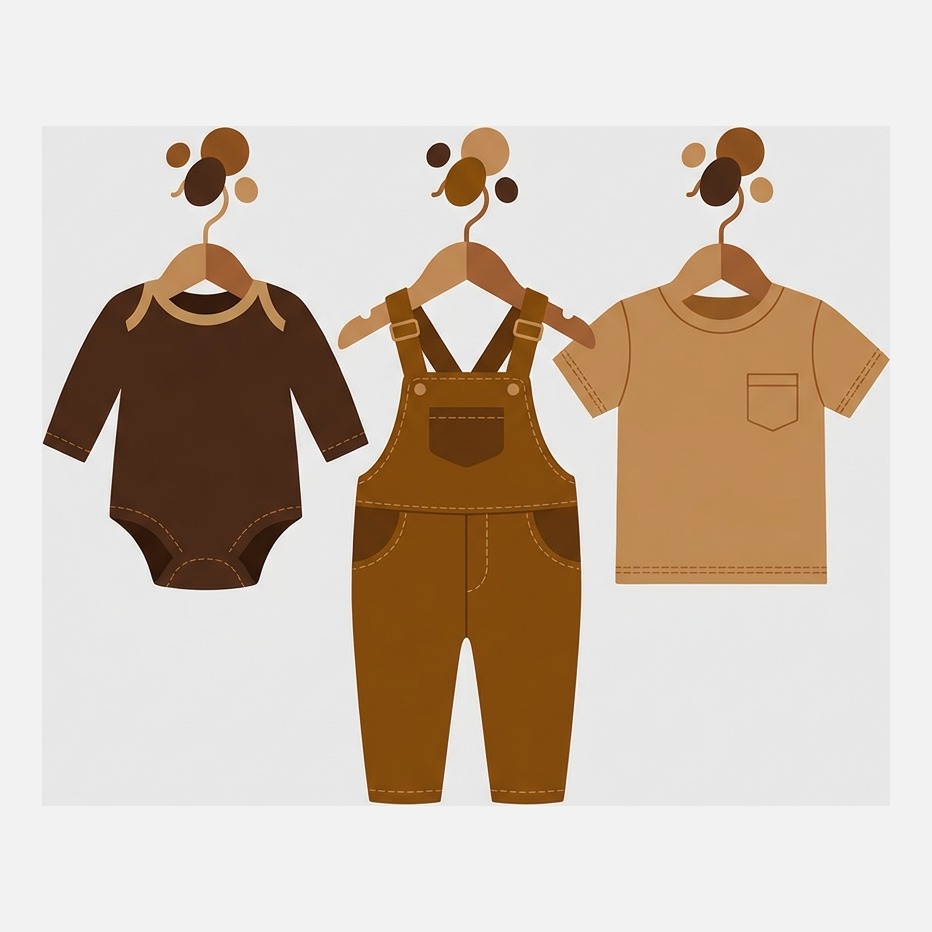
Short answer: baby and kids retail runs on two things, a size system nobody agrees on and a consumable that reorders itself. Publish real size guidance, put nappies on subscription, then fix the gallery with Rubik Variant Images, built by Craftshift, which assigns a separate image set to every print and age range. Free plan, 5.0 stars across 436 reviews.
Kids retail has a sizing problem no other category comes close to. Newborn, 0 to 3 months, 3 to 6 months, then 2T, then age 4, then 110cm, and the same garment is labelled differently by every brand you stock. Add EU against UK against US and a parent buying for a niece they see twice a year has no chance. That is a data problem sitting on your product page.
Then there is the other half of the catalogue, the part that reorders on a schedule whether you help or not. Nappies, wipes, formula. A baby goes up a nappy size every few months, which makes the most valuable feature in a subscription app here the button that lets a parent change the size without cancelling.
Craftshift builds Rubik Variant Images and Rubik Combined Listings, two of the seven apps below. The order is App Store review count, a number we do not set, which puts ours fifth and seventh: 410 and 63 against Judge.me on 42,524. Both sit inside the ranked list and the comparison table, flagged as ours every time, and we say plainly where a competitor is the better pick. Every figure was read off the listing on 29 July 2026.
One number before the list. A single print in four colourways and six age ranges is 24 variants, and Shopify allows exactly one featured image per variant, so a parent who picks the sage green romper still scrolls past three other prints to find it. That is where filtering the gallery down to the print the shopper chose stops being cosmetic. Count yours with the free variant calculator.
In this post
- The seven apps compared
- 1. Judge.me Product Reviews
- 2. Preorder, Back In Stock (STOQ)
- 3. Seal Subscriptions
- 4. Kiwi Size Chart & Recommender
- 5. Rubik Variant Images (ours)
- 6. Gift Reggie: Gift Registry
- 7. Rubik Combined Listings (ours)
- How to choose
- FAQ
- Related reading
The seven apps compared
Ordered by review count, read off the Shopify App Store on 29 July 2026.
| App | What it solves | Rating | Reviews | Pricing |
|---|---|---|---|---|
| Judge.me Product Reviews | Parent to parent proof on fit, wash and safety | 5.0 | 42,524 | Free plan, then $15/mo |
| Preorder, Back In Stock (STOQ) | Waitlists on the age range that always sells out | 5.0 | 3,424 | Free plan, then $10/mo |
| Seal Subscriptions | Nappies, wipes and formula on a repeating order | 4.9 | 2,909 | Free plan, then $5.95/mo |
| Kiwi Size Chart & Recommender | Age against height against centimetres, resolved | 4.8 | 1,085 | Free plan, then $6.99/mo |
| Rubik Variant Images (ours) | Gallery shows only the chosen print and size | 5.0 | 410 | Free plan, then $25/mo |
| Gift Reggie: Gift Registry | Baby shower registries and shared wishlists | 4.8 | 180 | No free plan, from $9/mo |
| Rubik Combined Listings (ours) | Prints sold as separate products, shown as one listing | 5.0 | 63 | Free plan, then $10/mo |
1. Judge.me Product Reviews: parents trust parents
What it does. Automatic review requests by email, SMS and push, unlimited reviews with photos and video, star ratings on the storefront and in Google Shopping.
Why baby and kids specifically. No shopper researches harder than a first time parent, and none of it happens in your product description. It happens in reviews, and it is oddly specific: does it survive a hot wash, does the popper give way, does the 12 to 18 month come up small. You cannot write those sentences yourself, and nobody would believe you if you did.
The honest limitation. The Forever Free plan is unusually generous, unlimited reviews with photo and video, but AI features, the Q&A widget, coupons and the 130 plus integrations sit behind Awesome at $15 a month. 5.0 stars across 42,524 reviews. If you want review photos front and centre, Loox leads with visual reviews at 4.9 across 8,803, though its paid tier starts at $49.99. More in our review apps roundup.
2. Preorder, Back In Stock (STOQ): the 12 to 18 month is always gone
What it does. Adds a notify me waitlist to sold out variants, with email and SMS alerts on restock, plus preorders.
Why baby and kids specifically. The middle age ranges empty first, and a sold out size is not a delayed sale, it is a lost one, because the child grows past it. Prams and limited prints sell out before the container lands, which is what preorders are for. The waitlist works per variant, so 6 to 9 months can show a notify me while 18 to 24 keeps a normal buy button.
Free plan covers 10 preorders and 30 emails a month, a trial in practice, then Lite at $10. 5.0 stars across 3,424 reviews. See also handling out of stock variants and the back in stock apps roundup.
3. Seal Subscriptions: nappies are the most predictable order in retail
What it does. Recurring orders with product swaps, tiered discounts, auto charging and recurring invoices, on Shopify’s own subscription contracts.
Why baby and kids specifically. Consumption here is measurable to the day. A newborn goes through a pack of nappies in a fortnight, formula runs out on a schedule, wipes never stop. Sell those one pack at a time and you re acquire the same customer twenty times a year, paying for it every time. The product swap is what decides whether the subscription survives: the child moves up a nappy size, and a parent who cannot change it cancels instead of editing.
The honest limitation. 4.9 across 2,909 reviews puts it behind Appstle Subscriptions on 5.0 across 7,988, the bigger app by some distance. Seal wins on the free tier: 50 subscriptions and unlimited revenue at zero transaction fee, where Appstle’s free plan caps at $500 of subscription revenue a month. Paid Seal starts at $5.95. See native subscriptions against third party apps.
4. Kiwi Size Chart & Recommender: the 2T problem
What it does. Publishes responsive size charts, asks for measurements, then recommends a size. Auto unit detection by location, 17 templates, CSV import.
Time for the rant. Why does a kids store sell an item labelled 2T next to one labelled 24 months next to one labelled 92cm, and expect the parent to work out that two of those are the same garment and one is not? Publish the centimetres. Every time. Age is a marketing label. Height is a measurement.
Why baby and kids specifically. A recommender that asks for height and weight and returns one size does the conversion the parent would otherwise get wrong. It matters more for gifts, where the buyer knows the age and nothing else, and where the failure is not a return at all. It is a gift quietly never worn.
The honest limitation. 4.8 is the joint lowest rating here, across 1,085 reviews, and the free plan publishes 2 charts with a Kiwi watermark, so in practice you are on Premium at $6.99. Smart Size Chart & Fit Finder ships prebuilt kids templates on a free plan with no watermark, 5.0 stars across 130 reviews. Our size chart apps roundup compares the field.
5. Rubik Variant Images (ours): the print they picked, not all four
What it does. Shopify allows one featured image per variant. Rubik Variant Images assigns a whole image set to each variant through metafields, so choosing the sage green print in 6 to 9 months shows that print flat, on a model and in close up, and nothing from the other three. It also turns the picker into image swatches, colour swatches or buttons.

Why baby and kids specifically. Shared image handling is what earns it here. The care label, fabric composition panel and age grading chart are identical across all 24 variants of a romper, so you assign them once rather than uploading them 24 times into the 250 image per product ceiling. One thing straight on safety: an app can put age grading and warning text where people read it, but whether that text satisfies the rules where you sell is a legal question for you and your supplier, not a feature any app can claim. There is a walkthrough for products with more than one option type, and the free image filename generator is worth a pass first if your print files are named DSC_0412.
Where it is the wrong pick. A store selling wooden toys and single SKU gifts with one photo each gets nothing from it. It earns its keep on clothing, bedding and anything with a print. And 436 reviews at 5.0 stars is small next to Judge.me on 42,524. Pricing is flat, ignoring your Shopify plan: free for 1 product, then $25 a month for 100, $50 for 1,000, $75 for unlimited.
“An essential app for anyone with several products with different colour variants. The support from Farid was quick and effective, and he even helped us fix something on our website (unrelated to the Rubik app) that he noticed wasn’t working properly.”
Anonymous merchant, October 2025, Rubik Variant Images on the Shopify App Store
6. Gift Reggie: the baby shower is a shopping event
What it does. Gift and baby registries plus wishlists, with customisable styling, social and email sharing, password protected registries and stock warnings on higher tiers.
Why baby and kids specifically. This is the one app here that is close to category exclusive. A baby shower is ten to thirty people buying from one list, chosen by someone who knows exactly what they want, coordinated so nobody buys the second cot. The registry owner does your merchandising and the guests arrive pre sold. Most stores never build the channel at all.
The honest limitation. Two things to be straight about. There is no free plan: Basic is $9 a month for 5 active registries on a 7 day trial, with extra registries charged monthly above the limit. It also carries no Built for Shopify badge, unlike every other app here. 4.8 stars across 180 reviews. The alternative, Swym Wishlist Plus, covers wishlists and registries together at 4.7 across 1,342 reviews, from $29.99 a month and no free plan either.
7. Rubik Combined Listings (ours): when each print deserves its own URL
What it does. Links separate Shopify products so they behave like one listing, with swatches on the product page and on collection cards. AI Magic Fill reads colours from your images, bulk grouping builds groups from title patterns, tags or metafields. No Shopify Plus needed.
Why baby and kids specifically. Parents search by print and by theme, not by product line. Keep every print as a variant and Google gets one URL for the lot, so the search naming the print lands nowhere useful. Split them and each print gets its own page, title and reviews, then group them back into one listing with swatches on the product page and the collection grid. Which structure suits your catalogue? The free separate products versus variants tool settles it, and a tidy pattern from the SKU generator makes bulk grouping work first time. Our guide to multiple images per variant covers the other side.
Where it is the wrong pick. It does not filter images inside a single product. That is the other app, and the two get confused constantly. It earns nothing if your prints genuinely belong as variants, which for a range of four they usually do. 78 reviews at 5.0 stars is the thinnest track record here, because the app is young. Free for 5 groups, then $10 a month for 100, $30 for 500, $50 for 5,000.
How to choose
Pick by what you sell, not by what looks impressive in a demo.
- Mostly consumables (nappies, wipes, formula): subscriptions first, and check the swap flow.
- Mostly clothing: sizing first, then variant image filtering. Those two own your return rate.
- Nursery, prams and gifts: registry first, waitlists second.
- New store with no social proof: reviews before everything else. Nothing else converts a cautious parent.
- Prints sold as separate products, or past 100 variants: combined listings.
Five of the seven have a free tier you can test on a live store. If you want safety notes, wash care and age grading tabbed rather than dumped into one description, Tabs Studio does it on a free plan, 5.0 across 160 reviews.
There is a working store in the live demo store and setup steps in the getting started guide. Grouped prints have their own demo store and docs.
Frequently asked questions
Which app should I use to show the right photos for each print and age range?
Rubik Variant Images, built by Craftshift. It assigns a separate image set to every variant through Shopify metafields, so picking the sage green print in 6 to 9 months filters the gallery to that print while the shared care label and age grading chart stay visible. It runs on 350+ themes and is free to install. 5.0 stars across 436 reviews.
What are the best Shopify apps for baby and kids stores in 2026?
Judge.me for reviews, STOQ for waitlists on sold out age ranges, Seal Subscriptions for nappies and formula, Kiwi Size Chart and Recommender for age against height sizing, Rubik Variant Images for print galleries, Gift Reggie for baby shower registries, and Rubik Combined Listings for prints sold as separate products.
How do I stop parents ordering the wrong size for a child?
Publish height in centimetres alongside the age label, then add a recommender that takes height and weight and returns one size. Kiwi Size Chart and Recommender does that at 4.8 stars across 1,085 reviews, free plan available. Age labels are marketing. Measurements are not.
Can I add a baby registry to a Shopify store without Plus?
Yes, with a registry app. Gift Reggie covers baby and gift registries with sharing and stock warnings, 4.8 stars across 180 reviews, from $9 a month, no free plan and no Built for Shopify badge. Swym Wishlist Plus bundles wishlists and registries at 4.7 across 1,342, from $29.99.
Should each print be a variant or its own product?
Its own product if you want the print name to rank and hold its own reviews and inventory. Then group them so shoppers still see one listing. Rubik Combined Listings does that with swatches on product pages and collection cards, without Shopify Plus. Free for 5 groups, then $10 a month.
Related reading
- Best Shopify apps for apparel stores
- The Shopify variant limit, explained
- Collection page swatches: the complete guide
- How many images you can put on one variant (rubikvariantimages.com)
- Separate products versus variants for SEO (rubikify.com)
Start with whichever your inbox keeps asking about. Here it is nearly always sizing, and the answer is nearly always centimetres.

Umid
Co-Founder at Craftshift