Shopify variants vs. options: what is the difference?

Options and variants are two different things in Shopify, but most merchants use the terms interchangeably. This causes real confusion when setting up products, troubleshooting display issues, or hitting Shopify’s limits. Understanding the distinction matters because it affects how many product combinations you can sell, how inventory is tracked, and how your product page displays choices to customers.
The short version: options are the categories (Color, Size, Material). Variants are the specific combinations (Red/Small, Red/Medium, Blue/Small, Blue/Medium). Options define what customers choose. Variants define what Shopify tracks in inventory and what gets added to cart.
In this post
- What are Shopify options?
- What are Shopify variants?
- How options create variants
- The limits: 3 options, 2,000 variants
- Practical differences that matter
- When to use separate products instead
- FAQ
What are Shopify options?
Options on a Shopify product are also known as option types or product options. These are the general categories that the options for a product fall under, such as: Color, Size and Material. The maximum number of options allowed per product on a Shopify store is 3.
Each option has a name and a set of values:
- Option 1: Color (values: Red, Blue, Black)
- Option 2: Size (values: S, M, L, XL)
- Option 3: Material (values: Cotton, Polyester)
Options are what customers see on the product page in the form of swatches, dropdown menus or buttons. These are the places where customers make their decisions. What color would you like? What size? What material?
Options have no price, SKU or inventory count. Only the *variants* that are combinations of options have price, SKU or inventory count. Options are mere labels.
What are Shopify variants?
A variant is one specific combination of all option values. If your product has Color (Red, Blue) and Size (S, M, L), you get 6 variants: Red S, Blue S, Red M, Blue M, Red L, Blue L.
| Variant | Color | Size | SKU | Price | Stock |
|---|---|---|---|---|---|
| 1 | Red | S | SHIRT-RED-S | $29.99 | 15 |
| 2 | Red | M | SHIRT-RED-M | $29.99 | 22 |
| 3 | Red | L | SHIRT-RED-L | $29.99 | 8 |
| 4 | Blue | S | SHIRT-BLU-S | $29.99 | 12 |
| 5 | Blue | M | SHIRT-BLU-M | $29.99 | 30 |
| 6 | Blue | L | SHIRT-BLU-L | $29.99 | 0 |
Each Color and Size variant has its own price, SKU, barcode, weight, inventory quantity and one assigned image. This is what Shopify adds to the cart. So if a customer adds a Red Large to the cart they will see the product titled SHIRT-RED-L. If they add a Red Medium to the cart they will see the product in the cart titled SHIRT-RED-M. For example Red + Medium would equal variant #2.
Variants are important in the Shopify product model because without them you would have no way to track inventory, have different pricing per variant combination or post images for different product combinations.
How options create variants
Shopify automatically generates variants for your products based on the cross-product of all option values. The math is multiplication: three colors x two sizes x one style = 6 different variants.
- 1 option with 5 values = 5 variants
- 2 options (5 colors x 4 sizes) = 20 variants
- 3 options (5 colors x 4 sizes x 2 materials) = 40 variants
This is flat, meaning that Shopify generates every single possible combination. This means that if the Polyester version only comes in 3 colours (in this example, Blue, Black and Beige), Shopify will create a product for each of the 5 colours, even though the Polyester version only comes in 3 colours. This means you will have to manually mark the non-existent variants as being out of stock, or remove them altogether. However, you can still use conditional logic to control how these variants are presented on the storefront.
The limits: 3 options, 2,000 variants
Two hard limits that every Shopify merchant eventually hits:
- Maximum 3 option types per product. You can have Color, Size, and Material. But not Color, Size, Material, AND Style. If you need a 4th option, you have to get creative (combining options like “Size-Style” or using line item properties).
- Maximum 100 variants per product (or 2,000 with Combined Listings). A product with 10 colors x 5 sizes x 3 materials = 150 variants. That exceeds the limit. You need to either reduce option values or split into separate products.
These are limits imposed by the Shopify platform, not by your theme. These limits cannot be increased by any app or code. The only work around for the variant limit is the Shopify feature “Combined Listings” which allows up to 2,000 variants per product by combining multiple products into a single listing. There are also apps available that can assist in managing these combined listings, such as the Rubik Combined Listings app.
Practical differences that matter
| Feature | Options | Variants |
|---|---|---|
| What it is | Category of choice (Color, Size) | Specific combination (Red/M) |
| Has its own price? | No | Yes |
| Has its own SKU? | No | Yes |
| Tracks inventory? | No | Yes |
| Can have an image? | No (but swatches show color) | Yes (one per variant) |
| Limit | 3 per product | 100 per product (2,000 with CL) |
| Customer sees | Picker (swatch/dropdown/button) | Not directly (it is the selected combo) |
| Added to cart | No | Yes |
Options are the user interface to options for customers to choose from, while product variants store the data about the options for Shopify to price for, tax for, and fulfill. Both are created on the store admin side through the options feature in the product editor, and both are generated by the platform and tied to options.
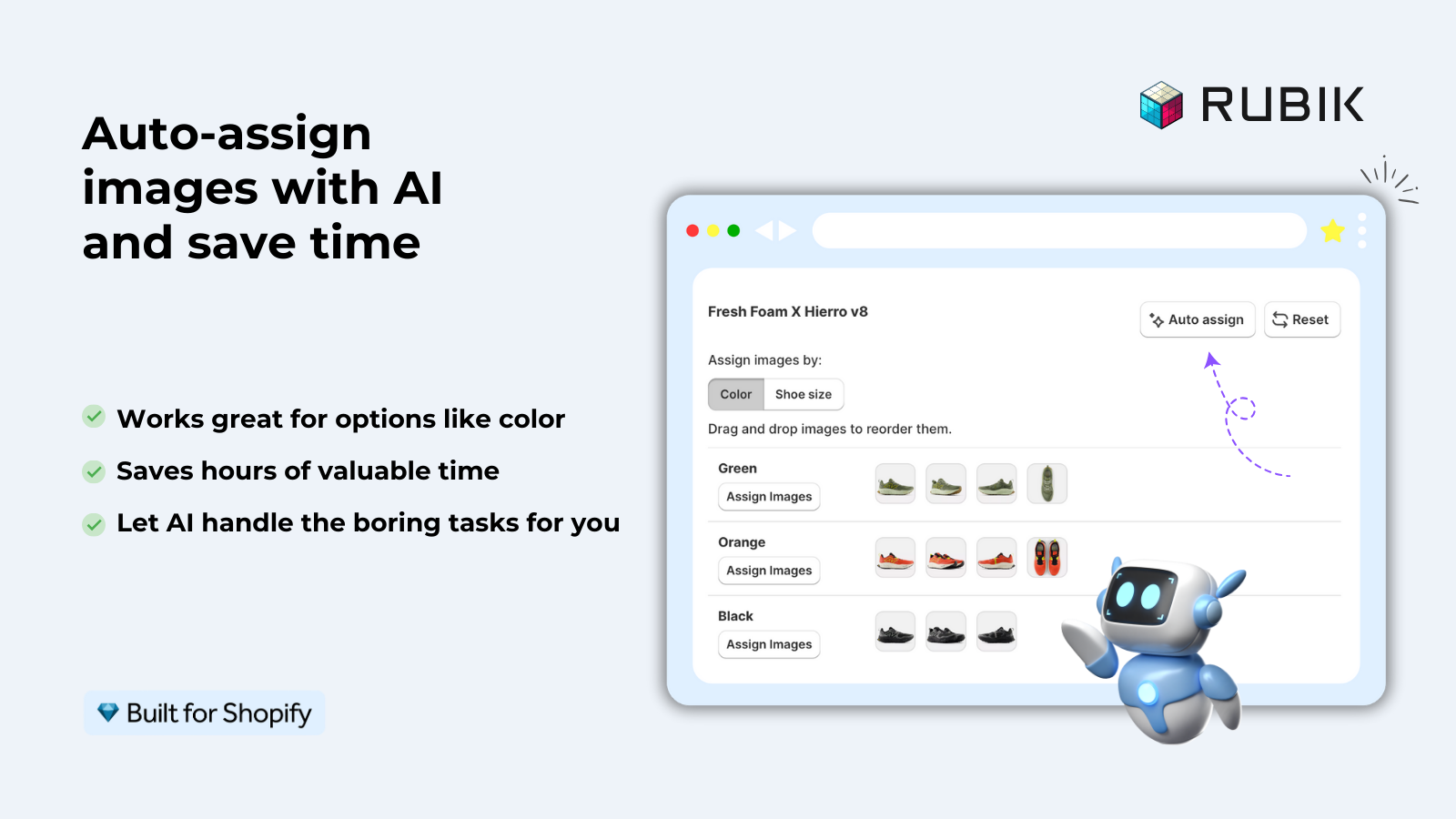
This distinction matters for image management too. You assign images to variants, not to options. When a customer selects the “Red” option value, the product page shows the image assigned to the Red variant. Apps like Rubik Variant Images extend this by allowing multiple images per variant and filtering the gallery based on the selected option.
If your colours live as separate products rather than variants of one product, Rubik Combined Listings groups them into a single listing with swatches instead. Free to install, 5.0 stars across 78 reviews.
When to use separate products instead
Sometimes the variant option just isn’t the best solution for your product variations. If each “variant” requires completely different product information, images, pricing logic, or different search engine optimization (SEO) strategies, then it probably is better as a separate shop page with a separate product.
Rules of thumb:
- Use variants when: The product is fundamentally the same item in different configurations. Same description, same (or similar) pricing, same brand page. A t-shirt in Red/Blue/Green in S/M/L/XL.
- Use separate products when: Each configuration needs its own description, image gallery, or SEO page. A sofa in Leather vs Velvet vs Microfiber where care instructions, pricing, and photos are completely different.
When you use separate products, Rubik Combined Listings displays them with swatches so products are displayed to customers as variants. Customers can easily select a colour swatch and then view and compare the related products. Each product is independent with its own SEO URL, product description and image gallery.
“Hands Down the best customer support of all the variation/swatch apps I have used till date. The app does everything. From individual variant gallery to really detailed customizable swatch’s. All in a single app. Originally we used to use two different apps so this is so much more cost efficient for us.”
Bellissima Covers, India, Rubik Variant Images on the Shopify App Store
See the live demo store, watch the setup tutorial, or read the getting started guide.
Frequently asked questions
What is the difference between a Shopify option and a variant?
Option option (e.g. Color) vs Option Variant (e.g. Red/Medium), Options are the different categories that customers can choose from on the picker (e.g. Color, Size, Description). Variants are the different combinations of all of the option values on your product that your store will track for inventory, pricing, and shipment.
How many options and variants can a Shopify product have?
Maximum 3 options per product, 100 variants per product. Combined Listings in Shopify allows up to 2,000 variants when combining multiple products together, but the 3 options limitation cannot be changed.
Can Shopify variants have different prices?
Yes. Each product variant can have its own price field, so you could list a Small at $25, an XL at $30, etc., and the price on the product page would update as the customer selects different variants.
Can I add a 4th option to a Shopify product?
Not natively. Shopify only supports 3 options so you either have to make one option with 2 values (e.g. “Size-Fit” with values “S-Regular”, “S-Slim”) or use the line item properties to set non-inventory options. You can also just split it all into separate products with Combined Listings listed on the product page.
Do I assign images to options or variants?
To variants. Each variant can have one assigned image in Shopify. When a customer selects “Red”, the page shows the image assigned to the Red variant. For multiple images per variant, apps like Rubik Variant Images filter the gallery based on the selected variant.
What happens if I delete a variant?
Deleting a variant removes that specific combination from your store forever. The inventory, SKU, and order history will all be removed but the option value will remain. You will still be able to see the option value (i.e. “Red”) in the picker but that variant will now be marked unavailable to customers.
Related reading

Umid
Co-Founder at Craftshift