Combined Listings for Shopify lighting stores: pendant, chandelier, and sconce catalogs that actually convert
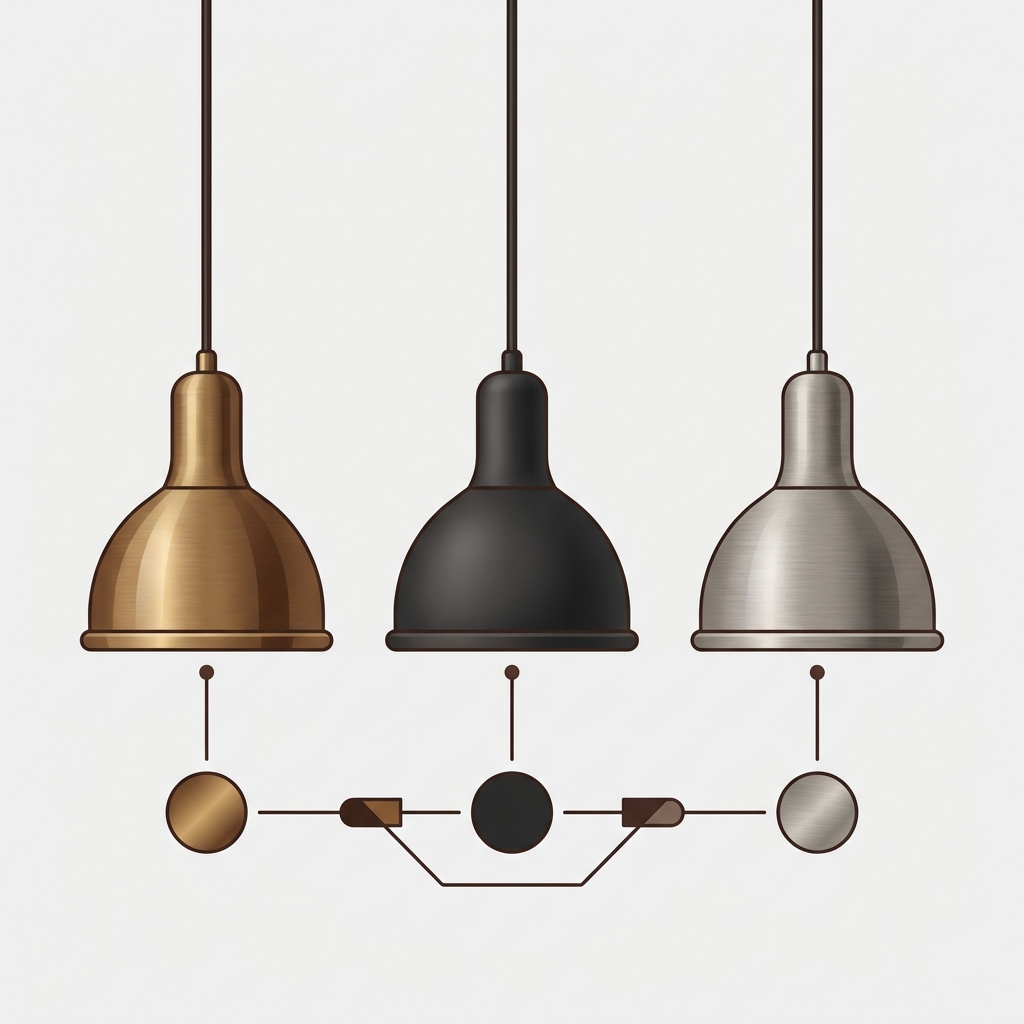
A pendant light in 4 finishes (brass, black, brushed nickel, polished chrome), 3 shade materials (linen, opal glass, fluted glass), and 3 sizes (small, medium, large) is 36 SKUs for a single fixture. A chandelier with 5 finishes, 4 arm counts (3-arm, 5-arm, 8-arm, 12-arm), and 2 shade options is 40 SKUs. Run the math across a 60-product lighting catalog and you are easily past 2000 individual SKUs. The Shopify combined listings setup is what keeps a lighting store’s catalog architecture sane while preserving the SEO value of every finish and shade combination.
This post is about how lighting brands structure their Shopify catalog with combined listings. We have onboarded enough pendant, chandelier, and sconce sellers onto our Rubik apps to know where the friction lives. Lighting is similar to furniture in some ways, but it has its own quirks: bulb compatibility, dimmable distinctions, ceiling height constraints, and the fact that “brass pendant light” is one of the most-searched lighting queries on Google.
The argument here is the same one we make for any high-option visual category: split into separate products when each option carries SEO weight, group them with combined listings so the storefront stays clean. The lighting-specific tactics are in the rest of this post.
In this guide
- Lighting variant math: how the SKU count explodes
- Why finish should be its own product, not a variant
- How combined listings fix the lighting catalog
- Collection cards for lighting: what to show
- Pendant size and chandelier arm-count options
- Pairing combined listings with variant image filtering
- Setup and bulk grouping
- Pricing for lighting catalog sizes
- FAQ
- Related reading
Lighting variant math: how the SKU count explodes
Lighting has more option dimensions than most categories. Walk through a typical pendant light:
- Finish: 4 to 6 (antique brass, matte black, brushed nickel, polished chrome, oil-rubbed bronze, gold)
- Shade material: 2 to 4 (clear glass, opal glass, fluted glass, linen, paper, fabric)
- Size: 2 to 3 (small, medium, large; sometimes XL)
- Cord/chain length: often included as variant axis
- Bulb type: E26, E27, GU10, integrated LED (sometimes a real variant, sometimes pre-determined)
That is easily 100+ SKUs per pendant, and most lighting brands sell 30 to 100 different fixture designs. The variant cap on Shopify Basic and Grow plans is 100 per product. So either you split, or you cap at 100 and lose every combination beyond.
And size matters more than most people think. A “Brixton Pendant, Brass, Linen, Medium” weighs differently, ships differently, and converts differently than the small or large version. Each size carries its own price, often its own image (different room scenes for different ceiling heights). Burying size in a dropdown alongside finish and shade hides decisions a lighting buyer needs to make consciously.
Why finish should be its own product, not a variant
The lighting search universe is dominated by finish-specific queries. “Brass pendant light.” “Black chandelier.” “Brushed nickel sconce.” “Antique gold ceiling light.” Each of those is a real long-tail query with intent behind it. Someone searching “brass pendant light” knows they want brass. They are not interested in a generic pendant page that happens to have brass as one of six options.
If brass is one variant among many in a master pendant product, the master URL and meta description are usually written for the most common finish, not for brass specifically. The fabric-style title trick that works for apparel (“Linnea Sofa, Boucle Camel”) translates to lighting as “Brixton Pendant, Brass” or “Atrium Chandelier, Matte Black.” Each finish gets its own meta description, its own image alt text, its own structured data.
This is the entire SEO case for splitting. The lighting brands that do this consistently outrank the ones that bury finish in a master product page on long-tail finish queries. We have watched it happen on multiple onboarded stores.
How combined listings fix the lighting catalog
Splitting into separate products per finish (and sometimes per size) creates a new problem on the collection page. Now the “Pendants” collection has 4 brass Brixton variants stacked next to each other, repeated for every fixture in the catalog. Customers think the collection has fewer designs than it does.
Combined listings solves this by grouping the finish-products into a single combined listing. The collection card shows one Brixton pendant with finish swatches under the title (brass, black, nickel, chrome). Click brass, the card switches to brass. Click into the product, you land on the brass-specific product page with brass-specific photos, SEO, and inventory.

We built Rubik Combined Listings to handle exactly this case. It does not require Shopify Plus, it does not touch your variant data, and it works across 420+ themes including the lighting-friendly themes like Prestige, Impact, and Maestrooo’s lineup.
“Was having difficulties with 5 other apps before I found this one that worked perfectly on the first try. Great for grouping products together, very easy to use. Thank you developers, and thank you Zulf for your assistance.”
BELSKI, Australia, 2026-03-24, Rubik Combined Listings on the Shopify App Store
Collection cards for lighting: what to show
Lighting collection cards are different from furniture cards. The fixture itself is what shoppers scan, but finish is the variable they decide on first. So the card hierarchy should be: photo of the fixture → finish swatches under the title → size or arm-count count if relevant → starting price.
One thing lighting cards usually get wrong: they show the photo of one finish with no indication that other finishes exist. Shopper sees the brass version, decides “not my style,” scrolls. They never realized there was a matte black or nickel option. Combined listings fixes this with the swatches on the card.

Pendant size and chandelier arm-count options
Size and arm-count are the secondary axis on most lighting fixtures. Two ways to handle them:
- Native variants inside each finish product. The Brixton Brass pendant has small/medium/large as native Shopify variants. Each size has its own SKU, price, and inventory inside the brass product. The combined listings group only contains the four finish products (brass, black, nickel, chrome).
- Separate products per size, also grouped. Each size becomes its own product (Brixton Brass Small, Brixton Brass Medium, Brixton Brass Large). The group can either show finish swatches or finish + size swatches.
Option 1 is what most lighting brands end up using. Size doesn’t usually carry meaningful per-size SEO value (nobody Googles “Brixton Pendant Medium”), so making it a native variant keeps the catalog cleaner. Option 2 only makes sense when sizes have meaningfully different photos or descriptions, which is rare in lighting.
Pairing combined listings with variant image filtering
Each finish product has its own gallery. Brass has 4 to 8 photos (room scene, close-up, detail of socket, lit-up shot, dimensions overlay). Inside the brass product, native variants handle size and shade material. When the shopper picks “Linen Shade” inside the brass product, the gallery should switch to brass + linen photos. That is variant image filtering, and it lives in Rubik Variant Images.
Lighting stores almost always need both. Combined Listings handles cross-product navigation between finishes. Variant Images handles per-product gallery filtering for size and shade. Together: collection card → click brass swatch → land on brass product page → see brass photos → pick linen shade → gallery filters to brass + linen photos. The shopper never sees an irrelevant image.
Setup and bulk grouping

For an existing lighting catalog where each finish is already a separate product, bulk grouping is the fast path. Three methods:
- Title pattern. “Brixton Pendant, Brass” / “Brixton Pendant, Black” auto-detects the shared prefix and groups by the part before the comma.
- Product tags. Tag products with
RUBIK::brixton-pendant::finish::brass::#B5651Dand the parser groups them. - Metafield grouping. Group by a shared
parent_fixture_idmetafield. Most flexible for catalogs with non-standard naming.
AI Magic Fill auto-extracts option values and detects swatch hex codes from product images, which saves hours on a 60-fixture lighting catalog. For more on grouping methods, the bulk grouping deep dive on rubikify.com walks through each detection method.
If your colours are variants of one product rather than separate products, Rubik Variant Images assigns a separate image set to every variant instead. Free to install, 5.0 stars across 436 reviews.
Pricing for lighting catalog sizes
| Plan | Price | Product groups | Lighting catalog fit |
|---|---|---|---|
| Free | $0 | 5 | 5 fixtures, trying it out |
| Starter | $10/mo | 100 | Boutique lighting brand, 30 to 80 fixtures |
| Advanced | $30/mo | 500 | Mid-market lighting catalog, 100+ fixtures |
| Premium | $50/mo | 5,000 | Multi-brand or large lighting retailer |
Annual billing saves 17%. The cap is on group count, not on the products inside each group, so a single group with 6 finish variants is one group on your plan.
See the live demo store, watch the AI features tutorial, or read the getting started guide.
FAQ
Should each finish be its own product, or a variant?
Separate products if the finish carries SEO weight (“brass pendant light,” “matte black chandelier”) or if you have more than 4 finishes. Otherwise native variants are fine. Combined Listings is what makes the separate-products path work on the storefront.
How do I handle pendant size options?
Native variants inside each finish product, almost always. Size doesn’t carry meaningful per-size SEO value, and keeping it as a variant simplifies the catalog. The combined listings group contains the finish products; size lives inside.
Will combined listings slow down my lighting site?
No measurable hit. Rubik Combined Listings is metafield-based with no external API calls. Data ships with the page, so collection cards render with swatches in the same paint cycle as the rest of the page.
Does it support glass, fabric, and metal swatch types?
Yes. Swatches can be color hex codes (auto-detected for finishes like brass, black, nickel) or image swatches (for shade textures like linen, fluted glass, opal glass). Mix swatch types per option.
Can I bulk-create groups for an existing lighting catalog?
Yes. Bulk grouping uses title pattern, product tags, or metafield grouping. Most lighting catalogs use a “Fixture Name, Finish” naming convention that title pattern handles automatically.
Does it require Shopify Plus?
No. Rubik Combined Listings runs on every Shopify plan and groups separate products without using the native combined listings feature.
Related reading

Umid
Co-Founder at Craftshift