Shopify new arrivals: how to push new products to the front of collections and swatches
Most Shopify stores treat product order as a one-time setting and forget about it. That is a mistake. Where a product sits on a collection page (and, for stores using combined listings, where each color swatch sits in the variant strip) is one of the cheapest conversion levers you have. Newer items get more clicks, more first-touch attention, and a bigger share of the scroll. Older inventory drifts. Shopify gives you the tools for half of this story. The other half (sorting swatches inside grouped product listings by newest first) has been a stubborn gap for years, and most combined-listings apps still do not solve it.
This post breaks down where new-arrival ordering actually moves the needle on a Shopify store, what Shopify ships natively, where it stops short, what competing apps do (and do not) cover, and how to ship newest-first sorting end-to-end. We will also walk through a change we shipped last week in Rubik Combined Listings that closes the swatch-ordering gap with one toggle, on every Shopify plan, including Basic.
In this post
- Why newest-first ordering converts
- What Shopify gives you natively
- The swatch ordering gap
- What other combined-listings apps do (and don’t do)
- Sorting swatches by newest with Rubik Combined Listings
- How it interacts with out-of-stock and other rules
- When to turn it on (and when to leave it off)
- How to measure the impact
- FAQ
- Related reading
Why newest-first ordering converts
Returning shoppers do not want to scroll past what they have already seen. That sentence is the whole pitch. New arrivals reward repeat traffic. They give your email list something to click on. They tell Google that the catalog is alive. And they make the collection page feel like a store with new stock instead of a museum.
There is a second, quieter effect. When a customer lands on a product, every swatch they see has a story to tell. If the brightest, most recent color is buried at position 8 of 12 (because that is the order the product was created), that swatch barely gets seen. The product page can show it. The collection page can hide it. Both views matter. Both should reflect what is new.
Why does this matter so much? Because shoppers scan, they do not study. Eye-tracking work from the Nielsen Norman Group (across years of e-commerce studies) shows the top of any list and the leftmost positions in any horizontal row pull a disproportionate share of attention. The default that Shopify gives you (creation order, oldest first in some views, newest first in others) is the wrong default for a store that adds inventory regularly.
There is also a returning-traffic case. Most “new arrivals” emails and ads land users on a product page or a “shop the look” collection. If your newest color is buried behind nine older ones in the swatch strip, the email did half its job. Pushing new products to the start of the swatch strip and the collection card aligns what the customer sees on the landing page with what your marketing promised. That alone is worth the five seconds it takes to flip the setting.
What Shopify gives you natively
Shopify has a real, native answer for collection ordering. Open any collection, look for the “Sort” dropdown, and you will see options like:
- Best selling
- Product title (A-Z, Z-A)
- Highest price, lowest price
- Oldest, newest (by created date)
- Manual ordering
Newest is what most apparel, beauty, and seasonal stores want. It sorts by the product’s created_at timestamp, which Shopify stores on every product. For automated collections, you can set the sort order at the collection level. For manual collections, you can drag rows. Both work. Neither requires an app.
There is a wrinkle. Shopify also exposes published_at, which is the moment the product became publicly visible. The two dates often match. They do not always. If you create a draft on January 1 and publish it on March 15, the product was created in January but is “new” in March. Most native sorts use creation date. For new-arrival drops, publish date is closer to what shoppers actually mean by “new”.
The swatch ordering gap
Collection sort is solved. The gap is one layer down: swatch ordering inside a combined listing.
If you run separate products for each color and group them into a single listing (the standard combined-listings pattern), each product page shows a swatch strip with all the variants linked to it. The order of those swatches matters. A customer who lands on the t-shirt page should see your newest color first, not whatever color you happened to upload three years ago when the line launched.
Shopify does not give you a knob for this. Combined listings (both the native Plus feature and most apps) order swatches by the group’s metafield order, which usually mirrors the order you added them. That order is sticky. New products you link to the group land at the end of the strip by default. So your customer sees the swatch strip leading with what is dusty and ending with what is fresh. The exact opposite of what helps discovery.
You can manually reorder the group every time you add a new color, sure. (Have you tried doing that across 200 product groups? Neither would I.) The catalog math turns against you fast.
What other combined-listings apps do (and don’t do)
Before we get to our fix, the honest survey. We track every Shopify combined-listings app on a quarterly basis (render speed, pricing, features, plan dependencies) in our best combined-listings apps comparison. As of May 2026, here is what the field actually ships for swatch sorting:
- Shopify native combined listings (Plus only). No swatch sort settings. Order follows the group’s product reference list. Manual drag only.
- G: Combined Listings (Grouptify), SA Variants (StarApps), LinkedOption, GLO Color Swatch, OP Color Swatch, NS Color Swatch, Platmart, groupmate, SEO Variants. None of them list a “push new to start” or “sort by publish date” toggle in their public feature list as of writing. Their swatch order follows the order you added swatches to a group.
- Rubik Combined Listings. Native toggle, applies on product pages, collection cards, and the mobile carousel. Sorts by the linked product’s Shopify
published_attimestamp, newest first.
If any of those apps adds the same toggle next quarter, we will update this section. For now, this is a real differentiator and not the kind of feature you can fake with CSS.
Sorting swatches by newest with Rubik Combined Listings
This was one of the most common asks we got in support, so we shipped a fix on May 13, 2026. Rubik Combined Listings (the app we build for grouping separate Shopify products under one listing with collection and product-page swatches) now has a new “Sorting settings” section in global settings. Inside it sits a single toggle: Push new products to the start.
Where to find it: open the app, go to Settings, scroll past “Out-of-stock” to the new “Sorting settings” section. One switch. No theme edit, no Liquid changes, no admin reshuffling of any existing group. Save, and every swatch strip on your storefront reorders on the next page load.
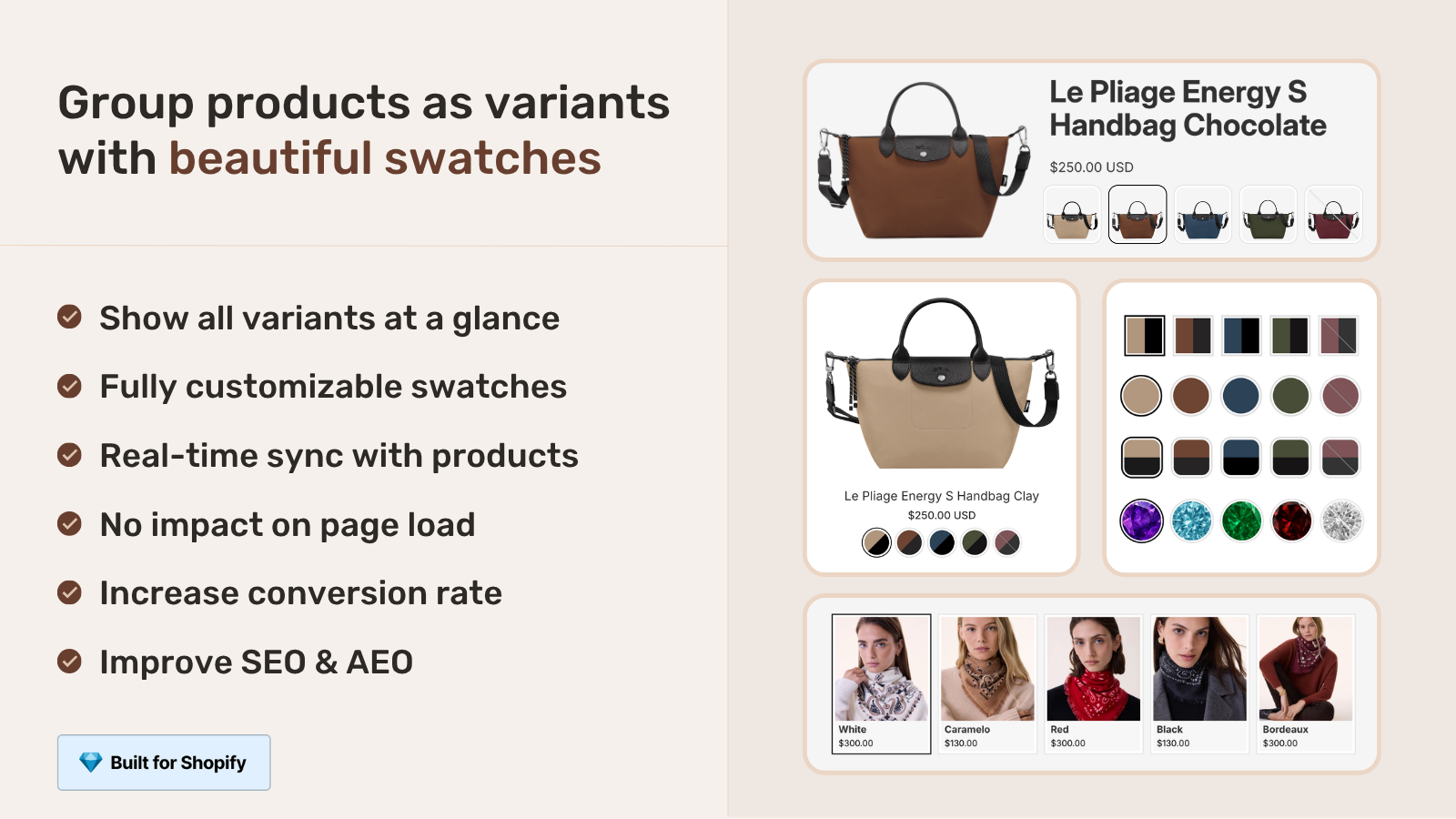
Flip it on and every swatch strip across your store reorders by the linked product’s published_at date, newest first. It applies on product pages (the full grid), collection cards (the compact strip under each product), and the mobile carousel. Both grid and carousel layouts run through the same sort path, so you get one consistent order everywhere.
Under the hood the implementation is small and predictable. The app’s Liquid embed already serializes each swatch as JSON on every product render. The new build adds one field: productPublishedAt, sourced from the Shopify swatch_product.published_at attribute, written as a Unix timestamp in seconds. The storefront JS reads that field, runs a stable descending sort, and renders. Products that have no publish date (very rare, but possible for some sync edge cases) keep their original position and fall after the dated ones. Two products that publish in the same minute do not bounce around between page loads, because the sort uses the original array index as a tiebreaker.
No new network call. No admin re-sync. No metafield migration on your side. The setting itself is stored once on our backend and pushed to your store as a single JSON metafield (namespace craftshift, key settings) the moment you save.
How it interacts with out-of-stock and other rules
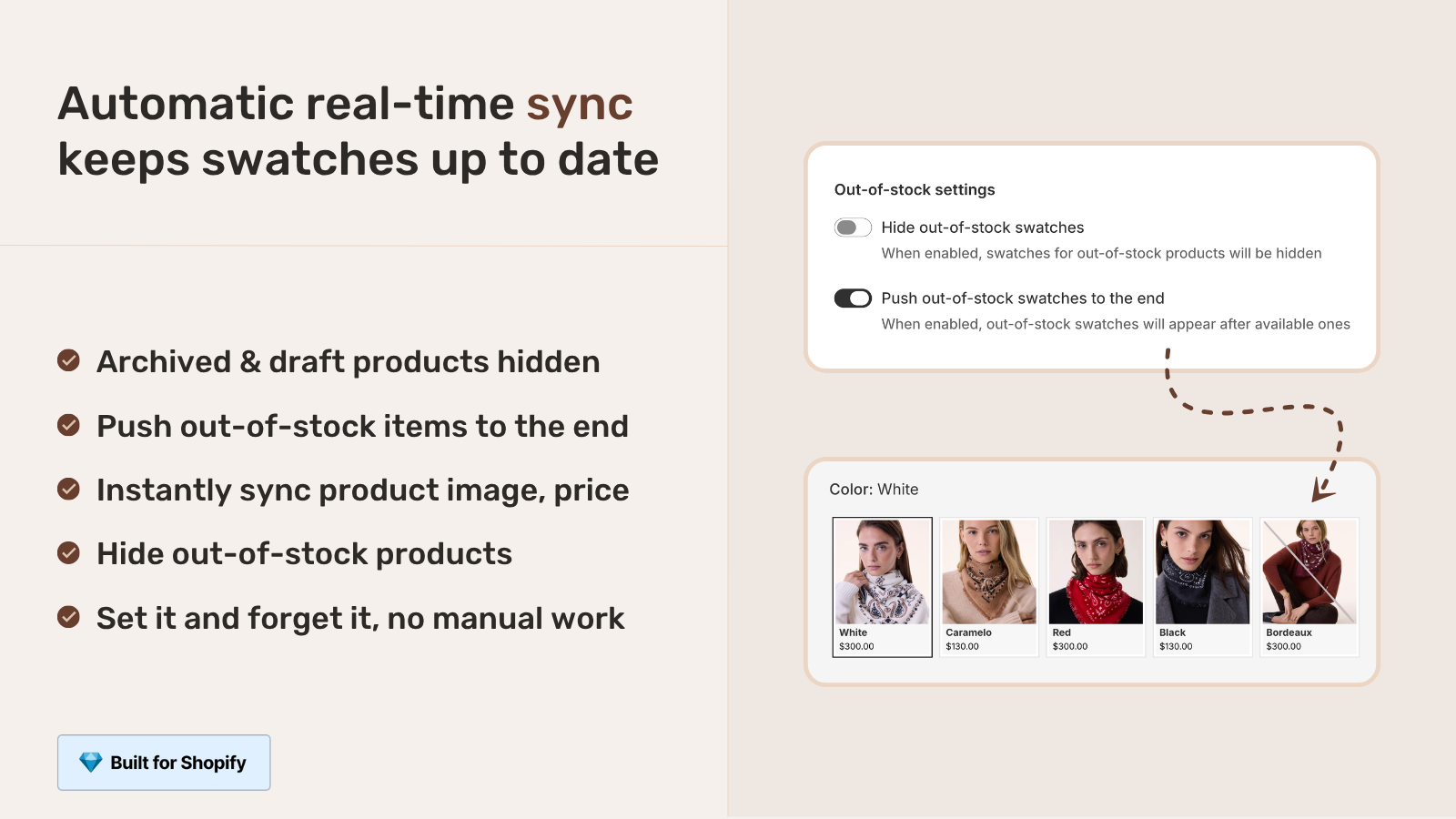
Stores almost never have a single rule. They have a stack. If you already use the “Push out-of-stock swatches to the end” rule (we wrote about that one in our color swatches guide), the new toggle plays nicely with it. Here is how the priority works:
- Hide out-of-stock wins above all. If a swatch is for a product that is fully out, and you have the hide rule on, that swatch is removed from the strip first. The current product’s own swatch is the only exception (it never gets hidden, even if its own variant is out).
- Push out-of-stock to the end wins over newest-first. If both are on, in-stock swatches go to the front (still sorted newest first inside that group), and out-of-stock swatches go to the end (also sorted newest first inside that group).
- Push new to the start applies inside whichever stock bucket the swatch lands in.
The rule we picked was deliberate. Out-of-stock items should not jump to the front just because they are new. A customer wants what they can buy. Within “can buy”, the newest one should lead.
When to turn it on (and when to leave it off)
Not every catalog wants this. Strong opinion: most do. A few do not. Here is how to think about it.
Turn it on if you
- Drop new colors, prints, or fabrics on a regular cadence (weekly, monthly, seasonal).
- Have a returning-customer audience that has already seen the older swatches.
- Run email campaigns linking to “new arrivals” but land users on a product page where the new color is hidden behind older ones.
- Have a long swatch strip that gets truncated on mobile. The first 3 visible swatches do all the work.
Leave it off if you
- Have a curated, brand-driven swatch order (the muted neutrals lead, the loud accents follow, on purpose).
- Sell evergreen colors where “new” is meaningless (think classic stainless cookware).
- Use a deliberate manual order (e.g. a rainbow gradient) that conveys hierarchy.
If you are not sure, the safest test is to flip it on for two weeks, watch the swatch-click data (more on that below), and decide.
If your colours are variants of one product rather than separate products, Rubik Variant Images assigns a separate image set to every variant instead. Free to install, 5.0 stars across 436 reviews.
How to measure the impact
Most stores never measure swatch interaction. They should. The simplest setup uses Shopify’s built-in customer events and a single GA4 event.
- In Shopify admin, go to Settings, Customer events.
- Add a custom pixel that listens for clicks on swatch elements and fires a GA4 event with the variant SKU and swatch position.
- Compare position 1 click share before and after toggling newest-first.
The numbers we have seen across stores that turned this on: position 1 swatch share goes up (no surprise), but the more useful signal is that the click-to-add-to-cart rate on those clicks goes up too. New colors convert better not because the color is better, but because the customer feels rewarded for coming back. That second-order effect is the real reason to do this.
If you want a deeper measurement playbook, our product page optimization checklist covers events, heatmaps, and the small handful of metrics that actually predict revenue lift.
And while we are on the topic of swatches: ordering is only one lever. The other big one is whether the swatch click filters the gallery images on the product page (so the customer sees the right photos for the color they picked). That is a separate problem, solved by Rubik Variant Images, our other app focused on the product-page side of the swatch story.
“Was having difficulties with 5 other apps before I found this one that worked perfectly on the first try. Great for grouping products together, very easy to use. Thank you developers, and thank you Zulf for your assistance.”
BELSKI, Australia, 2026-03-24, Rubik Combined Listings on the Shopify App Store
See the new sorting toggle live on our combined listings demo store, or read the getting started guide if you want to set it up on your own store. The free plan covers 5 groups, every feature included (newest-first sort, AI Magic Fill, collection-page swatches, mobile carousel, the lot). If you outgrow it, paid plans start at $10/mo for 100 groups with a flat rate that does not change when you move to Shopify Plus.
FAQ
Does Shopify natively sort combined listing swatches by newest first?
No. Shopify’s native combined listings (available on Plus) order swatches by the order you added each product to the group. There is no native setting to sort by created or published date. You either reorder the group manually each time you add a new color, or use an app that does the sort on render. Rubik Combined Listings ships this as a single toggle.
What date does the sort use, created or published?
Published. The sort uses each linked product’s published_at timestamp, which is the moment the product first became publicly visible. This matches what shoppers mean by “new”. A product drafted months ago but published yesterday is treated as new.
What happens to out-of-stock swatches when newest-first is on?
If you have the “Hide out-of-stock swatches” rule on, those swatches are removed first, then newest-first applies to what is left. If you have “Push out-of-stock to the end” on, in-stock swatches go to the front (sorted newest first), then out-of-stock swatches follow (also sorted newest first inside that bucket). Stock state always wins over recency.
Does this also affect collection page swatches?
Yes. The sort applies wherever the swatch strip renders: product pages, collection cards, and the compact mobile carousel. One toggle controls all of them, so the customer sees a consistent order across the site.
Will this slow down my product pages?
No. Each swatch already carries the linked product’s publish date in the inline JSON the app embed renders on every page, sourced directly from the Shopify published_at liquid attribute. The sort happens locally in the browser at render time, with no extra network call. The cost is a single in-memory sort over the swatch list, which is fast even on groups with 50+ linked products.
Can I sort by oldest first instead?
Not at the moment. The toggle is one-way (newest first). If you want a specific custom order (rainbow, brand hierarchy, etc.), leave the toggle off and the swatch strip will follow the order of the group as you defined it.
Do I need to be on Shopify Plus for combined listings?
For Shopify’s native combined listings, yes. For Rubik Combined Listings, no. The app works on every Shopify plan, including Basic. That is one of the reasons we built it. Most stores hit the swatch-ordering problem well before they hit the Plus threshold.
Related reading

Umid
Co-Founder at Craftshift