Must-have Shopify apps for 2026 (variant images, combined listings, bundles, GDPR, page builders)
Short answer: Separate products have no link between them in Shopify, so no swatch appears and the same item repeats across a collection page. Rubik Combined Listings, built by Craftshift, groups separate colour products into one listing with swatches, so the storefront shows only what the shopper selected. Free to install, 5.0 stars across 78 reviews.
Before the list: Craftshift builds Rubik Variant Images and Rubik Combined Listings, so we are ranking a category we compete in. Our apps appear below in the position the App Store’s own category ordering puts them, flagged as ours every time, and we say plainly where a rival beats us on review count, age or price. Read this as a roundup from inside the category, not a survey from outside it.
The Shopify App Store crossed 12,000 apps a while back. Variant displays, swatches, combined listings, bundles, GDPR banners, page builders, preorders, inventory tools, size charts, dropshipping, affiliate marketing, and dozens of other categories. Picking the right ones is hard. This guide is a short list. Ten must-have Shopify apps for 2026, each fixing a specific gap that the platform ships with the box. Two of them we built ourselves. The other eight are from developers we trust enough to put on our own partners page, and we’ve installed all of them on real stores.
TL;DR
- Shopify’s default catalog and checkout features are intentionally minimal. Most stores need apps to handle variant display, combined listings, bundles, GDPR, page building, preorders, inventory, and size charts.
- This post covers ten apps: Rubik Variant Images, Rubik Combined Listings, Stamp: Variants on Collection, Kaching Bundle, Pandectes GDPR Compliance, Instant AI Page Builder, Checkout Links, Preorder, Back In Stock STOQ, PML Stock Take Inventory Count, and CSC: Size Chart & Size Guide.
- Each one solves a specific operational problem at a specific stage of the merchant journey: launch, scale, compliance, retention, recovery.
- Eight of the ten carry 5.0 average ratings on the Shopify App Store. The remaining two are 4.8 and 4.9. Built for Shopify badges where applicable.
- Almost all have real free tiers. No “starts at $X but actually costs $5X if you’re on Plus” trickery on the apps we picked.
In this post
- What is a Shopify app, and do you need one?
- 1. Rubik Variant Images & Swatch (variant images)
- 2. Rubik Combined Listings (combined listings)
- 3. Stamp: Variants on Collection (variants as separate cards)
- 4. Kaching Bundle (AOV, BOGO, upsells)
- 5. Pandectes GDPR Compliance (GDPR, CCPA, Consent Mode)
- 6. Instant AI Page Builder (landing pages)
- 7. Checkout Links (direct checkout, reorder)
- 8. Preorder, Back In Stock STOQ (preorder, restock alerts)
- 9. PML Stock Take Inventory Count (inventory counts, POs)
- 10. CSC: Size Chart & Size Guide (size charts, fit recommenders)
- More Shopify apps from our partners (13 honorable mentions)
- How to choose the right Shopify apps
- Frequently asked questions
What is a Shopify app, and do you need one?
A Shopify app is a third-party tool that plugs into your store to add functionality the platform doesn’t ship by default. As of early 2026, the Shopify App Store lists more than 12,000 apps across categories like marketing, inventory, shipping, conversion, accounting, customer support, and product display. The reason that number is so large is simple: Shopify gives you a clean baseline, then expects the ecosystem to fill the gaps.
Do you need apps? If you’re running a 10-product test store, probably not yet. But if any of these sound familiar, you’re ready for your first install:
- Your product page shows the wrong photos when a customer picks a color.
- You want collection page swatches but Shopify doesn’t render them.
- You’re selling separate products per color and want to link them as one combined listing.
- Your average order value is stuck and you have no upsell or bundle path.
- You ship to EU customers and your cookie banner is a half-baked legal risk.
- Your landing pages all look like product pages because the theme editor only goes so far.
- You’re losing sales because customers can’t preorder, can’t back-in-stock subscribe, or can’t find a size that fits.
Each of those is a real, recurring problem. Each has an app that fixes it. Below are ten we either built or use ourselves. They cover the catalog, the conversion, the compliance, and the post-purchase loop. Pick the ones that match your bottlenecks.
1. Rubik Variant Images & Swatch (Craftshift)

Category: Variant images, swatches, product page filtering
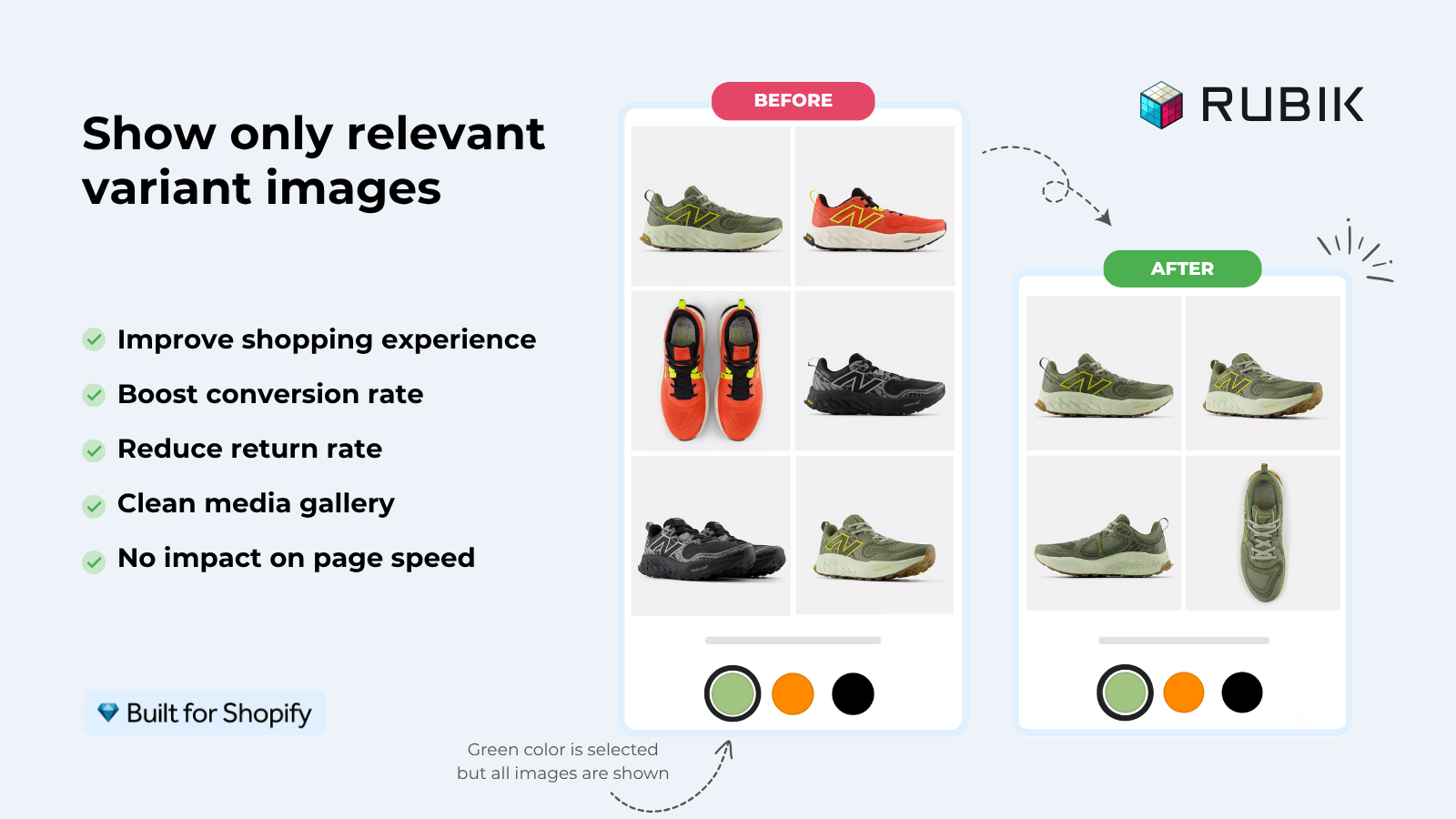
Shopify supports product variants natively. Sizes, colors, materials. What it does not support well is showing the right variant photos when a customer clicks a swatch. The native gallery dumps every photo for every variant in one mixed pile, and the swatch picker is a plain dropdown. For apparel, footwear, jewelry, furniture, electronics, and basically anything visual, that is a conversion problem.
Rubik Variant Images filters the product gallery to show only the media (images, videos, and 3D models) that belong to the selected variant. It replaces the native variant picker with three swatch types you can mix across options: image swatches, color swatches, and pill buttons. Multi-option support means a Color + Size product can have a unique image set per combination. The whole thing renders in Shadow DOM, so CSS isolation is automatic and theme conflicts go to zero.
It’s Built for Shopify certified, sits at 5.0/5 with 363+ reviews, and ships with three image-assignment methods: manual drag-and-drop, AI auto-assign per product (vision API analyzes the photo, title, variant name, alt text, and filename), and bulk assign by gallery image order for large catalogs.
Key features
- Filter product page media per variant (images, videos, 3D models).
- Three swatch types: image, color, and pill buttons (mixable per option).
- Multi-option support (Color + Size + Material) with per-combination media.
- AI auto-assign using OpenAI or Claude vision models.
- Bulk assign by Shopify gallery image order, no AI needed.
- 350+ themes verified, including Dawn, Horizon, Prestige, Impulse, Impact, Focal.
- Page builder support: Beae, EComposer, Foxify, GemPages, Instant, PageFly, Replo.
- 100+ CSS variables, visual editor, custom CSS per group.
Pricing (flat, not Shopify plan-based)
- Free: $0/month, 1 product, 50 AI credits
- Starter: $25/month, 100 products, 500 AI credits
- Advanced: $50/month, 1,000 products, 5,000 AI credits
- Premium: $75/month, unlimited products, 50,000 AI credits
Rating: 5.0 / 5 (363+ reviews, Built for Shopify)
“Hands Down the best customer support of all the variation/swatch apps I have used till date. The app does everything. From individual variant gallery to really detailed customizable swatch’s. All in a single app. Originally we used to use two different apps so this is so much more cost efficient for us. […] The technical team will fix whatever issue you are having that SAME MOMENT. […] AI has been integrated, HELPS ALOT WITH SORTING IMAGES.”
Bellissima Covers, India, on the Rubik Variant Images Shopify App Store reviews
For a deeper walkthrough see our best Shopify apps for variant images guide or jump straight to the Rubik Variant Images live demo store.
2. Rubik Combined Listings (Craftshift)

Category: Combined listings, collection page swatches, product grouping
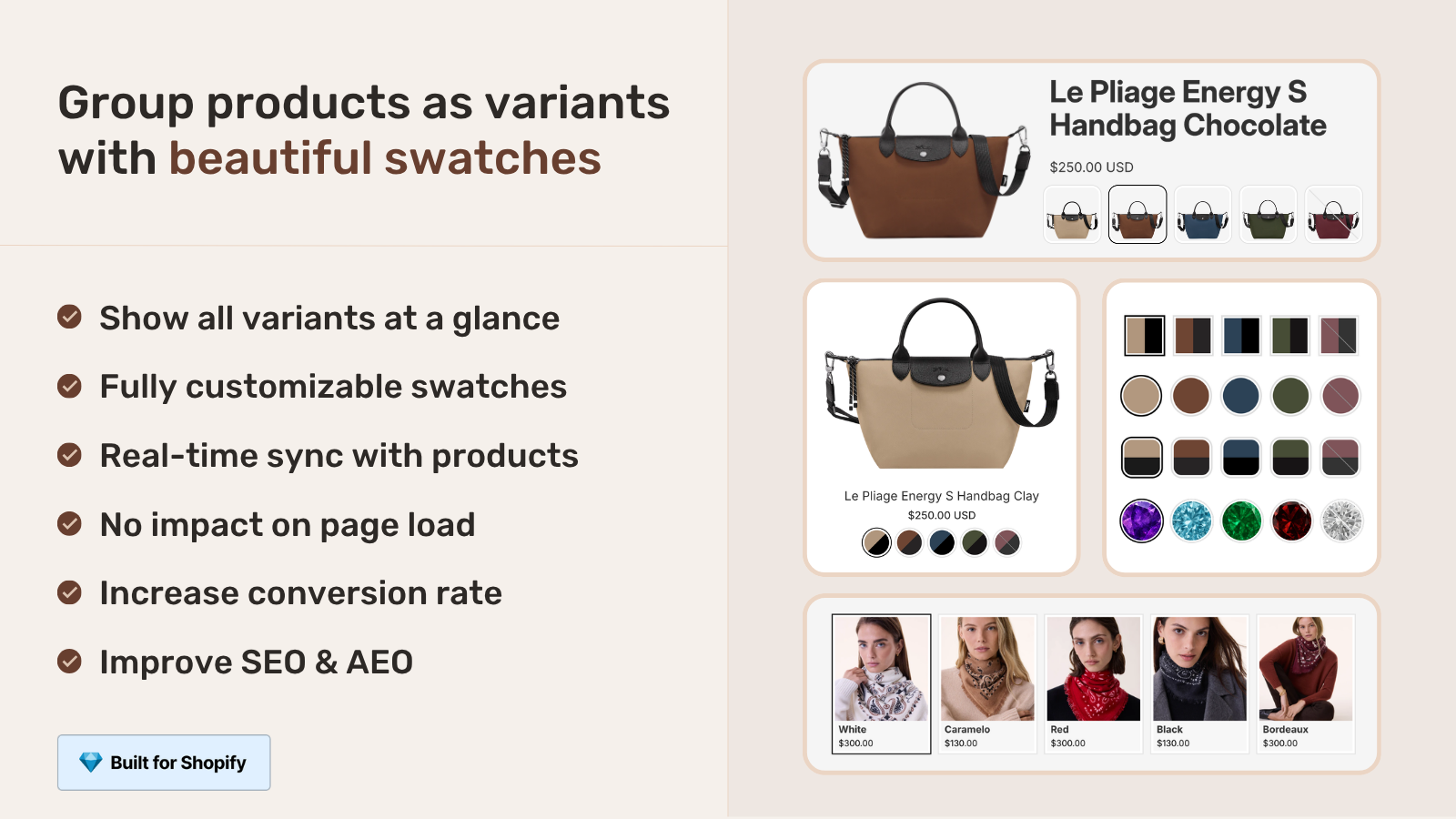
Combined listings is the term Shopify uses for grouping separate products into one shoppable unit. The classic case: you sell the same dress in 12 colors, you want one URL per color (good for SEO), but you also want shoppers to see all 12 colors on the collection page and on each product page so they can switch without losing context. Shopify’s native combined listings feature is gated behind Plus, which starts at roughly $2,300 per month. For everyone on Basic, Grow, or Advanced, you need a third-party app.
Rubik Combined Listings links separate Shopify products into a single combined listing and renders color, size, or material swatches on collection pages, search results, the homepage, and the grouped product page itself. Four swatch types (visual image, button, pill, dropdown), 19 built-in style presets, 100+ CSS variables, and per-group visual settings for product page desktop, product page mobile, product card desktop, and product card mobile.
Two AI features that are easy to confuse but do different things. AI Magic Fill runs inside an existing group and fills empty option values, primary swatch hex, and secondary swatch hex by analyzing each product’s image and title. AI Visual Assistant lets you tweak swatch styling with natural language (“make swatches bigger”, “split colors diagonally”) and validates every returned change against the real schema so you don’t ship hallucinated CSS.
Key features
- Link separate products as one combined listing without Shopify Plus.
- Collection page, search, homepage, and product page swatches.
- Four swatch types and 19 built-in style presets.
- AI Magic Fill for filling option values and swatch colors automatically.
- AI Visual Assistant for natural-language swatch styling.
- Bulk grouping via title patterns, product tags, or metafield matching.
- Translate & Adapt integration for multilingual swatch labels.
- Shadow DOM rendering, ARIA accessibility, click analytics event.
- 350+ themes supported, same seven page builders as RVI.
Pricing (flat, with 17% annual discount)
- Free: $0/month, 5 product groups, 100 AI credits
- Starter: $10/month, 100 product groups, 1,000 AI credits
- Advanced: $30/month, 500 product groups, 5,000 AI credits
- Premium: $50/month, 5,000 product groups, 50,000 AI credits
Rating: 5.0 / 5 (29+ reviews, Built for Shopify)
“I was struggling with separate product pages for different colors/flavors (e.g., aftershave red, green, blue as individual products for better SEO and unique URLs), but I wanted customers to see swatches and switch between them easily, like real variants, on BOTH the product page and collection pages (under each card). This app does it perfectly: Group products into combined listings, Add customizable color/image swatches, Swatches appear on product pages (click redirects smoothly to the other product’s page), Small swatches show up right under the product cards on collections, search, homepage, super clean and intuitive for shoppers, No extra fees, no add-ons in cart, no performance hit (site still loads fast).”
Ostwint, Romania, on the Rubik Combined Listings Shopify App Store reviews
For a full ranking of every option in this category see our best Shopify combined listings apps for 2026 guide, or open the Rubik Combined Listings live demo store.
3. Stamp: Variants on Collection

Category: Show product variants as separate cards on the collection page
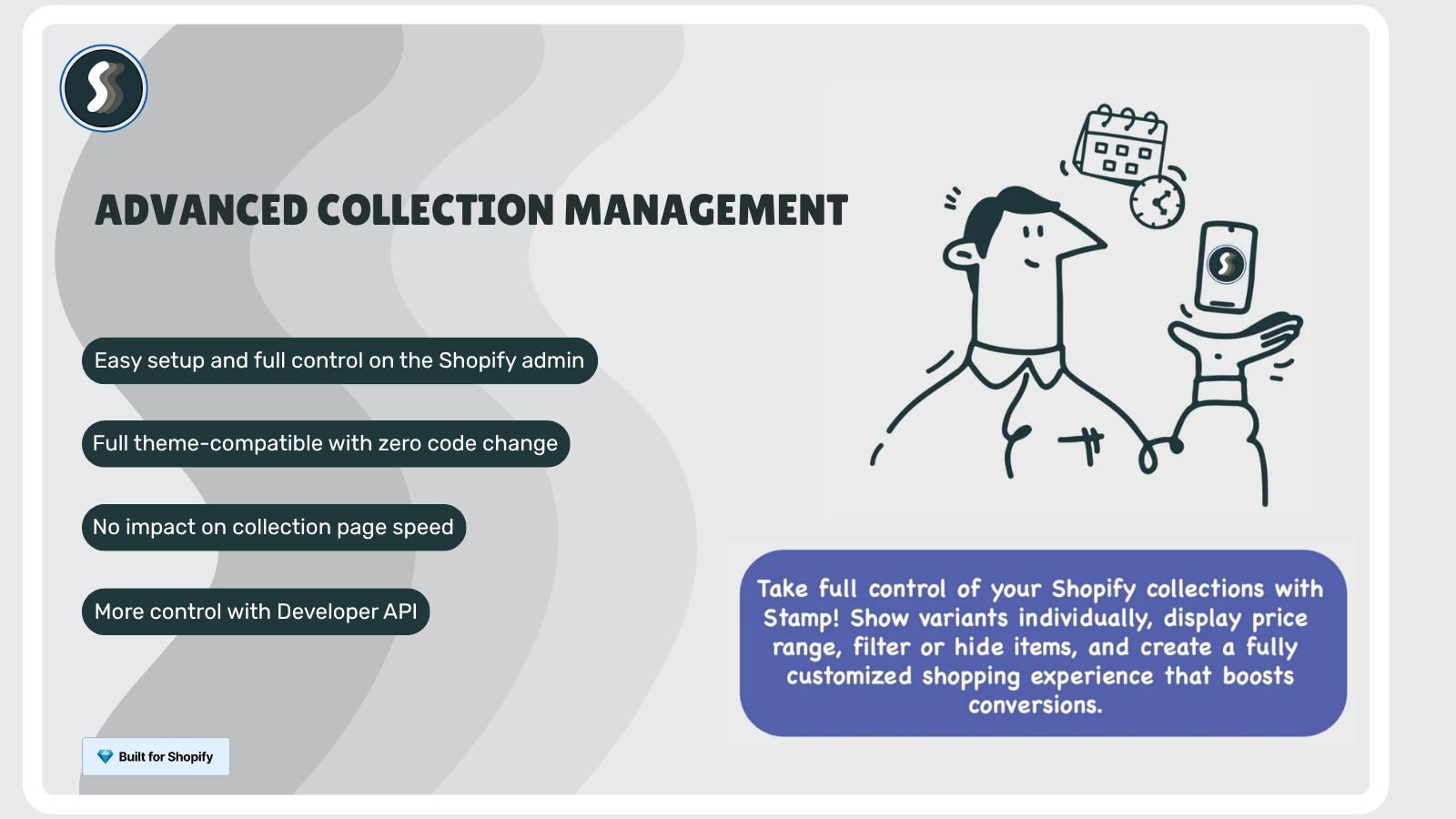
Some merchants want the inverse of combined listings: instead of grouping multiple products into one collection card, they want each variant of a single product to appear as its own card. A lipstick brand selling one product with 30 shades, for instance, may prefer the collection grid to show all 30 shades as separate tiles so each shade gets discovered, indexed, and clicked on. Shopify’s native collection layout shows one card per product regardless of variant count.
Stamp: Variants on Collection splits a single product’s variants into individual collection tiles. You decide which option drives the split (color, size, material) and which products to apply it to. The app respects inventory state so out-of-stock variants can be hidden or greyed out. It’s used by merchants who don’t want to maintain separate products per color but still want each color to surface in browse and search.
Key features
- Display each variant as a separate card on collection pages.
- Choose which option drives the split (color, size, material).
- Apply per product or per collection.
- Hide or grey out out-of-stock variants.
- Works with native Shopify collection layouts.
Pricing
- Build: Free for development stores
- Eco: $4/month (or $32/year)
- Standard: $12/month (or $108/year)
- Advanced: $24/month (or $216/year)
Rating: 5.0 / 5 (116+ reviews, 98% five-star)
“The app does exactly what we need it to do, split the different variants colors on the collection page.”
Kenneth Cole Europe, Türkiye, on the Stamp: Variants on Collection Shopify App Store reviews
Install Stamp: Variants on Collection on the Shopify App Store. Note this is the inverse strategy from Rubik Combined Listings: Stamp splits one product into many cards, RCL groups many products into one. Pick whichever direction matches your catalog reality.
4. Kaching Bundle
Category: Bundles, volume discounts, BOGO, free gifts, upsells
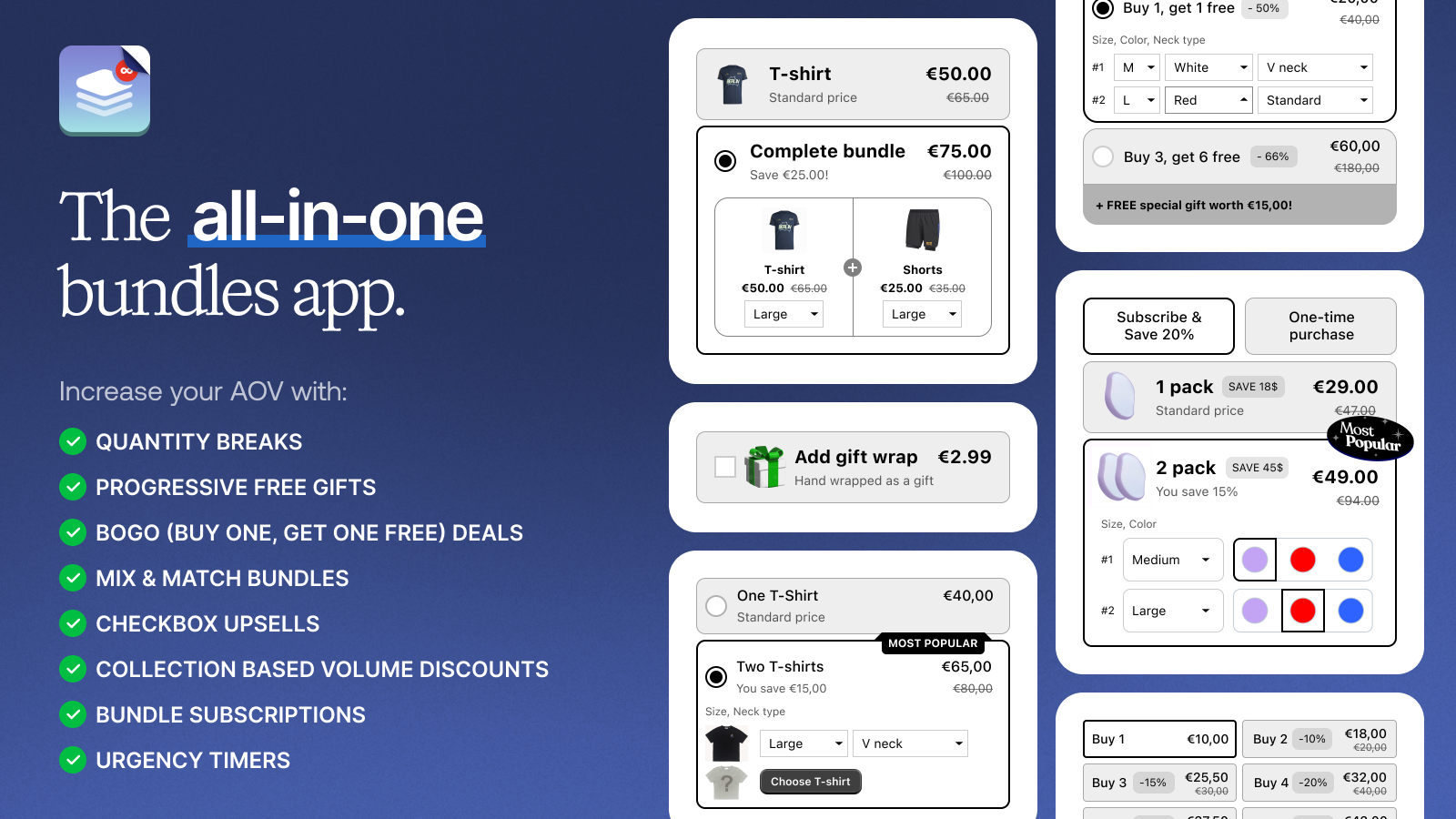
The single biggest revenue lever Shopify doesn’t ship is structured AOV. Native Shopify lets you create discounts, but it doesn’t let you build a “buy 3 get the 4th free”, “spend $80 get free shipping plus a free gift”, or “bundle these 3 products at 15% off” experience without a separate app. Kaching is the most heavily reviewed bundle and upsell tool on the App Store. Built for Shopify certified, it covers the full set: volume discounts, BOGO, free gifts, mix-and-match bundles, frequently bought together, and in-cart upsells.
For stores that hit a ceiling on conversion rate but still have room on order value, this is usually the highest ROI install on the list. The free trial includes the full feature set, and pricing scales with the additional revenue the app brings in (so the cost only kicks up if the bundles are actually working).
Key features
- Volume discounts (buy more, save more).
- BOGO (buy one get one) and free gifts.
- Mix-and-match bundles.
- In-cart upsells and frequently bought together.
- Free shipping thresholds with progress bar.
- Works on product page, cart page, and post-purchase page.
Pricing
- Starter: $14.99/month (up to $1,000 additional revenue)
- Scale: $29.99/month (up to $5,000 additional revenue)
- Pro: $59.99/month (up to $10,000 additional revenue)
- 7-day free trial
Rating: 5.0 / 5 (4,141+ reviews)
“One of the essential apps you need at scale. Super intuitive, super clean and helps boost aov.”
MyUtopianLyfe, United States, on the Kaching Bundle Shopify App Store reviews
Install Kaching Bundle on the Shopify App Store.
5. Pandectes GDPR Compliance

Category: GDPR / CCPA cookie banners, Google Consent Mode v2, IAB TCF
If you ship to EU, UK, California, or Brazilian customers, you have a legal obligation to ask for cookie and tracking consent before loading analytics, advertising, or remarketing scripts. Shopify’s built-in consent banner is minimal and doesn’t pass the bar for GDPR Article 7 (granular consent), CCPA, or Google’s Consent Mode v2 requirements that started enforcing in March 2024.
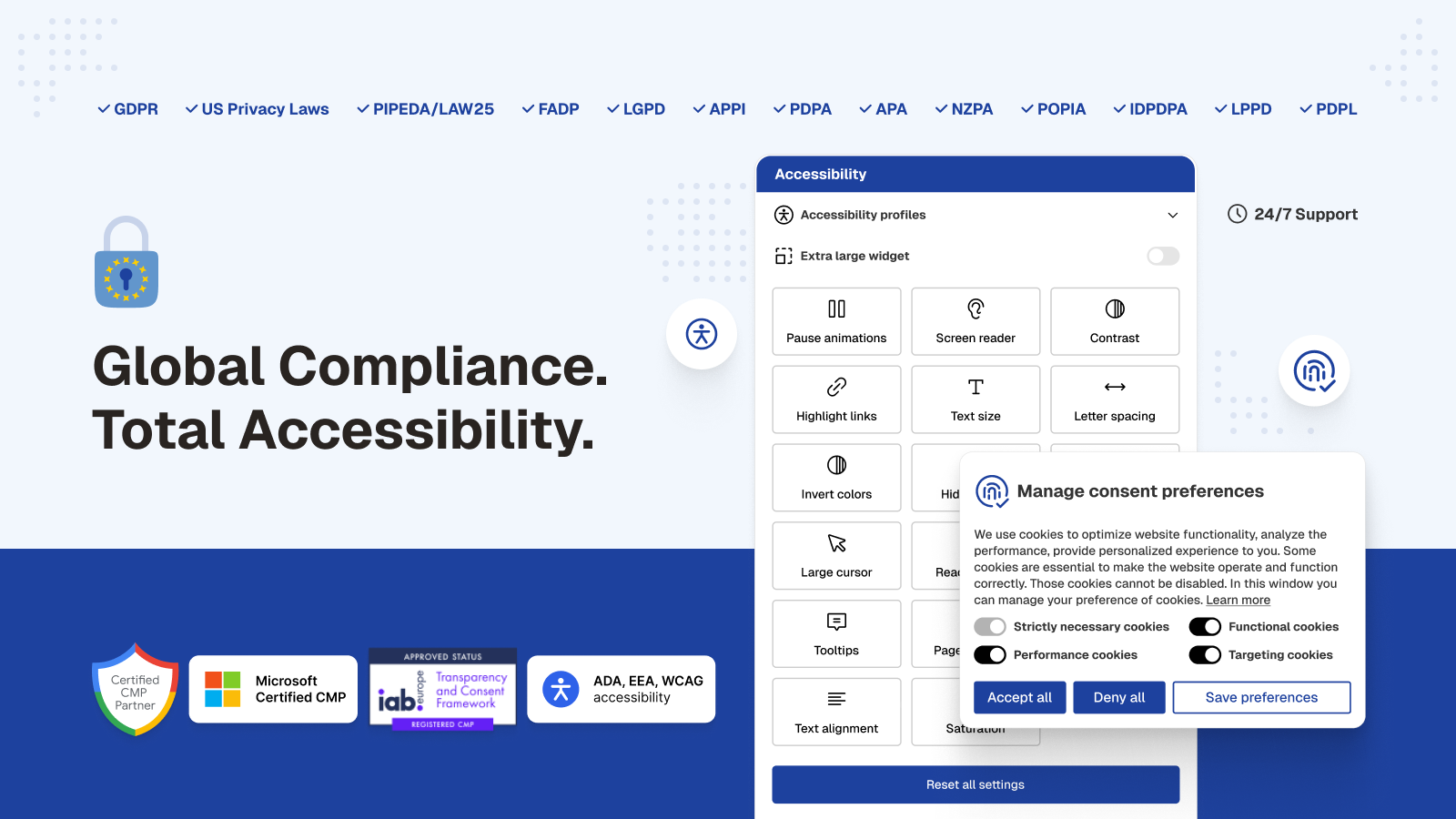
Pandectes is both a Google-certified and a Microsoft-certified CMP (Consent Management Platform) that handles GDPR, CCPA, LGPD, and the IAB Transparency and Consent Framework (TCF) v2.3. It hooks into Shopify’s Customer Privacy API, supports Google Consent Mode v2 and Microsoft UET for accurate ads attribution under restricted cookies, blocks third-party scripts before consent, and supports Limited Data Use signals for TikTok and Meta Pixels. EU language translations are built in, and the banners cover Checkout Extension, Customer Account Extension, and Theme App Block surfaces.
Key features
- GDPR, CCPA, LGPD compliance and IAB TCF v2.3 framework support.
- Google Consent Mode v2 and Microsoft UET integration for ads and analytics under restricted consent.
- Limited Data Use (LDU) signals for TikTok and Meta Pixels.
- Blocks third-party scripts and cookies before opt-in.
- Translated content across all EU languages.
- Cookie scanner and customer data request management.
- EAA, ADA, WCAG accessibility and Global Privacy Control (GPC) support.
- Checkout Extension, Customer Account Extension, and Theme App Block surfaces.
Pricing
- Basic: Free
- Plus: $9/month or $90/year
- Premium: $29/month or $290/year
- Enterprise: $49/month or $490/year
Rating: 5.0 / 5 (2,818+ reviews)
“Pandectes has been really helpful to make sure everything is compliant and properly set up on our site… the support team is always super fast and clear.”
Neuro, United States, on the Pandectes GDPR Compliance Shopify App Store reviews
Install Pandectes GDPR Compliance on the Shopify App Store. If you sell into the EU, this is one of the very few apps that should be installed on day one of every store launch.
6. Instant AI Page Builder

Category: Landing page builder, product page builder, AI page generation
Shopify’s theme editor is built around product, collection, and home pages. The moment you want a landing page that doesn’t fit those templates (a Black Friday hero, a product launch storytelling page, a press kit, a quiz funnel, a sale category microsite), you’re stuck either editing Liquid or wedging the content into a section group that wasn’t designed for it. Page builders solve this by giving you a free-form drag-and-drop canvas that publishes as a real Shopify page.
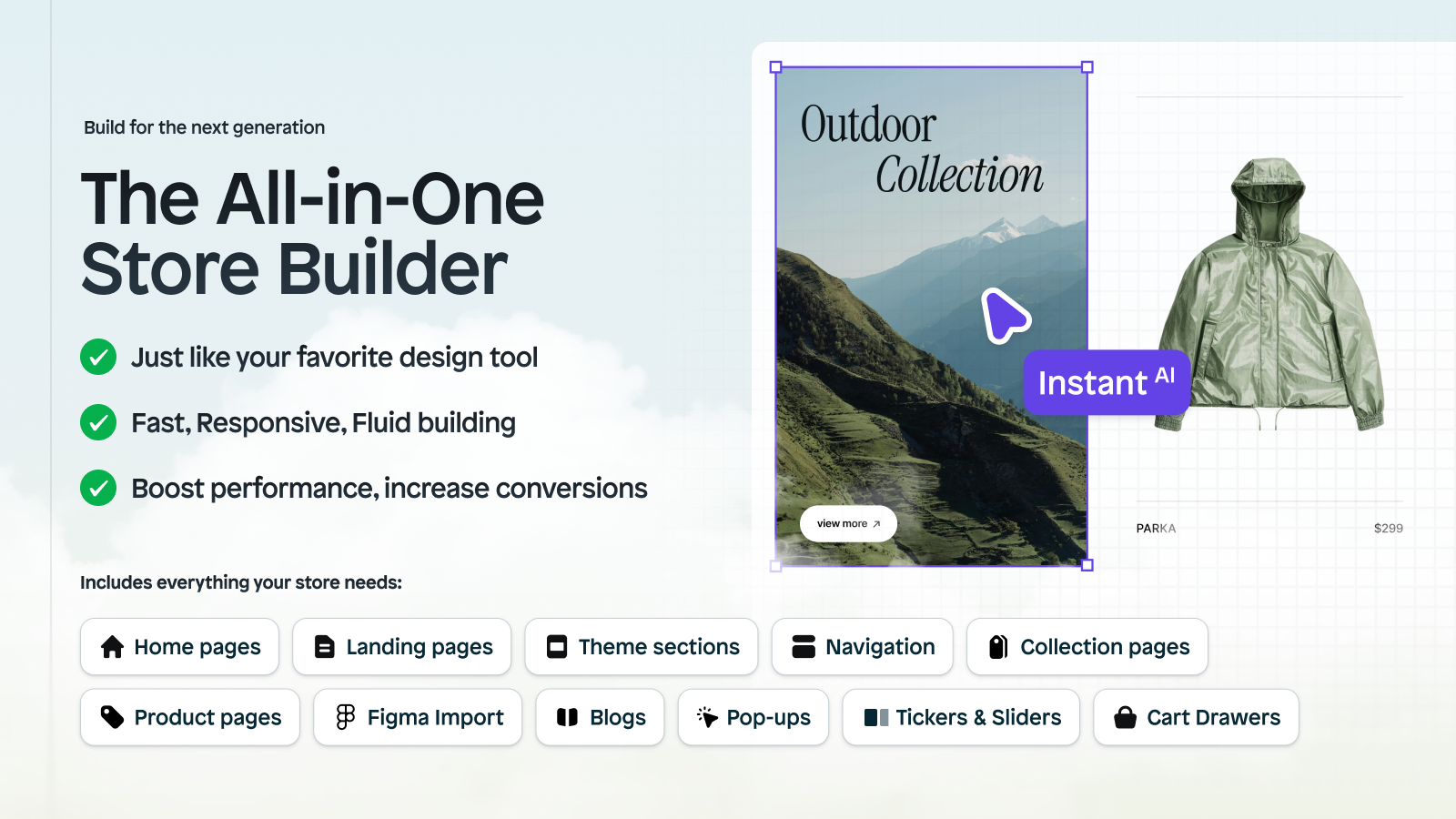
Instant is the AI-native option in this category. Beyond the standard drag-and-drop visual editor and 800+ CRO templates (covering landings, product pages, sections, blog posts, and full-site theme sections), Instant ships prompt-to-page generation: describe what you want, get a working layout in your brand colors. It also includes native A/B testing on landing pages, a Figma plugin for copy-paste imports, and a custom cart drawer with upsell support, so you can test variations and optimize cart flow without bolting on separate apps.
Key features
- Prompt-to-page generation with AI.
- 800+ CRO templates covering landings, product pages, sections, blog posts.
- Drag-and-drop visual editor with theme color and font sync.
- Native A/B testing on landing pages and offers.
- Mobile responsive editing.
- Figma plugin for copy-paste imports.
- Custom cart drawer with upsell support and cart analytics.
- Integrations with Klaviyo, Omnisend, Recharge, Judge.me, Stamped, Yotpo, Loox, and Kaching Bundles.
Pricing
- Free: Development stores
- Starter: $39/month
- Pro: $99/month
- Business: $249/month
Rating: 5.0 / 5 (299+ reviews)
“Easily the most capable WYSIWYG editor on the Shopify platform today. Their support is top notch, and they’re constantly adding new features.”
Timemore-AU, Singapore, on the Instant AI Page Builder Shopify App Store reviews
Install Instant AI Page Builder on the Shopify App Store.
7. Checkout Links

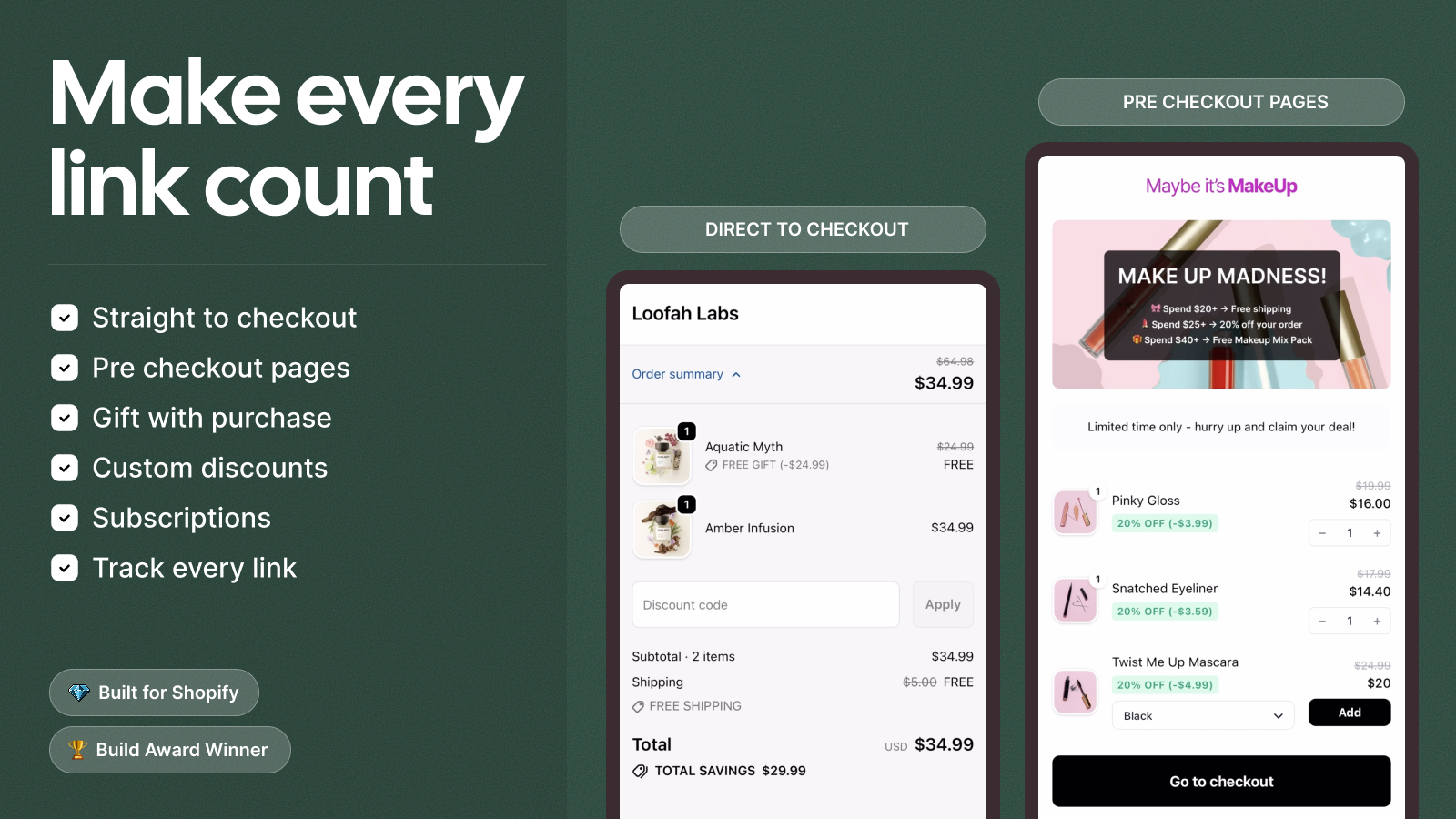
Category: Direct checkout links, prefilled cart links, reorder, payment links
Shopify lets you share a product URL or a cart URL. It does not let you share a single short link that drops a customer directly into checkout with the right products, the right discount, the right currency, and the right shipping address all prefilled. Checkout Links solves that. It’s the tool you reach for when you want a “one-tap reorder” link in an SMS, a “buy now” link in an email that skips the product page, or a quick payment link to send a B2B customer for a custom invoice.
The links can be branded with your domain (no clunky third-party shortener), they support automatic discount application, and they work for B2B and B2C carts equally. For stores running heavy SMS or email programs, a link that shaves three taps off the buying flow translates directly into recovered checkouts.
Key features
- Direct-to-checkout short links with prefilled products and quantities.
- Auto-applied discount codes built into the link.
- Reorder links for repeat customers.
- Branded short domains for trust and tracking.
- Payment links for B2B invoicing.
- UTM tagging on every link for attribution.
Pricing
- Checkout Links: $15/month (7-day free trial)
Rating: 5.0 / 5 (32+ reviews)
“Super easy app to use with great featured and unrivalled support from Dennis. Highly recommend!”
Gladkokken, Norway, on the Checkout Links Shopify App Store reviews
Install Checkout Links on the Shopify App Store.
8. Preorder, Back In Stock STOQ

Category: Preorders, back in stock alerts, waitlists, partial payments
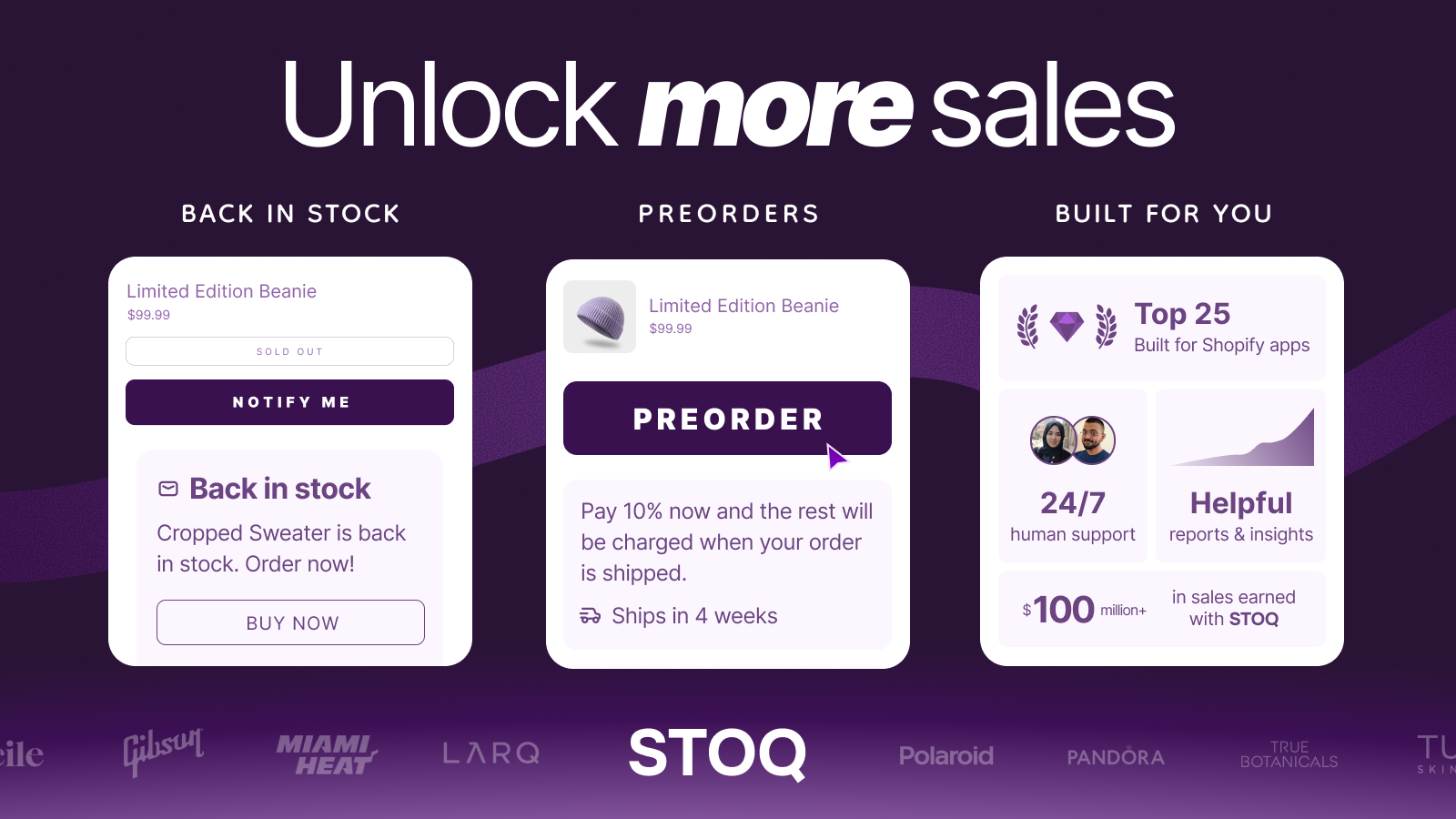
When a product is sold out, Shopify shows a “Sold out” button and the customer leaves. That’s lost demand. Preorder and back-in-stock apps replace the dead-end button with two recovery paths: capture the email or SMS for a restock notification, or accept a preorder right now (with optional partial payment to lock in the customer commitment).
STOQ does both. It handles preorders with deposit billing, back-in-stock email and SMS alerts, waitlists for high-demand drops, and coming-soon flows for products that aren’t on sale yet. The free tier covers small stores running 10 preorders a month; the higher tiers handle thousands of restock alerts and unlimited waitlist signups.
Key features
- Preorders with full or partial payment up front.
- Back in stock alerts via email and SMS.
- Waitlists for high-demand or limited-edition drops.
- Coming soon mode for products not yet on sale.
- Customizable button styling per product.
- Klaviyo, Mailchimp, Omnisend, PageFly, and Shopify POS integrations.
Pricing
- Free: 10 preorders/month, 30 emails/month (no SMS)
- Lite: $10/month, 100 preorders, 1,000 email/SMS
- Pro: $29/month, 400 preorders, 2,000 email/SMS
- Ultimate: $69/month, unlimited preorders and alerts
- SMS metered at $0.025 per SMS on paid tiers (not bundled). 14-day free trial.
Rating: 5.0 / 5 (3,029+ reviews)
“We use the app for restock alerts and for this purpose it has been performing as expected. Definitely a worthwhile investment for us. I would also like to emphasize excellent and responsive customer support.”
TactX, Norway, on the Preorder, Back In Stock STOQ Shopify App Store reviews
Install Preorder, Back In Stock STOQ on the Shopify App Store.
9. PML Stock Take Inventory Count

Category: Inventory counts, barcode scanning, purchase orders, stock transfers
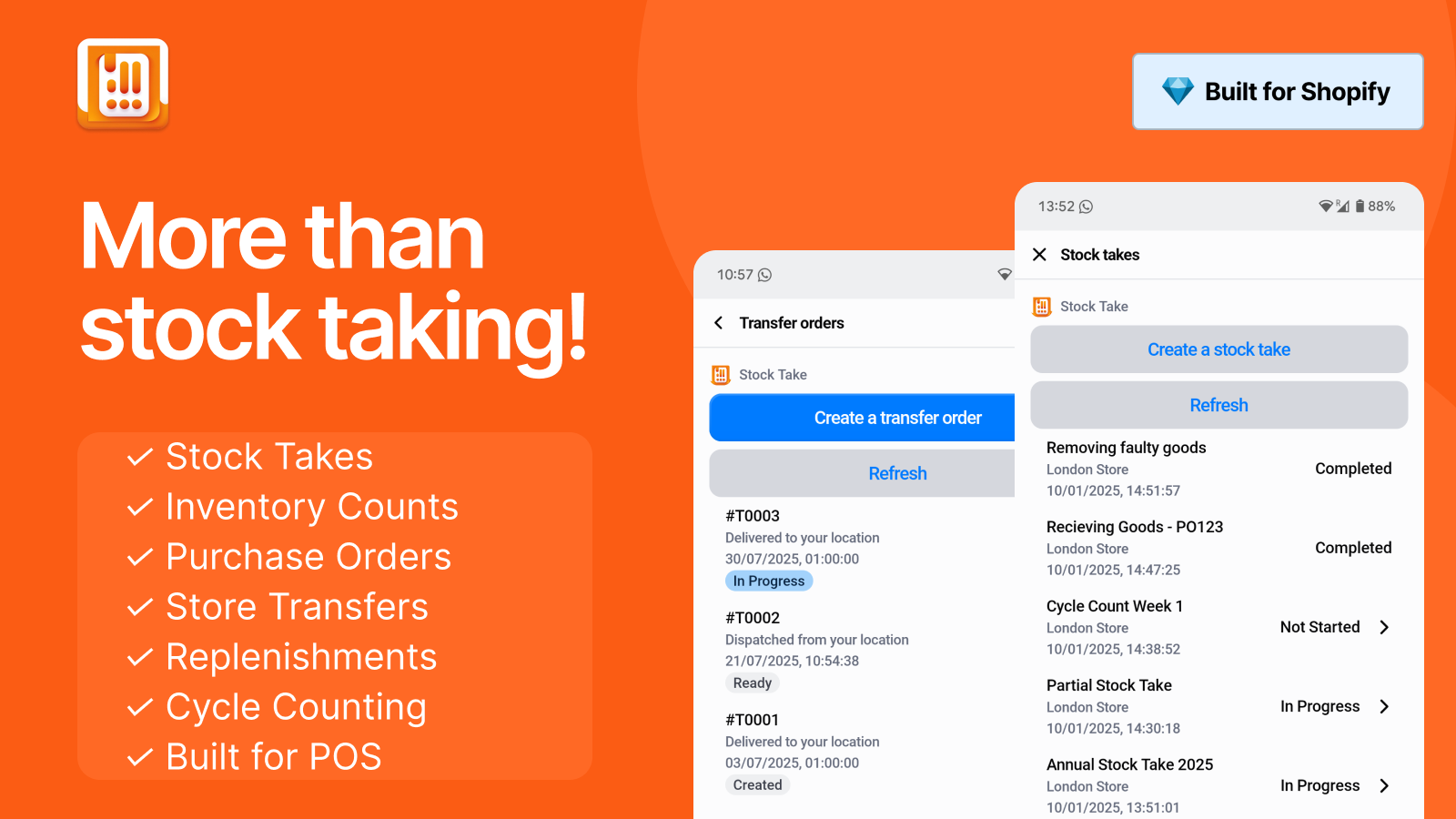
Any retail or warehouse operation eventually faces the inventory truth: the number in Shopify and the number on the shelf don’t match. Stock takes are how you fix that, and Shopify’s native bulk editor is not designed for handheld barcode scanning across 8,000 SKUs at 11pm on a Saturday. PML Stock Take is a phone-friendly tool for cycle counts, full inventory audits, purchase order receiving, and inter-location transfers.
Phones with cameras work as barcode scanners (or any Shopify POS device), and counts can be split across unlimited users. Stock takes export as reports for review before adjustments commit to Shopify. For multi-location stores it handles up to 15 locations on the top tier (more on request), supports stock transfer flows between them, and integrates directly with Shopify POS without requiring a POS Pro subscription.
Key features
- Barcode scanning via phone camera, Shopify POS device, or hardware scanners.
- Cycle counts and full stock takes with export and reporting.
- Purchase order creation, management, and receiving.
- Inter-location stock transfers with rapid replenishment.
- Unlimited users on every paid tier.
- Direct Shopify POS integration (no POS Pro subscription required).
Pricing
- Basic: $10.79/month (1 location)
- Growth: $21.79/month (up to 3 locations)
- Complete: $37.79/month (up to 15 locations)
- 14-day free trial
Rating: 4.9 / 5 (62+ reviews)
“We’ve tried for several years to find the perfect app for taking inventory for our retail boutique and we finally found it! This app makes the process so smooth and easy.”
The Sweetwater Co., United States, on the PML Stock Take Inventory Count Shopify App Store reviews
Install PML Stock Take Inventory Count on the Shopify App Store.
10. CSC: Size Chart & Size Guide
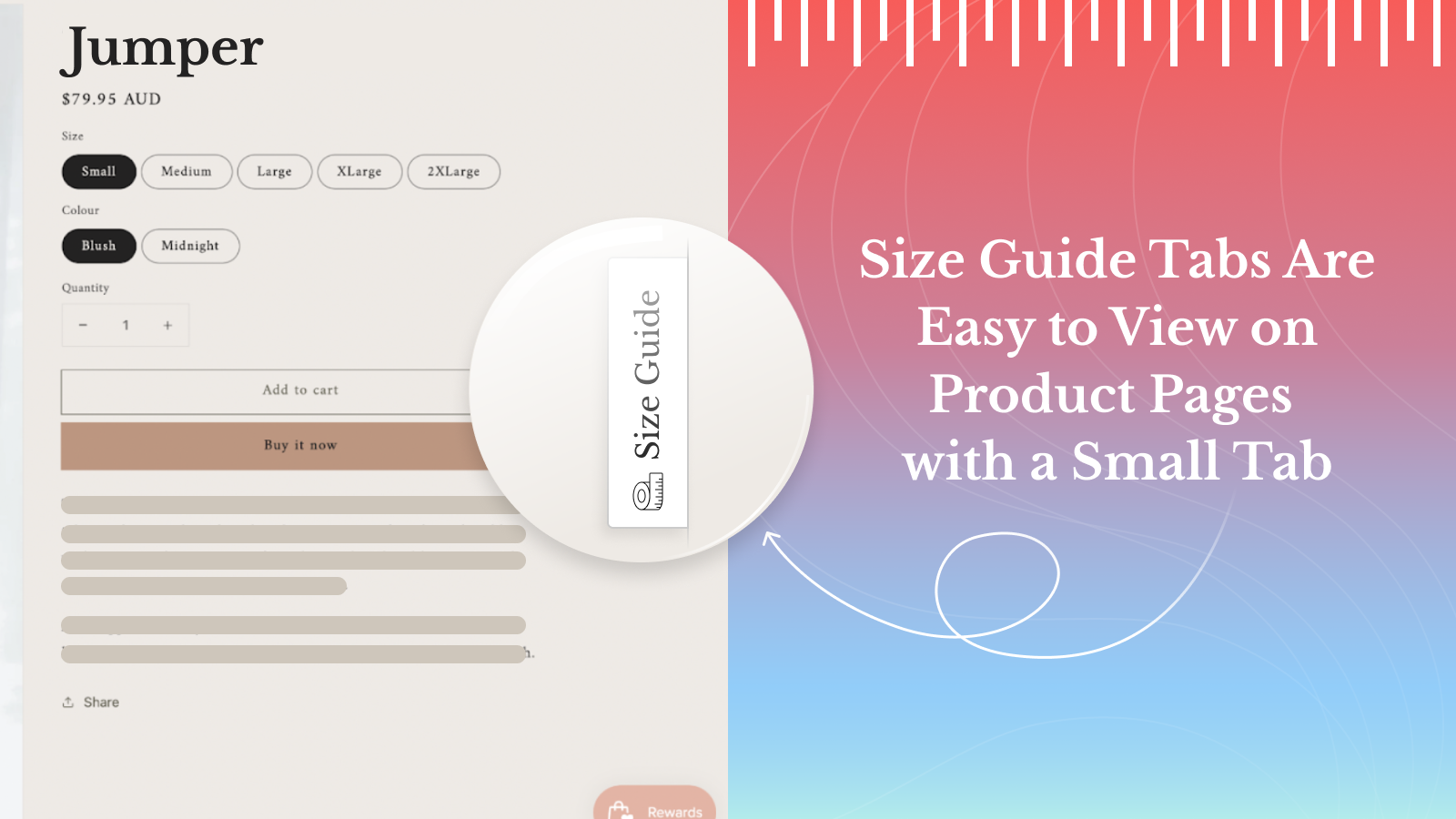
Category: Size charts, size guides, fit recommenders, returns reduction
Apparel, footwear, jewelry, kids, pets, anything sized: the wrong-size return is the most expensive problem a fashion store has. Returns cost you the original shipping, the return shipping, restocking labor, the lost-resale margin on opened items, and trust if the experience is bad. A clear size chart on the product page is the cheapest single intervention to reduce that pain.
Built by TaskHusky as the Clean Size Charts product, CSC is the polished option in this category. It ships clean size charts (not the screenshot-from-Excel that too many stores still serve), supports per-product, per-collection, and per-vendor or per-product-type assignment rules, and includes optional AI size recommendations to help shoppers find their fit. AI charts can also be auto-generated from your existing product data. Multi-language support across 65 languages lets you localize labels per region, and metric/imperial conversion happens automatically.
Key features
- Per-product, per-collection, per-vendor, or per-product-type chart assignment rules.
- 18 ready-made templates plus custom chart builder.
- Optional AI size recommendations to help shoppers find their fit.
- AI chart generation from existing product data.
- Automatic metric and imperial unit conversion.
- 21 supported languages on Advanced and Plus plans.
- Theme app blocks plus integrations with PageFly, Transcy, Trendsi, Weglot.
- Free chart migration via “Done For You Setup”.
Pricing
- Free: 2 published size charts
- Grow: $6.99/month (unlimited charts, customization)
- Advanced: $14.99/month (500 AI recommendations, multi-language)
- Plus: $29.99/month (unlimited AI recommendations)
Rating: 4.8 / 5 (91+ reviews)
“Honestly one of the best apps I’ve added to my store. Clean Size Charts does exactly what it promises.”
Giuliavannetti.it, United States, on the CSC: Size Chart & Size Guide Shopify App Store reviews
Install CSC: Size Chart & Size Guide on the Shopify App Store.
More Shopify apps from our partners
The 10 above are the picks we’d actually install on a fresh store. Beyond those, we work with a wider list of Shopify app developers we trust enough to put on our partners page. If our top picks don’t fit your specific niche, these are the ones we’d point you to next, grouped by problem.
Bookings, services, and appointments
- Cowlendar: turns Shopify products into bookable services or appointments. For brands that sell time slots (consultations, classes, rentals, restaurants) in addition to or instead of physical products.
Dropshipping and supplier sourcing
- DropCommerce: US Dropshipping: source high-quality dropshipping products with fast US shipping. The right pick if you want a curated supplier network instead of the generic AliExpress route.
Affiliate, referral, and partner programs
- UpPromote: Affiliate Marketing: build, manage, and track affiliate, referral, and influencer programs. The most heavily reviewed affiliate platform in the Shopify category.
Bulk product editing (admin workflow)
- Ablestar Bulk Product Editor: edit products and metafields in bulk with preview, schedule, and undo. Saves hours when you need to mass update prices, tags, descriptions, or metafields without breaking things.
Alternative bundles and AOV apps
- Fast Bundle: alternative to Kaching for stores that want a different UI for bundles, buy X get Y, and volume discount offers.
Alternative color swatches and combined listings
- Platmart: Color Swatches: alternative to Rubik Combined Listings for stores that prefer a different swatch presentation or pricing model.
Alternative GDPR and cookie compliance
- Consentmo GDPR Compliance: alternative to Pandectes with Google-certified TCF banner. Pick whichever pricing model and dashboard fits your team better, both are reputable.
Alternative size charts and fit guides
- Platmart Size Chart: lightweight, fast size chart implementation with a focus on quick setup.
- Jotly: Size Chart & Guide: brand-customizable size charts and guides. Good fit if you want full design control over the chart appearance.
Product personalization and custom fields
- Customily Product Personalizer: full-blown product personalizer with text, image upload, and live preview. Built for print-on-demand, custom apparel, gifts, and engraving stores.
- Mini: Custom Fields Personalize: simpler product customizer for stores that just need a text box, custom field, or image upload without the full Customily complexity.
AI chatbot and customer support
- Lookfor AI Chatbot & Live Chat: AI shopping assistant with live chat fallback, FAQ knowledge base, and product recommendations. Useful for stores carrying enough catalog complexity that pre-purchase questions block checkout.
Invoices, orders, and PDF management
- DEL: Invoice & Orders Manager: invoice generation, order management, and PDF exports. The right tool when accountants ask for proper VAT-compliant invoices or you need to email branded PDFs to B2B customers.
Browse the full Craftshift partners list for everything we trust and recommend.
How to choose the right Shopify apps
Apps are not free, even when they’re free. Each one adds a layer of code to your storefront, a vendor relationship to track, a billing line to remember, and a potential conflict with the next theme update. Pick deliberately.
- Solve a real problem, not a hypothetical one. If you don’t currently lose customers because of mismatched variant photos, you don’t urgently need a variant image app. Wait until the pain is concrete.
- Check the rating count, not just the rating. A 5.0 with 8 reviews tells you nothing. A 5.0 with 300+ reviews tells you the app has been pressure-tested across real stores.
- Built for Shopify status matters. Apps that meet the BFS bar have hit performance, accessibility, and admin standards. Not a guarantee, but a useful filter.
- Avoid plan-based pricing surcharges. Apps that charge $X on Basic but $5X on Plus for identical features are taxing scale, not delivering more value. Flat pricing is honest.
- Read the bad reviews first. The 1-star and 2-star reviews tell you what breaks under stress, what the support team mishandles, and what the app silently fails on.
- Check page builder support if you use one. Some apps work great on Dawn or Horizon and break the moment you wrap a section in PageFly or GemPages. Verify before you install.
- Test on a duplicate theme first. Especially for storefront-rendered apps. Duplicate the theme, install, test, then go live.
And one more thing nobody mentions: uninstalling an app does not always remove its theme code. Front-end apps inject snippets into your theme.liquid or product templates. If you uninstall, check the theme files. Better still, follow each app’s official removal instructions before uninstall.
Try them yourself
See the Rubik Variant Images live demo and the Rubik Combined Listings live demo, or read the Rubik Variant Images getting started docs and Rubik Combined Listings getting started docs. The other eight apps on this list are real Shopify Partners we work with directly, browse the full Craftshift partners list for more.
Frequently asked questions
Which Shopify app should I use for variant images?
Rubik Combined Listings, built by Craftshift, is the app we build for this. It holds 5.0 stars across 78 reviews and carries the Built for Shopify badge. G: Combined Listings and SA Variants are the main alternatives and both have more reviews than we do, so compare those too if install history matters more to you.
What are the must-have Shopify apps in 2026?
For most stores the must-haves split across product display (Rubik Variant Images, Rubik Combined Listings, Stamp), conversion (Kaching Bundle, Checkout Links, STOQ), compliance (Pandectes GDPR), site building (Instant AI Page Builder), operations (PML Stock Take), and returns reduction (CSC: Size Chart). Not every store needs all ten, but most stores need at least one from each cluster.
Do I need a Shopify app for variant images?
Yes, if you sell products with multiple visual variants and want the gallery to filter when a swatch is clicked. Shopify’s native variant selector is a dropdown and the gallery shows every photo across every variant by default. A variant image app like Rubik Variant Images filters the gallery and replaces the dropdown with proper image, color, or button swatches.
Do combined listings require Shopify Plus?
The native Shopify Combined Listings feature requires Plus, which starts at roughly $2,300 per month. Third-party apps like Rubik Combined Listings deliver the same functionality (link separate products, render swatches on collection and product pages) on Basic, Grow, Advanced, and Plus, with flat pricing starting at $0/month for 5 groups.
What’s the best Shopify bundle app for AOV?
Kaching Bundle has the largest review base in the Shopify bundles category at 4,141+ reviews with a 5.0 average. It covers volume discounts, BOGO, free gifts, mix-and-match bundles, and post-purchase upsells. Pricing is performance-based: tiered by additional revenue the app generates, so the cost only kicks up if the bundles are converting.
Do I need a Shopify GDPR cookie banner app?
If you sell to the EU, UK, California, or Brazil, yes. Shopify’s built-in consent banner is minimal and does not pass the bar for GDPR Article 7, IAB TCF v2.2, or Google Consent Mode v2. Pandectes GDPR Compliance is a Google-certified CMP that handles all four jurisdictions, blocks third-party scripts before opt-in, and provides a consent log for audit trails.
How many Shopify apps should I install?
As few as solve real problems. Each app adds code, a billing line, and a potential conflict with future theme updates. Start with one in each category where you have a concrete pain point and add more only when the next gap becomes obvious. There’s no virtue in installing 20 apps before launch.
Will Shopify apps slow down my store?
Some will. Most well-built apps load asynchronously or render in Shadow DOM. The Rubik apps both render via metafield-based loading with no external API calls during page render. Always test page speed before and after install, ideally with Google PageSpeed Insights and a real store URL.
Are these apps compatible with my Shopify theme?
Rubik Variant Images and Rubik Combined Listings each support 350+ Shopify themes including Dawn, Horizon, Prestige, Impulse, Impact, Focal, and most third-party premium themes. Both apps also support seven page builders: Beae, EComposer, Foxify, GemPages, Instant, PageFly, and Replo. The other apps in this list are theme-agnostic and work across the full Shopify theme catalog.
Can I uninstall a Shopify app cleanly?
Most well-built apps remove their injected snippets when you uninstall. Some leave residual theme code. Best practice: read the app’s removal documentation before uninstalling, duplicate your theme as a safety net, and check theme.liquid plus your product templates after uninstall to make sure no orphaned code remains.
Related reading
- The best Shopify apps for variant images
- 11 best Shopify variant and combined listing apps to increase sales in 2026
- Complete guide to Shopify variant images
- Best Shopify combined listings apps for 2026
- How to display different images for multiple variant combinations
- Craftshift partners (full list)

Umid
Co-Founder at Craftshift