Shopify checkout links: pre-filled carts that convert
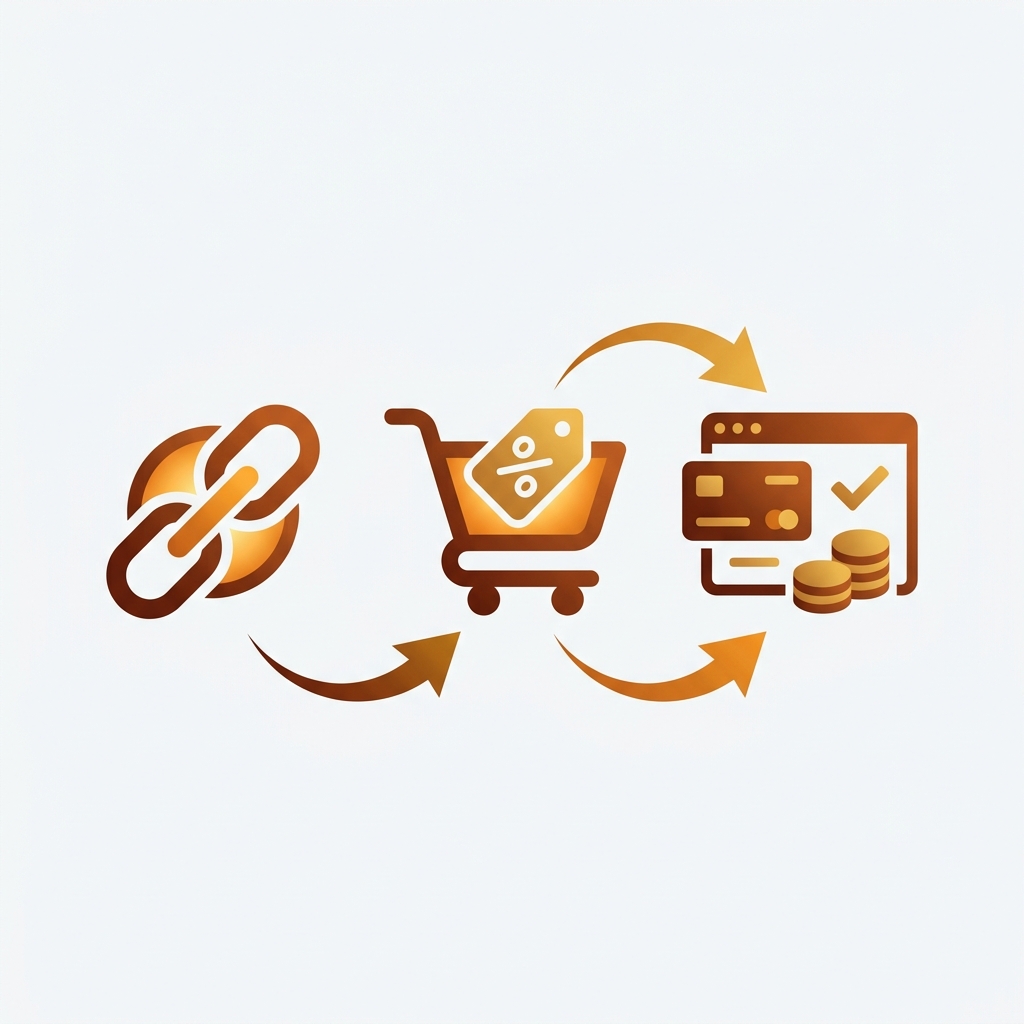
A Shopify checkout link is a URL that pre-loads a specific product (or several), applies a discount, and drops the customer one click away from paying. No homepage detour. No “where do I enter the code?” panic. No abandoned cart because the variant was wrong. You send the link, they click, they buy. That is the whole pitch, and it is one of the most underused conversion levers on Shopify in 2026.
Email open rates are sliding. SMS click-through is competitive. Paid ads keep getting more expensive. The one place you still control end-to-end is what happens after the click. And most stores throw that advantage away by sending campaign traffic to the homepage, the collection page, or worst of all, a landing page where the discount has to be entered manually at checkout.
This guide covers what checkout links are at the platform level, what Shopify gives you natively (it is more than most merchants realize), where the native version runs out of room, and where the Checkout Links by Edi&P app picks up. Edi&P is a Swedish team that won a 2025 Shopify Build Award and holds Built for Shopify status. Their app is a real-world fix for the rough edges Shopify has not closed itself.
In this post
- What a Shopify checkout link actually is
- Native Shopify cart permalinks (the free version)
- Where native cart permalinks run out of road
- Checkout Links by Edi&P: what it adds
- Real campaigns where checkout links pay off
- Tracking checkout links the right way
- Mistakes that quietly cost you sales
- FAQ
- Related reading
What a Shopify checkout link actually is
A checkout link is any URL that performs three jobs at the same time: it adds one or more variants to the cart, it pre-applies a discount code (or free shipping, or both), and it sends the customer straight to a checkout step. Some links open the cart drawer, some open a landing page that previews the cart, and some go directly to the payment screen. The destination depends on the use case.
Why does this matter? Because every extra click between “I am interested” and “I am paying” is a leak. Industry surveys have put cart abandonment above 70% for years, and a chunk of that is friction the merchant put there: searching for the product the email mentioned, hunting for the right size, finding where to paste the discount code. Pre-loaded links remove all three steps.
Native Shopify cart permalinks (the free version)
Shopify ships a basic checkout link feature for free. It is called a cart permalink, and most merchants have never touched it. The format is plain:
https://yourstore.com/cart/VARIANT_ID:QUANTITYDrop the variant ID in, set the quantity, and the customer lands in the cart with that item already added. You can stack multiple items by separating them with commas:
https://yourstore.com/cart/12345:1,67890:2To apply a discount, append ?discount=CODE. To skip the cart and go to checkout, replace /cart/ with /checkout/ (only on stores where this is enabled). Free shipping codes work the same way. This is everything the platform gives you out of the box.
For a one-off campaign, that is fine. Build the URL by hand, paste it into your email, ship it. If you have a single product to push, native permalinks will get the job done.
Where native cart permalinks run out of road
Now try running ten campaigns a month with native permalinks. Or a Klaviyo flow with personalized offers per customer. Or a QR code on a printed flyer where the URL has to be short, branded, and trackable. The cracks show up fast.
- Variant IDs are ugly numbers. A URL like
/cart/41209876234829:1is not something you want printed on packaging or read aloud on a podcast. - No analytics. You can layer UTMs on top, but you cannot see how many people clicked, completed, or bailed at each step inside the Shopify admin.
- Selling plans and subscriptions barely work. Native cart permalinks have no clean way to pre-load a subscription (selling plan) into the cart. If you sell coffee, vitamins, pet food, or anything on a recurring cadence, a one-click “subscribe and save” link is impossible to build with raw permalinks. This is one of the biggest gaps and the place a purpose-built app pays for itself fastest.
- No landing pages. Sometimes a customer needs to see the offer before clicking buy. Native permalinks throw them straight into the cart with no context.
- No usage caps. A leaked link with a 50% code can drain margin on day one and there is no built-in way to revoke it.
- No passcode protection. VIP-only and influencer-only offers leak the moment someone screenshots the URL.
This is the gap that purpose-built checkout link apps fill. They wrap the same underlying mechanism, then add the layer of control, customization, and reporting that growing stores need.
Checkout Links by Edi&P: what it adds
Checkout Links by Edi&P is the most polished version of this idea on the App Store. It launched in 2022, sits at a 5.0 average across 32 reviews at the time of writing, holds Built for Shopify status, and won a 2025 Shopify Build Award. Pricing is a flat $15 per month with a 7-day free trial. Founder Dennis Cessan (@denniscessan) runs support personally and reviews repeatedly call this out.
What does the app actually give you on top of native permalinks? A short list of the things that move the needle:
- Pretty, custom slugs. Replace
/cart/41209876234829:1?discount=SUMMERwith/a/links/summer. Branded, short, memorable. - Pre-checkout landing pages. Optional storefront pages with bundled products, tiered discounts, and variant pickers, all themable to match your brand. Useful when the customer needs to choose a size or color before paying.
- One-click reorder links. Email a returning customer a link that re-creates their previous order in the cart. Subscription stores, consumables, gift box services: this is the retention play.
- QR code generation. Each link doubles as a QR. Print on packaging, business cards, gym fridge displays, event banners. Scan, buy, done.
- Passcode and usage limits. Cap a link at 100 uses, or gate it behind a passcode that only your VIP segment knows. Stops viral leak damage.
- Per-link analytics. See clicks, conversions, and revenue per link inside the app, without bolting on a second analytics tool.
- Selling plan and subscription support. Build links that pre-load a subscription (selling plan) into the cart, with the discount applied. The thing native cart permalinks cannot do. For subscription-heavy stores this is the headline feature: one click to “subscribe and save,” not three.
- Klaviyo, ManyChat, Downpay, Discount Kit integrations. Plus Shopify Flow and the new Checkout Extensibility surfaces. Plays nicely with the marketing stack most stores already run.
- Multi-currency support. Prices, discounts, and local currency all resolve at the checkout step.
The reviews are unusually consistent. Two worth reading directly:
“This app increases conversion rates dramatically…saved us over $10,000 in custom developer costs.”
Carl’s Wine Club, Canada, June 9, 2024. Checkout Links on the Shopify App Store.
“Dennis told me he was actively working on adding that feature and would have it done by the weekend. He delivered exactly when he said he would.”
The Protein Bar LA, United States, January 27, 2026. Checkout Links on the Shopify App Store.
The Protein Bar review is worth pausing on. It is about a QR-code checkout for gym fridge displays. Customer grabs a bottle, scans the code, pays without ever opening a website manually. That is the kind of friction-free flow that a printed permalink cannot pull off.
Real campaigns where checkout links pay off
Theory is fine, but the question that matters is: where does this actually move money? Six places we see it work consistently:
1. Email and SMS campaigns with a baked-in offer
The classic case. Newsletter mentions a flash sale, button links to a checkout link with the discount already applied, customer is two taps from done. No hunting for the code, no homepage detour, no “wait, where do I add the bundle?” If you also use our Discount Code Generator to build the codes, the whole loop takes minutes.
2. Abandoned cart recovery
This is where Klaviyo integration matters. Customer abandons. Klaviyo fires the recovery email an hour later. Inside the email is a checkout link that re-creates their exact cart with a tiered discount (5% at hour one, 10% at hour 24, free shipping at day three). One click brings them straight back to where they bailed. Most flows still send people to the cart page from scratch and hope the cookie survived.
3. QR codes on offline assets
Packaging inserts. Trade show banners. Receipts. Business cards. Café menus. Anywhere a customer’s phone can see a code, a checkout link can sit behind it. Print “Reorder in one scan” on the inside of a coffee bag and watch what happens to repeat purchase rate. Need a basic generator for testing? Try our QR Code Generator first, then move to the app once you need analytics.
4. Influencer and affiliate gifting
Send 50 influencers a unique link each. Cap each link at 200 uses. Track which creator drives revenue without setting up a full affiliate platform. The passcode option also lets you gate links so a screenshot from one influencer’s story does not bleed across the entire feed.
5. Customer support recovery
Support team is on chat with a frustrated customer? Generate a one-time link with the right product, the apology discount, and free shipping baked in. Send it inside the conversation. Customer pays in seconds. The alternative (sending a code, asking them to find the product, walking them through checkout) is what breaks the recovery.
6. Subscription and reorder loops
Coffee. Vitamins. Pet food. Anything consumable. Email a reorder link 25 days after the previous order, with the customer’s exact previous configuration pre-loaded. Click, pay, done. Reorder rates jump because the friction of “build the cart again” has been deleted.
Tracking checkout links the right way
A checkout link with no tracking is a sale you cannot attribute. The app gives you per-link analytics inside Shopify, but layer UTM parameters on top so GA4, Triple Whale, or whatever attribution tool you run can read the same data. Build the UTMs once with our UTM Campaign Link Builder and reuse the structure across every campaign.
Quick rule of thumb on UTM hygiene: utm_source for the channel name (klaviyo, instagram, packaging-insert), utm_medium for the format (email, sms, qr, story), and utm_campaign for the offer (spring-sale-2026, vip-early-access). Stay consistent or your dashboards will turn into mush. We covered the full attribution playbook in our UTM parameters guide if you want the deep version.
Once links are tracked, measure the lift with a conversion rate calculator. Compare the campaign’s session-to-checkout rate against your baseline. Most stores see a meaningful jump because the traffic is landing one click away from buying instead of three.
Mistakes that quietly cost you sales
A few patterns we see often when stores roll out checkout links for the first time:
- Sending traffic to the wrong variant. If the campaign is for the navy hoodie in size L, the link better load the navy hoodie in size L. Loading the default variant and asking the customer to switch is a 30% conversion drop on its own. Stores that ship a lot of variant-heavy product pages should pair checkout links with a clean variant image setup; we wrote the long version of that on the Rubik Variant Images blog.
- No usage cap on viral links. A 25% code shared in a Slack group will keep working forever unless you set a limit. Set one. Then sleep at night.
- Discount stacking surprises. If your store allows code stacking and your link applies one code, a customer can still apply another. Decide stack rules before the campaign, not after the first weird-looking order shows up.
- Forgetting the bundled-products case. If you sell separate products that should ship together (a frame and a print, a phone and a case), a single checkout link that pre-loads the bundle is a higher-AOV play than two separate links. For stores that group SKUs across products, our writeup on combined listings covers the catalog side of that decision.
- Skipping the post-purchase upsell. Checkout Extensibility lets you show a one-click upsell on the thank-you page. A checkout link campaign that ignores this leaves money sitting on the table.
Try it on your own store
Checkout Links has a 7-day free trial. The fastest way to evaluate it is to pick one campaign you already run (recovery email, weekly newsletter, or a packaging insert), rebuild it with a single checkout link, and compare the conversion rate over two weeks. If it does not move, no harm done. If it does, you have a new lever for every campaign after that.
FAQ
Do I need an app to use Shopify checkout links?
No. Shopify supports cart permalinks natively (/cart/VARIANT_ID:QUANTITY?discount=CODE). For occasional one-off campaigns, that works. For ongoing campaigns with custom slugs, analytics, landing pages, passcodes, QR codes, or anything involving selling plans and subscriptions, an app like Checkout Links by Edi&P fills the gap.
How much does Checkout Links cost?
$15 per month, billed every 30 days in USD, with a 7-day free trial. There is no per-link fee or revenue share.
Can checkout links apply more than one discount?
Each link can pre-apply one discount code by default, but the underlying Shopify discount stacking rules still control whether a customer can add another code at checkout. Configure stacking in your Shopify admin under Discounts before launching campaigns.
Will checkout links work with subscriptions?
Yes, and this is one of the strongest reasons to use an app over native permalinks. Raw Shopify cart permalinks have no clean way to pre-load a selling plan into the cart, so any subscription or “subscribe and save” campaign falls apart. Checkout Links handles selling plans directly and integrates with apps like Downpay. The reorder link feature also works well for subscription-heavy stores that want a one-click reactivation flow for lapsed customers.
Are checkout links safe to share publicly?
It depends on the offer. A 5% code is fine to share. A 50% VIP code is not. Use the passcode protection or usage limit features to gate sensitive offers, or build separate links per segment so a leak from one channel does not contaminate the others.
Do checkout links work on Shopify Basic, or only Plus?
Native cart permalinks work on every Shopify plan including Basic. Checkout Links by Edi&P also works on every plan. Some advanced checkout customization features that integrate via Checkout Extensibility require Shopify Plus, but the core link generation does not.
Related reading

Farid Movsumov
https://x.com/faridmovsumovFounder of Craftshift