Rubik Combined Listings on Eight Themes: Flow, Envy, Fresh & More (2026)
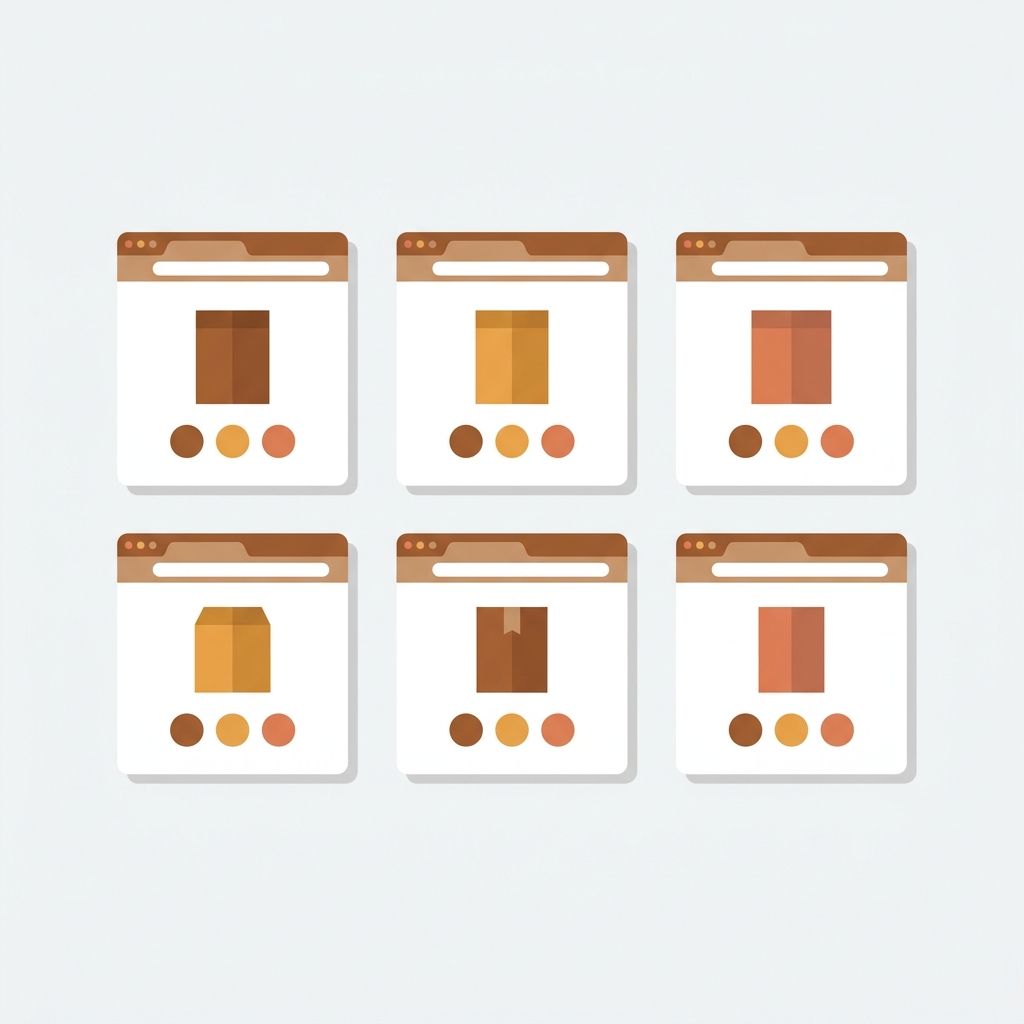
Eight Themes builds some of the most polished premium Shopify themes on the market. Flow, Envy, Fresh, Influence, Momentum, Capital: each one carries a distinct personality, and each one handles product display a little differently. That creates a real question for stores running Rubik Combined Listings or thinking about installing it. Will the swatches actually look right? Where do they sit on the product page? What about the collection grid?
We tested Rubik Combined Listings across all active Eight Themes templates. Every single one runs Online Store 2.0, which means app block installation with zero Liquid code editing. But “it works” and “it looks great” are two different things, and the visual results vary depending on how each theme structures its product information section, collection cards, and image galleries.
This post breaks down every Eight Themes template: where swatches land, how to style them for a native look, and what to watch for during setup. If you run an Eight Themes store and want to group separate products as variants with swatches on both product and collection pages, this is the reference you need.
In this post
- About Eight Themes (We Are Eight)
- Why Eight Themes stores need combined listings
- Flow: image-focused layouts with 5 presets
- Envy: luxury editorial design with 5 presets
- Fresh: food and drink stores with 3 presets
- Influence: fashion storytelling with 1 preset
- Momentum: technical products with 2 presets
- Capital: large inventories with 3 presets
- Comparison table: all Eight Themes at a glance
- Setup: installing on any Eight Themes template
- Styling swatches to match Eight Themes aesthetics
- Pairing with Rubik Variant Images
- FAQ
About Eight Themes (We Are Eight)
Eight Themes is a Bristol, UK-based Shopify theme studio (officially “We Are Eight”) that has been building premium themes since 2011. Their office sits at Unit 88, Triangle West in the Clifton neighborhood. They currently maintain 6 active themes on the Shopify Theme Store, all priced at $350 to $380, with a combined review count north of 800 across all presets. Every theme from Eight runs Online Store 2.0, supports EU translations (EN, FR, IT, DE, ES), and follows Shopify’s app block architecture for third-party integrations.
Beyond themes, the Eight team also builds the Bundle Builder app, which has generated over $400 million in revenue for Shopify merchants. So these are not weekend-project templates. They are battle-tested themes from a studio that understands Shopify at a deep level, which matters when you are layering apps like combined listings on top.
Why Eight Themes stores need combined listings
Picture a jewelry store running Capital with 40 necklace designs, each available in gold, silver, and rose gold. That is 120 products. Without combined listings, the collection page shows 120 separate cards. No visual connection between the gold and silver versions of the same necklace. Customers scroll forever. They leave.
Rubik Combined Listings groups those 3 products under one collection card, showing color swatches right on the card. Click gold, see the gold version. Click silver, see silver. On the product page, the swatches let customers switch between the grouped products without going back to the collection. Each product still has its own URL, its own images, its own SEO metadata.
All of this works without Shopify Plus. That matters because Shopify’s own Combined Listings feature requires a Plus subscription ($2,300/month minimum). Rubik starts free for up to 5 product groups.
And here is the thing about Eight Themes specifically: these are premium themes with strong design opinions. Typography is tight, spacing is deliberate, color palettes are curated. A swatch app that injects clunky, unstyled buttons would wreck the look. That is exactly why Rubik uses Shadow DOM rendering with 104 CSS variables. The swatches live in their own CSS sandbox, so they never conflict with the theme’s stylesheet, and you can tweak every visual detail (size, shape, border, spacing, font) to match the theme’s design language.
Flow: image-focused layouts with 5 presets
Flow is Eight Themes’ flagship. It carries a 91% positive rating across 377 reviews, ships with 5 presets (Flow, Grain, Timeless, Nectar, Sanctuary), and targets food/drink and jewelry stores. Current version is 41.2.5, last updated February 2026. Price: $380.
Flow’s product page places the image gallery on the left and product details on the right. The variant selector sits right below the product title. Combined Listings swatches inject into this same area using the app block, appearing directly below or above Shopify’s native variant picker depending on where you drag the block in the theme customizer.
What makes Flow interesting for combined listings is the collection page. Flow has infinite scroll, advanced filtering, and swatch filters built in. When you add Rubik’s collection swatches, they appear on each product card beneath the product title. The visual result is clean because Flow’s card design already has generous padding. We recommend using pill or button-style swatches on Flow rather than large image swatches, since Flow’s card layout is on the compact side for its Grain and Nectar presets.
One thing to watch: Flow’s sticky header can occasionally overlap swatch tooltips if you have enabled them. If that happens, bump the tooltip z-index through the custom CSS settings in the app.
Envy: luxury editorial design with 5 presets
Envy bills itself as “your luxury brand’s first-class digital storefront.” It has a 90% positive rating across 266 reviews, runs version 36.0.3, updated February 2026. Price: $380. The 5 presets are Envy, Boho, Carat, Brew, and Snuggle. Targets jewelry, food/drink, and clothing.
Envy’s editorial layout is wide and image-heavy, with lots of whitespace. The product page uses refined typography, elegant spacing, and a polished feel that screams high-end. Combined Listings swatches actually look fantastic here because of all that whitespace. The swatches have room to breathe. Visual (image) swatches work especially well on Envy since the theme itself leans into visual storytelling.
Why does this matter? Because Envy already includes native color swatches in the variant picker. When you add Rubik’s combined listing swatches for grouped products, you want them to feel native, not like a third-party bolt-on. Set the swatch shape to circle, match the border radius to Envy’s native swatches, and the two become visually indistinguishable. That is exactly the kind of detail customers notice without being able to articulate what feels off.
The Carat preset is built for jewelry stores, and that is one of the most common verticals we see using combined listings. Different metals (gold, silver, platinum) as separate products, grouped under one listing. Envy’s lookbook sections and image hotspots complement this by letting you build editorial content around the grouped products.
Fresh: food and drink stores with 3 presets
Fresh is the smallest of the bunch, with 3 presets (Sweet, Smooth, Sharp) and a $350 price tag. It is purpose-built for food and drink stores, and it includes a built-in age verifier. Not a huge review count compared to Flow or Envy, but the reviews that exist praise the design and support quality.
Do food and drink stores actually need combined listings? More than you would think. Consider a tea brand selling 15 different blends in three sizes (50g, 100g, 250g). Each blend has its own photography, its own description, its own price per size. That is 45 separate products. Without combined listings, the collection page is a mess of near-identical product cards. With Rubik, each blend becomes one card with size swatches.
Fresh’s product page is clean and minimal, so the swatches do not compete for visual attention. Button-style swatches (text labels like “50g”, “100g”, “250g”) work better here than color circles, since food products rarely differentiate by color. The Sharp preset in particular has a slightly bolder typography that pairs well with pill-shaped swatches.
Fresh also has in-menu promos and a mega menu. If you run combined listings, you can link directly to grouped products from the mega menu, giving customers a shortcut to the specific blend + size combination they want. Smart navigation, not just a pretty collection page.
Influence: fashion storytelling with 1 preset
Influence is the bold, opinionated one. It ships with just 1 preset (not 3, not 5, just one). It costs $390, targets fashion brands, and leans hard into visual storytelling with large images, video sections, and impactful typography. It has around 30 reviews with mixed ratings, but the recent reviews trend positive, and Eight has been updating it regularly through 2026.
Why only one preset? Honestly, we sort of respect the decision. Most themes ship 4 presets and 3 of them are mediocre. Influence puts all its energy into one cohesive design direction. For combined listings, this means less guesswork: there is one layout to optimize for, one typography scale to match, one spacing system to align with.
Influence’s product page is heavily image-focused with more than 23 customizable sections. The combined listing swatches sit in the product information area, and because Influence uses bold typography, you will want your swatch labels to match. Bump the font size up slightly compared to what you might use on Flow or Envy. If the theme uses 14px for body text, try 13px or 14px for swatch labels instead of the default 12px.
Fashion stores are the bread and butter of combined listings. Different colorways of the same jacket, each needing its own product page for SEO, its own images, sometimes its own pricing for limited editions. Influence was designed for exactly this kind of catalog, so the pairing with Rubik Combined Listings is natural.
Momentum: technical products with 2 presets
Momentum is a newer theme from Eight, with 2 presets (Wake and Fuel), a $380 price tag, and 16 reviews at 81% positive. It targets stores with detailed product information needs: think electronics, supplements, technical gear. The theme leans into metafield support, product specifications, and detailed content areas.
This is an interesting fit for combined listings because technical product stores often have the “same product, different specs” problem. A laptop bag in 13-inch, 15-inch, and 17-inch versions. Each size has different dimensions, different weight, different internal pocket layout. Those are separate products, not variants, because the specs and images are entirely different. Combined listings groups them with size swatches while keeping each product’s spec sheet intact.
Momentum’s Wake preset has a clean, minimalist feel that works well with button-style swatches. Fuel is bolder and more energetic, better suited to pill-shaped swatches with a pop of brand color. Both presets have generous product detail sections, so the combined listing app block does not feel cramped.
One minor annoyance: Momentum is the least-reviewed Eight Themes template (16 reviews), which means fewer community customization examples to reference. But we have tested it, and the OS 2.0 app block integration is clean.
Capital: large inventories with 3 presets
Capital is built for stores with massive catalogs. It has an 88% positive rating across 130+ reviews, costs $380, and ships with 3 presets. The theme focuses on collection-page power: advanced filtering, sorting, and layout options designed to handle hundreds of products without overwhelming the customer.
This is where combined listings makes the biggest visual impact. If you have 500 products and 200 of them are color/material variants of 80 base designs, your collection page shows 500 cards without combined listings. With Rubik, it shows 380 cards, and 80 of those have color swatches right on the card. That is a 24% reduction in visual clutter. Your customers can actually browse.
Capital’s product cards have a clean layout with good spacing below the title, which is exactly where collection swatches inject. The swatches sit naturally between the title and the price. Capital also supports cross-sell carousels and story blocks on the product page, which means your grouped product page can include both the combined listing swatches AND recommendation sections without layout conflicts.
We have seen Capital stores running 200+ product groups on the Advanced plan ($30/month for 500 groups). For large catalog stores, the bulk grouping feature saves hours. It detects products with shared title patterns (e.g., “Alpine Jacket, Navy”, “Alpine Jacket, Forest”, “Alpine Jacket, Slate”) and auto-creates groups.

Comparison table: all Eight Themes at a glance
Here is every active Eight Themes template side by side, with combined listing compatibility notes:
| Theme | Price | Presets | Rating | Reviews | Best vertical | Best swatch style |
|---|---|---|---|---|---|---|
| Flow | $380 | 5 (Flow, Grain, Timeless, Nectar, Sanctuary) | 91% | 377 | Food, jewelry | Pill, button |
| Envy | $380 | 5 (Envy, Boho, Carat, Brew, Snuggle) | 90% | 266 | Jewelry, clothing | Visual (image), circle |
| Fresh | $350 | 3 (Sweet, Smooth, Sharp) | ~88% | ~40 | Food and drink | Button, pill |
| Influence | $390 | 1 (Influence) | ~58% | ~30 | Fashion | Visual (image), pill |
| Momentum | $380 | 2 (Wake, Fuel) | 81% | 16 | Technical products | Button, pill |
| Capital | $380 | 3 (Sofia, Prague, Berlin) | 88% | 130 | Large catalogs | Visual, button |
Total: 6 themes, 19 presets, all OS 2.0, all app-block compatible, all tested with Rubik Combined Listings.
How to install Rubik Combined Listings on any Eight Themes template
The setup process is the same across all 6 themes (and all 19 presets). Eight Themes fully supports Online Store 2.0, so there is no theme-file editing involved.
- Install Rubik Combined Listings from the Shopify App Store. Free plan covers 5 product groups.
- Create your product groups. In the app, add related products (e.g., all colors of one jacket). Set the option name (“Color”, “Material”, “Size”) and assign swatch values.
- Enable on the product page. Go to Online Store, Customize, open a product page template. Add the “Rubik Combined Listings” app block in the product information section. Drag it where you want the swatches to appear.
- Enable on collection pages. Open a collection template. Add the “Rubik Combined Listings” app block to the product card. The swatches will appear on every grouped product card automatically.
- Style the swatches. Back in the app, open Visual Settings. Pick one of the 19 built-in presets or customize manually. You get separate controls for product page desktop, product page mobile, product card desktop, and product card mobile.
That is it. No code, no Liquid files, no JSON template editing. Every Eight Themes template handles this identically because they all follow Shopify’s OS 2.0 standard. If you have a large catalog, check the variant limit guide and use the Variant Combination Calculator to plan your group structure before creating products.

Styling swatches to match Eight Themes aesthetics
Eight Themes are design-forward. Generic, unstyled swatches will stick out. Here are the specific CSS variable tweaks that make Rubik Combined Listings look native on each theme:
Flow and Envy: Both use rounded UI elements. Set --rcl-swatch-border-radius to match the theme’s button radius (usually 4px to 8px). For Flow’s Grain preset, keep swatches smaller (28px) since the layout is compact. For Envy’s Carat preset, go larger (36px to 40px) to match the luxurious spacing.
Fresh: The theme uses bright, bold colors. Avoid adding colored borders to swatches since they will compete with the theme’s palette. Use thin grey borders (1px solid #ddd) and let the swatch content (color fill or text) do the talking.
Influence: Bold typography means your swatch labels need to keep up. Set --rcl-swatch-font-weight to 600 or bold, and bump font size to 13px or 14px. Influence looks awkward with tiny, timid swatches.
Momentum: This theme is functional, not decorative. Button-style swatches with clear text labels (“13-inch”, “15-inch”) work better than visual swatches. Match the theme’s button padding and font stack.
Capital: Large catalogs mean lots of swatches on the collection page. Keep them compact (24px to 28px) so they do not push the price too far down the card. Capital’s product cards have limited vertical space, and oversize swatches will break the grid alignment.
All of this is adjustable through the app’s visual settings editor or through custom CSS. And if you would rather skip manual tweaking, try the AI Visual Assistant: type something like “make swatches match a luxury jewelry theme with rounded corners and thin borders” and it generates the settings for you.
Before you finalize colors, run your swatch border and background combinations through the Contrast Checker tool to make sure the text inside button swatches stays readable.
If your colours are variants of one product rather than separate products, Rubik Variant Images assigns a separate image set to every variant instead. Free to install, 5.0 stars across 436 reviews.
Pairing with Rubik Variant Images
Combined listings and variant images solve different problems. Rubik Variant Images filters the product page image gallery when a customer selects a variant. So when someone picks “Blue” on a single product, they only see the blue photos. Combined listings, on the other hand, links separate products together with swatches on both product and collection pages.
Many stores need both. A clothing brand on Envy might use combined listings to group 8 colorways of a dress (each color as its own product for SEO), and then use Rubik Variant Images on each individual product to filter between front, back, and detail shots when the customer switches between size variants. The two apps work together without conflicts because both use Shadow DOM and metafield-based loading. No external API calls, no performance penalty.
We built both apps to coexist. They share the same support team, the same design system, and the same CSS variable naming conventions. If you style your combined listing swatches a certain way, you can replicate those exact styles on the variant image swatches with matching variables.
“I use Rubik Combined Listings Along with Rubik Swatch. I went through, no exaggerating, 50 apps before I found what I needed. Theses guys are the real deal, and they will jump on chat and fix your problems ASAP. Definately reccomend.”
Parks Nerd, US, 2026-03-18, Rubik Combined Listings on the Shopify App Store
See the live demo store, watch the tutorial video, or read the getting started guide.
FAQ
Does Rubik Combined Listings work on all Eight Themes presets?
Yes. All 19 presets across all 6 themes (Flow, Envy, Fresh, Influence, Momentum, Capital) use Online Store 2.0 app blocks. The app installs identically on every preset. The only difference is the visual styling you apply to make the swatches match each preset’s design language.
Do I need to edit Liquid code to install on Eight Themes?
No. Eight Themes fully supports OS 2.0 app blocks. You add the Rubik Combined Listings block through the theme customizer. No code, no file editing, no developer needed.
Which swatch style looks best on Eight Themes?
It depends on the theme and vertical. Visual (image or color) swatches work best on Envy and Influence for fashion and jewelry. Button or pill swatches work better on Flow, Fresh, and Momentum where the product differentiation is by size, flavor, or specification rather than color.
Can I use combined listings with Eight Themes without Shopify Plus?
Yes. Rubik Combined Listings works on all Shopify plans: Basic, Shopify, Advanced, and Plus. No Plus subscription required. The free plan covers 5 product groups, Starter is $10/month for 100 groups, Advanced is $30/month for 500, and Premium is $50/month for 5,000 groups.
Will the swatches show on collection pages with Eight Themes?
Yes. All Eight Themes templates support collection page app blocks. Once you add the Rubik Combined Listings block to the product card in the collection template, swatches appear on every product card that belongs to a group.
Can I run both Rubik Combined Listings and Rubik Variant Images on Eight Themes?
Yes. Both apps use Shadow DOM rendering and metafield-based loading, so they do not conflict with each other or with the theme. Combined Listings handles product grouping and collection page swatches. Variant Images handles per-variant image filtering on the product page. Many stores run both.
How many CSS variables does Rubik Combined Listings expose?
Over 100 CSS variables (104 unique variables in the storefront stylesheet). These control everything from swatch size, border, shape, spacing, font, and hover effects to collection card layout and mobile-specific overrides. You can also write custom CSS per group for one-off styling needs.
Related reading

Umid
Co-Founder at Craftshift