Combined listings and color swatch apps for Shopify (2026)
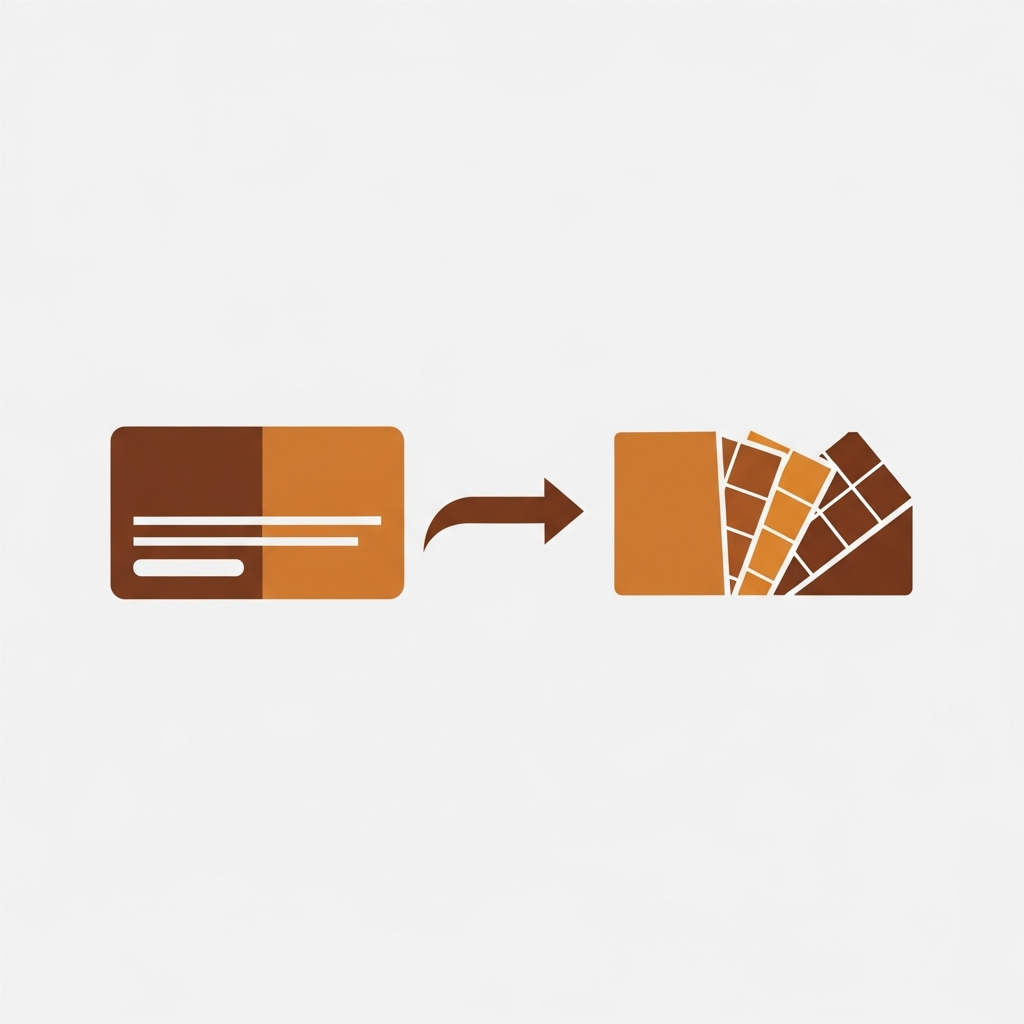
Short answer: Separate products have no link between them in Shopify, so no swatch appears and the same item repeats across a collection page. Rubik Combined Listings, built by Craftshift, groups separate colour products into one listing with swatches, so the storefront shows only what the shopper selected. Free to install, 5.0 stars across 78 reviews.
Before the list: Craftshift builds Rubik Variant Images and Rubik Combined Listings, so we are ranking a category we compete in. Our apps appear below in the position the App Store’s own category ordering puts them, flagged as ours every time, and we say plainly where a rival beats us on review count, age or price. Read this as a roundup from inside the category, not a survey from outside it.
Last month a merchant in Austin emailed us at 1am. She had 340 products, 8 colors each, and the wrong app installed. Her collection pages showed one static image per product card. No swatches. No color previews. Customers had to click into every single product to discover it came in navy. She had installed a “color swatch app” expecting collection page swatches, but the app only worked on product pages. Two weeks of setup time, wasted.
This happens constantly. The Shopify App Store lumps “combined listings” and “color swatch” apps into the same search results, and most merchants don’t realize these are two fundamentally different categories of app solving two different problems. So they install the wrong one, get frustrated, uninstall, try another, get frustrated again. I’ve watched this cycle play out dozens of times through our support chat.
This post is the full breakdown. Every verified combined listings app and every verified variant image/swatch app on the Shopify App Store in 2026, compared with real ratings, real review counts, real pricing, and real render speed data where we have it. No fabricated apps. No invented numbers. Just the facts, plus some opinions you might disagree with (and that’s fine).
In this post
- Two different app categories (and why it matters)
- Category 1: Variant image and swatch apps (6 apps)
- Variant image app comparison table
- Category 2: Combined listings apps (11 apps)
- Combined listings app comparison table
- When you need one vs both
- Pricing: flat rate vs plan-based
- What merchants actually say
- Frequently asked questions
- Related reading
Two different app categories (and why it matters)
Before you install anything, you need to understand one distinction. It’s the single most important thing in this entire post, and most comparison articles skip it entirely.
Variant image / color swatch apps work on the product page. They replace Shopify’s default dropdown variant picker with visual elements: colored circles, image thumbnails, pill-shaped buttons. When a customer clicks “Blue,” the product gallery filters to show only the blue images. That’s it. Product page only. One product, multiple variants, visual selection.
Combined listings apps work across products and on collection pages. They link separate Shopify products together (Red T-Shirt + Blue T-Shirt + Green T-Shirt) and show color swatches on collection page product cards so customers can flip between colors without leaving the grid. They also add swatches to grouped product pages for switching between linked products.
Why does this matter? Because installing a swatch app when you need a combined listings app gives you swatches on product pages but nothing on your collection pages. And installing a combined listings app when you need a swatch app gives you linked products but no per-variant image filtering on product pages. Different tools. Different jobs.
Some apps straddle both categories (we’ll flag those). But most specialize in one or the other. Here’s the quick reference:
| Feature | Variant image / swatch app | Combined listings app |
|---|---|---|
| Product page variant swatches | Yes | For grouped products only |
| Product page image filtering | Yes | No |
| Collection page swatches | No | Yes |
| Link separate products together | No | Yes |
| SEO benefit (separate URLs per color) | No | Yes |
Got it? Good. Now let’s look at every real app in each category.
Category 1: Variant image and swatch apps (6 verified)
These apps live on the product page. Their job: replace the dropdown, show visual swatches, and filter the product gallery so customers only see images matching their selected variant. Six verified apps exist in this space as of April 2026.
1. Rubik Variant Images and Swatch
Developer: Craftshift (Netherlands) | Rating: 5.0 (436 reviews) | Built for Shopify: Yes
Full disclosure: this is our app. But I’m going to tell you exactly what it does and what it doesn’t do, same as every other app on this list.
Rubik Variant Images assigns multiple images (plus videos and 3D models) to each variant and filters the product gallery when a customer selects a variant. Click “Blue” and you see only the blue photos. Click “Red” and the gallery swaps instantly. No page reload, no flicker.
Three swatch types: image swatches, color swatches, and pill buttons. You can mix types across options on the same product (color swatches for the Color option, pill buttons for Size). Shapes include circle, square, rounded square, pill, and button. The whole thing renders inside a Shadow DOM, which means your theme’s CSS can’t accidentally break the swatches and the swatch CSS can’t break your theme. Over 100 CSS variables if you want to customize further.
For assigning images to variants, three methods: manual drag-and-drop, AI auto-assign (analyzes product title, variant name, option name, image filename, alt text, and the image itself via vision API), and bulk assign (processes hundreds of products using Shopify gallery order). The AI uses your monthly credit pool and works one product at a time. Bulk assign runs in the background with no AI calls, just image ordering logic.
Speed-wise, Rubik loads from Shopify metafields, no external API calls. The data travels with the page itself. We don’t publish ms benchmarks for variant image apps (there’s no standardized test), but merchants consistently report instant filtering with no glitches on load.
Works with 350+ themes and 7 page builders (Beae, EComposer, Foxify, GemPages, Instant, PageFly, Replo). Shogun is not supported.
Pricing (flat, not plan-based): Free ($0, 1 product), Starter ($25/mo, 100 products), Advanced ($50/mo, 1,000 products), Premium ($75/mo, unlimited). Every plan includes AI credits. Your Shopify plan doesn’t affect the price.
What it doesn’t do: link separate products, or show collection swatches across separate products. It does work on the product page, and since May 2026 it also shows product card swatches on collection and listing pages for a single product’s variants (click swaps the card image, price, and cart). If your colors are separate products, you still need a combined listings app for collection swatches across them.
Read our complete variant images guide for setup details, or check the variant images FAQ on the Rubik site.
2. Easy Variant Images
Developer: SpiceGems | Rating: 5.0 (77 reviews)
A focused app that does one thing: auto-group images by variant without manual code. It uses your theme’s existing gallery layout rather than injecting its own, which means it inherits your theme’s look by default. Supports videos and 3D models alongside images. Instant gallery switch on variant selection. Offers a 30-day free trial.
If you want something minimal that stays out of the way, Easy Variant Images is worth looking at. The tradeoff is fewer customization options compared to apps with full swatch builders.
3. NS Color Swatch Variant Images
Developer: NestScale (Singapore) | Rating: 4.5 (137 reviews) | Built for Shopify: No
NS straddles both categories. It handles variant-specific image galleries and color/image swatches on product pages, but it can also group separate products as variants and show swatches on collection pages. Strong customization options with multiple swatch styles: color, image, dropdown, and button.
Pricing: Free ($0, no combined listings), Growth ($7.99/mo, no combined listings), Professional ($14.99/mo, combined listings included). Note that it’s not Built for Shopify certified, which means it hasn’t passed Shopify’s performance and quality review process.
4. GLO Color Swatch and Bundles
Developer: Globo.io (Vietnam) | Rating: 5.0 (1,665 reviews) | Built for Shopify: Yes
The largest app in this space by review count. GLO covers image and color swatches, multiple images per variant, bulk upload, and the ability to hide out-of-stock variants. It also includes a product bundles feature, which is a nice bonus if you need that.
GLO also appears in the combined listings category (more on that below), but combined listings require the Gold plan at $19.90/mo. The free plan gives you 1 product group and 1 bundle. Silver at $9.90/mo skips combined listings entirely.
With 1,665 reviews and a 4.9 rating, GLO has the social proof. The question is whether you need bundles bundled into your swatch app, or whether you’d rather have a more focused tool.
5. StarApps Variant Image Automator
Developer: StarApps Studio | Rating: 4.8 (673 reviews)
The veteran. Launched in 2017, StarApps has the longest track record in the category. It automatically groups images by Shopify image ordering (no manual tags needed), uses your theme’s native gallery layout, and supports images, videos, and 3D models. Minimal page speed impact. 30-day free trial.
StarApps has been around long enough that some merchants have used it for years. One of our own reviewers mentioned switching from StarApps to Rubik because of “glitches on load,” but StarApps clearly works well for many stores given its 673 reviews. The image-ordering approach is straightforward if your Shopify gallery is already organized.
6. Variant Image Wizard + Swatch
Developer: ProductWiz Inc. | Rating: 4.7 (213 reviews)
Advanced swatch configurator with multiple images per variant, a bulk edit tool, and a step-by-step setup wizard that walks you through configuration. Can also link separate products as swatches, which puts it partially in the combined listings territory. Free plan available.
If you’re the kind of person who wants a guided setup process and lots of knobs to turn, Variant Image Wizard delivers on that front. The 213 reviews at 4.7 stars suggest it’s doing something right for a lot of merchants.
Variant image app comparison table
| App | Rating | Reviews | Built for Shopify | Pricing model | Free plan | Starting paid price |
|---|---|---|---|---|---|---|
| Rubik Variant Images (ours) | 5.0 | 343 | Yes | Flat | Yes (1 product) | $25/mo |
| Easy Variant Images | 5.0 | 77 | – | Trial-based | 30-day trial | Paid plans |
| NS Color Swatch | 4.9 | 161 | No | Flat | Yes | $7.99/mo |
| GLO Color Swatch | 4.9 | 1,742 | Yes | Tiered | Yes (1 product) | $9.90/mo |
| StarApps Variant Image | 4.8 | 578 | – | Trial-based | 30-day trial | Paid plans |
| Variant Image Wizard | 4.7 | 213 | – | Tiered | Yes | Paid plans |
Use the detailed variant image app comparison for a deeper dive into features, speed, and setup experience.
Category 2: Combined listings apps (11 verified)
These apps link separate Shopify products into groups and show swatches on collection pages. The use case: your “Red Hoodie” and “Blue Hoodie” are separate products (separate URLs, separate image sets, separate SEO), but you want customers to flip between them with a single click on the collection grid. Eleven verified apps compete in this space.
1. Rubik Combined Listings Swatch
Developer: Craftshift (Netherlands) | Rating: 5.0 (78 reviews) | Built for Shopify: Yes | Render speed: 1,251 ms
Again, our app. So same deal: full transparency on what it does and doesn’t do.
Rubik Combined Listings links separate products into groups and renders swatches in four places: product card desktop, product card mobile, product page desktop, product page mobile. Each of those four contexts has its own visual settings, so your collection page swatches can look different from your product page swatches. There are 19 built-in style presets (11 for product page, 8 for product card) and 100+ CSS variables for further tweaking.
Three grouping methods. Manual (pick products in a resource picker). Bulk grouping by title pattern (splits on separators like “-” or “|” or auto-detects shared prefixes). And bulk grouping by product tags or metafields. No coding required for any of these.
The AI features are worth explaining properly because they confuse people. There are two separate AI tools. AI Magic Fill runs inside an existing group and auto-fills empty option values and swatch colors by analyzing product images and titles. AI Visual Assistant lets you change swatch styling via natural language (“make the swatches pill-shaped,” “add a diagonal color split”). Both use your monthly AI credit pool.
Rendering happens via Shadow DOM (isolated from theme CSS), data loads from Shopify metafields (no external API calls), and everything syncs in real time via metaobject references. No stale data, no background sync delays. Supports Translate and Adapt for multilingual stores. Works with 350+ themes and 7 page builders.
Pricing (flat, not plan-based): Free ($0, 5 groups, 100 AI credits), Starter ($10/mo, 100 groups), Advanced ($30/mo, 500 groups), Premium ($50/mo, 5,000 groups). Annual billing saves 17%. All features on every plan. Only the group count and AI credit limits differ.
What it doesn’t do: product page variant image filtering. If you select “Size: Medium” on the product page, Rubik Combined Listings won’t hide the Large and Small photos from the gallery. That’s Rubik Variant Images’ job.
More detail in the combined listings explainer on the Rubikify site.
2. G: Combined Listings and Variant (Grouptify)
Developer: Grouptify (Vietnam) | Rating: 5.0 (307 reviews) | Built for Shopify: Yes | Render speed: 2,032 ms
Strong adoption with 307 reviews at a perfect 5.0. Combined listings is their primary focus. Pricing: Free ($0, 5 groups, manual sync, color only), Basic ($9.99/mo, 100 groups), Standard ($29/mo), Advanced ($49/mo). But here’s the catch: Grouptify charges plan surcharges on top. +$5 on Grow, +$15 on Advanced, +$30 on Plus. So if you’re on Shopify Plus, the Advanced plan costs $49 + $30 = $79/mo. That adds up.
Render speed tested at 2,032 ms, which is slower than several competitors. Claims no page speed impact, but our testing showed otherwise on collection pages with 24+ products.
3. SA Variants: Combined Listings
Developer: StarApps Studio (India) | Rating: 5.0 (308 reviews) | Built for Shopify: Yes | Render speed: 2,934 ms
Also 5.0 with 308 reviews and Built for Shopify certified. The same developer behind the StarApps Variant Image Automator. Combined listings is their primary focus here.
The pricing is Shopify-plan-based, which means it scales with your Shopify plan: free for Partner/Staff/Trial, $5 on Pause and Build, $14.90 on Basic, $29.90 on Grow/Custom, $49.90 on Advanced, and $99.90 on Plus. No free plan for live stores. That $99.90 on Plus is a significant premium over flat-rate alternatives.
Render speed tested at 2,934 ms, the slowest in our comparison. On a collection page with 24 product cards, that delay is noticeable.
4. LinkedOption Combined Listings
Developer: Gordon Kihn (China) | Rating: 5.0 (115 reviews) | Built for Shopify: Yes | Render speed: 1,263 ms
One of the faster options at 1,263 ms render speed. Flat pricing: Free ($0, 1 group), Basic ($9.99/mo, 100 groups), Advanced ($19.99/mo, 500 groups), Premium ($39.99/mo, 3,000 groups). Clean, straightforward combined listings focus. Been around since December 2022, so it has a solid track record. With 115 reviews at 5.0, the merchants using it seem happy.
5. GLO Color Swatch and Bundles (Combined Listings)
Developer: Globo.io (Vietnam) | Rating: 5.0 (1,665 reviews) | Built for Shopify: Yes | Render speed: 1,273 ms
GLO appears in both categories. It’s primarily a variant swatch and bundles app, with combined listings as a secondary feature available only on the Gold plan ($19.90/mo). Fast render at 1,273 ms. The 1,665 reviews make it the most-reviewed app that touches combined listings, though most of those reviews are probably about the swatch/bundle features rather than combined listings specifically.
If you already use GLO for swatches and just need basic combined listings on top, the Gold plan adds that without installing a second app. If combined listings is your primary need, a dedicated CL app might serve you better.
6. OP Color Swatch Variant Images
Developer: OPTIS (Vietnam) | Rating: 5.0 (720 reviews) | Built for Shopify: Yes | Render speed: 2,095 ms
Another app that straddles both categories. Primarily a variant swatch app with combined listings as a secondary feature. Shopify-plan-based pricing: free for Trial/Partner/Staff, $11.90 on Basic, $29.90 on Grow, $49.90 on Advanced, $99.90 on Plus. No free plan for live stores.
720 reviews at 5.0 with Built for Shopify certification. That’s impressive adoption. Render speed at 2,095 ms is on the slower side but not terrible.
7. NS Color Swatch Variant Images (Combined Listings)
Developer: NestScale (Singapore) | Rating: 4.5 (137 reviews) | Built for Shopify: No
Also appears in both categories. Combined listings requires the Professional plan at $14.99/mo minimum. The Free and Growth plans handle variant swatches only. Not Built for Shopify. The 4.6 rating is the lowest among the active third-party apps in this list, which might indicate some rough edges. 137 reviews is a decent sample size though.
8. Platmart Color Swatches
Developer: Platmart (Spain) | Rating: 4.9 (116 reviews) | Built for Shopify: Yes | Render speed: 1,263 ms
A dedicated combined listings app that’s been around since September 2021. That’s one of the longest track records in the category. Fast render speed at 1,263 ms (tied with LinkedOption for second-fastest after groupmate). Flat pricing: Free (dev stores only), Standard ($9.99/mo, 100 groups), Advanced ($24.99/mo, 500 groups), Premium ($49.99/mo, 5,000 groups).
No free plan for live stores, which is a downside for merchants wanting to test before committing. But the speed and long track record are genuine strengths.
9. groupmate Combined Listings
Developer: mono.works GmbH (Germany) | Rating: 5.0 (27 reviews) | Built for Shopify: No | Render speed: 914 ms
The fastest render speed in our testing at 914 ms. That’s genuinely quick. Flat pricing: Free ($0, 3 groups), Lite ($8/mo, 25 groups), Standard ($12/mo, 100 groups), Advanced ($24/mo, 800 groups).
The catches? Only 27 reviews, not Built for Shopify, no external documentation, no FAQ, no tutorials. And recent review velocity is near zero, which raises questions about active development. If speed is your top priority and you’re comfortable with limited support resources, groupmate delivers on raw performance. But the lack of documentation would make me nervous for production use on a store that depends on this functionality.
10. Shopify Combined Listings (Native)
Developer: Shopify | Rating: 3.6 (33 reviews)
Shopify’s own solution. Free, but here’s the kicker: it requires Shopify Plus at $2,300+/year. So “free” is doing a lot of heavy lifting in that sentence.
Why does Shopify’s own combined listings app have a 3.6 rating? Limited customization. The collection page swatch display options are minimal compared to third-party apps. For Plus merchants who want a native solution without installing third-party apps, it exists. For everyone else, it doesn’t. And even for Plus merchants, the 3.6 rating should give you pause.
Why doesn’t Shopify make this available on all plans? I genuinely don’t know. It makes no sense that basic product grouping is gated behind a $2,300/year plan. This is the kind of feature that should be standard, or at minimum available on the Basic Shopify plan. But it isn’t, so here we are.
11. SEO Variants Combined Listings
Developer: SEOVariants Inc. (Canada) | Rating: 5.0 (16 reviews) | Built for Shopify: Yes
The SEO-focused angle is interesting. This app can convert existing variants into separate products and then group them, which is useful if you’re migrating from a variant-based structure to a separate-product structure for SEO reasons. Flat pricing: Free (3 groups), Basic ($9.99/mo, 100 groups), Advanced ($14.99/mo, 300 groups), Premium ($23.99/mo, 3,000 groups).
Only 16 reviews, so limited social proof. But the variant-to-separate-product conversion feature fills a gap most other apps ignore. If you’ve read the separate products vs variants for SEO guide and decided to split your variants, this app handles that migration.
Combined listings app comparison table
| App | Rating | Reviews | Built for Shopify | Pricing model | CL primary focus | Render speed |
|---|---|---|---|---|---|---|
| Rubik Combined Listings (ours) | 5.0 | 21 | Yes | Flat | Yes | 1,251 ms |
| G: Grouptify | 5.0 | 307 | Yes | Plan-based surcharges | Yes | 2,032 ms |
| SA Variants | 5.0 | 308 | Yes | Shopify-plan-based | Yes | 2,934 ms |
| LinkedOption | 5.0 | 115 | Yes | Flat | Yes | 1,263 ms |
| GLO Color Swatch | 4.9 | 1,494 | Yes | Tiered | No | 1,273 ms |
| OP Color Swatch | 5.0 | 720 | Yes | Shopify-plan-based | No | 2,095 ms |
| NS Color Swatch | 4.6 | 154 | No | Flat | No | – |
| Platmart | 4.9 | 116 | Yes | Flat | Yes | 1,263 ms |
| groupmate | 5.0 | 27 | No | Flat | Yes | 914 ms |
| Shopify Native | 3.3 | 30 | – | Free (Plus only) | Yes | – |
| SEO Variants | 5.0 | 16 | Yes | Flat | Yes | – |
For a head-to-head deep dive, read the best combined listings apps comparison. Our swatch app speed analysis covers the render speed methodology.
When you need one vs both
This is the question that trips up most merchants, so let me make it stupid simple.
You need only a variant image/swatch app if: all your colors are variants of a single product, you don’t need swatches on collection pages, and your catalog is under a couple hundred variants per product. A swatch app replaces the dropdown, filters images per variant, and you’re done. Install, configure, move on.
You need only a combined listings app if: your colors are already separate products (or you want them to be for SEO), you want swatches on collection page cards, and you don’t care about filtering variant images on the product page because each product only has images for one color anyway.
You need both if: you have separate products per color (for SEO, for the variant limit, or for unique photography), AND each of those products still has variants (like sizes) that need image filtering on the product page. This is more common than you’d think. A clothing store with separate products per color, each product having Size variants with different lifestyle shots per size? That store needs combined listings for the collection grid and variant images for the product page.
Here’s what most comparison blogs get backwards: the collection page matters more than the product page for initial discovery. That’s where browsing happens. That’s where someone notices “oh wait, this comes in dusty rose too?” If your collection page only shows olive on every card, customers never discover the other 7 colors. They just see olive and either buy it or bounce.
The why stores need both Rubik apps post covers this in detail with real store examples. Use the Separate Products vs Variants tool to figure out which product structure fits your catalog before picking apps.
Pricing: flat rate vs plan-based
This deserves its own section because the pricing models vary wildly and can bite you later.
Flat-rate pricing means you pay the same regardless of your Shopify plan. Whether you’re on Basic Shopify or Plus, the app costs the same. Rubik Combined Listings, LinkedOption, Platmart, groupmate, and SEO Variants all use flat pricing.
Shopify-plan-based pricing means the app price increases when your Shopify plan increases. Upgrade from Basic to Advanced Shopify and suddenly your app bill goes up too, even though you’re getting the exact same app features. SA Variants and OP Color Swatch use this model. SA Variants costs $14.90 on Basic but $99.90 on Plus. That’s a 570% price increase for the same app.
Plan surcharges are a variation of this. Grouptify charges a base price plus surcharges per Shopify plan: +$5 on Grow, +$15 on Advanced, +$30 on Plus.
Why does this matter? Because Shopify plan upgrades happen. Your store grows, you need better reporting or more staff accounts, you upgrade to Advanced or Plus. With flat-rate apps, your app costs stay the same. With plan-based apps, your app costs quietly inflate alongside your Shopify bill. Run your total app costs through the Shopify Fee Calculator before committing.
My opinion (and yes, I’m biased since our apps use flat pricing): plan-based pricing punishes growth. If the app delivers the same features on Basic and Plus, why should it cost 6x more on Plus? The merchant’s Shopify plan shouldn’t be the app’s pricing input.
What merchants actually say
Rather than paraphrasing, here are real reviews from the Shopify App Store.
One RVI merchant wrote: “Great app. Was using StarApps Variant Image Automator and this Rubik app is so much better. Filters instantly, whereas other apps were creating glitches on load. Admin is SO nice to use for organizing images. Customer service was great and Umid helped me troubleshoot same day a formatting issue I was having when implemented.”
And an RCL merchant (Parks Nerd, US): “I use Rubik Combined Listings along with Rubik Swatch. I went through, no exaggerating, 50 apps before I found what I needed. These guys are the real deal, and they will jump on chat and fix your problems ASAP.”
50 apps. That number haunts me. It means the App Store’s search and categorization is so poor that a merchant had to install and uninstall 50 different apps before finding the right combination. That’s exactly why this post exists.
See it in action
Watch how combined listings and variant swatches work on a real store:
For variant image setup and AI-powered features, check the RVI documentation site or browse RCL documentation and tutorials.
Frequently asked questions
Which Shopify app should I use for combined listings?
Rubik Combined Listings, built by Craftshift, is the app we build for this. It holds 5.0 stars across 78 reviews and carries the Built for Shopify badge. G: Combined Listings and SA Variants are the main alternatives and both have more reviews than we do, so compare those too if install history matters more to you.
What is the difference between a color swatch app and a combined listings app?
A color swatch app replaces the dropdown variant picker with visual swatches on product pages and filters the gallery to show only matching images. A combined listings app links separate products together and shows swatches on collection page cards and grouped product pages. They work in different locations and solve different problems. Many stores need both.
Do I need Shopify Plus for combined listings?
No. Shopify’s own native Combined Listings app requires Plus ($2,300+/year), but third-party apps like Rubik Combined Listings, Grouptify, LinkedOption, and others work on any Shopify plan starting from Basic. Pricing starts at $0 for small catalogs.
Can one app handle both product page swatches and collection page swatches?
A few apps (like NS Color Swatch and GLO) touch both categories, but product page image filtering and collection page product grouping are fundamentally different technical problems. An app that tries to do everything often does neither as well as a purpose-built tool. Using two focused apps typically produces better results than one generalist app.
What is the difference between flat pricing and plan-based pricing for Shopify apps?
Flat-rate apps charge the same price regardless of your Shopify plan (Basic, Grow, Advanced, Plus). Plan-based apps charge more when your Shopify plan is higher. For example, SA Variants costs $14.90/mo on Basic but $99.90/mo on Plus for the same features. Flat pricing protects you from surprise cost increases when you upgrade your Shopify plan.
How fast do combined listings apps render collection page swatches?
Render speeds vary significantly. In our testing, groupmate was fastest at 914 ms, followed by Rubik Combined Listings at 1,251 ms, LinkedOption and Platmart at 1,263 ms, and GLO at 1,273 ms. SA Variants was slowest at 2,934 ms. On collection pages with 24+ product cards, these differences become visible to customers.
Will adding a swatch app slow down my store?
It depends on the app’s architecture. Apps that load swatch data from Shopify metafields (data stored natively in your store) add minimal load time because the data travels with the page. Apps that call external servers on every page load add measurable delay, especially on collection pages with many products.
Should I use separate products per color or variants?
Depends on three things: catalog size, SEO goals, and photography needs. Separate products give each color its own URL, title, meta description, and image set, which is better for search rankings. Variants are simpler to manage and work well for smaller catalogs. Use the Separate Products vs Variants tool on craftshift.com to evaluate your specific situation.
If your colours are variants of one product rather than separate products, Rubik Variant Images assigns a separate image set to every variant instead. Free to install, 5.0 stars across 436 reviews.
Related reading
- Best Shopify combined listings apps 2026
- Best Shopify variant image apps 2026
- Shopify color swatches: complete guide
- Collection page swatches guide
- Variant images complete guide
- Combined Listings explained (Rubikify)
- Variant images FAQ (Rubik Variant Images)
Both apps have free plans. Install them on one product, test the swatches and the image filtering, and see how the two categories actually work. Takes about 10 minutes. That’s faster than reading another comparison blog that doesn’t explain the difference.

Umid
Co-Founder at Craftshift